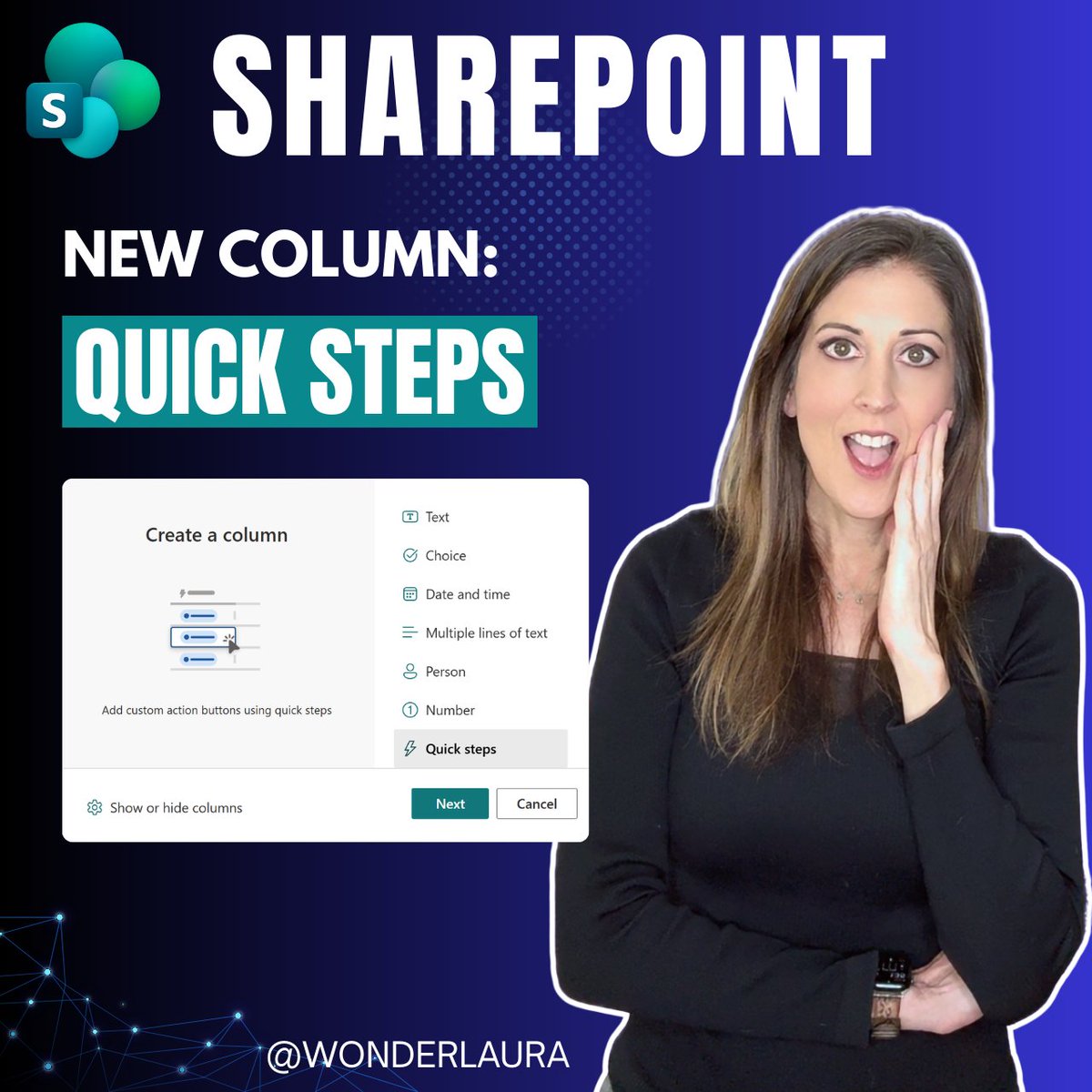
🆕 Microsoft just rolled out a brand-new column type in SharePoint Lists and Libraries — and it's a game changer for end users.
The new Quick Steps Column lets you add clickable action buttons directly in your list rows. No JSON. No code. No hunting through menus.
In my latest blog post I walk through every action type:
📧 Draft an Email
💬 Start a Teams Chat
🧑💼 Set a Value
☑️ Send an Approval Request
⚙️ Execute a Flow
🤖 Ask SharePoint / Knowledge Agent
Plus my advanced technique for silently triggering a complex Power Automate flow with a single button click — no flow panel, no extra clicks.
If you've ever built JSON buttons in SharePoint lists, this is the no-code version of everything you used to have to do manually. 👇
https://t.co/BeSm8k28zf
#SharePoint #MicrosoftLists #PowerAutomate #Microsoft365 #NoCode #PowerPlatform
A widespread outage hit Microsoft platforms including Outlook on Thursday, with many users encountering trouble using their email accounts and other errors across the tech giant’s suite of apps. https://t.co/dl3D2dlpmN
We're investigating reports of users experiencing issues accessing Exchange Online mailboxes through multiple connection methods in the Americas. More details can be found in the Microsoft 365 admin center under EX1550543.
💡 Markdown to PDF is possible with Power Automate, with a few caveats!
@johnnliu shows how #PowerAutomate can create markdown, convert it with OneDrive, save the PDF to #SharePoint, and test what renders well.
📺 Watch now → https://t.co/nZrAr4xvrB
👀 Microsoft Ignite is coming up Nov. 17–20, and you can attend in San Francisco OR online for free!
SharePoint + OneDrive have a big lineup around Copilot, agents, AI-powered knowledge, security, and more. 🤖✨
#SharePoint#MSIgnite
HTML List views in SharePoint. Turn any @SharePoint list or document library into a live HTML dashboard with the help of @Copilot.
https://t.co/pV7gQOW5Ss
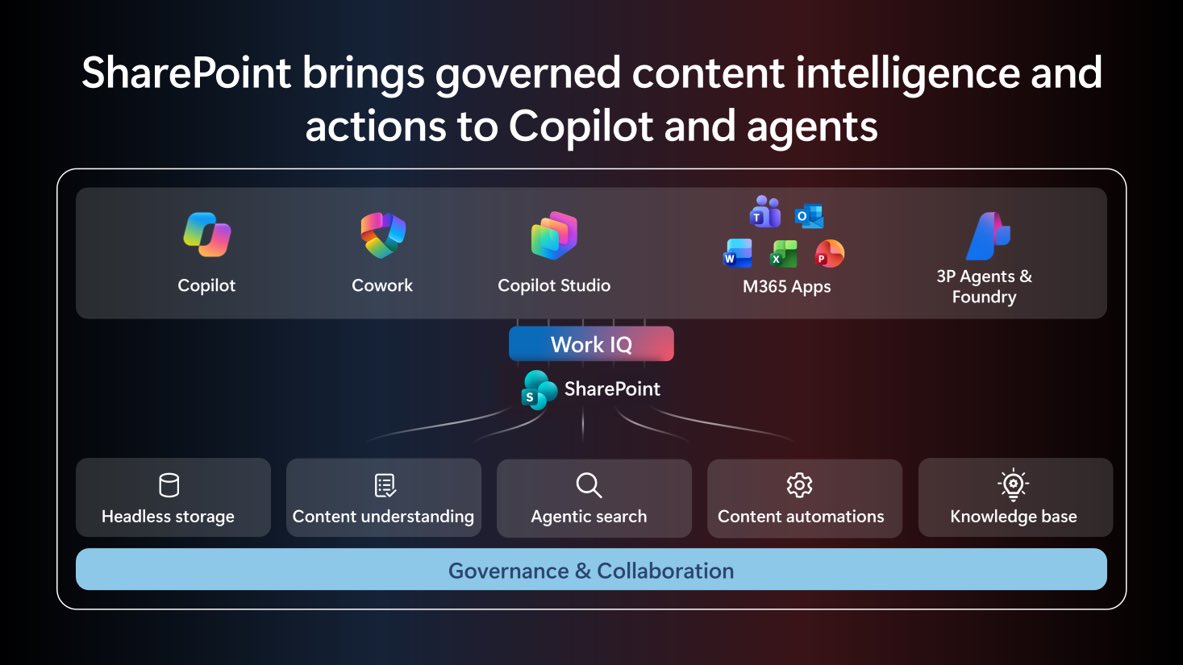
🚨 This is BIG for SharePoint + AI agents.
SharePoint tools in Work IQ are now in public preview, with 60+ actions that let agents actually DO things in SharePoint, not just answer questions about your content. 🤖🔥
✅ Create & update lists ✅ Add/update/delete items ✅ Create columns & views ✅ Work with files & folders ✅ Approvals, sharing, version history & more
This is the direction I’ve been waiting for: AI that doesn’t just talk about your Microsoft 365 content. It actually gets work done. 🙌
#SharePoint #Copilot #Microsoft365
Great post from Bas from the Cowork team.
While it's all over X posts, I can't emphasize enough how profoundly software development has changed in the last 3-6-9 months.
https://t.co/QBiFPfT4mR
🚨 Okay, THIS is interesting.
Microsoft is taking Dataverse beyond the traditional Power Platform world and bringing it directly into Copilot Cowork, GitHub Copilot, Claude, ChatGPT/Codex, Cursor, Gemini CLI, n8n and more.
And the Copilot Cowork piece especially caught my attention. 👀
Describe an app in plain language ➡️ it can design your Dataverse tables and relationships, seed sample data, and build and publish a working app, with changes presented for your approval.
We're getting closer and closer to "tell it what business solution you need" instead of worrying so much about which tool you're supposed to build it in. 🤯
#Microsoft365 #PowerPlatform #Dataverse #CopilotCowork #Copilot #AI #LowCode
What a week! 🤩 I was thrilled to be one of the speakers at this year’s Power Platform Community Conference (PPCC) in Las Vegas, alongside 9,000+ makers learning, building, and connecting.
Microsoft just published a great look back at 5 years of PPCC and what makes this community so special. 💜
The name may be changing to Maker Con next year, but I have a feeling the maker community is just getting started! 🚀
#PPCC26 #PowerPlatform #Microsoft365 #CopilotStudio #PowerApps #PowerAutomate #MakerCommunity
Copilot Autopilot is scheduled to start rolling out to Frontier THIS MONTH 🤯
Its own account. Its own computer. Keeps working while you’re offline.
Who else can’t wait!!??
What are developers, makers, organizations, and community members building with Copilot?
Join our weekly calls for updates and practical demos from Microsoft and the community.
See more → https://t.co/8uLfaAyawN
#Copilot#Microsoft365#PowerPlatform
This week at #PPCC26, I saw one of the best keynotes I have seen in a LONG time…and I see around 200 keynotes a year.
The topic was The Future Workplace and the main speaker was Nirav Shah. Now Nirav usually tackles very deep, technical topics but this talk was very different, it talked about what the future workplace will look like based on where our various industries are headed and what we humans need to be doing today to prepare.
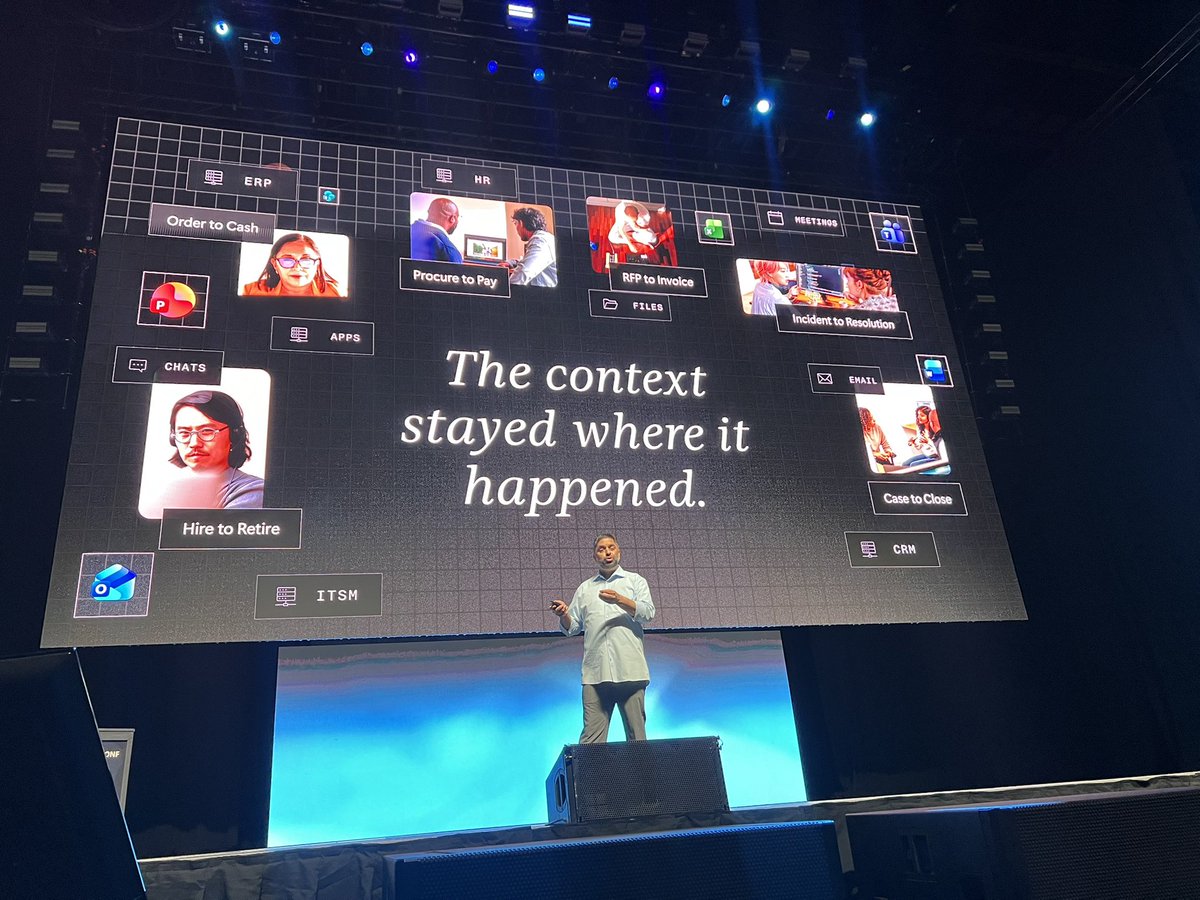
He started by making the joke of "What happens in Vegas, stays in Vegas--kind of like your enterprise context." What he meant by that was that the context of your work stays in the app or agent the work happens in. For example, a customer issue to resolution stays in the Customer Support app and is not available to others in the org who could benefit, like the people building the product.
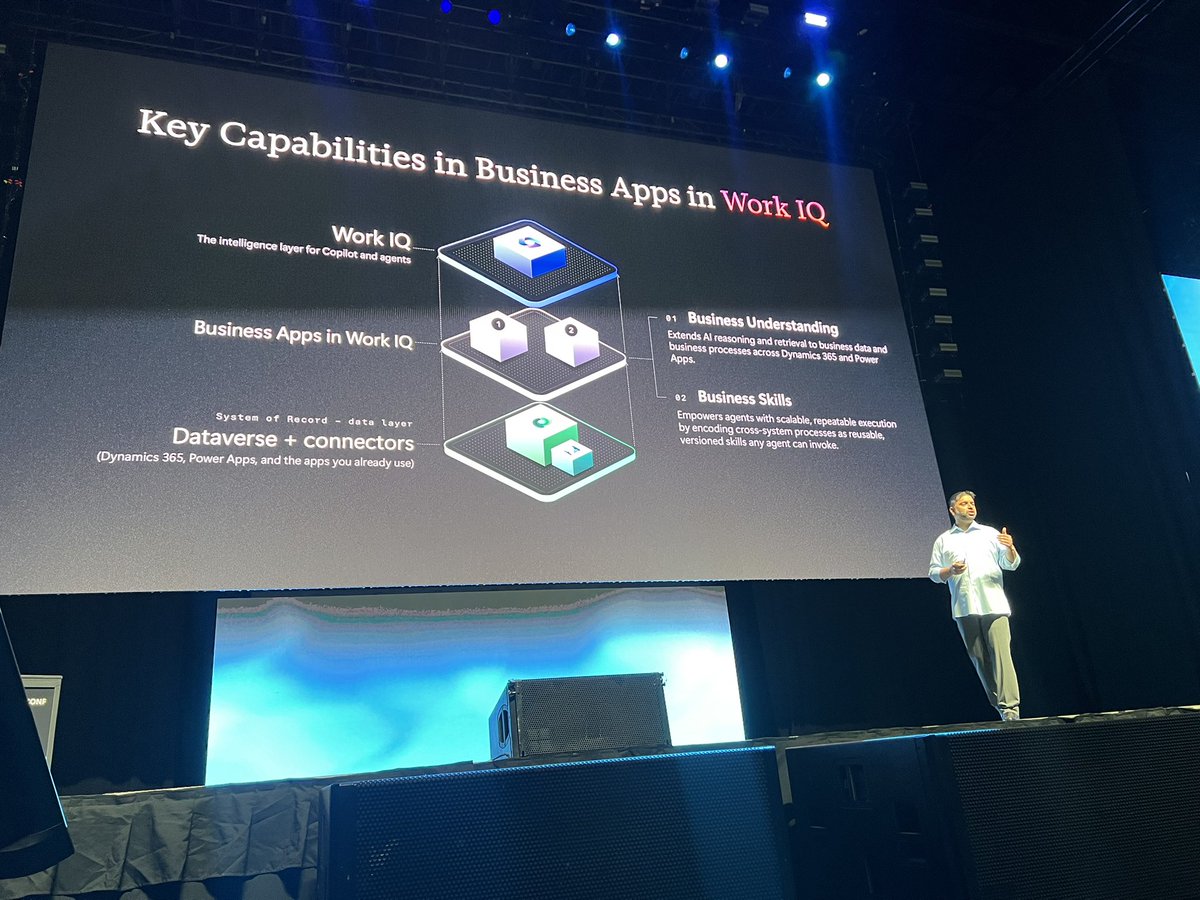
This is where the concept of IQ comes in, specifically Work IQ that now connects to your Business Apps! This is a new functionality that connects the context of your various business apps, it improves the more you use it + give it feedback and stays in the flow of where you work rather than dragging you to some new UX.
The two parts of Business Apps in Work IQ are:
1. Business Understanding - extends AI reasoning and retrieval to various business data and business processes in the language of YOUR business (TLAs and all!)
2. Business Skills - like an onboarding doc for Agents that empowers agents with reusable skills that any agent can use
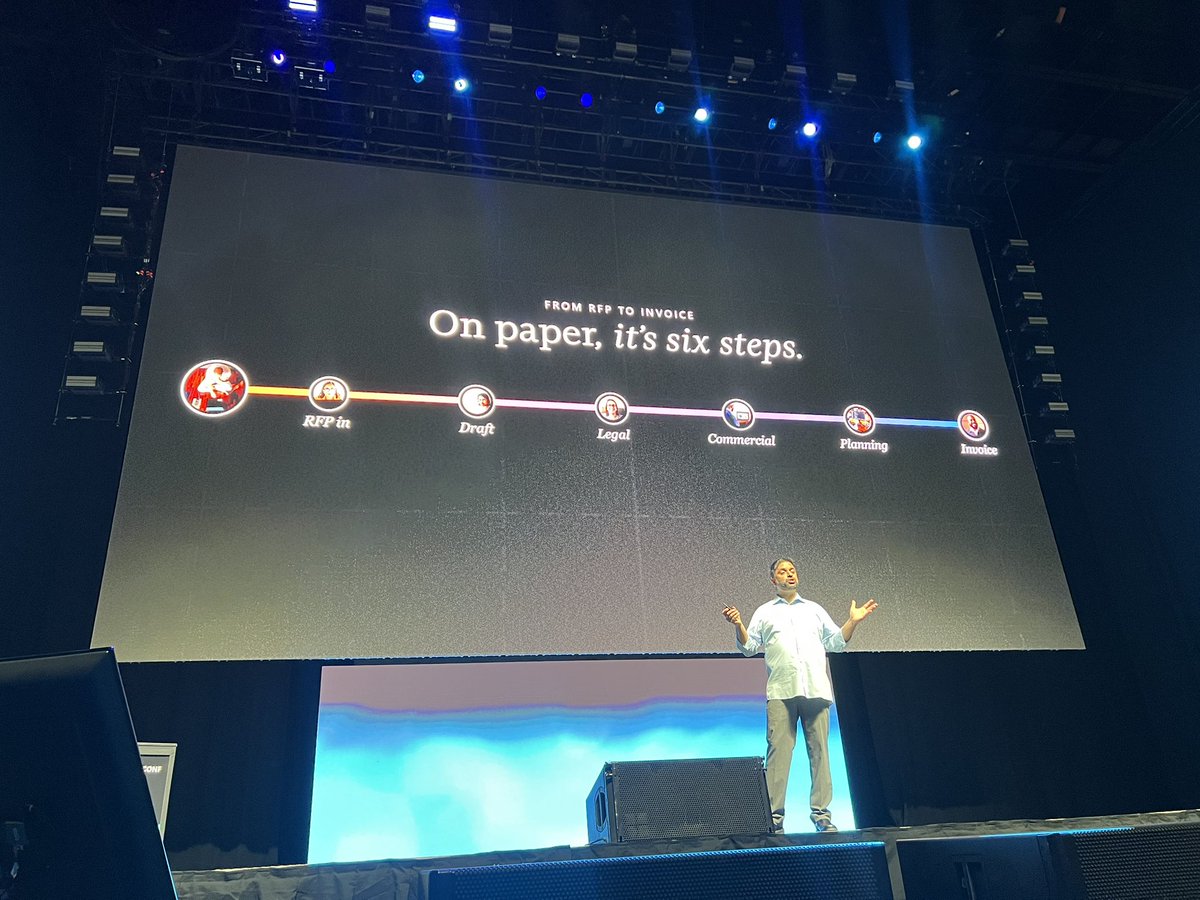
Then the talk goes on to uses an RFP-to-invoice process to show the difference between a documented business process and actual work.
The process on paper is a beautiful linear 6 step thing but as we all know, the real process involves Outlook emails, Teams convos, Word doc revisions, Excel, ERP stuff, and more meetings!
And across all these steps, guess where the context stayed? Yes, in the app and DISCONNECTED from all the other apps!
The solution is to treat the process as a relay with guardrails with knowledge and actions being shared as needed.
Then there were some product demos showing how to build this in Copilot Studio with Keith Ramsdell and governing this whole enchilada in Agent 365 with @mamaspring_24 of course!
I loved the idea that after we spent decades teaching people how to use apps, we're now teaching AI + IQ how to navigate our busineses!
This was SUCH a good talk--exactly what we need to hear and see given the crossroads all of our orgs are currently in. I really wish it had been recorded, but maybe I can hassle the team to give it again!
10/10 no notes. Great job Nirav and co!