100% Transparency in documenting my thoughts while building the first Full Autonome AI GTM & Context Suite // I love GTM, No Code, AI Processes, UX & RevOps
@aaronistan tbh i like the idea - but when i saw the arms opening up i got afraid and i think i cant sleep next to something like this xD - make one for the kitchen that cant kill me directly while i sleep, just hit me when i go the 10th time to my fridge lol
Day 5 @ night #buildinpublic – Decision Process Mapping live
Mapped the full Buying Center across key segments.
Why?
Because no deal gets closed by one person alone.
You need to know:
– Who blocks
– Who decides
– Who pushes
Map influence, not just titles.
That’s how GTM gets real
Day 5 #buildinpublic – building a full GTM Strategy + Execution Platform
Integrated the Beachhead Matrix directly into the Audience view to prioritize segments more clearly.
Also revamped the UI for sharper focus and easier navigation across personas.
Day 5 #buildinpublic – building a full GTM Strategy + Execution Plattform
Not sure which audience to focus on first?
Map them side by side. Score them.
Pick the one with the biggest impact.
You’re not ignoring the others.
You’re just starting with the bullseye.
That’s how...
Day 4–5 #buildinpublic
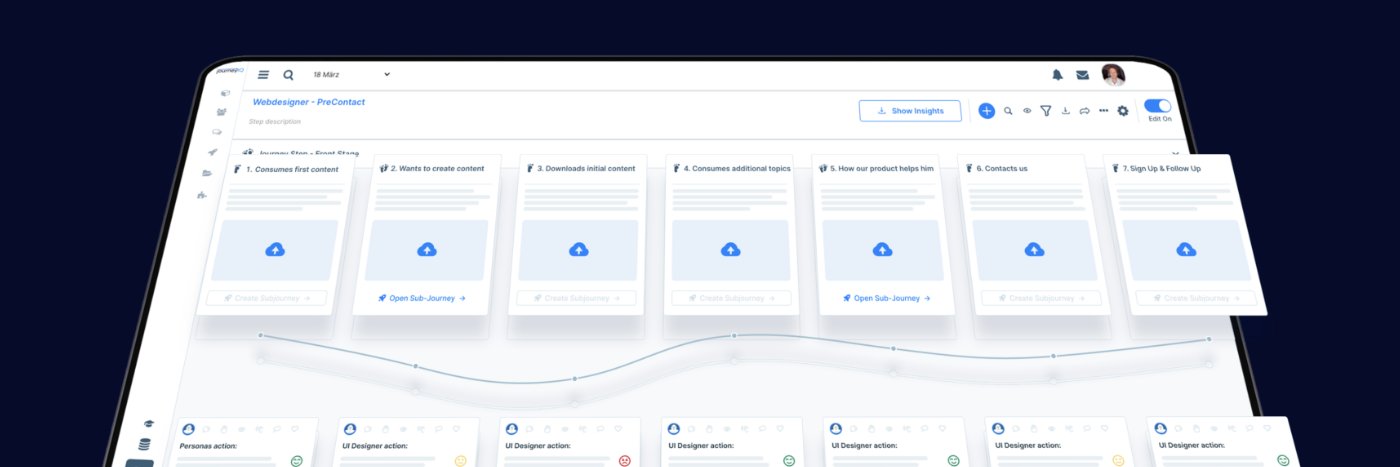
Got stuck in Journey Mapping.
So I zoomed out and shifted to GTM Strategy:
– What’s your real market?
– Who exactly is your audience?
– Which beachheads matter?
– How does your buying center actually decide?
– Do you really know your persona?
More soon…
Day 3 #buildinpublic
Replaced “transitions” with goals for #Journey Maps
Each goal can now contain multiple parallel sub-journeys – like reaching awareness via ads or email etc.
Plus added Table View to better analyze how different paths contribute to solving core user problems.
sorry @bubble it feels like cheating when i work with other tools like @dyad_sh but i still wait for your inline beta and also there is no great option for flowcharts :'(
Day 2 #buildinpublic:
Building an AI-driven GTM tool—still wrestling with the UX to make it truly simple and accessible. Pro mode in @dyad_sh is surprisingly smartand fastens the process. Just added a new remapped process view to not overcomplicate it for the user. Ideas welcome!
Back in the Game all day.. did not take long till i used up my pro version credits from @dyad - switched to MAX Tier cause it is worth it - never worked with an AI Coding tool making me belive it creates a actually shippable product... (FN i am still use it for testing ideas..)
@dyad_sh works perfectly - love the tool - love the vision - if you guys need help with the product (gtm/ marketing/ sales hit me up would be happy to help!)
#AI#UI Research - Switched back to interactive code #dyad for prototyping—gave it the same prompt as before, iterated 6x, and the results are 🔥. Way closer to what I actually need. Sometimes you really just need the right tool. #buildinpublic#journey#gtm#saas
I partied to early.. the AI is still in beta and not really usefull - they should have an o3 model behind that understand the user context better so they generate better internal prompts - cause user (mostly me) are stupid and lazy
Research - Finally found an AI tool that lets me test my design ideas and add real info and context: https://t.co/tMGhTHktXg. Still missing some strategic depth, but it’s great for quick iterations and exploring concepts. Curious to see how far I can take this. #buildinpublic
Most #AI design tools ignore the one thing that matters: user context. It’s not about fancy features—it’s about real goals and journeys. That’s why i will start with developing ScaleIQ - but i decided to go from the original design to a flow based idea... #buildinpublic