Absolutely — if you gatekeep vulnerable OSS before code even gets committed, it won’t hit prod.
The only exception is an unknown (zero-day) vuln — but if you’re automatically generating SBOMs, it’s easy to trace which prod instances are affected.
Prevention + visibility is the real win.
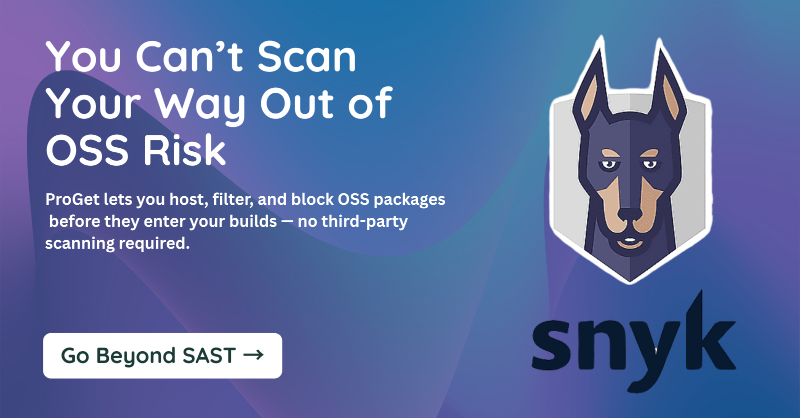
You scan your code — but what about what you didn’t write?
Most vulnerabilities come from third-party packages.
ProGet enforces OSS controls before they reach your repo.
Start here.
@aauahelap Thanks for reaching out, and sorry you didn’t get a response through the website. Could you please send me your email address via DM? I’ll follow up and make sure someone gets back to you.
Managing dozens of apps across environments?
BuildMaster helps you coordinate releases across teams, systems, and technologies — with full visibility and control
@devxhub Exactly — that’s the difference between visibility and governance. ProGet helps teams move from just seeing problems to actually controlling what gets through. 🔐
@imnomandigital Many teams use version ranges to manage NuGet dependencies—but that often leads to unexpected updates and inconsistent builds. A better approach is using lock files, a package approval process, and tools to track usage. We wrote about it here: https://t.co/sHazOAnYy1
What's the best way to scale #NuGet package use in a company?
Learn more about NuGet at the #Enterprise level in our latest blog post: https://t.co/ZNmHbS2s61
Great question! Are you currently running into challenges managing NuGet dependencies at scale?
“At scale” can mean different things—more devs can make enforcing standards harder, while more projects can lead to dependency sprawl.
I’d love to hear what kind of scaling you're seeing. We might even write an article about it!
@josh_wenke Thank you so much! 😊 I really appreciate that — definitely planning to share the insights once I’ve gathered enough responses! We're already at 800 responses and aiming for 1,000 — would really appreciate it if you could share the survey with others too 🙏
💡 How is your team managing the software supply chain?
We’re running a quick survey for IT pros—tell us what’s working, what’s not, and what needs to change.
🕐 Takes 5–7 minutes
🎁 Get a $20 gift card for completing it
🔒 Responses are anonymous
@TheDarkGoldMan@pulpproj Ah, got it — sounds like your homelab is evolving into a small-scale company infrastructure.
Unified login via OIDC makes total sense — especially if you’re onboarding others.
Congrats on the scale-up — super cool to see!
@TheDarkGoldMan@pulpproj Thanks for the info, Guillaume! That’s super helpful.
Genuine curiosity: what’s your use case for OIDC in your homelab? Are you testing something for an OSS project, simulating enterprise setups, or just prefer unified login across services?
Interesting stats — thanks for sharing. One thing I’m genuinely curious about:
If so many organizations are already using 7+ security tools, what's getting in the way of those tools actually reducing risk? Is it just alert fatigue, or is it more about gaps in integration, context, or developer adoption?
@TheDarkGoldMan@pulpproj Unfortunately not 😕 ProGet only supports SAML (Enterprise-only), not OIDC. Most OIDC providers like Okta support SAML too, so that’s the usual workaround. But yeah… no OIDC support 🙁
Genuine question though — do other tools offer OIDC/SAML for free?
@TheDarkGoldMan@pulpproj Not sure if you’ve ever looked into ProGet, but it might be worth checking out. It’s kind of built for this use case—self-hosted, supports Docker/NPM/NuGet/etc out of the box, and there's even a free version.
I’d be curious what you think of it compared to Artifactory.
Python projects can quickly become unmanageable as they grow.
Without a structured approach, code turns into a tangled mess, making maintenance and collaboration difficult. That’s where modularization and packages come in. By organizing your code properly, you can keep your project scalable, reusable, and easy to understand.
Why Modularization Matters
Breaking your code into modules helps maintain clarity. Instead of one massive script, you can separate logic into different files. This makes debugging easier and encourages code reuse across projects.
The Role of Packages
A package is a collection of modules that work together. It allows you to logically group related functionality, reducing redundancy and improving maintainability. With __init__.py, you can define package behavior and control how modules are imported.
Best Practices
1️⃣ Keep modules focused—each should handle a specific task.
2️⃣ Use clear and consistent naming conventions.
3️⃣ Organize packages logically to reflect functionality.
4️⃣ Document modules to make them understandable for future developers.
By mastering modularization, you can build Python projects that are structured, scalable, and easy to manage. Properly designed packages ensure code reusability and maintainability, saving time and effort in the long run.
@MinhLuanQuach There are many reasons to use Jenkins; avoinding vendor-lock-in, cost etc.. Jenkins is free & open-source, which can save a lot of money compared to Azure DevOps. #DevOps#CICD
#Jenkins is a popular tool used to automate deployments, but it has it's limitations. Check out our blog to learn how to build a CD pipeline in Jenkins, how to write parameterized #Powershell scripts, and more#Jenkins is a popular tool used to automate deployments, but it has it's limitations. Check out our blog to learn how to build a CD pipeline in Jenkins, how to write parameterized #Powershell scripts, and more#Jenkins is a popular tool used to automate deployments, but it has it's limitations. Check out our blog to learn how to build a CD pipeline in Jenkins, how to write parameterized #Powershell scripts, and more#Jenkins is a popular tool used to automate deployments, but it has it's limitations. Check out our blog to learn how to build a CD pipeline in Jenkins, how to write parameterized #Powershell scripts, and more:
Don’t let small PowerShell errors cause big problems.
Here’s what you need to know about testing:
✔ How to catch issues before deployment.
✔ Tools to automate PowerShell script testing.
✔ Writing tests that ensure reliability.
🔍 Learn more: https://t.co/z0iPTW19Wu
Missed this?
Here’s a quick summary of our blog on PowerShell testing.
✔ Testing prevents costly script failures.
✔ Common mistakes include skipping error handling.
✔ Pester is the go-to framework for PowerShell testing.
✔ Automate tests to catch issues early.
📖 Read more: https://t.co/YbSLwRIHTX
Public PowerShell repositories can be unreliable. A private repo ensures stability, security, and control over your modules. See how to set one up.
📖 Learn more: https://t.co/dElhSpIpyX