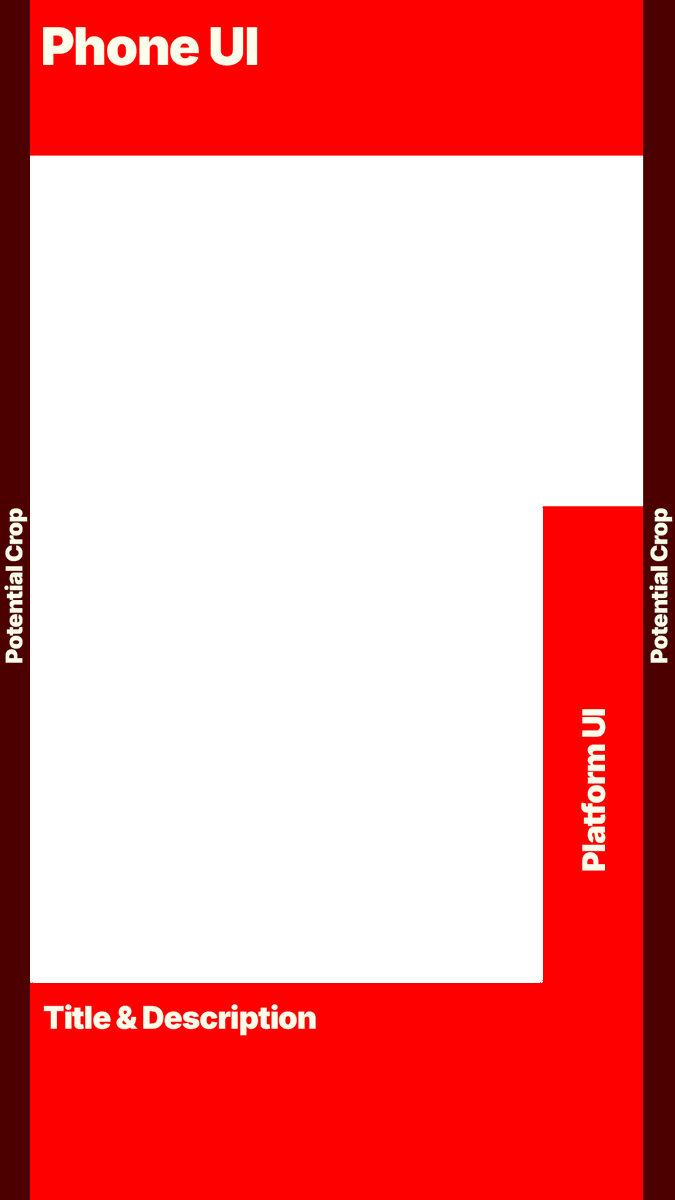
Making a custom thumbnail for a YouTube Short?
Use this free transparent safe-zone overlay to keep your text, faces, and key visuals clear of YouTube’s UI.
Drop it into Canva, Photoshop, or your editor while you design.
Download now 👇
Gaming YouTubers LOVE these Fonts for Thumbnails and Subtitles:
- Obelix
- Burbank
- Montserrat
- Komika Axis
- Arial
- Gotham Black
- Blues Smiles
- Museo Sans
- Inter
- Mont
- Neue Haas Grotesk
- Bebas Neue
- Cocogoose
- Planet Comic
- Akira Expanded
- Coolvettica
Save this if you’re a Creator (FONTS for Subtitles AND Thumbnails):
For Subtitles:
Work Sans
Barlow
Poppins
Proxima Nova
Montserrat
Gotham
TT Norms
For Thumbnails:
Akira
Komika Axis
Druk
Sequel 100
Mont Heavy
Extra Beige
Milan
Luckiest Guy
Obelix
Burbank
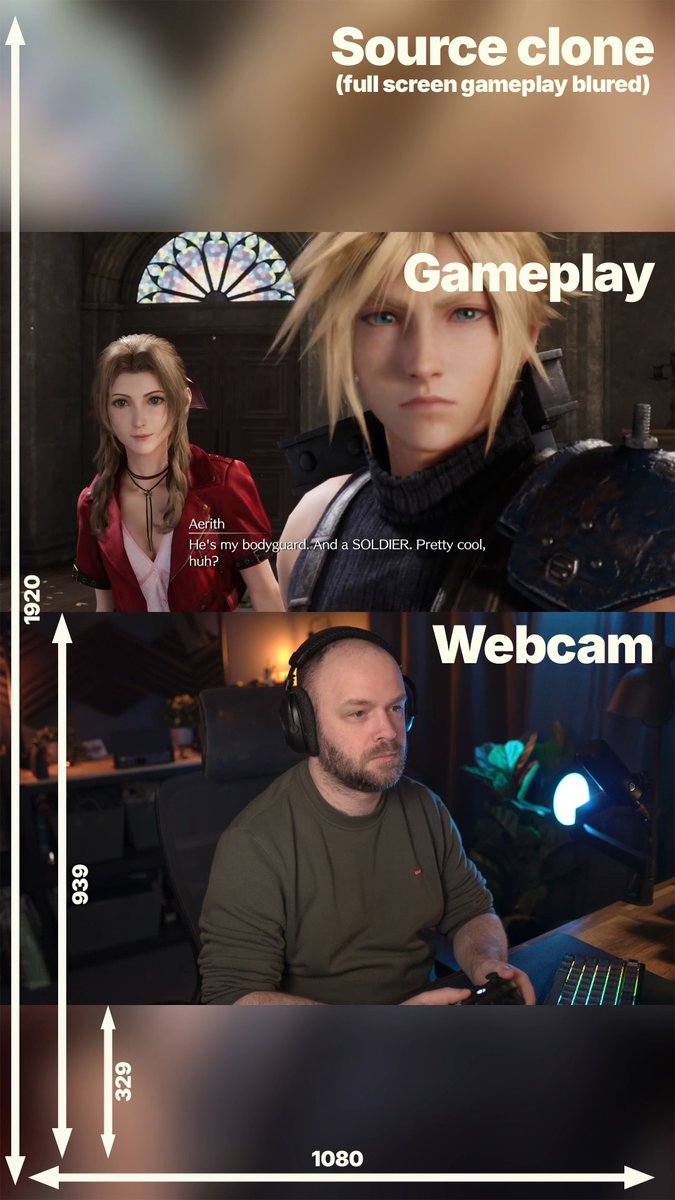
Here is my Twitch vertical streaming layout thought process
- Gameplay above webcam (less eye travel between my face and gameplay)
- Focus less on the Twitch experience and more on the Social media clip usage
- No important info in the red zones
- Captions central or on person
IMPORTANT ‼️‼️
VTubers, make sure this setting is turned OFF for when copying/sharing YouTube links? I have no idea why anyone would want this feature, but you may be accidentally doxxing yourself if you browse/share from a personal account instead of your vtubing one 😨
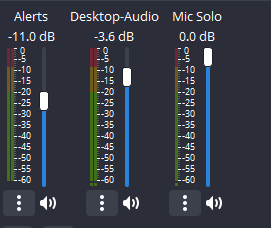
Audio Levels I Use:
⁽ᴬᵖᵖˡᶦᶜᵃᵇˡᵉ ᶠᵒʳ ᵃⁿʸ ˢᵗʳᵉᵃᵐᶦⁿᵍ ˢᵒᶠᵗʷᵃʳᵉ⁾
🎤 Voice/Mic: -3 to -5 dB (Red Zone)
💬 Discord VC: -15 dB
🔔 Alerts: -15 dB
🎮 Game Audio: -20 dB (Yellow Zone)
🎵 Music: -45 dB (Low Green)
Recommended Filters:
Noise Gate
Compressor
Limiter
These will stop making your mic cut out when you scream (or when you talk high pitched, ladies)
Remember, if it's loud to YOU, it doesnt mean it's loud to your viewers. Reading the audio meter is how you understand loudness. Watch your VODs after to really see and turn down your headphones if you need to.
With my video-based knowledge, take what I tell you and learn from actual audio engineers on YouTube! A tweet can't teach you everything you need to know. But I hope this points you in the right direction.
Spent hours researching OBS audio filters so you don't have to >:3
Here's a breakdown on how to 𝘢𝘤𝘵𝘶𝘢𝘭𝘭𝘺 use a compressor to improve your mic quality⬇️ (free guide in comments)
My biggest pet peeve is when someone gives advice about audio, AND IT'S WRONG ahh
With a degree in Post Production (editing) and 10 years working in the industry for tv, my advice is...
Audio Mixer OBS:
Voice: -5db (THE RED ZONE IS GOOD, never get to 0)
Game: between -20db & -15db (Yellow)
Music: between -45db & -35db (Low Green)
People saying never to put audio in the red zone are flat out wrong. You want to avoid distortion, which is when it peaks at 0 and above, but your voice should be louder than the game.
Hope this helps!
I started dating an Argentinian girl and she told me when dating/in a relationship the roles are reversed.
Girls are supposed to treat the boys like a princess.
So girls usually pay for food, think of fun dates to do, etc.
Like she was shocked when I offered to pay for the meal.
Some would say “just add audio filters in OBS” …some would be wrong 😂
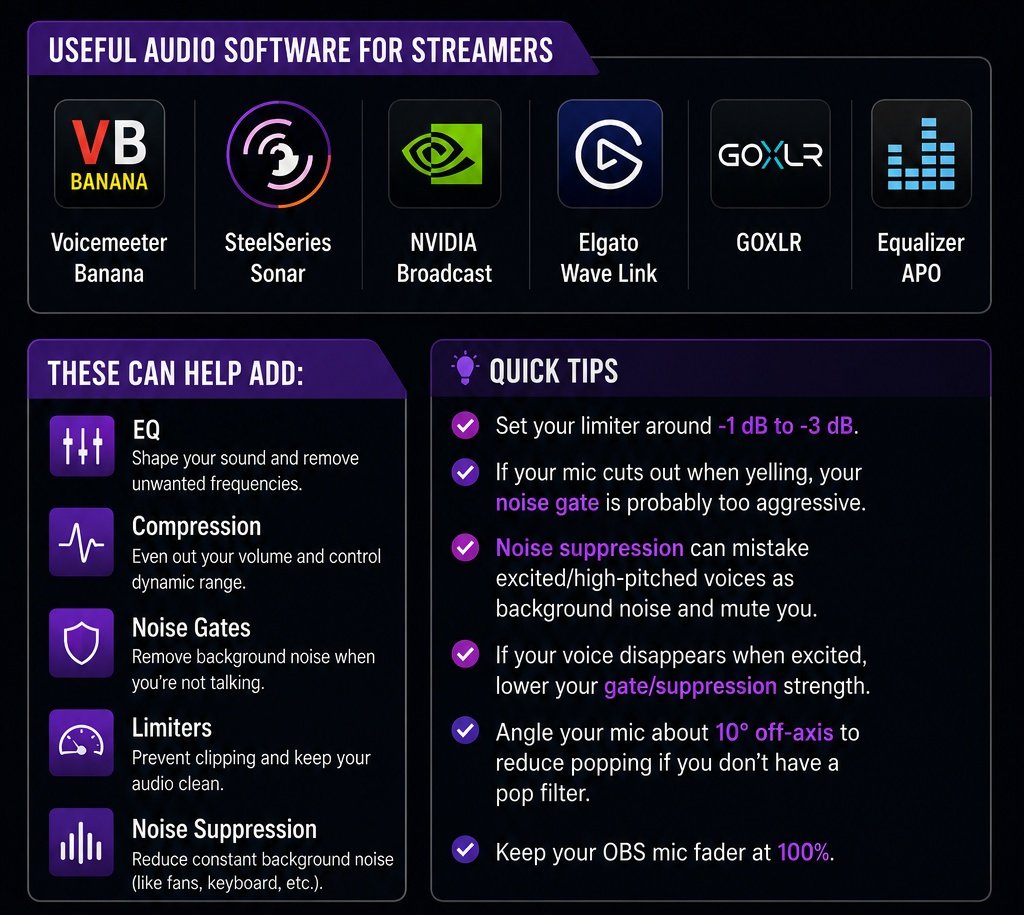
For the best audio, you want your EQ, compression, noise gate, and limiter handled BEFORE your audio reaches OBS.
Useful audio software for streamers:
• Voicemeeter Banana
• SteelSeries Sonar
• NVIDIA Broadcast
• Elgato Wave Link
• GOXLR
• Equalizer APO
Quick tips:
• Set your limiter around -1 dB to -3 dB
• If your mic cuts out when yelling, your noise gate is probably too aggressive
• Noise suppression can mistake excited/high-pitched voices as background noise and mute you
• If your voice disappears when excited, lower your gate/suppression strength
• Angle your mic about 10° off-axis to reduce popping if you don’t have a pop filter
• Keep your OBS mic fader at 100%
Once your mic is properly configured, feel free to use your OBS faders for balancing game, discord, music, and alerts audio
Hope this helps!
Stop using your family members to create multiple AdSense accounts
Never thought this would have to be said but there are a lot of sub 18 year olds trying to make it on YouTube - this is the reality:
You are shifting the tax liability to them. They are the ones making the money on paper. If you are planning on earning more than a couple dollars, why put unwilling family members at risk?
You also need to understand that AdSense is not the only issue here. YouTube can detect IP/fingerprints etc
If you want to go that route - you are better off creating a new company for each AdSense account and going about it the legal way.
Can’t afford to do that?
Then you’re probably not at the stage where scaling is an issue, so don’t waste precious time complicating things