📝The best notebook isn't a notebook. It's X + a backup.
X is where ideas go public; your notes app is the safety net. Posting in public gives you feedback and momentum. Private notes are for structure and backups.
If a post hits, you can repurpose it elsewhere.
📸Write on X first, then archive it.
Too many GitHub tools look impressive but never make it into real workflows.
I'm changing my content around that idea.
I'll keep sharing open-source tools that are actually worth testing - with practical use cases, trade-offs, and less hype.
A simple framework for getting better UI from coding agents:
1) Give the agent build rules Use AGENTS.md for stack, conventions, and workflow.
2) Give the agent visual rules Use DESIGN.md for color, spacing, tone, layout patterns, and interaction style.
3) Start from an existing aesthetic Don’t ask for “make it modern.” Give it a concrete design language to imitate.
4) Use one page as the visual anchor Homepage first. If that looks right, expand to pricing, docs, dashboard, etc.
5) Evaluate consistency, not just beauty The real test is whether the 2nd and 3rd screens still feel like the same product.
That’s why repos like awesome-design-md are useful: they reduce ambiguity at the exact point where AI-generated frontend work usually drifts. If you build UI with AI, this is the part worth systematizing.
A big reason this is interesting to me: AGENTS.md tells the agent how to work, but DESIGN.md tells it how the product should feel.
That separation is actually pretty smart for teams building with AI.
Repo: https://t.co/rj1QESWLVE
If you’ve ever spent longer trying to “prompt the vibe” than actually building the page, this repo will feel painfully relevant.
#DailyGitHubGem #18 : awesome-design-md
What I like about tools like this is they remove a very real bottleneck in AI-assisted frontend work: the agent can write code fast, but it still needs taste, constraints, and a visual direction.
This repo gives you ready-made DESIGN.md files inspired by real product sites, so you can drop one into a project and give your coding agent a much clearer design target.
3 practical ways I’d use it:
• Kickstart a landing page without starting from a blank visual prompt
• Keep multi-page AI output more consistent when you’re moving fast
• Test different product “feels” before committing to a full design pass
trade-off: It won’t replace a real designer or product thinking. It’s best as a strong starting system, not final taste.
🔥 Daily GitHub Gem #16: Goose
I used to hate bouncing between half‑working agents… until Goose finally gave me a local agent that actually finishes tasks.
I use it when I need a full dev task done end‑to‑end (build, run, debug).
Result: fewer context switches and way faster prototyping 😂
Here’s exactly how I use it in my workflow:
• Automate real tasks — build, run, debug without babysitting
• Use any LLM — swap models to balance quality vs. cost
• Extend with MCP — plug in tools/APIs and keep workflows consistent
Example: I let it scaffold a new project, run tests, then iterate on failures while I review.
Trade‑off: initial setup takes a bit longer than simple “code suggestion” tools.
Drop your use case below 👇
#GitHub #OpenSource
@outsource_ For $1.5-2k you can run a strong local model. In places with restricted or limited connectivity🚫, offline Al can narrow the information gap and keep information moving.
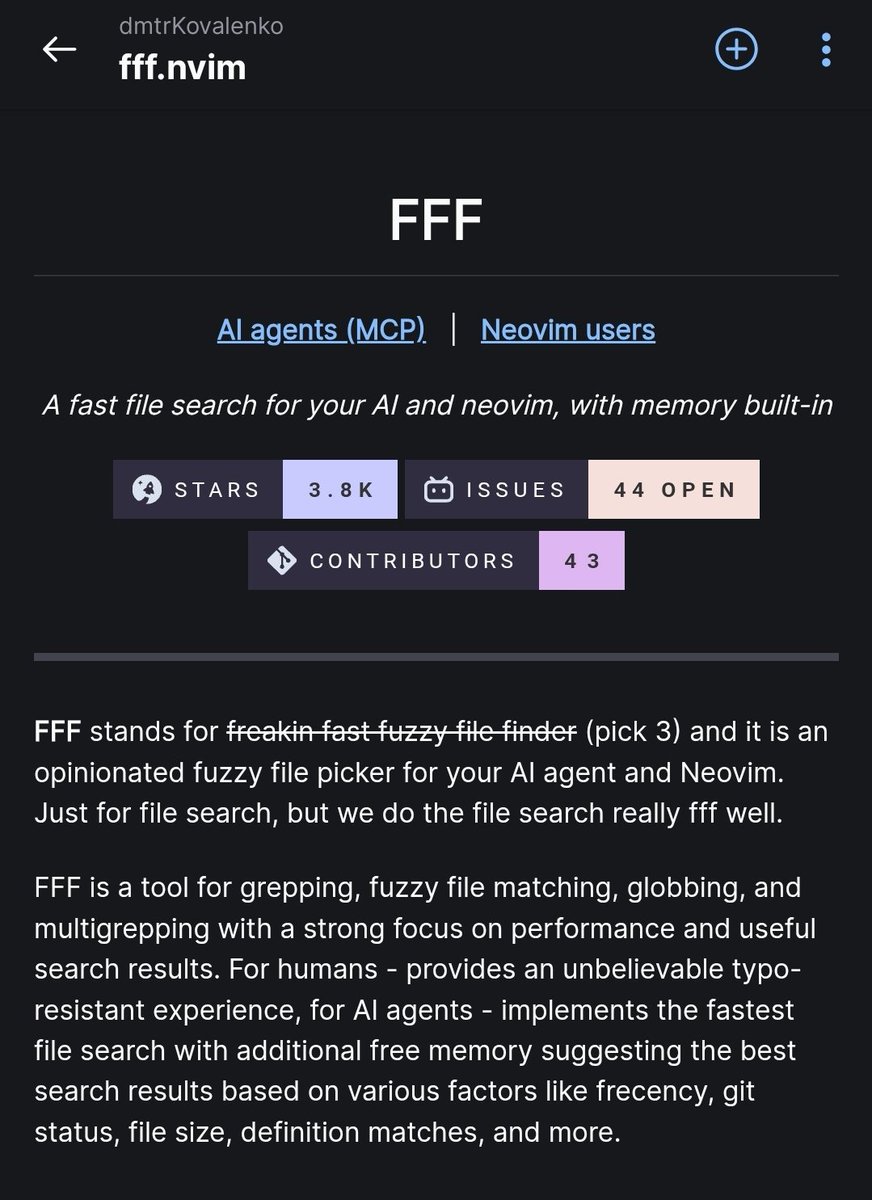
🔥 Daily GitHub Gem #16: fff.nvim
I used to waste time bouncing between file finders… until this tool made search feel instant.
Here’s exactly how I use it now:
• Focus on accuracy first — fewer false hits, less mental noise
• Keep it fast — search stays snappy even in huge repos
• Stay in flow — no context‑switching out of Neovim
Result: I find files faster and stay locked in the code.
3.5k stars • ultra‑fast file search toolkit for AI agents & Neovim
If you’re working inside big repos, this will save you hours.
#GitHub #OpenSource #AI #Neovim
🔥 Daily GitHub Gem #14: lazygit
I used to dread Git conflict cleanup. Then I switched to this, and my “commit + fix + push” loop got way faster.
It keeps me in the terminal without the mental overhead.
Here’s exactly how I use it in my workflow:
• Stage/unstage hunks quickly when I’m cleaning noisy diffs
• Resolve conflicts in one screen instead of bouncing between files
• Scan branches + commits fast before shipping a release
Real example from my setup: I cut my “pre‑merge cleanup” from ~10 minutes to ~2.
Social proof : 75.5k⭐ / 2.6k forks
Trade-off: If you prefer GUI Git clients, this won’t feel natural.
#GitHub #OpenSource #Al
🔥 Daily GitHub Gem #13: github-trending-cli
I used to waste 10–15 minutes a day opening GitHub just to check trends. This fixed it.
Now I scan trending repos from my terminal while I’m already working.
Here’s why it’s solid:
• One command for daily/weekly/monthly trending — no browser
• Exports CSV/JSONL, so I can build a quick weekly roundup
Trade-off: If you live in GUIs, this won’t feel natural.
#Daily #GitHub #OpenSource
🔥 Daily GitHub Gem #12: LangExtract
Drowning in messy text? This turns it into clean, structured data.
I love that you can define your own schema and get fields out fast—no manual cleanup.
Here’s why it’s solid:
• Custom extraction rules for your exact fields
• Works with multiple models (incl. local) so it fits your stack
• Social proof: Google-backed + PyPI package + DOI paper
Trade-off: LLM dependency means you manage cost & consistency
Would you try this this week?
#GitHub #OpenSource #AI
🔥 Daily GitHub Gem #11: cobalt
Sick of ads/limits just to grab public media? This kills the friction.
I tried it: paste link → get file, done.
Here’s why it’s solid:
• One‑step download for public content
• Self‑hostable instance for teams/tools
• Social proof: 39,360 GitHub ⭐
Trade-off: Public content only; you own the compliance line.
#GitHub #OpenSource #AI