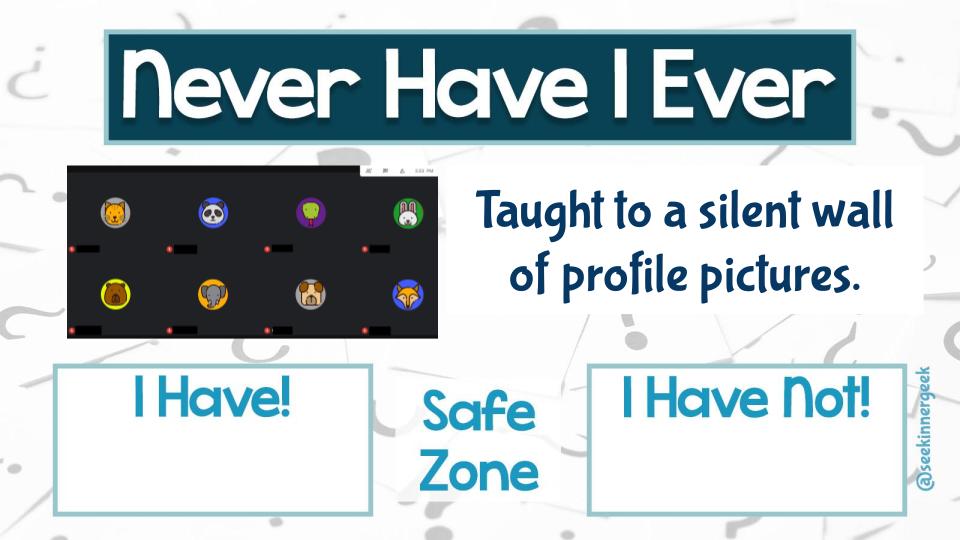
@MAcevedo_04 I found your Digital Citizenship videos on YouTube. Love, love, love them! I was wondering if you are willing to share your slides? I’m willing to pay as well!!!
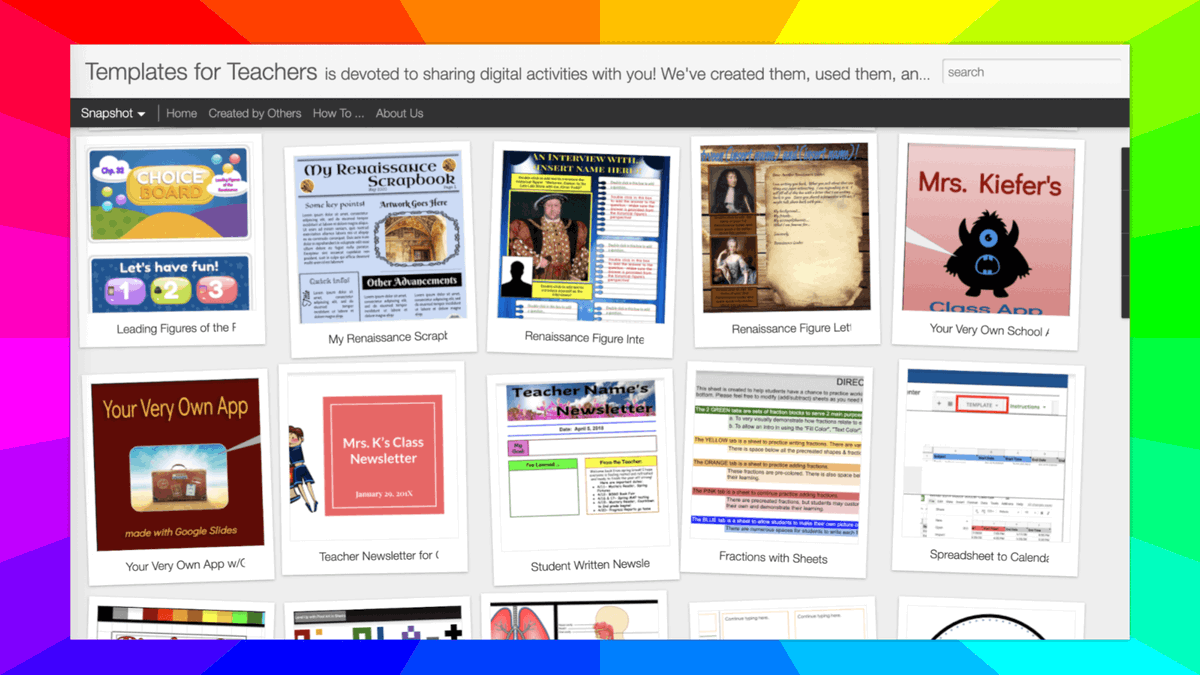
💻 Templates for Teachers is a collection of free #GoogleEdu documents you can copy, modify, and use. Thanks @bethkingsley13 and @SarahJKiefer!
📚 Book Reviews
⛺️ Name Tents
📖 Pamphlets
📰 Newsletters
🐦 Fictional Twitter
...and many more!
https://t.co/lTfIefDebR
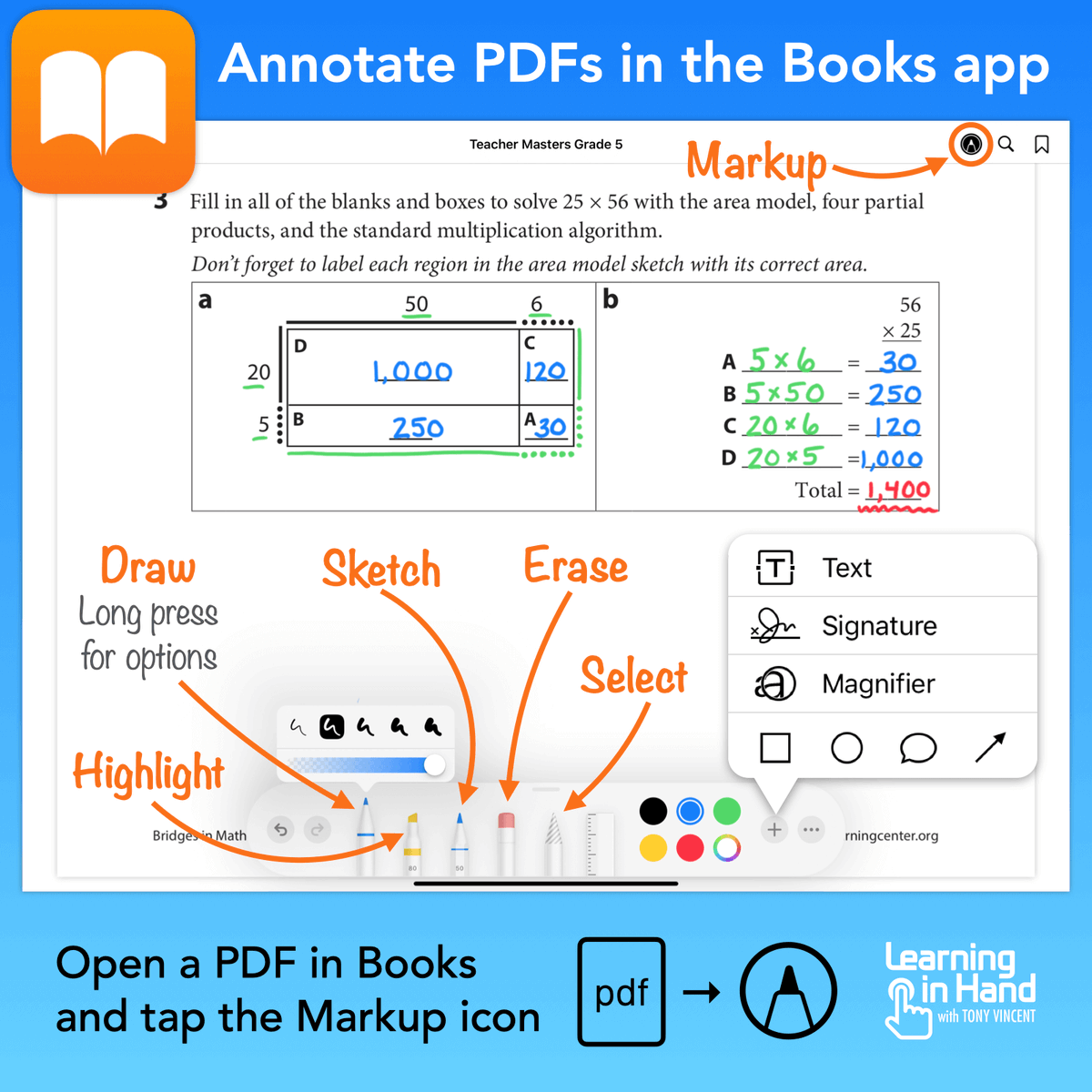
📑 You can store PDFs in the Books app on your iPad and annotate them.
As a fifth grade teacher, I loaded up the PDFs of my teacher guides and student books so that I could instantly call them up and write on them while mirroring my screen.
🎬 @EDUTechItOut has published a collection of 15 second GIF tutorials.
🔴 Chrome
💾 Drive
📄 Docs
🖼 Slides
🟧 Jamboard
🔵 Smartboard
https://t.co/bC6kqFimSZ
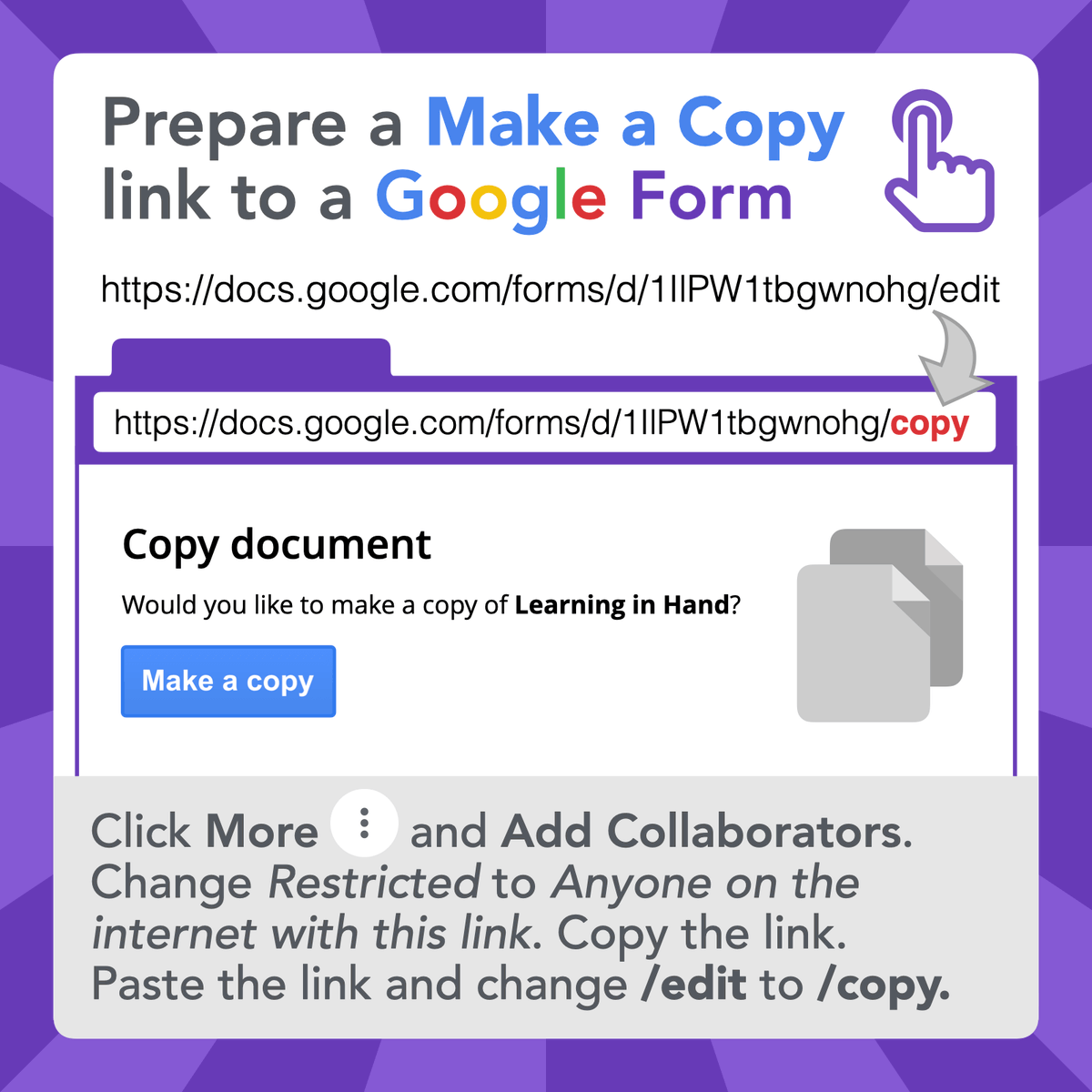
🟪 If you want people to be able and edit and use their own copies of your Google Form, you can prepare a Make a Copy link.
Read more: https://t.co/QQLoTSUrgi
After seeing @ericcurts rainbow 🌈scratch paper, I was inspired to make a Scratch 'N Guess Vocabulary Jamboard thinking back to Scratch 'N Sniff stickers my kids used to love & Scratch off lottery my dad adores😂
Love all the possibilities of @GoogleForEdu Jamboard!
🦒 Enter text into https://t.co/KeB4s9Pagq to see it stylized in dozens of different ways. Download a style and insert it into a document to make it stand out. #ClassyGraphics