Running a YouTube team shouldn't mean chasing people across five apps.
Meet Horus: plan videos, organize footage, review edits and manage thumbnails in one connected workspace.
One channel or many. No per-seat fees.
Start free: https://t.co/yEgyYrgNzq
Running a YouTube team shouldn't mean chasing people across five apps.
Meet Horus: plan videos, organize footage, review edits and manage thumbnails in one connected workspace.
One channel or many. No per-seat fees.
Start free: https://t.co/yEgyYrgNzq
10/ Built for creators with a team, not enterprise procurement.
Start free. No card. Upgrade when you need uploads, more projects or advanced workflows.
No per-seat fees. English and Spanish.
Give your next video a proper home: https://t.co/yEgyYrhloY
6/ Everyone gets their part. You get the full picture.
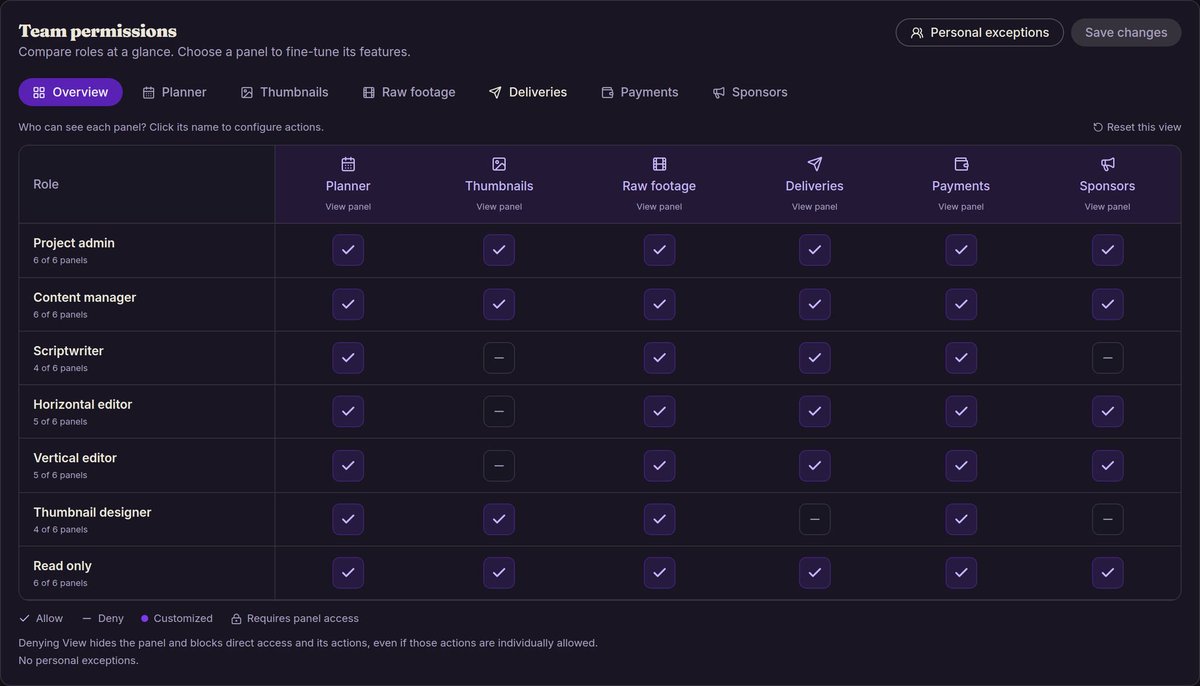
Assign editors, writers and thumbnail designers. Control permissions by project and person.
On Starter+, keep the right people updated through Discord, email and web notifications.
9/ Your storage shouldn't be a mystery.
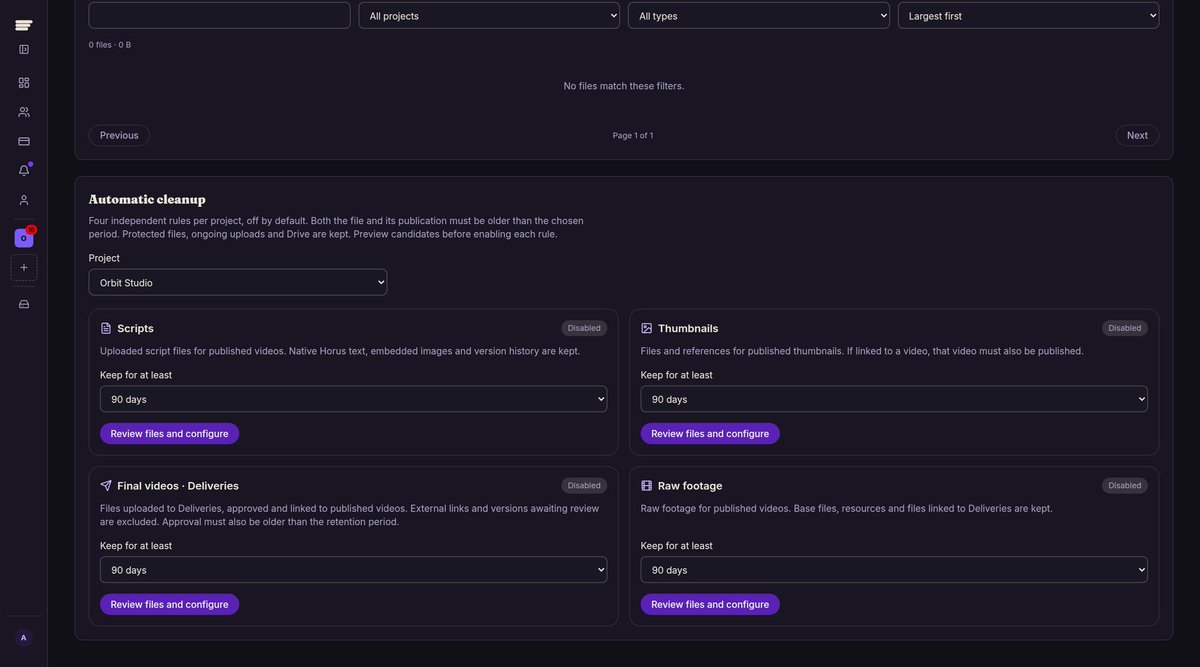
See which projects and files use your space. Protect what matters and set optional cleanup rules for old footage, finals, thumbnails and scripts.
You choose what gets cleaned up and when.
5/ Feedback belongs on the cut, not buried in chat.
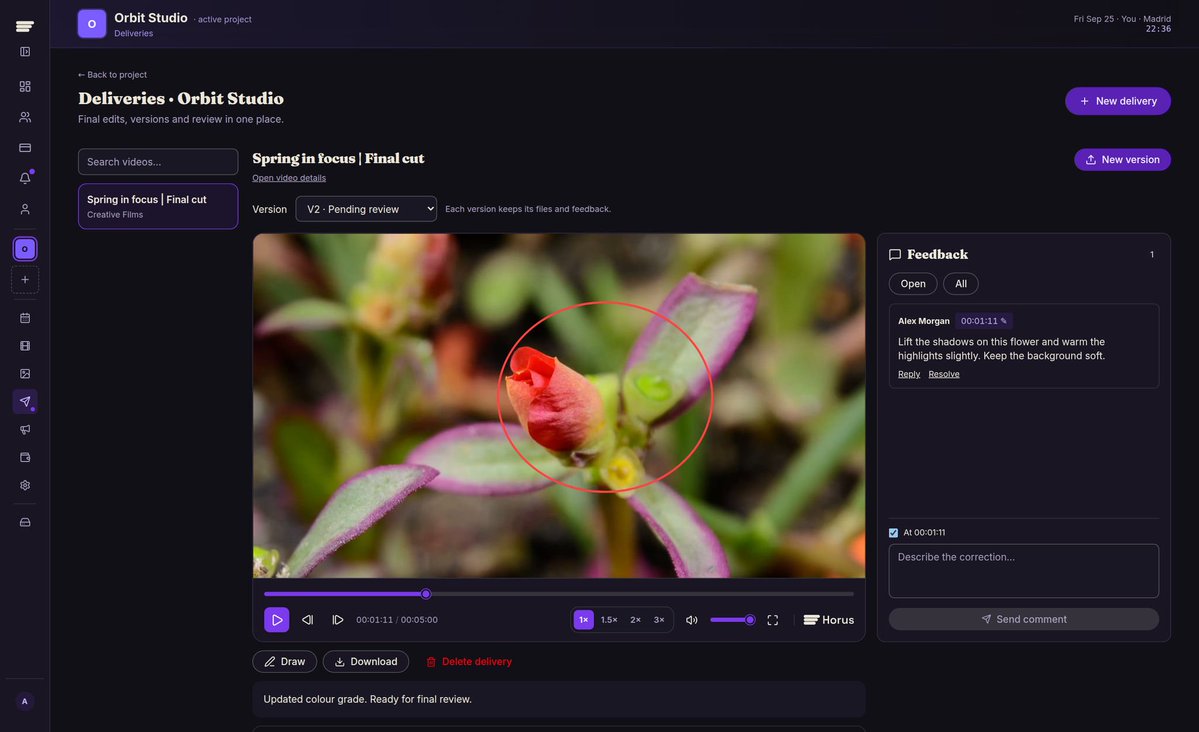
Deliveries keeps versions, comments and approvals together. On Pro+, review Horus-hosted videos frame by frame, leave timestamped notes and draw on the image.
Review decisions sync with the Planner.
4/ Thumbnails get their own workflow.
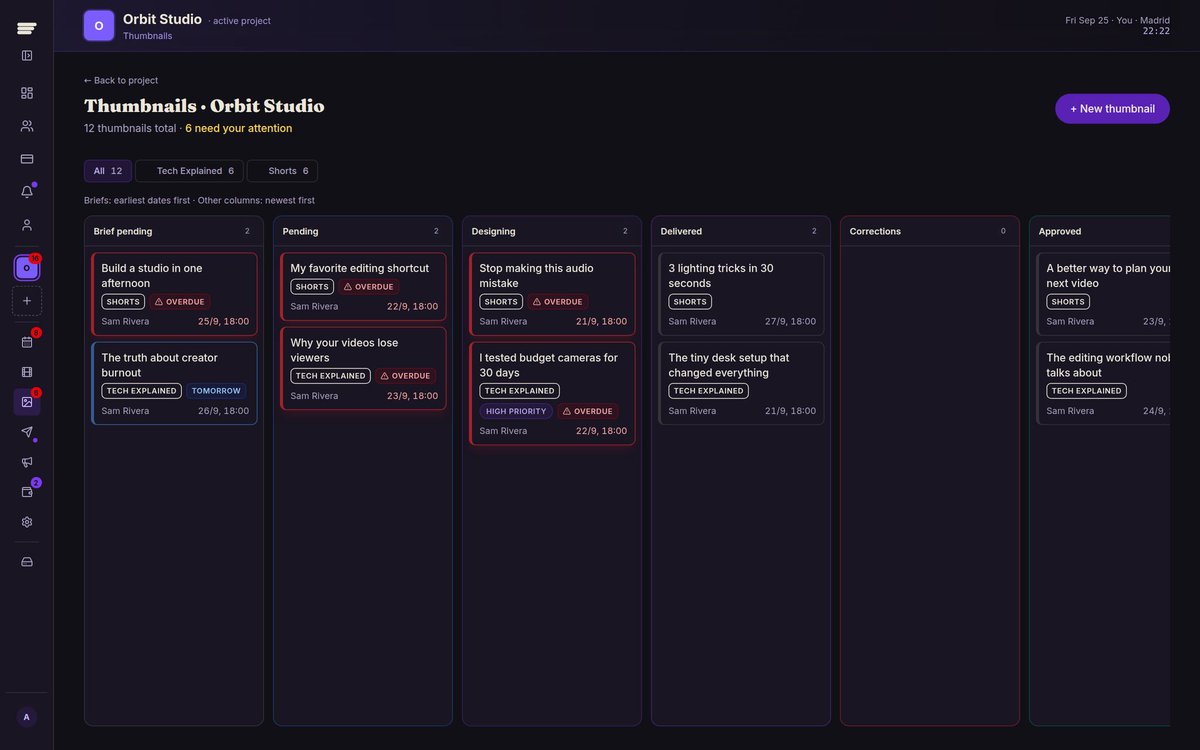
Briefs, designers, priorities, deadlines, versions and feedback in one place. Review, request changes and approve without digging through chat.
Each thumbnail stays connected to its video.
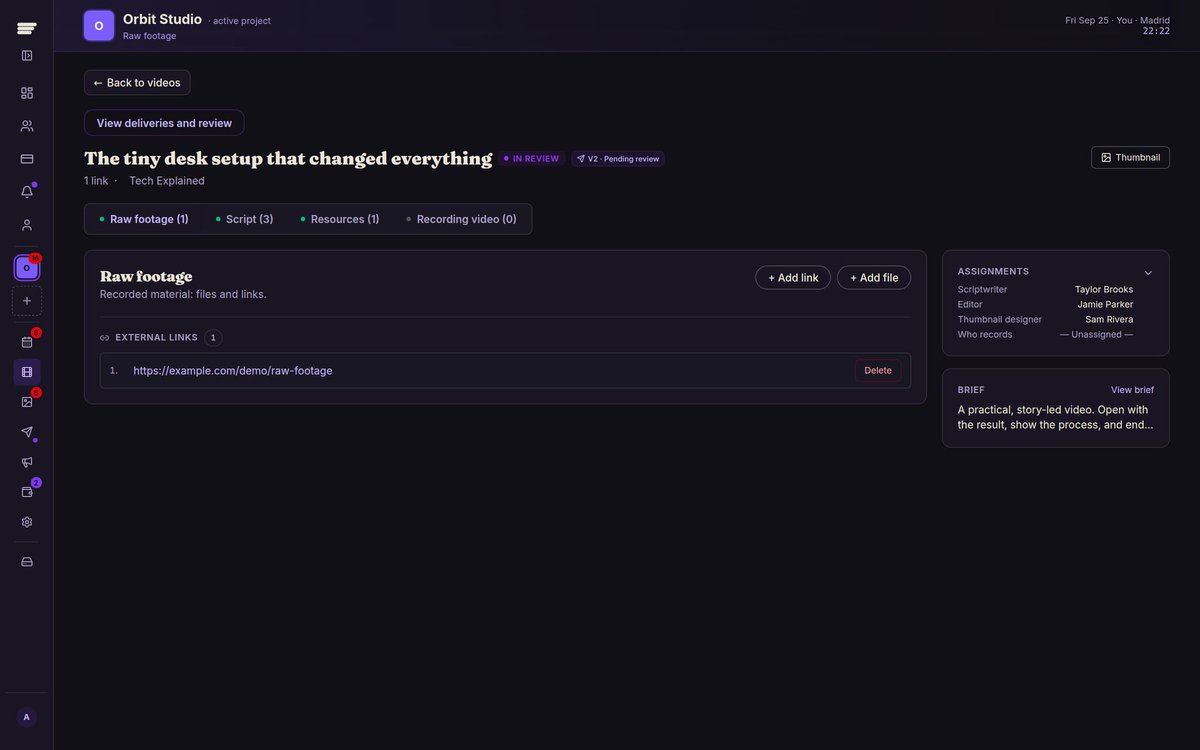
2/ Stop hunting for the footage.
Keep raw files, recording material and resources attached to the right video. Use external links, upload to Horus or connect Google Drive.
Native uploads start on Starter.
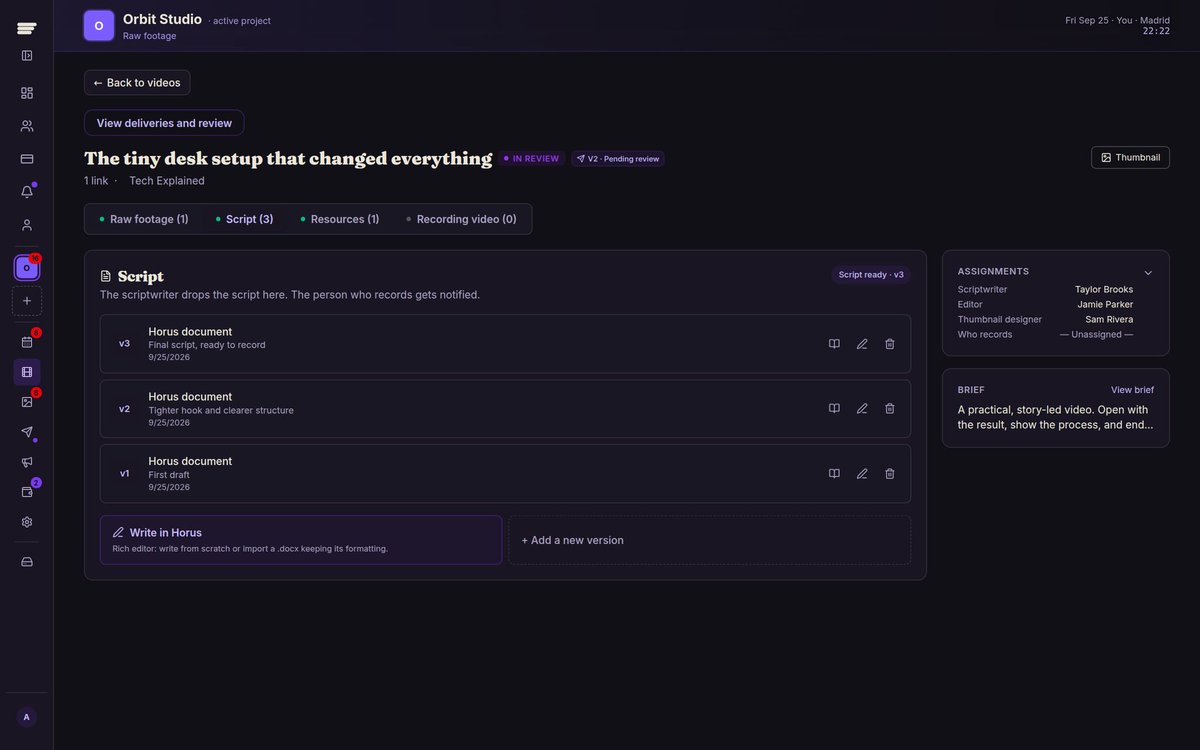
3/ No more script_FINAL_v7.
Write scripts inside Horus, upload a document or add a link. Keep revisions, notes and the assigned writer attached to the video.
The next person in the workflow knows exactly which version to use.
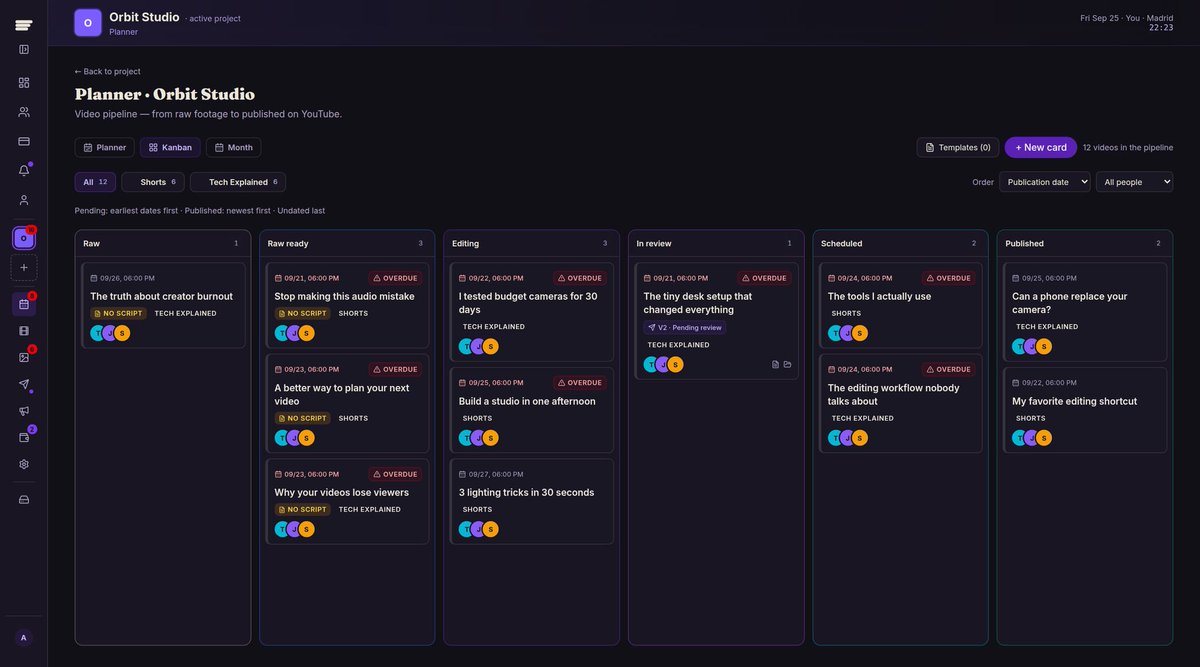
1/ Plan it once. Keep everything connected.
Weekly planning, Kanban and a monthly view, all showing the same videos. Assign the team, set publishing dates and spot overdue work without rebuilding the same board three times.
Running a YouTube team shouldn't mean chasing people across five apps.
Meet Horus: plan videos, organize footage, review edits and manage thumbnails in one connected workspace.
One channel or many. No per-seat fees.
Start free: https://t.co/yEgyYrgNzq