Linux: It took me exactly 8 hours to build a Linux-based OpenClaw cloud deployment.
Windows: It has been more than 36 hours since I have been working on a Windows-based deployment.
But the great thing about Windows-based OpenClaw is that it has a UI, it has a user-focused Web Browser, and it is much more user-friendly for non-tech people.
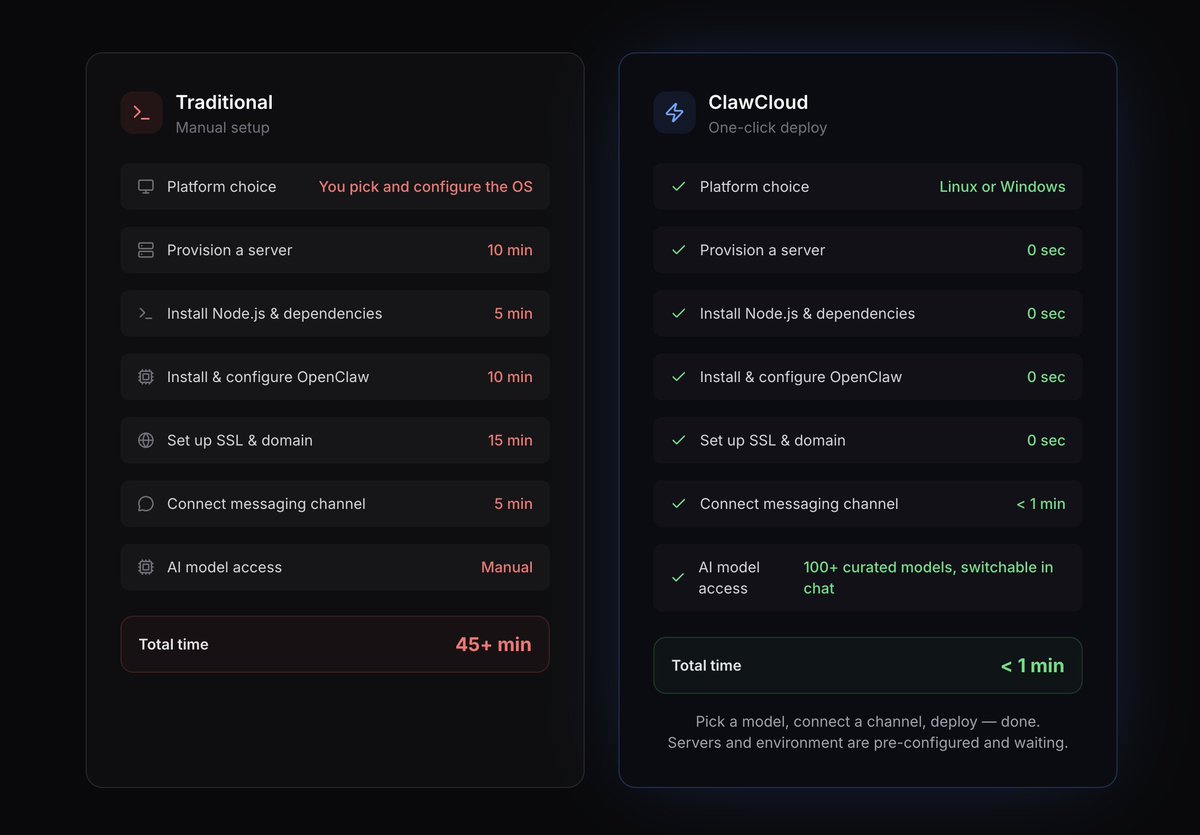
Finally got a chance to improve this section (compare to the new one in the thread). Not only visually, but also in terms of content.
This version was AI-generated during the first MVP; it was close enough to reality but still not 100% accurate.
The new page is more accurate.
For example, "Ready under 1 minute" is over-promised. In reality, server provisioning takes 3-5 minutes for Linux and 10-15 minutes for Windows. Now, the new page accurately reflects that.
We've optimized the provisioning flow for OpenClaw Linux instances, so now it takes less than 3 minutes. And, it supports reprovisioning without losing your subscription.
The next step is to improve provisioning time on Windows VMs, which is still at around 10-15 mins.
Also in 2026.3.24: dedicated imageGenerationModel routing, heartbeat sessions that drop per-run cost from ~100K to ~2-5K tokens. Plus loop detection.
Full guide:
https://t.co/tbwl1HZr0d
OpenClaw 2026.3.24 removes the legacy bridge from the config schema entirely. If you've got `bridge.*` keys in your openclaw.json, the gateway won't start until they're gone.
Fix: openclaw doctor --fix
Takes 1 second.
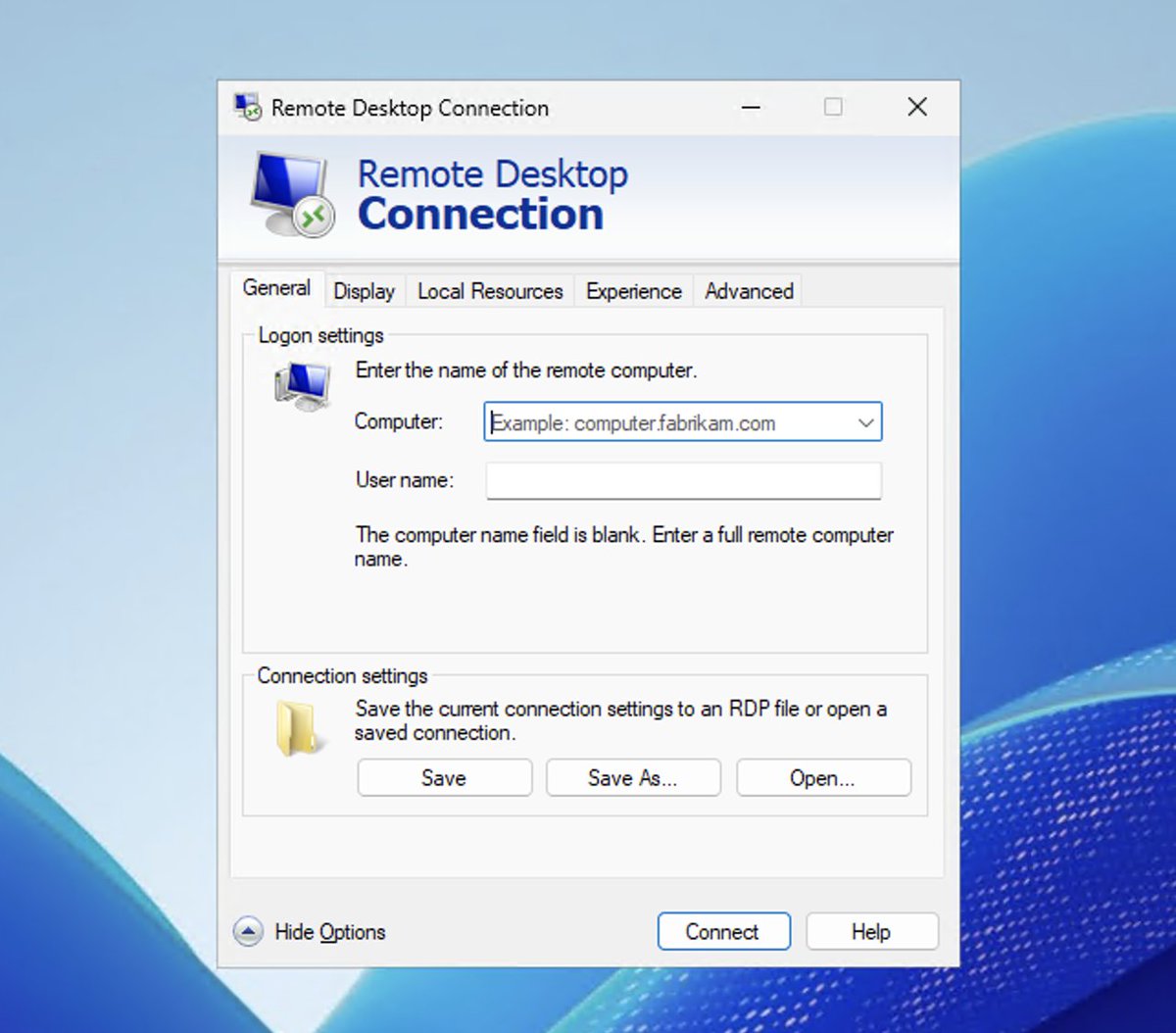
OpenClaw on Windows means your AI runs 24/7 in the cloud and you still get a full remote desktop when you need it.
Mac, Linux, Windows: all three have an RDP client that works. Which one you use depends on your OS.
Wrote up the full Docker Compose setup for OpenClaw: cloning, image options, persistent storage, and the pairing gotcha that bites everyone.
https://t.co/4esfH5A0XH
Ran OpenClaw on Docker today. https://t.co/ffNgyts61L handles the full Compose flow, onboarding, and token generation in one shot. If your host has < 2 GB RAM, skip the local build and point at the https://t.co/VdYHsP80ov prebuilt image.
Kind reminder that you can run OpenClaw on the cloud with backup (free) models like `gpt-oss-120b` out of the box with just a few clicks, using https://t.co/nSePyHzvx2.
It is one of the fastest and free models you can use for your Bot in our Managed AI API offering.
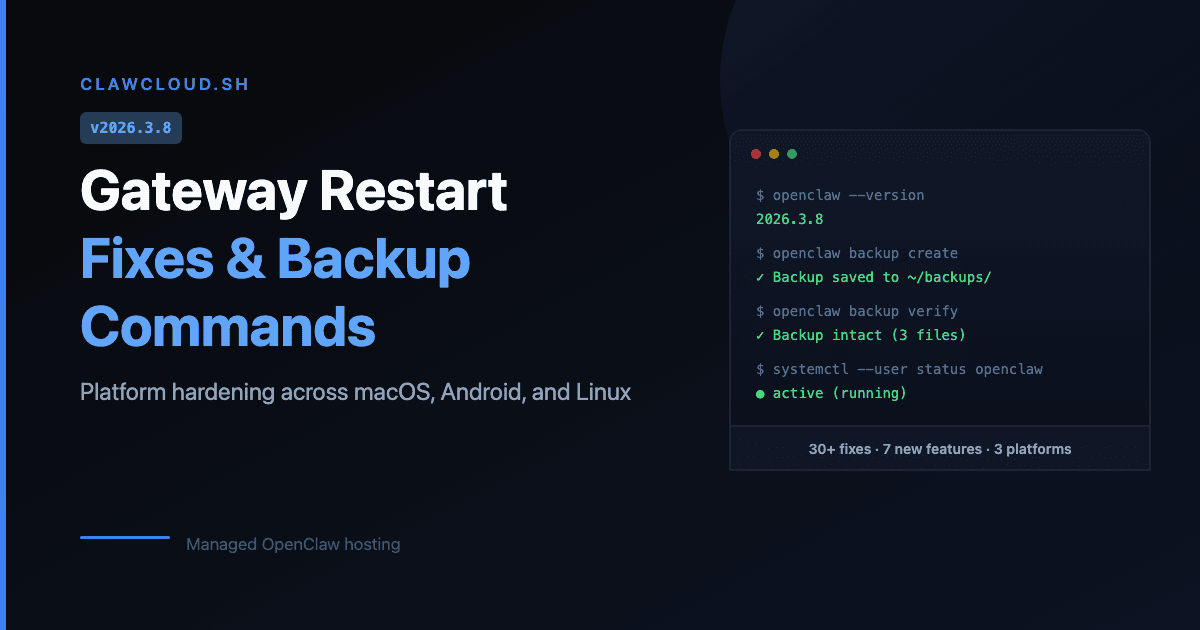
OpenClaw 2026.3.8 dropped. The big one: gateway restart bug is fixed. If your bot was going silent after config changes on a VPS, that should stop happening now.
Also: backup/restore CLI commands. Finally.
OpenClaw 2026.3.7 quietly breaks configs where both gateway.auth.token and gateway.auth.password exist. No mode field = startup failure. One-line fix, but you have to know it's there.
OpenClaw 2026.3.7 quietly breaks configs where both gateway.auth.token and gateway.auth.password exist. No mode field = startup failure. One-line fix, but you have to know it's there.
My short update flow: `openclaw doctor`, `openclaw config validate`, inspect the config, then `openclaw gateway restart`. Full checklist here: https://t.co/f4SRX6VbAm
OpenClaw 2026.3.2 breaking changes to check before you restart: `tools.profile`, `acp.dispatch.enabled`, and plugin HTTP routes. If `read`, `write`, or `exec` vanished after the update, start there.
If you are building ai agent hosting, managed ai hosting, or a self hosted ai product, these 5 books helped me most: Dunford's Obviously Awesome, Fitzpatrick's The Mom Test, Weinberg/Mares' Traction, Ramanujam/Tacke's Monetizing Innovation, and Kahl's Zero to Sold. Biggest lesson: sell less friction, not servers.
Building ClawCloud taught me something uncomfortable: openclaw setup and openclaw hosting are technical problems. Customer acquisition and positioning are the real business. People do not pay for "managed infrastructure." They pay to avoid losing a weekend.