Achieve more with less. Korq combines Japanese efficiency principles with intuitive task prioritization. Focus on what matters now, achieve your goals.
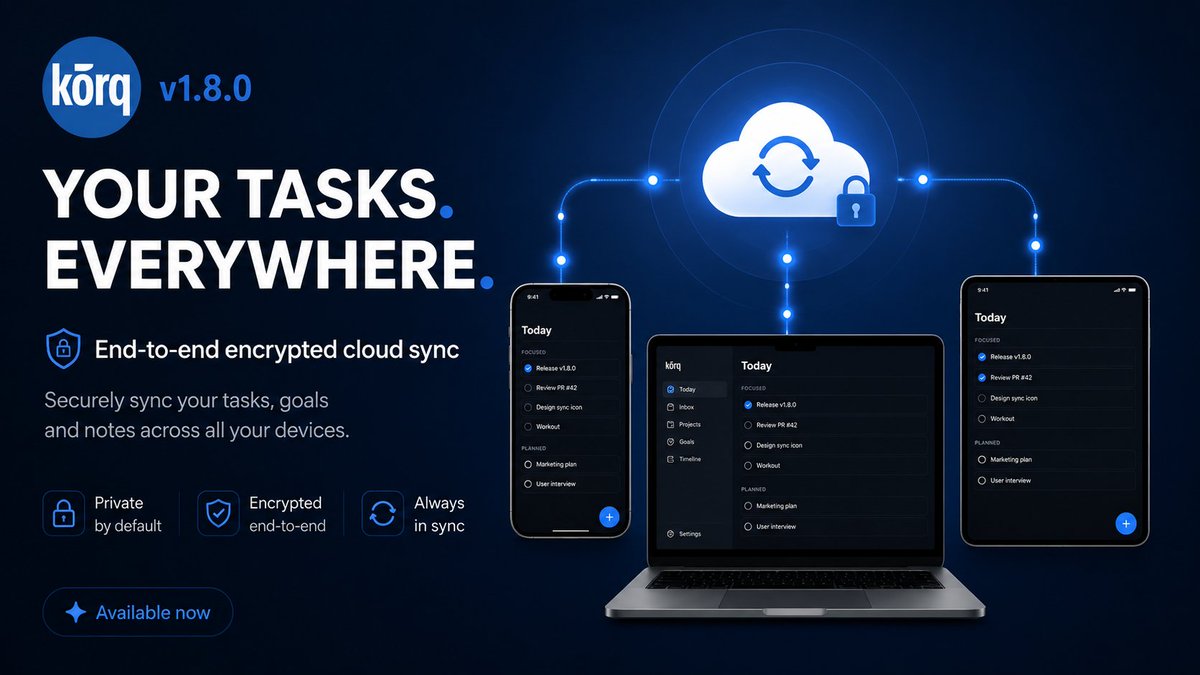
☁️ Korq 1.8.0 is out: Cloud Sync is here.
Your tasks, goals, timeline, attachments, and reminders now stay in sync across iOS and Android, with end-to-end encryption built in.
A task list can contain a lot of private life details. That's why Korq Cloud Sync was built so our servers don't need readable task content: your devices encrypt before upload, then sync encrypted data across iOS and Android.
Also fixes in 1.8.0: smarter scheduling with no-schedule / fixed-deadline tags honored, skipped recurring tasks stay skipped, daily reminders are more reliable, and timeline moves keep time + duration.
#KorqPro https://t.co/0ueWjyftKk
🧵 Korq v1.7.5 is live! Calendar sync is here 👇
📅 Calendar Integration
Your calendar → your Korq timeline: • Import calendar events to your timeline • Choose which calendars to sync • Background sync keeps everything updated • Smart deletion reconciliation
Everything in one place.
⏱️ Default Duration Setting
New customization option: • Set your preferred default task duration • Choose from 15 minutes to 4 hours • Applies when enabling deadlines
🎯 Goal Filtering
• Filter tasks by goal in task list • See goal priority colors on tasks • Shows all goals (active, completed, paused)
🐛 Fixes
Update now on App Store & Play Store 📱
- https://t.co/PLCAXdr12v
- https://t.co/Wr2KAHBKlM
🎉 Korq 1.7.2 is live on the App Store!
Approved on first attempt.
Privacy-first task management with:
✨ Instant performance
🤖 AI assistant (kō AI) available in beta
📅 Smart scheduling
🎯 Goal tracking
First public release after months of refinement
https://t.co/Ml9LzRjooO
The Eisenhower Matrix: Old Wisdom for a Fast World
In a world where your to-do list refreshes faster than your social feed, decision fatigue is real.
We constantly juggle deadlines, pings, “urgent” requests, and long-term goals — all at once.
That’s where the Eisenhower Matrix comes in.
It’s simple: sort your tasks by urgent and important. The combination of those two decides whether you Do, Schedule, Delegate, or Drop the task.
Why does it still work, decades later?
It kills decision fatigue. You instantly know what deserves your energy.
It keeps focus on impact. Urgency screams loud, but importance builds your future.
It’s adaptable. Works for CEOs, freelancers, and students alike.
And in today’s accelerated reality, this clarity is priceless.
When everything feels urgent, the Eisenhower Matrix forces you to pause and ask:
Is this actually important, or just loud?
The beauty is in its efficiency — no complicated systems, no endless categories. Just four simple quadrants that turn chaos into priorities.
Korq Prioritization: Eisenhower Matrix… Without the Matrix
We all know the Eisenhower Matrix — four neat boxes telling you what’s urgent, what’s important, and what’s better left for “future you” (or someone else entirely).
But in Korq, we ditched the grid. Why? Because you’re holding a phone, not a spreadsheet.
Instead, Korq stacks your priorities in a single vertical flow, so you always know what’s next without playing “find the box.”
Here’s how it works:
🔴 Do Now – Important and urgent. Deadlines are calling, and you’re the one answering.
🟠 Schedule – Important, but not urgent. These are your growth tasks — plan them in.
🟡 Delegate – Urgent but not your battle. Pass them to the right person.
🟢 Other Tasks – Routine stuff. Nice to finish, not critical to start.
The beauty? Quick filters let you jump straight to the section you want.
No matrix. No visual clutter. Just a clear path from “overwhelmed” to “done.”
Because in the end, productivity isn’t about looking organized — it’s about actually getting things done.
#ProductivityTools #ProductivityTips
If you're in the beta program, the update should be available now. For those interested in testing, checkout https://t.co/vHBsQp6JMJ website or DM us.
Looking forward to feedback - particularly on the new Timeline View.
#ProductivityTools#PersonalPlanning
Korq v1.6.12 is here!
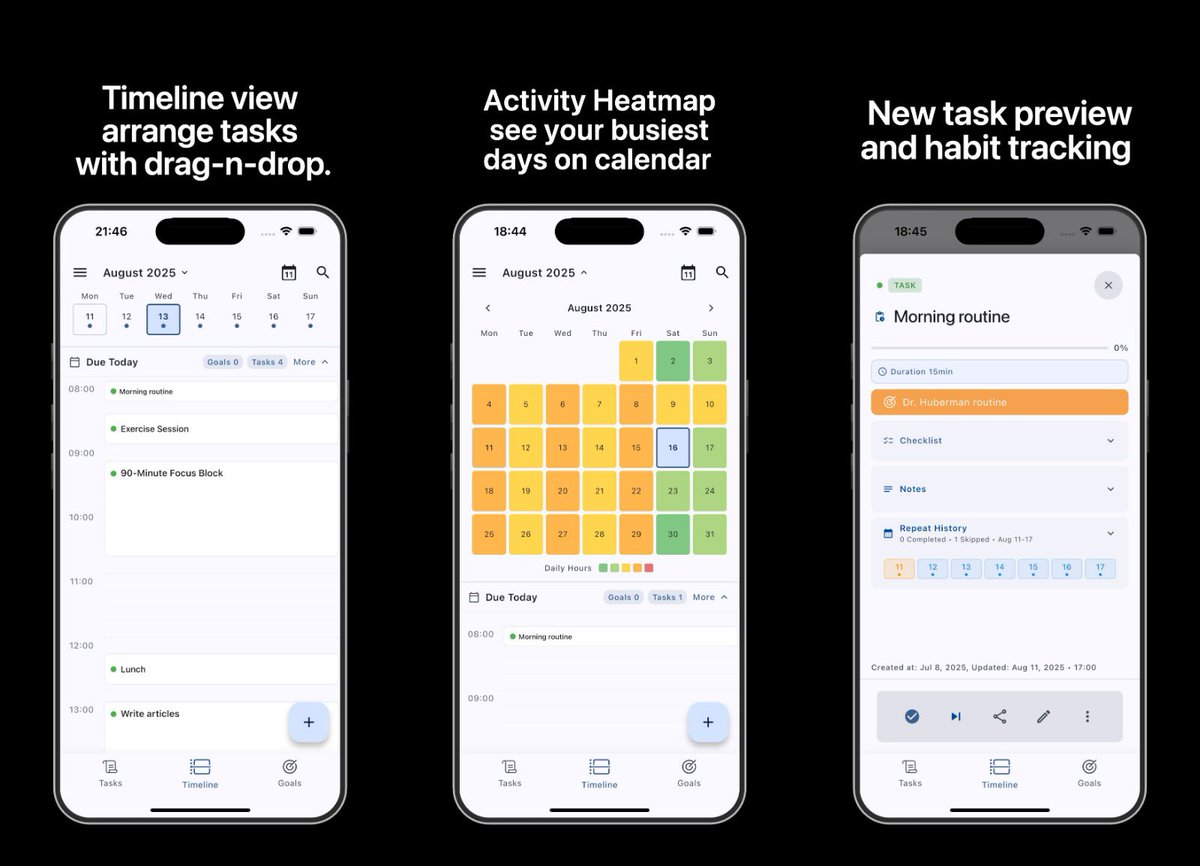
Timeline View is the headline feature - your tasks are now displayed on a 24-hour visual grid (calendar-like). You can drag and drop tasks to reschedule them instantly, making planning much more intuitive.
Enhanced Notes with full markdown support - you can now write and format notes with complete markdown capabilities. Plus, you can add attachments directly during task creation, which has been a frequent request.
We've also squashed numerous bugs and made significant performance improvements. The app should feel noticeably snappier.
Activity Heatmap in the expandable calendar shows which hours have the most tasks scheduled. Great for identifying your busy periods and finding free slots for new tasks.
UI Refinements throughout the entire app, including polished Dynamic Island support on iOS. The interface feels more cohesive and responsive.
Advanced Time Blocking lets you allocate specific time slots to tasks (15 min to 8 hours). When you set a deadline with duration, Korq creates a visual block on your timeline so you can see exactly how your day is structured. Compatibility with traditional calendars has been laid out — stay tuned for full integration with Apple/Google calendars.
🚀 Help Shape the Future of Planning Apps! 🚀
We're working on Korq, a new kind of planner app that’s designed to truly support how you plan your days, reach your goals, and track your progress.
We’d love to hear from you—your insights and feedback will help us make sure We're building something that’s actually useful and meaningful.
If you’re up for it, here’s a short research form you can fill out:
👉 https://t.co/2dzVWICqpK
Your input will directly influence how the app evolves. Thank you for being part of this journey! 🌟
To say thanks, everyone who fills out this short research form will be entered into a giveaway for:
🎁 1 year of Pro subscription
👕 Exclusive Korq t-shirt
Hey everyone,
I’m the creator of Korq, a new task planner app, and I want to share why I built it—and why I think it’s different from the usual productivity apps out there.
Here’s the problem:
Most task apps today bombard you with upsells, lock basic features behind paywalls, and track everything you do. They collect analytics, analyze your habits, and sometimes even sell your data. Even worse, the “free” version often feels crippled, with constant nudges to upgrade.
I wanted to do things differently.
With Korq, I made two promises to myself—and to you:
Total Respect for Your Privacy:
Korq collects no analytics.
No tracking, no profiling, no data mining.
Your tasks are yours alone. I don’t want to know what you’re doing—ever.
Respect for Your Time and Attention:
The free version is actually free.
No pop-ups, no nags, no forced upgrades.
PRO is for power-users (AI task creation, markdown notes, cloud sync, sharing), but if you just want a simple, effective planner, the free version is all you need.
Why does this matter?
Because I’m tired of seeing users treated like products. You should be able to plan your day without worrying about your data or being pressured to pay.
If you care about privacy, simplicity, and a genuinely free experience, check out Korq. I’d love your feedback, suggestions, or questions!
AMA: Ask me anything about privacy, app development, or Korq itself. I’m here to build something better—with you.
Join today: https://t.co/0ueWjyftKk
How the Korq Story Started
I spent a long time searching for a personal planner app that actually worked for me. I tried everything—MS ToDo, Google Tasks, Todoist, AnyDo, and countless others. Most were either too complex or too simple. Many had long onboarding processes and way too many features, like endless emojis and dozens of unnecessary elements. I’d use them for a week and then abandon them, just like everyone else.
Soon after, I decided to experiment with mobile app development. I started learning Flutter and quickly built my first prototype in just a few days. It wasn’t just working in the emulator—it was up and running on my own device, and I immediately started using it myself.
Then, like many side projects, it sat untouched for nearly three months. But when I came back to it, something clicked. I spent a couple of weeks of late-night coding to get the first alpha release out.
In those early days, the app was simple: just two toggles in each task—important and urgent. Tasks would automatically fall into one of four categories, but for me, it usually boiled down to having one or two “Do Now” tasks at the top, with everything else in the “Schedule” section. When I completed a task, it moved down, and I toggled the next one up. It was surprisingly effective and enough for my needs.
Of course, the app wasn’t perfect. It would crash sometimes, and I’d lose tasks. That experience quickly taught me the importance of an export/import feature, which I implemented soon after—and it has become one of Korq’s core features.
Today, I have 48 tasks attached to my personal goal: “Build the best planner app.” With nearly 60% of that goal complete, it’s what keeps me going.
What started as a hobby has grown into a passion project. Today, Korq includes features like:
Tasks UX:
Effortless checklist sorting with hold-tap and move up/down buttons.
(Coming soon) Checklist autosort and (un)check all options.
A rich-text editor for notes.
Privacy Focused:
Local database and smart notification system (up to 3 reminders per task, plus custom date/time and text reminders).
Database encryption (planned in Pro).
Backup & Sharing:
Backup and task sharing with “kote” files (preserving task structures and attachments).
Share tasks and goals in plaintext, Markdown, or Korq files.
Secure encrypted sharing (planned in Pro).
AI Assistant "kō" (Pro, work in progress):
Translates vague ideas into actionable tasks seamlessly within Korq.
Looking ahead, I’m planning even more for the Pro version: seamless cloud sync, calendar and Zoom integrations, a desktop version, and advanced editing with Markdown. I’m also exploring a peer-to-peer sync mode for total privacy.
Ultimately, my goal is to build an app that truly helps people achieve their goals—without distracting them with unnecessary features. I want people to feel like they have a reliable tool in their pocket—something that makes them say, “Just Korq it!” when they have that next great idea.
If you’re tired of cluttered task apps and want a minimalist approach, check out https://t.co/19C9kReLmy. I’d love to hear your feedback!
#Korq #Productivity #KorqIt #GetThingsDone
#UsefulAI #TaskManagement #PrivacyFirst
Korq — a real Q&A with a potential user
Questions you’d probably ask — and our honest answers.
1. How is Korq different from apps like Todoist or Notion? Tried them. Feels fine at first, but turns into a mess or I stop using them…
> We’ve been there too. Korq was created as a response to cluttered apps. It’s intuitive, minimal, with only what you need — and nothing more. Smart prioritization, privacy-first local storage, goals, reminders, and clarity.
2. How does Korq help me not abandon my task list again?
> Korq keeps important things on top — always. Reminders keep you on track, recurring tasks handle routines. We're building an AI assistant for on-the-go task creation, and our supportive community helps you stay motivated.
3. Is it browser-based? What if I want offline mode or worry about my data?
> Korq is a native iOS/Android app with local storage — your data stays on your device. Nothing is uploaded unless you choose to share or back it up. You can export tasks as text, markdown, or .korq files. Full backup option included.
4. Is it just a to-do list? Or does it help me actually reach my goals?
> Korq uses a goal system with clear progress tracking. Each completed task moves you forward. Analytics and light motivation are coming soon — but no gamification. We value minimalism and calm focus.
5. Can I use Korq beyond daily tasks? For recipes, travel, study, or big projects?
> Absolutely. Korq is flexible. From grocery lists to thesis plans, from vacation prep to business checklists — it’s designed to handle all areas of life cleanly and simply.
6. What’s in the PRO version? Will the free one stay useful?
> Everything available now will stay free — forever.
PRO will include:
– Cloud sync
– AI assistant
– Advanced notes with Markdown
– Calendar, Zoom & service integrations
– Push notifications
– Desktop version
7. Is it stable now? Can I join the beta without worries?
> Yes! Korq is already stable and functional. Beta testers help shape the future, and get early access to PRO features + 6 months of PRO free after the official launch.
Korq isn’t just a to-do app. It’s a clear path forward.
Try it: https://t.co/0ueWjyftKk
#Korq #Productivity #GetThingsDone #KorqIt
#UsefulAI #TaskManagement #PrivacyFirst
As we launch, we'd love to hear from professionals who value both productivity and privacy. What features would help you reach your goals without compromising your data?
#ProductivityWithPrivacy#TaskManagement#PrivacyFirst
Introducing Korq: The privacy-first planner that respects your time and data.
Your tasks stay on your device
Minimalist design, maximum focus
Effective prioritization
No notification spam
A tool that works FOR you, not the other way around.
Early access: https://t.co/vHBsQp6JMJ