I may or may not have spent a *bit* of time this morning recreating the new iPhone Duo folding animation.
I’m using the MacBook’s screen hinge sensor (found by @samhenrigold), ScreenCaptureKit, and whole load of private CoreAnimation API… 🫠
If you’ve never seen “Build Timeline” or “Build Timing Summary” in Xcode — you’re missing your app’s biggest performance clues.
These views show exactly where your builds spend time — and how to fix it.
Once you’ve seen them, you’ll never optimize builds blindly again.
👉 Read the full guide:
https://t.co/9z7fEhhx2t
#swiftdevelopment #iosdevelopment #swiftui #swiftlanguage
you'll never have to do math on corner radius again - ConcentricRectangle is here! 🚀
this custom sheet perfectly matches the radius of the device with absolutely no geometry readers or reading the size of the screen 👀
✨ Introducing Festivitas for macOS! 🎄
Deck your dock and menu bar with endlessly customizable festive lights. Add a touch of holiday magic to your Mac ✨💻
It's the perfect way to get into the holiday spirit!
You'll find the download link in the replies 👇
Just found out UITextField/UITextView has a private UIKeyboardType, specifically for picking Emojis 👀
Super easy to use as well, you just need to create an instance of UIKeyboardType with a value of 124 using the `init(rawValue:)` initialiser.
Apple announces Swift Assist for Xcode 16!
"Swift Assist serves as a companion for all of a developer’s coding tasks, so they can focus on higher-level problems and solutions. It’s seamlessly integrated into Xcode, and knows the latest software development kits (SDKs) and Swift language features, so developers will always get the latest code features that blend perfectly into their projects. With Swift Assist, tasks like exploring new frameworks and experimenting with new ideas are just one request away. Swift Assist uses a powerful model that runs in the cloud — and like all Apple developer services, it is built with privacy and security in mind. Developers’ code is only used to process requests and never stored on servers, and Apple will not use it to train machine learning models."
Swift Assist is coming later this year to Xcode 16.
This is now possible to size a presented content in #SwiftUI with the presentationSizing ViewModifier that sets the sizing of the containing presentation.
https://t.co/CcWSkf4ZoM
#WWDC24
Remember this tweet from a few months ago?
Well, next week we are finally ready to share how we accomplished this. We will begin a brand new series of episodes that brings the Observation framework to the Composable Architecture.
Stay tuned!
⚠️ Private API of the day:
UINavigationBar’s _UINavigationBarLargeTitleView subview has an _accessoryView property that acts as a sort of bar button item that aligns with the large title label.
This is used in all sorts of system apps like Health, Music, and Podcasts. Enjoy! 🥳
You should not underestimate Xcode Bookmarks.
They are my way of managing todos and code references.
I created groups, a to-do list, stored search queries & listed all types conforming to Macro.
https://t.co/tCqoR9wm0I
#swiftlang#iosdev
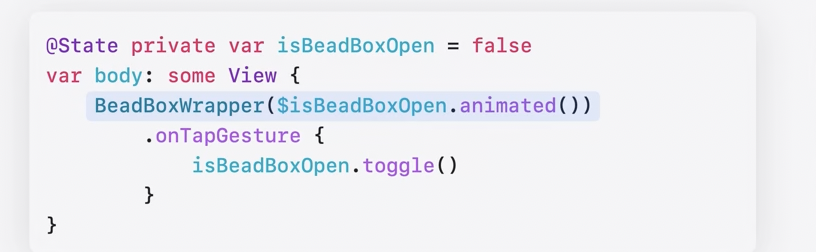
❓When do I use @State, @StateObject or nothing in the new #SwiftUI for #iOS17?
💡You don't need @StateObject at all anymore.
💡Use nothing if you only need one-way, read-only information.
💡Use @State if you need 2-way binding (read & update).
👉Free📙: https://t.co/Oqiwm2wlvt
Xcode 15 will automatically generate type-safe symbols for colors and images in Asset Catalogs!
That's basically a built-in version of SwiftGen 👌
#WWDC23
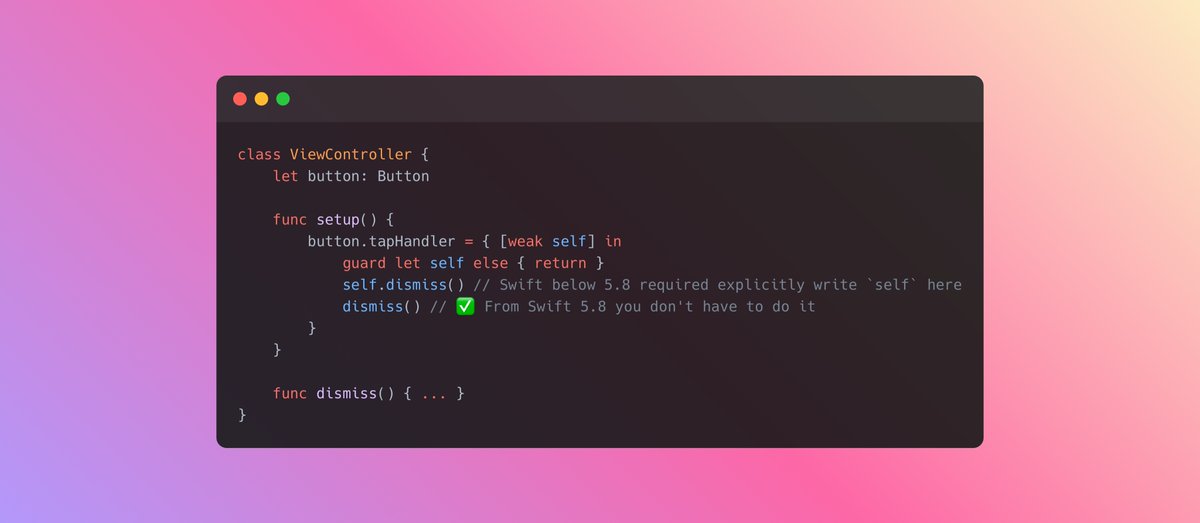
👀For those who haven't seen yet
New Swift 5.8 permits implicit appeal to `self` when using `weak self` construction inside the closure as long as `self` has been unwrapped.