Windows has been quietly degrading your audio since day one.
Right-click your sound icon → Sound Settings → select your playback device, then make these three changes:
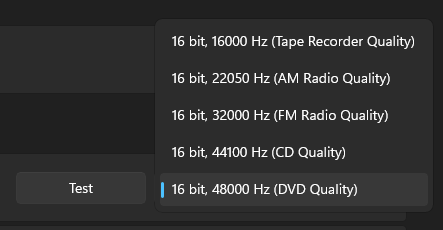
Set the format to 16-bit (or highest available), 48000 Hz — disable audio enhancements — disable spatial sound (Windows Sonic stacked on top of in-game 3D audio is just two algorithms fighting each other).
Applies to every headset, speaker, and IEM. Thirty seconds to fix.
About to update BIOS on AM5? Read this:
Newer updates introduced a setting called "Bank Refresh Mode".
If your RAM is bad quality or simply has a bad EXPO profile you will get crashes & stutters if you're on "Mixed Mode", if that's the case, switch to "Normal Mode" to solve it.
On a 9800X3D, or any AM5 CPU?
Your PC is underperforming and you don't even know it:
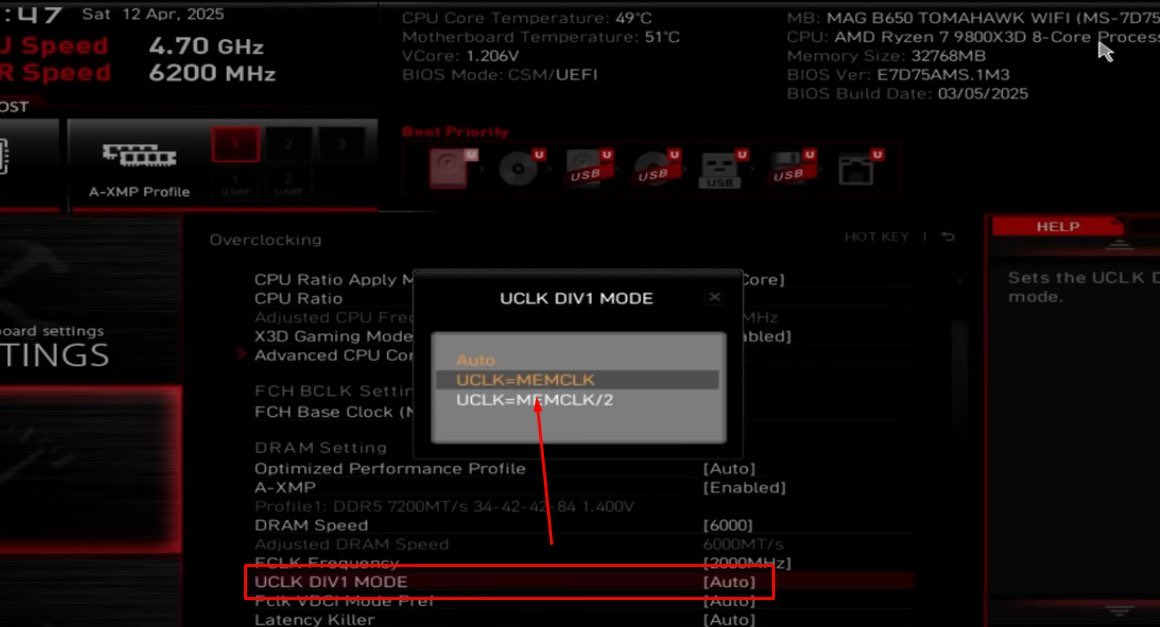
Once your EXPO profile goes over 6000MHz, it defaults to UCLK = MCLK/2, causing a massive latency penalty.
To maximize your FPS and lower latency, go into your BIOS and force UCLK = MEMCLK.
We've upgraded our process. You can now get a complete PC optimization without reinstalling your OS. Keep your files, boost your frames. Book your session
🚀 Full system tune for a 5070Ti/78x3d PC for Fortnite.
- Installed custom 25h2 XillyOS
- Optimized BIOS
- Overclocked RAM, CPU & GPU
The result? 608 FPS ➡️ 1007 FPS
This is what real optimization looks like.
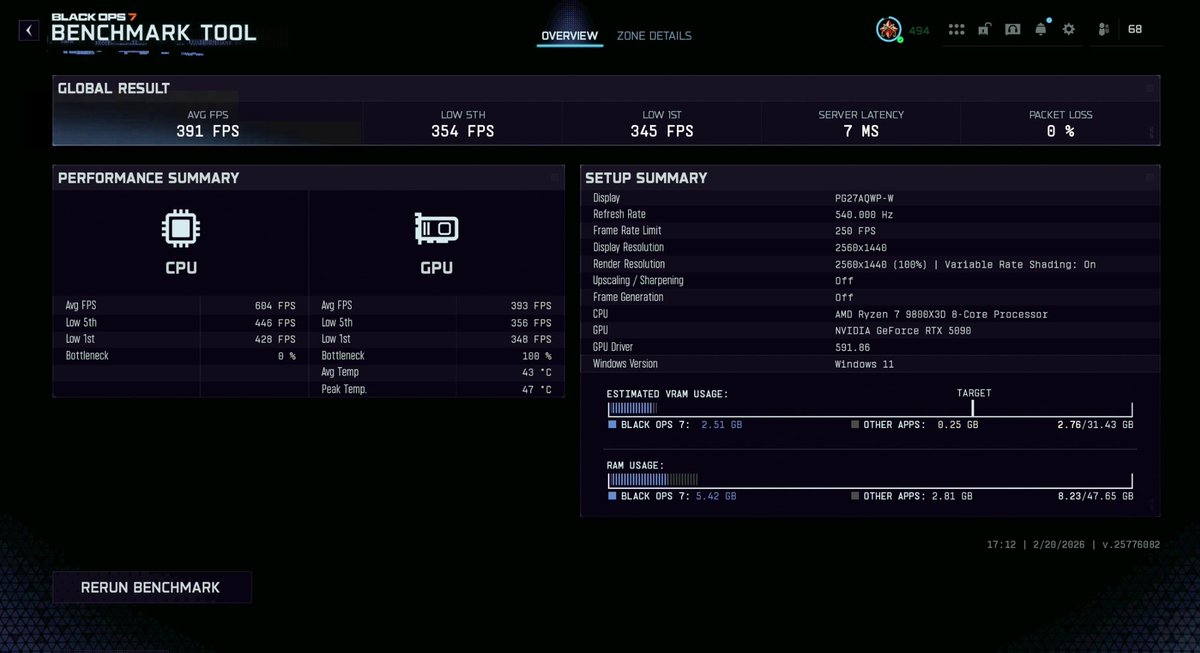
TRIED EVERYTHING finally hit up @x1lly and they maxed out my 9800x3d + rtx 5090 in black ops 7 easily. frames are clean, no stutter, just smooth gameplay. Best performance boost I’ve got so far. No rebar and almost hit 400 fps average
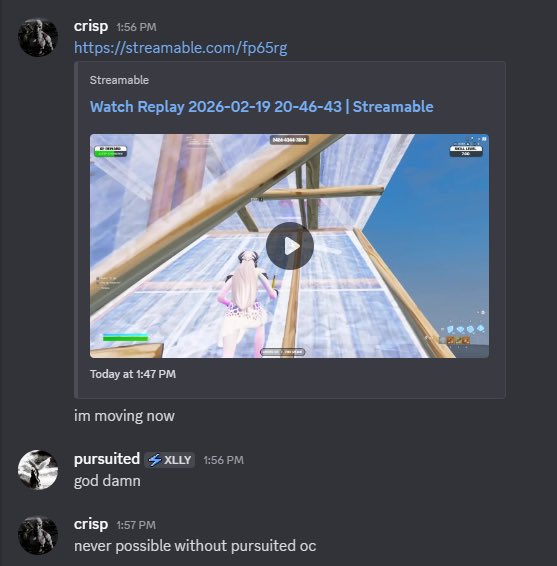
"I'm moving now" - he has a 9800X3D and 4070 TI
High end hardware is just part of the equation. Windows is going to be packaged with tons of bloat, BIOS is prioritizing power savings. A professional tune gets you the system responsiveness and performance you already paid for.
If your game isn't this responsive, you’re playing at a disadvantage.
✅ Consistent FPS
✅ Lowest possible system latency
✅ Zero stutters during high-speed builds
Drop your FPS/Specs in the replies and I’ll tell you if your PC is underperforming. 👇
📹 ⚡️@crispFNR
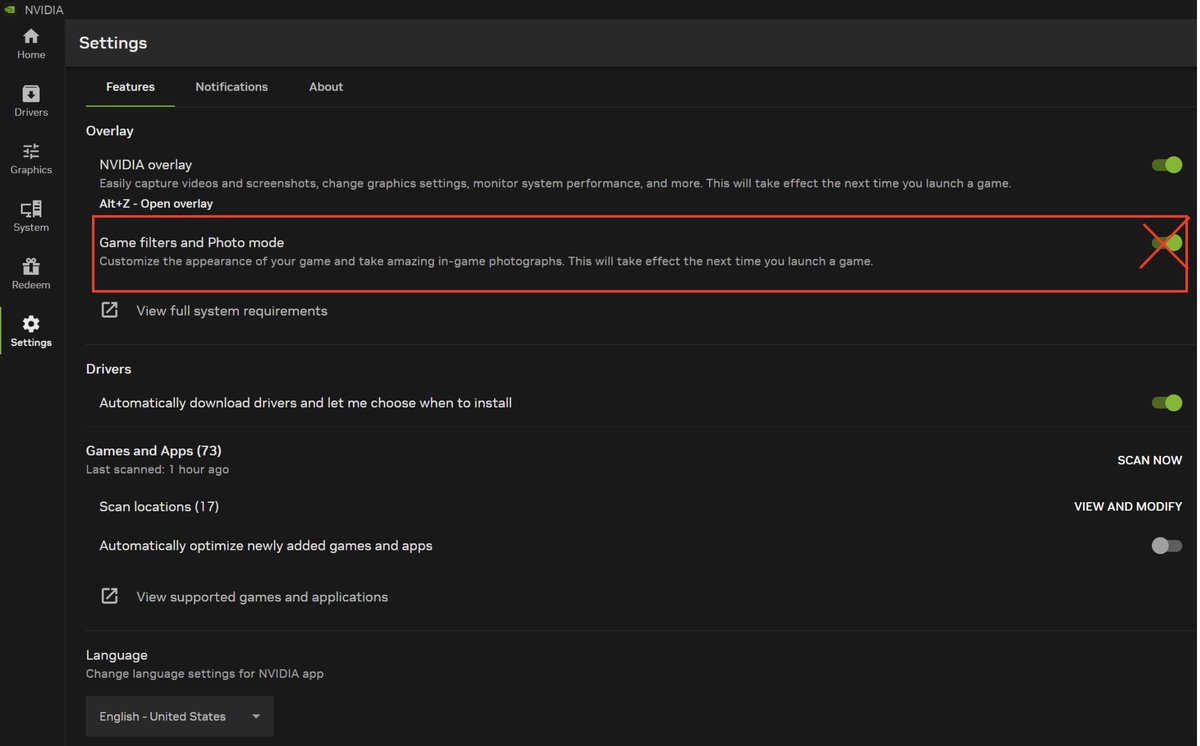
This one NVIDIA setting is tanking your FPS and input lag.
NVIDIA App > Settings > Turn off Game Filters & Photo Mode.
Off = cleaner frames, lower latency, better feel.
Took 5 seconds. Made a difference. Repost ASAP.
Does Re-Size BAR actually work for competitive games?
I tested it on a 5090 & 9950x3D in BO7.
OFF: 416 FPS (1% Lows: 273)
ON: 450 FPS (1% Lows: 331)
That's a free ~22% boost to your 1% low framerate.
Turn. It. On.
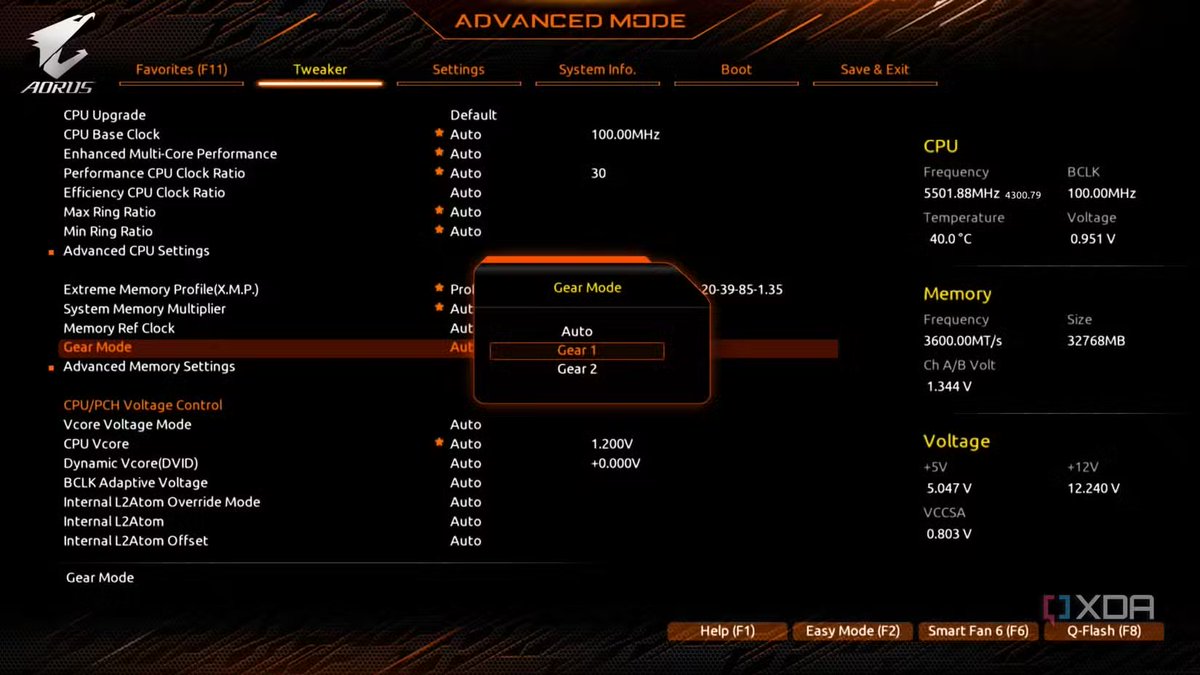
If you're on Intel 12th-14th gen and haven't checked your *Memory Controller Gear*, you're scamming yourself.
Task Manager treats Gear 2 same as Gear 1.
But Gear 2 adds ~10ns latency.
Check CPU-Z > Memory Tab > Mem Controller Freq. If its half your DRAM Freq, you have a problem.
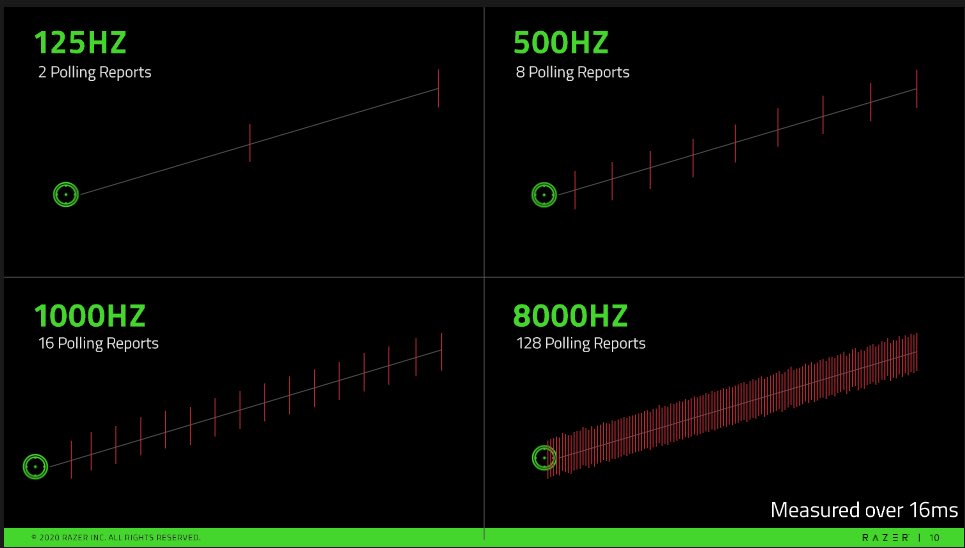
Mouse polling rate guide by CPU:
Budget/older CPUs → 1000Hz
12th gen Intel / Ryzen 5000 → 1000-2000Hz
13th/14th gen Intel / Ryzen 7000+ → up to 4000Hz-8000Hz
Match your polling rate to your hardware
@MeiShowtime wenn's nicht funktioniert ist es etwas mit dem mainboard oder cpu, kannst irgendeine am4 cpu auf amazon holen, testen ob es damit klappt und wenn nicht ist es wahrscheinlich was mit dem mainboard und kannst die cpu wieder zurückschicken
@MeiShowtime natürlich auch einmal alle Kabel überprüfen und schauen ob alles richtig drin steckt & versuchen nur mit dem wichtigsten zu booten -> mainboard, cpu, 1 ram stick, netzteil. Alles andere raus, wenn es startet mach den pc wieder aus & cpu lüfter dran und schrittweise immer mehr