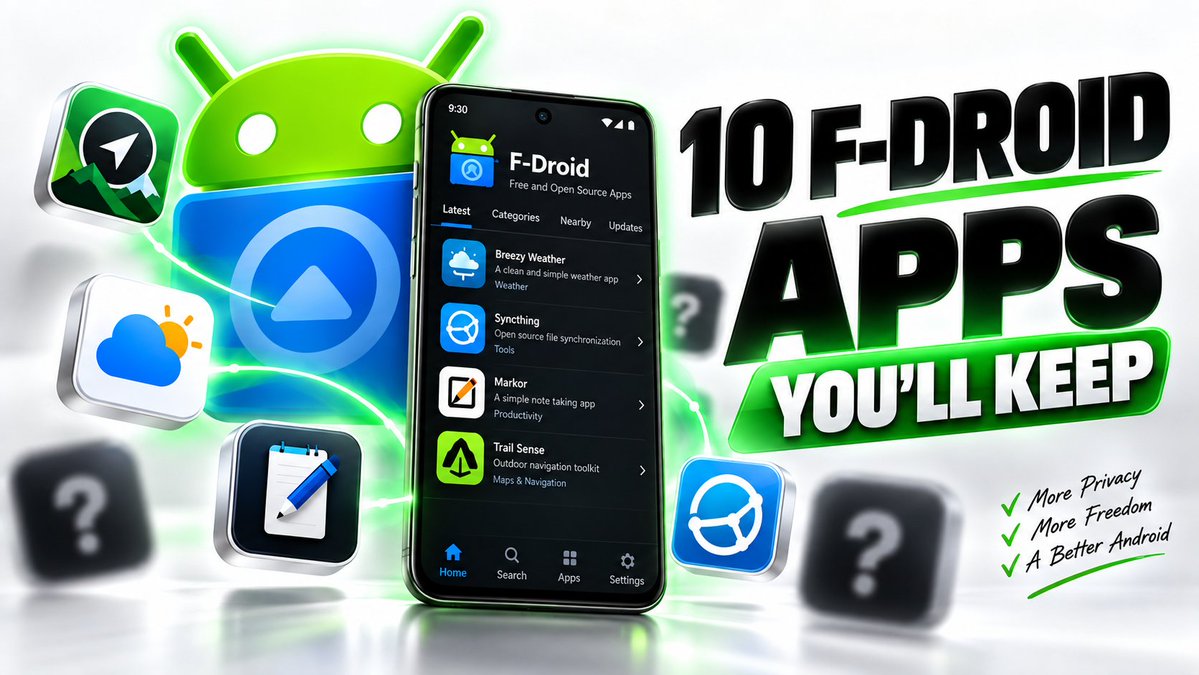
Everyone recommends the same F-Droid apps.
These aren't those.
No NewPipe.
No Organic Maps.
No KeePassDX.
These are 10 hidden FOSS apps people install once... then wonder how they ever used Android without them.
Let's start.
Çocuğunuza Kurs Parası Ödemeden Verebileceğiniz 50 Ücretsiz Eğitim
1.) https://t.co/QtBhX48B2x → MIT'nin çocuk kodlama platformu
2.) https://t.co/9t9PY8wMJi → Sıfırdan kodlama dersleri
3.) https://t.co/T2kjF5rtPP → Bloklarla kodlama oyunları
4.) https://t.co/RWGLDXJH4a → Oyun oynayarak kod yazma
5.) https://t.co/diXleSjMFj → Microsoft'un çocuk kodlama aracı
6.) https://t.co/Dyei4e5Vgf → Bir saatlik kodlama etkinlikleri
7.) https://t.co/vYFEyR7ztS → Yaşa göre eğitici oyunlar
8.) https://t.co/EXEqh73xoz → Okuma ve harf öğretimi
9.) https://t.co/J56xl7h07H → Eğitici çizgi film ve oyunlar
10.) https://t.co/57Gb9gehq9 → Susam Sokağı eğitim arşivi
11.) https://t.co/mSi38ofICe → TRT'nin çocuk içerik arşivi
12.) https://t.co/OlLS55FLpj → TÜBİTAK'ın çocuk bilim dergisi
13.) https://t.co/8dJBDzVVS9 → Doğa ve hayvan içerikleri
14.) https://t.co/P3QiPywi4y → Smithsonian çocuk kaynakları
15.) https://t.co/XoOzlq4Nnv → Çocuklar için ansiklopedi
16.) https://t.co/8xtCRVvxOJ → Görsel bilgi ansiklopedisi
17.) https://t.co/d7rbf5qm1H → Ödev ve konu anlatım arşivi
18.) https://t.co/9hxJkiASVU → Günün merak sorusu
19.) https://t.co/L2UmYguxWq → Ev deneyi ve proje rehberi
20.) https://t.co/RJggHMel19 → Fizik ve kimya simülasyonları
21.) https://t.co/bBXvDdikGt → NASA'nın çocuk sayfası
22.) https://t.co/wF3xiEIVRk → İklim ve dünya bilimi
23.) https://t.co/1heRSxCY3j → Avrupa Uzay Ajansı çocuk bölümü
24.) https://t.co/fVjB7SYE8S → Müze deneyleri ve etkinlikler
25.) https://t.co/fje9LqjGvN → Hazır fen ders planları
26.) https://t.co/mQnt0Z2a8i → Fen konularının videolu anlatımı
27.) https://t.co/ykUcE25BI2 → Cambridge matematik problemleri
28.) https://t.co/WROImS9xFH → Matematik oyunları
29.) https://t.co/0tFcFfK4v4 → Günlük matematik sorusu
30.) https://t.co/WVBgaVxxn4 → Sınıf seviyesine göre alıştırma
31.) https://t.co/UjE6l6TE23 → Kitapların sesli okunması
32.) https://t.co/hmBBXffXl5 → Çok dilli çocuk kitabı arşivi
33.) https://t.co/Lb1sfpE0Er → Dünya çocuk kitapları kütüphanesi
34.) https://t.co/qK7U4aIH6X → Ücretsiz çocuk kitapları
35.) https://t.co/aekMEEC78c → Seviyeye göre okuma kitapları
36.) https://t.co/G8ZAfqWmsb → Sesli resimli kitaplar
37.) https://t.co/xCOcwe0tWR → Okuma öğrenme programı
38.) https://t.co/hachAd3Eek → Oyunlaştırılmış dil öğrenimi
39.) https://t.co/Ama0H6vTym → Küçük yaşta dil öğretimi
40.) https://t.co/tHfTedl2kx → Müzik teorisi temelleri
41.) chrome music lab → Müziği deneyerek keşfetme
42.) https://t.co/lGlhc8y6W2 → Çizim alıştırmaları
43.) https://t.co/DW5c3rc15L → Adım adım çizim dersleri
44.) https://t.co/K3G7606AhS → Met Müzesi çocuk bölümü
45.) https://t.co/wPKyAjqClT → Tate'in çocuk sanat sayfası
46.) https://t.co/X3Tj0zZJMu → Çocuklar için satranç
47.) https://t.co/HGCGPRNFzP → Ücretsiz satranç ve alıştırma
48.) https://t.co/1EoWtTQjFe → On parmak klavye öğretimi
49.) https://t.co/RwLP9y0zsf → Ücretsiz ders planları
50.) https://t.co/9nEVQCUqZ7 → İçerik yaşa uygun mu kontrolü
Dünyanın en iyi çocuk eğitimi ücretsiz duruyor. Sadece kimse duyurmuyor.
Kaydedin, lazım olur.
Nobody can learn Linux from a course.
If I had to learn Linux from scratch, this is exactly how I’d do it:
1️⃣ Start with a virtual machine:
→ Install VirtualBox and create an Ubuntu VM.
→ Learn to install Ubuntu, update it with apt update && apt upgrade, and take snapshots before experimenting.
→ Treat the VM as your Linux playground where breaking things is completely fine.
2️⃣ Learn the Linux filesystem:
→ Explore /home, /etc, /var, /usr, /tmp, /dev, and /proc
→ Practice pwd, ls, cd, mkdir, cp, mv, rm, and find
→ Understand why configuration files live in /etc and logs commonly live in /var/log.
3️⃣ Get comfortable with the terminal:
→ Learn cat, less, head, tail, grep, sort, wc, and pipes.
→ Practice commands like cat file.txt | grep "error"
→ Start doing everyday tasks without opening the GUI.
4️⃣ Understand users and permissions:
→ Learn whoami, id, sudo, useradd, passwd, and groups
→ Experiment with chmod, chown, 755, 644, and file ownership.
→ Create another user and see what they can and cannot access.
5️⃣ Learn how processes work:
→ Use ps, top, and htop to see what's running
→ Learn about PIDs, background processes, signals, and kill
→ Find a process consuming too much CPU and figure out how to deal with it.
6️⃣ Learn package management:
→ Use apt install, apt remove, apt update, and apt upgrade.
→ Install Nginx, find its configuration files, and understand what it changed.
→ Learn how Linux installs, updates, and removes software.
7️⃣ Learn networking:
→ Use ip addr to understand network interfaces and IP addresses.
→ Practice ping, curl, ss, and dig to understand connectivity, ports, and DNS.
→ Connect to your VM with ssh user@ip-address and manage it remotely.
8️⃣ Learn services and systemd:
→ Learn systemctl start, stop, restart, enable, and status
→ Install Nginx, stop it, restart it, and configure it to start automatically.
→ When something breaks, use journalctl and systemctl status to find the problem.
9️⃣ Learn storage:
→ Understand disks, partitions, filesystems, and mount points
→ Practice with lsblk, df -h, du -sh, and mount
→ Create a virtual disk, format it, mount it, and understand where your data actually lives.
🔟 Learn Bash:
→ Start with variables, conditions, loops, functions, and exit codes
→ Learn $?, $1, pipes, redirection, and #!/bin/bash
→ Write scripts that automate things you actually do.
1️⃣1️⃣ Learn troubleshooting:
→ When something breaks, don't immediately search for the error.
→ Check journalctl, /var/log, systemctl status, and application logs.
→ Learn to go from symptom, evidence, cause, and fix
1️⃣2️⃣ Break things on purpose:
→ Stop services, change permissions, modify configurations, and kill processes
→ Figure out why you broke something and recover it yourself.
→ Restore your VM snapshot when you completely destroy it
1️⃣3️⃣ Build something real:
→ Run Nginx, deploy an application, connect a database, and expose it over the network.
→ Manage everything through SSH and the terminal
→ Then learn Docker and understand what containers are actually doing underneath.
1️⃣4️⃣ Delete Windows:
→ Once you're comfortable, install Linux directly on your machine.
→ Make it your daily driver and learn to solve problems without switching back.
→ Expect plenty of man, --help, searching, breaking things, and fixing them
Don't memorize Linux. Use it until you understand what's happening underneath. 🐧