Lucen Software (formerly Office Timeline) is a Microsoft-native clarity platform that helps organizations transform complex work into clear, actionable insight.
From a Bellevue garage in 1994 to… well, you know.
The full Amazon timeline — every pivot that built a trillion-dollar company 👇
https://t.co/6lRHCpPEW2
Office Timeline is now Lucen Software. 🌟
This new name marks the shift to a unified, Microsoft-native company, built to help teams plan, track, visualize, and communicate work with clarity.
Read the announcement: https://t.co/uTjzVCjgDd
Your exec gives your roadmap 5 seconds. Maybe.
If they can't see status, timeline, and risks instantly — the slide failed.
The 5-second executive test 👇
https://t.co/jA2FzEilF0
✅ Before your next status meeting, ask yourself:
"Can someone understand our project status in 30 seconds by looking at one slide?"
If not, you're about to spend 30 minutes explaining what one timeline could show.
Visual clarity = faster decisions = happier stakeholders.
📊 Did you know? Visual presentations shorten meetings by 24%.
➡️ 64% reach immediate decisions with clear visuals
➡️ Teams achieve consensus 21% faster
➡️ Less time explaining, more time executing
Your next status update could save everyone an hour.
https://t.co/zW3gQH8L9R
The 3-slide rule for executive updates:
Slide 1: Timeline - where we are vs. where we should be
Slide 2: Risks - what could derail us (with mitigation)
Slide 3: Decisions - what we need from leadership
That's it. Everything else is backup.
https://t.co/DmCIEcMZVX
50% less meeting time, 100% better clarity.
(Real results from Aptos, a retail enterprise software company) https://t.co/AOOOBVIlqy
What would you do with 3 extra hours every week?
#CaseStudy#MeetingEfficiency#ProjectManagement
Your sprint planning meeting is in 1 hour.
❌ a) Spend 45 minutes exporting Jira
✅ b) Import Jira to Office Timeline
Both get you a status update. Only one gives you time to actually THINK about strategy.
https://t.co/StgcNlu9cX
🎯 Feature Friday: Did you know Office Timeline can import from 5+ tools?
✅ Jira
✅ MS Project
✅ Excel
✅ Smartsheet
✅ Wrike
Work in the tools you love. Present in the format they understand.
Learn more: https://t.co/FdbPVxHS7W
⚡ 3 PowerPoint hacks PMs should know:
1. Format Painter (Ctrl+Shift+C, Ctrl+Shift+V)
2. Selection Pane (Alt+F10)
3. Eyedropper Tool
Bonus: Use Office Timeline to skip formatting entirely
From our recent webinar with Nuts & Bolts Speed Training https://t.co/sTfBTSA3LG
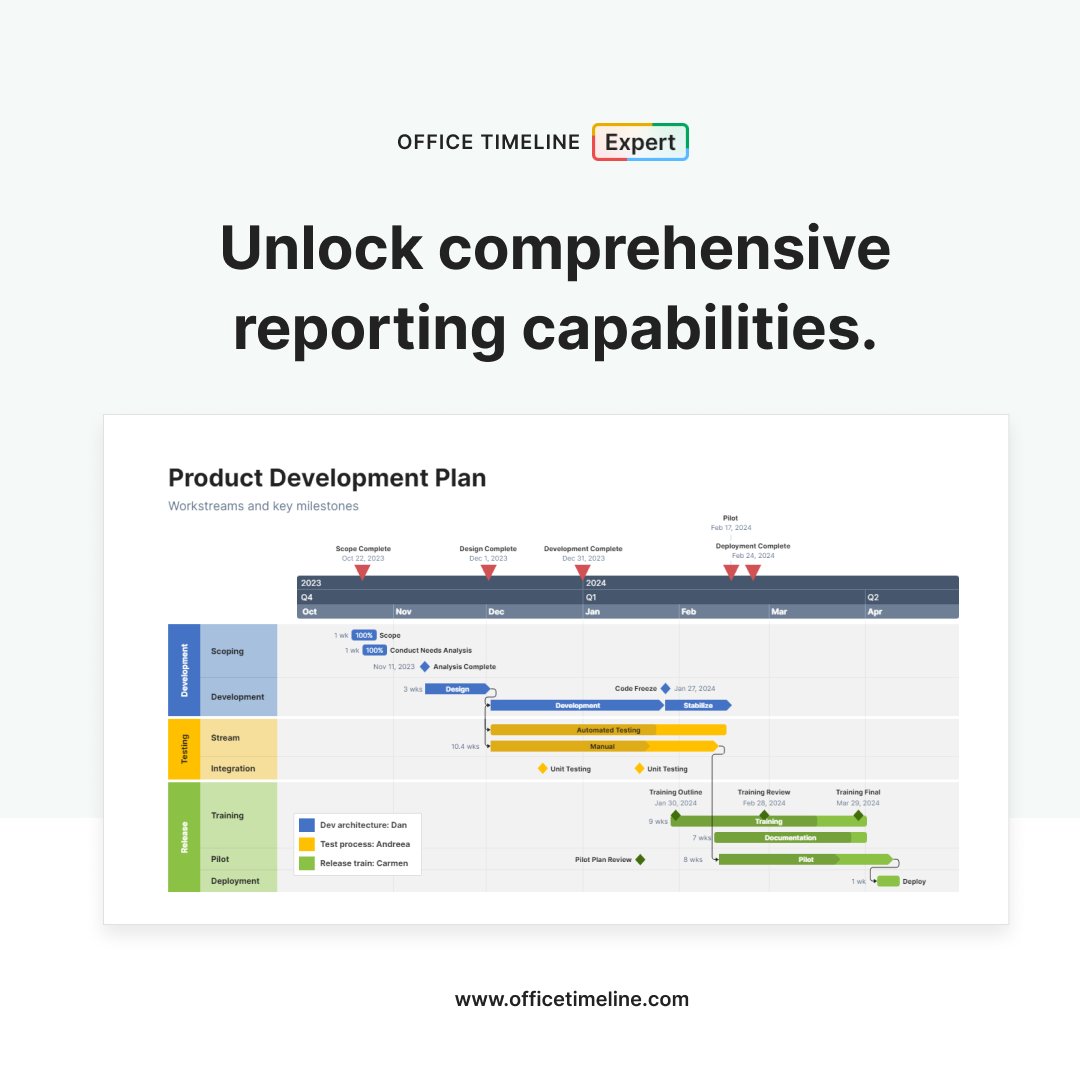
📊 Show stakeholders exactly where your project stands vs. where it should be.
Planned vs. Actual tracking is a premium feature available only in the Office Timeline Expert plan.
See how it works: https://t.co/DmCIEcMZVX
🔍 Choosing timeline software? Our comprehensive review compares features, pricing, and user ratings across all major timeline makers—including web-based options, desktop tools, and specialized PM platforms.
Find your perfect fit:
🔗 https://t.co/WHOX4opSHp
See how a global technology company simplified project planning, turned complex plans into easy-to-understand visuals, and reclaimed hundreds of hours of valuable time with Office Timeline.
Read the full case study:
https://t.co/3ep5tIMdHv
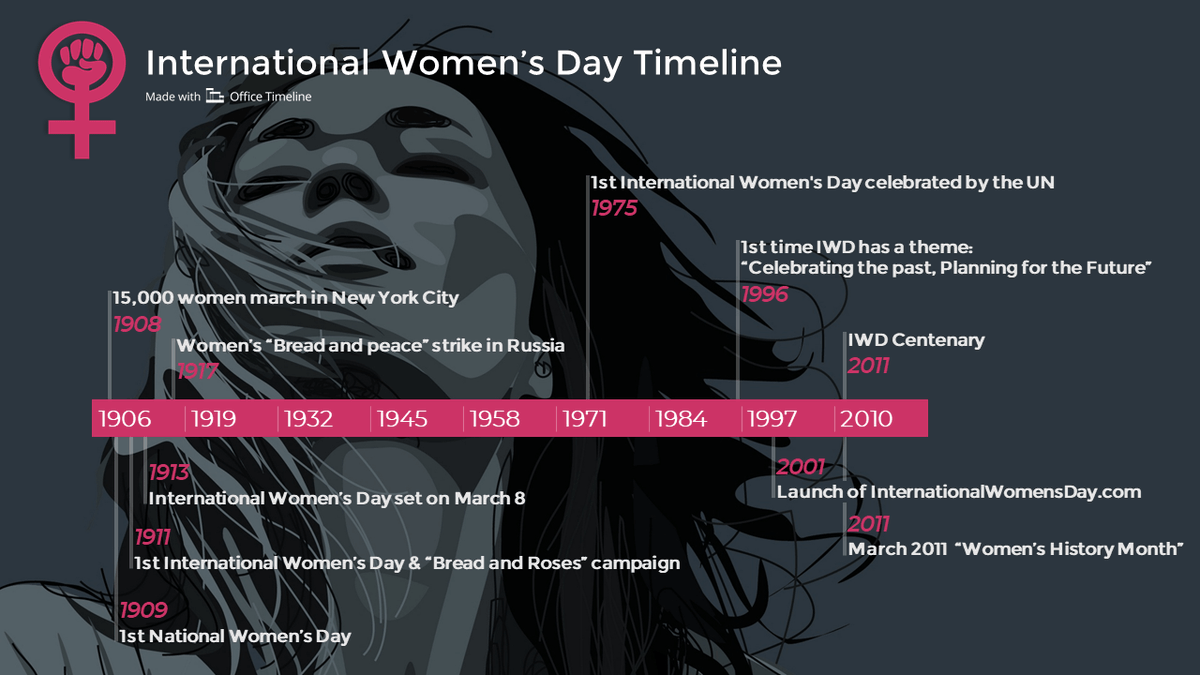
With International Women's Day approaching, here are some of the most important milestones in the history of the celebration and how much it has evolved to this day. https://t.co/ALzHcCFHSf
#IWD2026
Is spending time on beautiful project visuals still worth it?
The answer is yes — and with user-friendly timeline tools, creating professional visuals no longer demands design skills. Dive into why visuals matter and how you can build them faster.
https://t.co/CmRfBDPjgD
📊 Why do project reviews still struggle when decisions matter most?
Our latest white paper (backed by PMI research) reveals how visual timelines help teams make faster, more confident decisions.
🔗 Read the full insights: https://t.co/g82pxjMgA2