🏆 Copy the Winners
Why predict every World Cup match yourself?
Follow a trader. Let Smart Copy do the work.
📅 June 22 – June 29
To enter:
✅ Generate at least 1 copy trade during the event
✅ Follow @Luma_trade
✅ Join the Luma Telegram community
🎁 Rewards
🥇 1 Winner × 50 USDT
🥈 2 Winners × 30 USDT
🥉 5 Winners × 10 USDT
Copy. Watch. Win.
🦉 Start Smart Copy:
https://t.co/meRAA8yJeL
Join Telegram:
https://t.co/iBznUvM9LL
🏆 World Cup 2026 has come to an end.
Congratulations to Spain 🇪🇸
Millions of predictions.
Countless moments.
One unforgettable tournament.
Thanks for watching, trading, and exploring the markets with Luma. 🦉
https://t.co/i0SQPEqDVw
⚽ Quarter-Finals are here.
4 matches.
8 teams.
One step closer to the trophy. 🏆
Explore World Cup markets, track smart money, and trade your view on Luma.
🦉 Follow the action:
https://t.co/DgM8vF7Ozg
🏆 Copy the Winners
Why predict every World Cup match yourself?
Follow a trader. Let Smart Copy do the work.
📅 June 22 – June 29
To enter:
✅ Generate at least 1 copy trade during the event
✅ Follow @Luma_trade
✅ Join the Luma Telegram community
🎁 Rewards
🥇 1 Winner × 50 USDT
🥈 2 Winners × 30 USDT
🥉 5 Winners × 10 USDT
Copy. Watch. Win.
🦉 Start Smart Copy:
https://t.co/meRAA8yJeL
Join Telegram:
https://t.co/iBznUvM9LL
⚠️ 4 DAYS LEFT BEFORE COPY EVENT ENDS
The World Cup copy trading event is already live.
Smart money is already positioned.
The question is — are you?
📅 June 22 – June 29
To join:
✅ Make at least 1 copy trade during the event
✅ Follow @Luma_trade
✅ Join Luma Telegram community
🎁 Total Prize Pool: 160 USDT
Copy. Watch. Win.
🦉 Start here:
https://t.co/meRAA8ybpd
Telegram:
https://t.co/iBznUvLBWd
🦉 Smart Money is already positioned.
You don't need to predict every World Cup match.
Just find a trader you trust and let Smart Copy handle the execution.
🏆 Copy the Winners
📅 Jun 22 – Jun 29
Who's your favorite trader on Luma right now?
👇 Share their profile below.
https://t.co/meRAA8yJeL
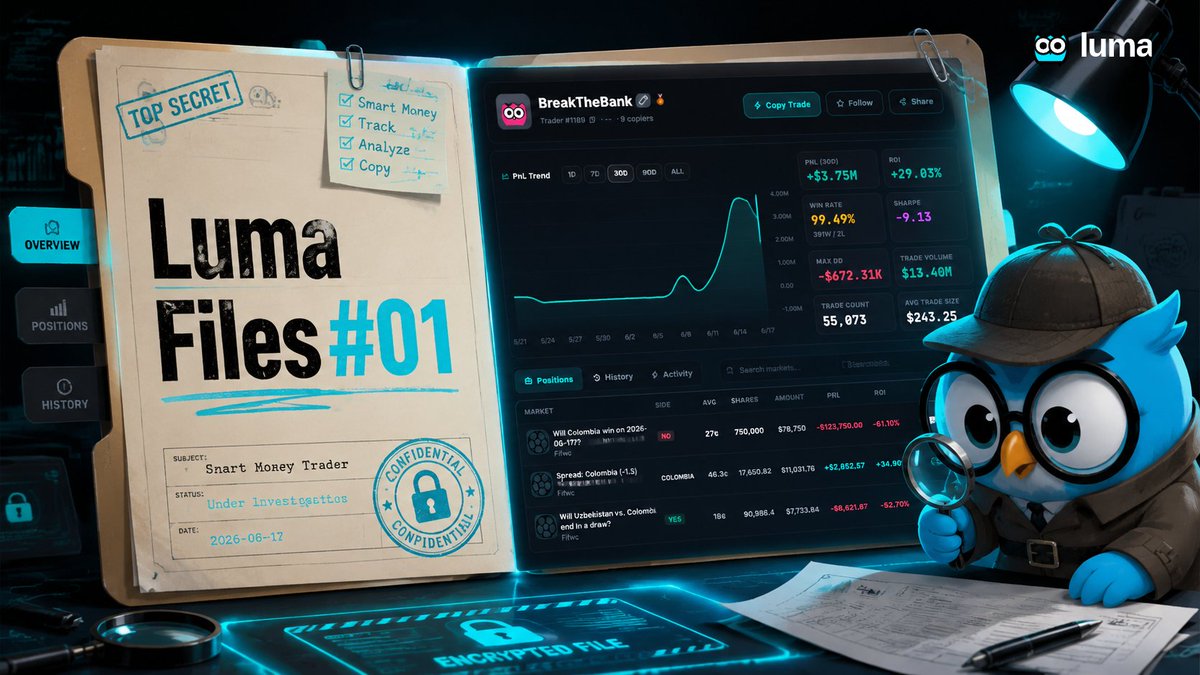
🦉 Luma Files #01
This wallet is not trading — it is scaling probability edges.
🔗 https://t.co/iJ2Q08LaE3
Key stats:
PnL (30D): +$3.75M / +$762K
Win rate: 99%+ / 100%
Avg trade size: $180–$240
Focus: football prediction markets only
Two styles:
• BreakTheBank → high-frequency scalper (volume engine)
• Gardenshed → low-frequency conviction bets (edge timing)
Insight:
Most returns come from repeating the same event structure, not diversification.
🦉 Luma Files — decoding smart money behavior.
One address.
$2.94M in 7 days.
Then it adds another $300K position.
No hesitation. No slowdown.
99.48% win rate. 49,117 trades.
Smart Money doesn’t announce itself — it just compounds.
Follow or fade? 👀
🦉 Luma: https://t.co/XRjwShHN9b
Most people spend hours trying to predict markets.
The smarter approach?
Find traders who are already doing it well.
That's exactly why we built Smart Money on Luma.
🦉https://t.co/i0SQPEqDVw
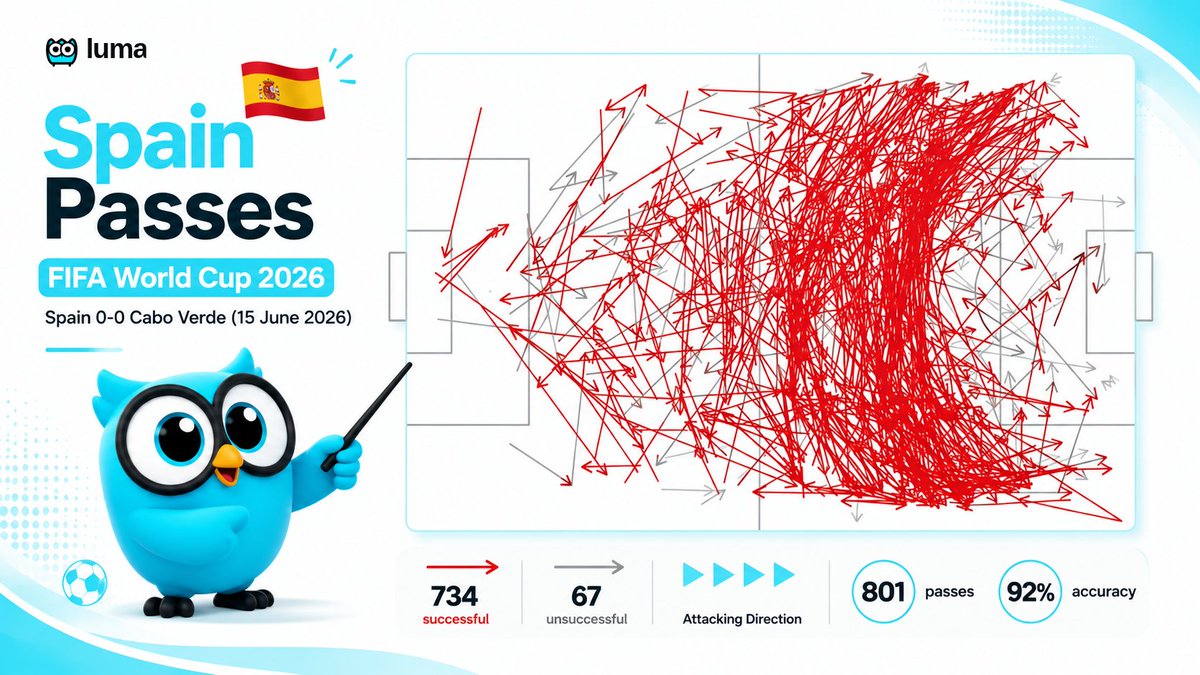
If you're feeling stressed, remember there's a 40-year-old goalkeeper from Cape Verde who just kept a clean sheet against Spain.
• €50K market value
• Facing a former world champion
• 72% possession against him
Final result: 0-0
Biggest upset of the World Cup so far.
🎓 Smart Copy 101 Graduation Day
The Smart Copy 101 series is now complete.
Over the past 6 lessons, we've covered everything from choosing traders and setting budgets to risk controls, exposure management, and Smart Limit Orders.
If you missed any lessons, now's a great time to catch up:
📚 Full Smart Copy Guide (EN / 中文)
https://t.co/JGKbyTW8Fi
🦉 #01 How to Pick a Trader
https://t.co/xvR7gWK9OY
🦉 #02 How to Set Your Copy Budget
https://t.co/t5F5KYHFcO
🦉 #03 How to Protect Your Copy Trades
https://t.co/uzS5GD0qaX
🦉 #04 How to Control Your Exposure
https://t.co/X4JOzhRISo
🦉 #05 How to Use Smart Limit Orders
https://t.co/7zcVNlIKDS
🦉 #06 Market Order vs Limit Order
https://t.co/FcbvcEMuIo
Review the lessons, build your setup, and start copying smarter.
Trade anything, profit from insight.
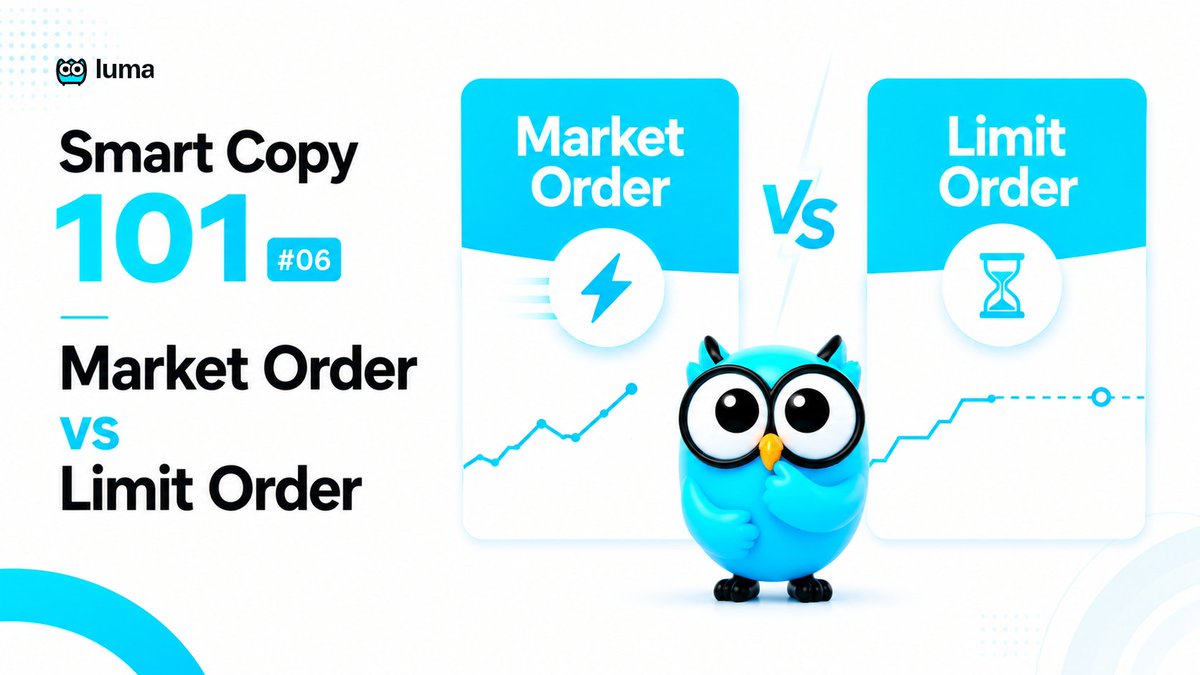
🦉 Smart Copy 101 #06 Market Order vs Limit Order
Every copy trade starts with a choice.
1/ Market Order
• Execute immediately
• Higher fill rate
• PolyMarket fees typically range from 1–3%
2/ Limit Order
• Copy at the trader's price
• Zero platform fees
• May not fully fill during fast market moves
💡 Limit Order also unlocks Smart Limit protection:
• Timeout to Market
• Price Deviation Trigger
• Final Price Protection
For most users, Limit Copy offers better execution quality and lower costs.
📚 Full Smart Copy Guide (EN / 中文):
https://t.co/JGKbyTW8Fi
🦉 Smart Copy 101 #01 How to Pick a Trader:
https://t.co/4k8CVB80ec
🦉 Smart Copy 101 #02 How to Set Your Copy Budget:
https://t.co/kfY1sSyAol
🦉 Smart Copy 101 #03 How to Protect Your Copy Trades:
https://t.co/zc2Fono6Rp
🦉 Smart Copy 101 #04 How to Control Your Exposure:
https://t.co/h3BqawFd2d
🦉 Smart Copy 101 #05 How to Use Smart Limit Orders:
https://t.co/KzFPcDb2Ey
🦉 Smart Copy 101 #02 How to Set Your Copy Budget
After you've picked a trader, it's time to configure your Copy Settings.
Luma supports 3 position sizing modes:
• % of Budget: Budget $1,000 → 10% per trade = $100
• Fixed Amount: Every trade = $100
• Match Trader Allocation: Trader buys $1,000 → You copy 10% = $100
💡 There is no "best" option.
• % of Budget → Most beginner-friendly
• Fixed Amount → Maximum consistency
• Match Trader Allocation → Closest to the trader's sizing
⚠️ Remember:
Open positions continue to occupy budget until they settle.
If a new trade would exceed your total budget limit, the order will be automatically blocked.
🦉 Smart Copy 101 #06 Market Order vs Limit Order
Every copy trade starts with a choice.
1/ Market Order
• Execute immediately
• Higher fill rate
• PolyMarket fees typically range from 1–3%
2/ Limit Order
• Copy at the trader's price
• Zero platform fees
• May not fully fill during fast market moves
💡 Limit Order also unlocks Smart Limit protection:
• Timeout to Market
• Price Deviation Trigger
• Final Price Protection
For most users, Limit Copy offers better execution quality and lower costs.
📚 Full Smart Copy Guide (EN / 中文):
https://t.co/JGKbyTW8Fi
🦉 Smart Copy 101 #01 How to Pick a Trader:
https://t.co/4k8CVB80ec
🦉 Smart Copy 101 #02 How to Set Your Copy Budget:
https://t.co/kfY1sSyAol
🦉 Smart Copy 101 #03 How to Protect Your Copy Trades:
https://t.co/zc2Fono6Rp
🦉 Smart Copy 101 #04 How to Control Your Exposure:
https://t.co/h3BqawFd2d
🦉 Smart Copy 101 #02 How to Set Your Copy Budget
After you've picked a trader, it's time to configure your Copy Settings.
Luma supports 3 position sizing modes:
• % of Budget: Budget $1,000 → 10% per trade = $100
• Fixed Amount: Every trade = $100
• Match Trader Allocation: Trader buys $1,000 → You copy 10% = $100
💡 There is no "best" option.
• % of Budget → Most beginner-friendly
• Fixed Amount → Maximum consistency
• Match Trader Allocation → Closest to the trader's sizing
⚠️ Remember:
Open positions continue to occupy budget until they settle.
If a new trade would exceed your total budget limit, the order will be automatically blocked.
🦉 Smart Copy 101 #05 How to Use Smart Limit Orders
Limit Orders help you get better entries.
Luma gives you 3 simple controls:
- Timeout to Market
30 min → If unfilled, switch the remaining amount to a market order.
- Price Deviation Trigger
Leader buys at 30¢.
Deviation = 3¢.
⚠️ If the market reaches 33¢ before your limit order fills,
Luma can automatically switch the order to market execution.
- Final Price Protection
Set your maximum acceptable fill price.
If the market moves beyond that range,
Luma cancels the order instead of chasing the trade.
Better prices.
Fewer missed trades.
More control.
🏆 MATCHDAY 3 DELIVERS! 🌍
The World Cup action continues as Matchday 3 gets underway.
🦉 Smart Money is already moving.
⚡ New opportunities are emerging across the board.
👀 Markets are reacting in real time.
Who are you backing today?
⚽ Follow live markets:
https://t.co/gGshrOn8yh
📚 Full Smart Copy Guide (EN / 中文):
https://t.co/JGKbyTW8Fi
🦉 Smart Copy 101 #01 How to Pick a Trader:
https://t.co/4k8CVB80ec
🦉 Smart Copy 101 #02 How to Set Your Copy Budget:
https://t.co/kfY1sSyAol
🦉 Smart Copy 101 #03 How to Protect Your Copy Trades:
https://t.co/zc2Fono6Rp
🦉 Smart Copy 101 #02 How to Set Your Copy Budget
After you've picked a trader, it's time to configure your Copy Settings.
Luma supports 3 position sizing modes:
• % of Budget: Budget $1,000 → 10% per trade = $100
• Fixed Amount: Every trade = $100
• Match Trader Allocation: Trader buys $1,000 → You copy 10% = $100
💡 There is no "best" option.
• % of Budget → Most beginner-friendly
• Fixed Amount → Maximum consistency
• Match Trader Allocation → Closest to the trader's sizing
⚠️ Remember:
Open positions continue to occupy budget until they settle.
If a new trade would exceed your total budget limit, the order will be automatically blocked.
🦉 Smart Copy 101 #04 How to Control Your Exposure
Copying a trader doesn't mean copying every trade.
Luma gives you 4 simple controls:
• Same-event Triggers
ON = copy additions
OFF = first entry only
• Event Cap
Budget $1,000 → Max $300 per event
• Frequency Limits
10 min → Max 1 copy trade every 10 minutes
• Same-Price Limits
20 min → Same event, same price, once every 20 minutes
Useful when traders scale into positions over time.
More control.
Less overexposure.