Full-stack developer. Leader of MCSLTeam (aka. MCSL开发组) and ME Frp (aka.幻缘映射, subordinate to MagicEdge Network). A senior high school student in China.
🚀 Introducing DeepSeek-V4.1-Flash: smarter, faster, more efficient.
🔹 Introducing the smallest model in our new architecture family, with native visual understanding.
🔹 Designed for greater capability, faster inference, higher throughput, and scaling to larger models.
1/6
Sending lots of love to the Apple community on my last day as CEO. My title changes tomorrow, but the love I have for the Apple community never will. Thank you for being a constant source of inspiration. My gratitude is endless, and I’m excited for the next chapter!
The Ghostty memory usage memes are dead with the upcoming 1.4 release, much to the dismay of internet trolls everywhere. ~10x less memory for a visible window. ~450x lower for a non-visible window. Very reasonable compared to other terminals with 10 tabs.
This was the result of a lot of incremental hard work, but there were two big wins. One I talked about before which was scrollback compression. I want to note that these charts do NOT include scrollback, so with scrollback the results are more dramatic!
The other big win is that we free almost all GPU resources when a window is fully occluded (covered by another window, minimized, etc.). We triple-buffer our screens so for large screens this has major savings.
Those account for a large chunk of the improvements, but we also had dozens of incremental 1% wins here, a few KB there, etc. throughout the 1.4 cycle. And there are more coming!
I noted before that Ghostty's memory waste was all in the app layer and we can see it here. libghostty has always been very tight in comparison and I've shown comparisons to other embedded terminal libraries elsewhere.
And importantly, the charts below use the same grid sizes with a very small +/-2% difference due to differences in how cell metrics are calculated between terminals.
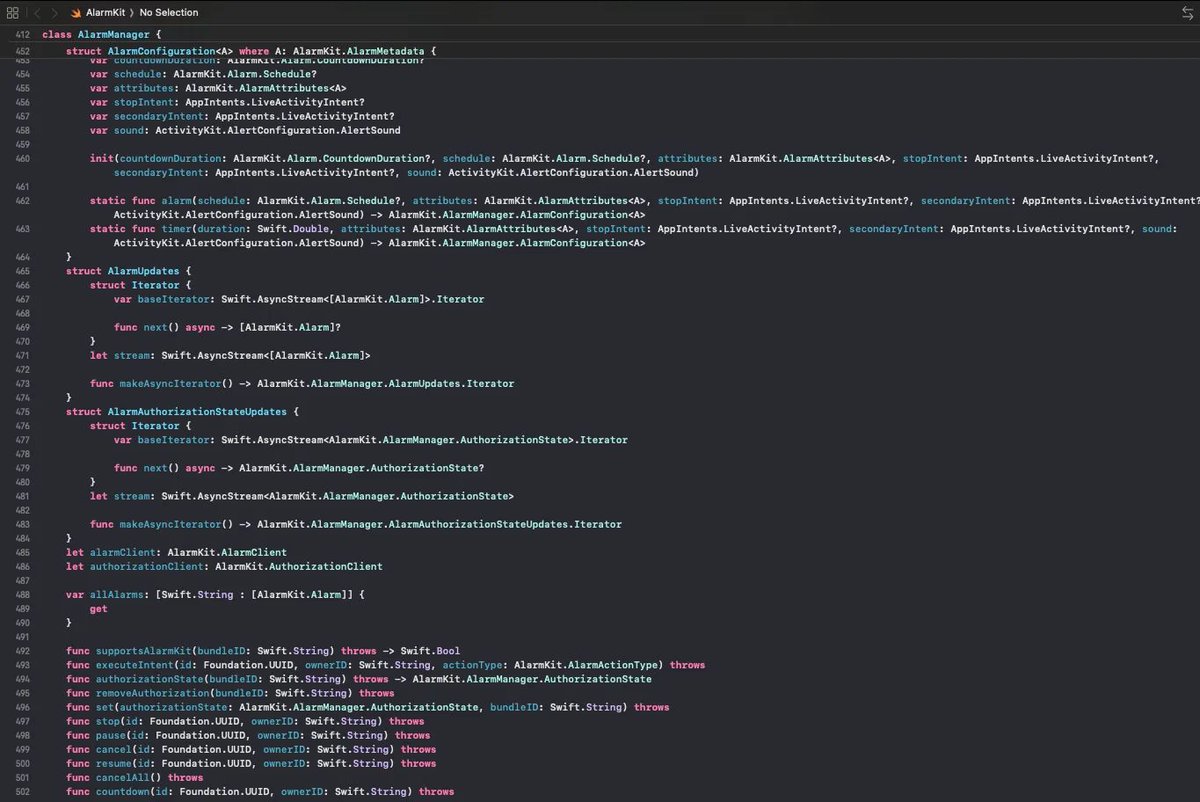
Apple's internal private frameworks are basically open-source thanks to MachOSwiftSection, which lets you reverse-engineer and inspect private binaries 🛠
The open-source MachOSwiftSection tool by MxIris is the key to reverse-engineering the interfaces from these binaries - all of which live inside the Simulator on your Mac filesystem.
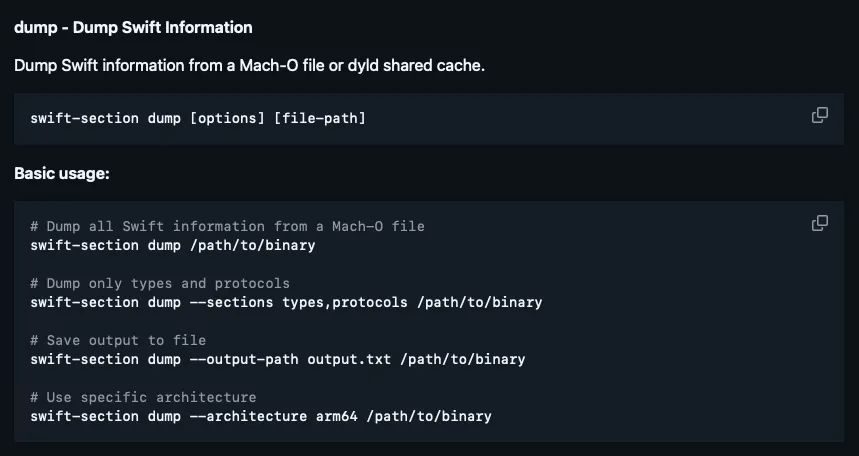
I downloaded the tool from the swift-interface branch, and ran the build script. The documentation is super clear (screenshot #1).
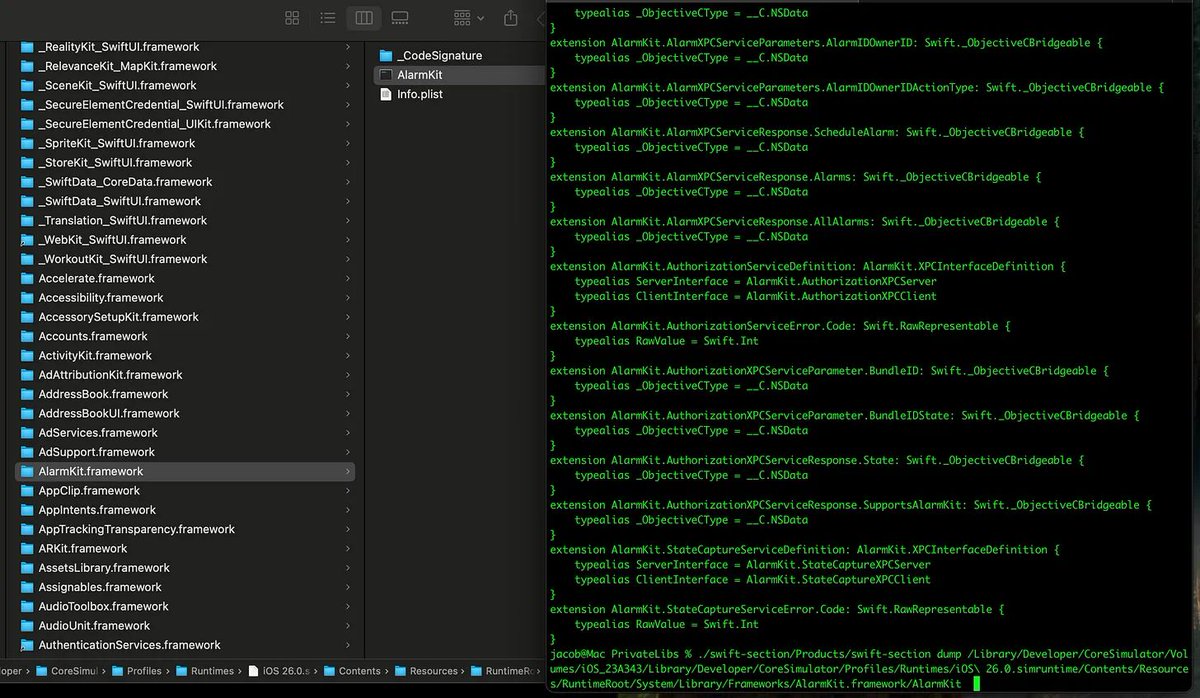
Let’s give this a try, and dump AlarmKit (screenshot #2).
Wow, it straight up just dumped the entire interface of AlarmKit. First try. That’s unbelievable.
We can get the slightly neater, Tweetable version by outputting the interface to a .swift file:
./swift-section/Products/swift-section interface --output-path AlarmKit.swift /Library/Developer/CoreSimulator/Volumes/iOS_23A343/Library/Developer/CoreSimulator/Profiles/Runtimes/iOS\ 26.0.simruntime/Contents/Resources/RuntimeRoot/System/Library/Frameworks/AlarmKit.framework/AlarmKit
This outputs a proper Swift interface containing all the internal Swift types (screenshot #3).
How does this tool work?
It walks the __swift5_* metadata sections in the Mach-O binary and reads ABI-defined descriptors in the binary to resolve types, protocols, and conformances. It runs a custom demangler to decode the resulting symbol names to reconstruct a regular Swift-y interface.
This works because the Swift ABI exactly specifies the structure and memory layout of these object code descriptors, for example, a ProtocolDescriptor always follows the exact same format when compiled into binary.
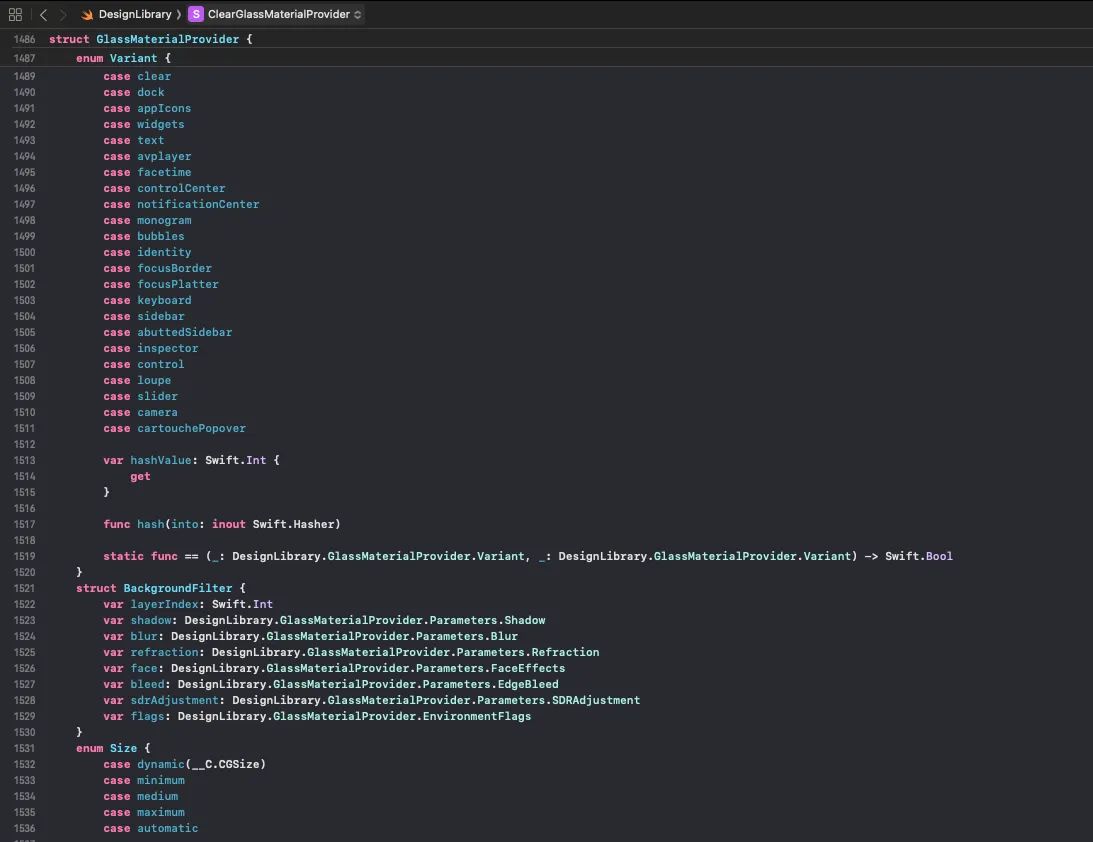
By running the tool on the DesignLibrary private framework, we can spot the original Liquid Glass configuration that inspired this article (screenshot #4).
I thought going through this exercise would make it seem less magic, but frankly I’m more convinced than ever that he’s a god.
Let me be clear: this does not reverse-engineer the actual source code from the binary, it just reconstructs the interface using type metadata. But this alone still gives us a ton of fascinating info.
./swift-section/Products/swift-section interface dump /Library/Developer/CoreSimulator/Volumes/iOS_23A343/Library/Developer/CoreSimulator/Profiles/Runtimes/iOS\ 26.0.simruntime/Contents/Resources/RuntimeRoot/System/Library/Frameworks/AlarmKit.framework/AlarmKit
If you liked this, please join my newsletter to master iOS for 10 mins every week! 🚀 https://t.co/5XrYBsTLjA
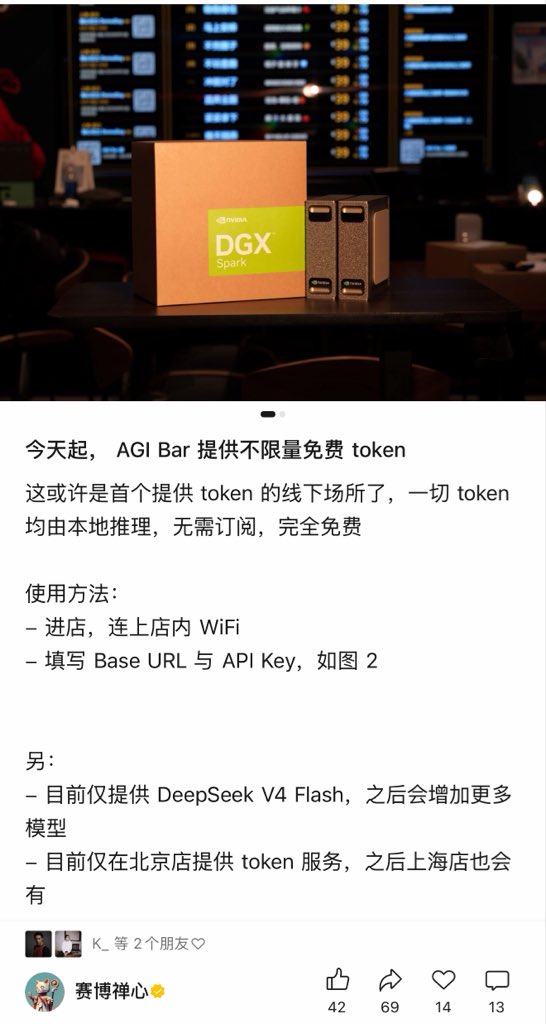
🔥Breaking:北京一家酒吧,现在来消费就送无限量 @deepseek_ai V4 Flash API Token🤯
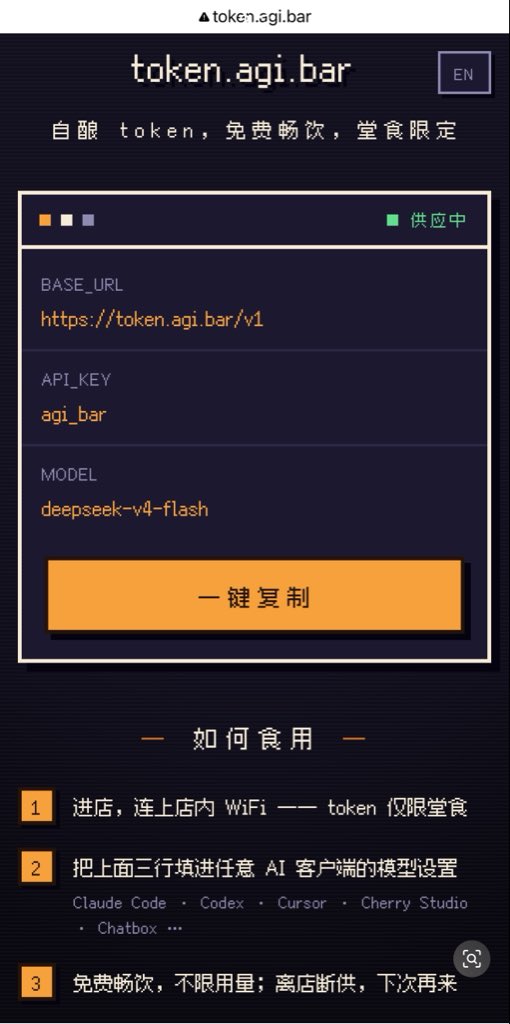
从今天开始,北京 AGI Bar 的顾客只要连接店内 Wi-Fi,就可以免费获得 DeepSeek V4 Flash 的 API,并且在店内使用期间 不限量。
无需订阅,也不用担心 Token 消耗。只需要把 Base URL 和 API Key 填到 Claude Code、Codex、Cursor、Cherry Studio 或其他兼容 OpenAI API 的客户端里,就可以直接使用。
后续他们还会接入更多模型。
我觉得这件事挺有意思,因为它改变了一个默认设定。
过去,AI 服务总是和注册、订阅、Token 费用绑定在一起。而现在,AI 推理能力开始像水、电、Wi-Fi 一样,成为线下空间提供的基础设施。
顺便一提,这家酒吧是我朋友开的。他一直都在 AI 行业创业,AGI Bar 也慢慢成了中国 AI 从业者经常聚会交流的地方。
之前 Midjourney CEO @DavidSHolz 来中国的时候,也专门来过这里。
也许未来的咖啡馆和酒吧,提供的不只是咖啡、网络和电源,还会提供算力。
未来越来越有意思了😉