⚡️Migration Dapp Announcement⚡️
Manta Atlantic Migration Window Extended by 60 Days
Manta Atlantic has stopped producing blocks, and on-chain transactions are no longer possible. A significant number of users still hold $MANTA that has not been migrated to Manta Pacific. To minimize losses across the community, we are reopening the migration window for 60 days.
⏰Timeline
Opens: September 17, 2026, 08:00 UTC
Closes: November 16, 2026, 08:00 UTC
No claims will be accepted after the window closes. Any Atlantic MANTA left unmigrated at that point cannot be recovered. Please complete your migration before the deadline.
How to migrate:
1.Connect your Atlantic (Substrate) wallet and select the account to migrate
2. Connect the Manta Pacific (EVM) wallet that will receive your tokens
3. Sign a message to prove ownership of the account
4. Claim your $MANTA on Pacific
Because Atlantic has halted, the entire process runs on an off-chain signature — no bridge transfer, no gas. Signing cannot move or approve spending of your funds, and your private key never leaves your wallet.
❗️Large holders, please note
If you hold a significant amount of MANTA and run into any issue during the claim process, contact us immediately through atlantic-migration on Discord.
https://t.co/CUgKqd5Sid
We will prioritize assisting you. Please do not wait until the window is nearly closed.
📌Security reminder
There is only one official migration page: https://t.co/Y9KL0gZSHD
Anyone asking for your seed phrase or private key — for any reason — is trying to scam you.
We’re excited to share Incognitive’s new look! ✨
The video takes you through the updated app in light and dark mode and shows what happens when you switch to airplane mode mid-chat.
Incognitive is a private AI assistant that answers right on your phone. Your chats stay on your device, and you can keep asking questions even without an internet connection.
With Incognitive Pro, you can also ask questions about your documents, dictate ideas, polish your writing and listen to replies. Your files, voice, and chats stay on your phone.
Try it yourself: start a chat, turn on airplane mode and ask a follow-up✈️
Download Incognitive on the App Store:
https://t.co/4kyJ3P4tWC
https://t.co/4eATBJP1xP
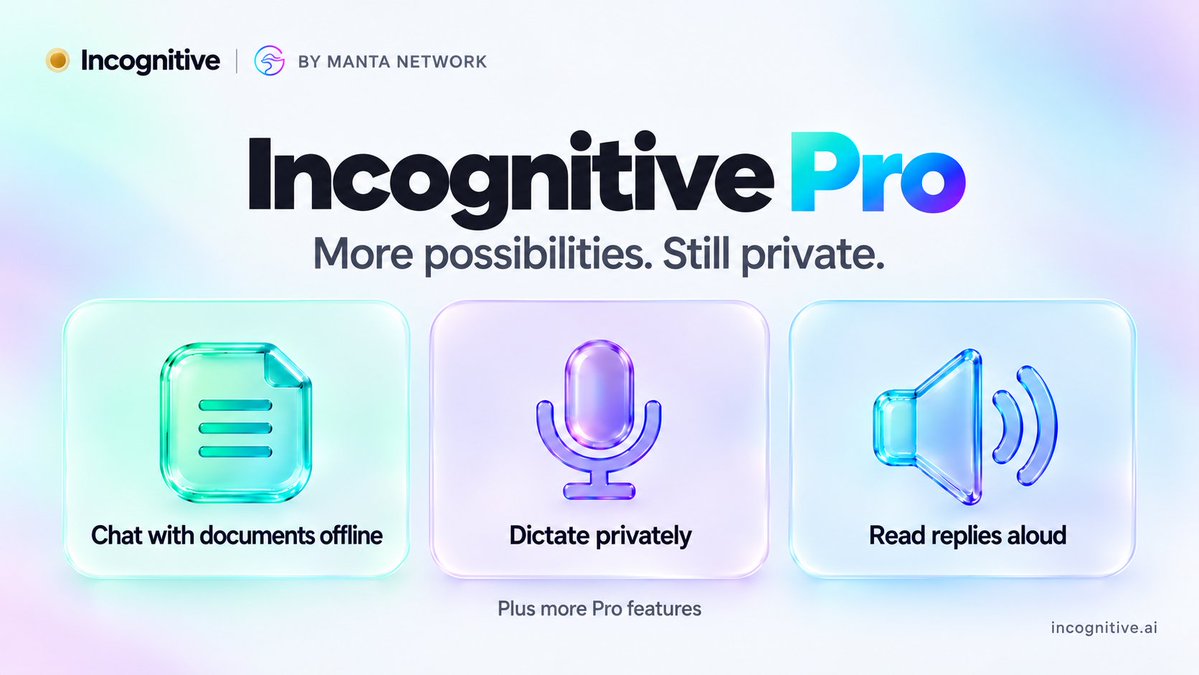
Meet Incognitive Pro ✨
Work with your documents, capture ideas by voice and polish your writing - all on your phone, even offline.
📄 Get answers from documents and saved web pages, with source citations.
🎙️ Dictate privately. Your audio is transcribed on your phone, never uploaded.
✍️ Proofread, shorten, translate or rewrite in a different tone.
🔊 Listen to replies while you get on with your day.
Plus assistant personalities, Face ID protection, disappearing chats, conversation exports and more.
Your files, voice and chats stay on your device.
Download a model beforehand and keep using these features offline.
Get 1, 6 or 12 months of Pro access through the App Store.
Download Incognitive and explore Pro:
https://t.co/4kyJ3P4tWC
Still got junk in your wallet? You’ve got just under two weeks to put it to work🦝
Keep junking and earn points before the @junkfun_ Season 19 draw.
https://t.co/m2vVYKf1sI
⏳ 2 Weeks Left in Season 19!
Your wallet still has junk. Your chests aren’t going to fill themselves.
Keep junking, stack your points, and get ready for the draw. 🦝
Earnings season gets interesting when @Yarrow_ai and the market disagree 👀
Yarrow’s earnings recap puts its forecasts, market expectations, and actual results side by side. The team also shares where it sees things differently on $HPQ, $NVDA, $DELL, and $AMAT
Watch the breakdown below👇
https://t.co/4USKGaDdaM
How accurate is Yarrow during earnings season?
At the end of our last video, we looked at 4 earnings predictions where Yarrow disagreed with the market.
The result? 2.5 out of 3 correct. 👀
Over the next two weeks of earnings, most of our predictions aligned with market consensus.
But we still identified several companies where our forecasts diverged from the market
including $HPQ , $NVDA , $DELL , and $AMAT
Curious about the actual numbers and how our predictions played out?
Watch the video below 👇
The restaurant has no online booking. The shop hasn’t updated its hours. The answer is a phone call away.
With @LifeClaw_AI MCP, the AI agent you already use can make that call for you. Ask it to check availability at a few spots, book a table, or follow up on a reservation. For supported countries, it can speak the local language, too.
@Agentese_AI breaks down how to connect Claude Code, Codex, and other compatible agents in the guide below👇
https://t.co/NBSJieFypk
Your AI agent can finally pick up the phone.
Claude Code, Codex, Grok Bot, Muse, and more can connect to @LifeClaw_AI MCP to make calls, handle bookings, and speak local languages.
Setup takes just a few steps. Here's how 👇 https://t.co/pbwI3TBYhs
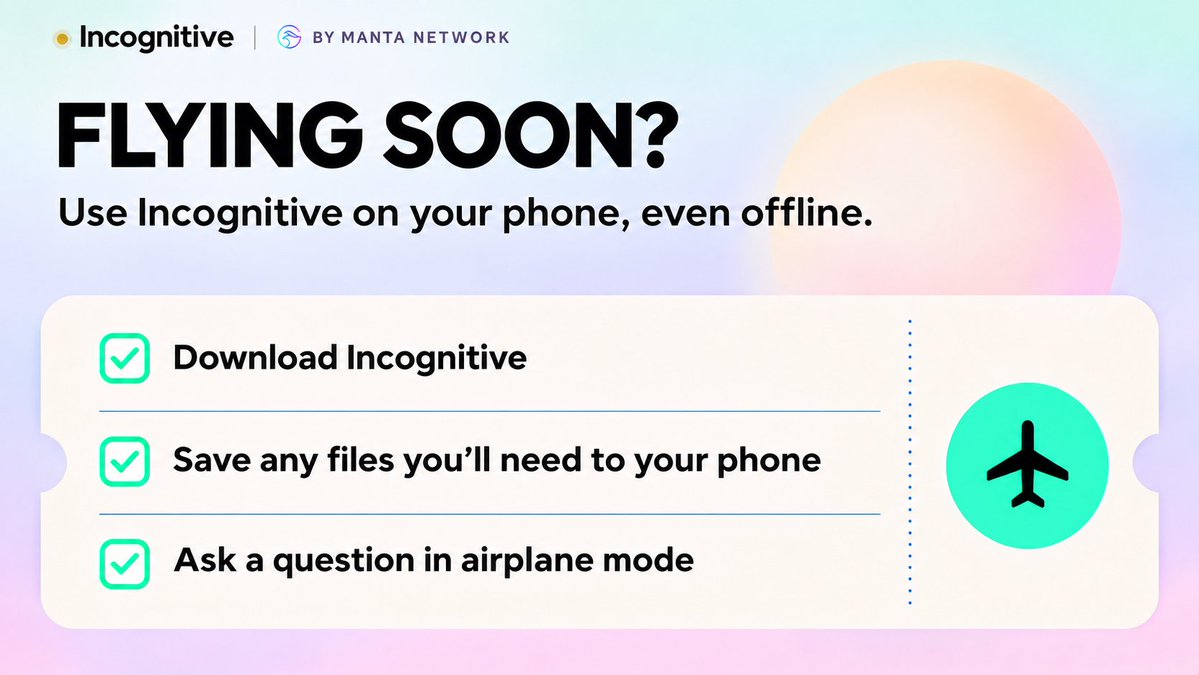
Before a flight, we download books, movies and games. Then, halfway through the flight, a random question pops into your head✈️
On the ground, you’d ask AI without a second thought. On a plane with no Wi-Fi? “I’ll look it up when we land.”
With Incognitive, you can ask right then. Talk through an idea, summarize a saved document, or just satisfy your curiosity. It all runs on your phone, even in airplane mode.
Download Incognitive on the App Store:
https://t.co/4kyJ3P3W74
https://t.co/lJJPCRoNX3
Meet Incognitive Pro ✨
Work with your documents, capture ideas by voice and polish your writing - all on your phone, even offline.
📄 Get answers from documents and saved web pages, with source citations.
🎙️ Dictate privately. Your audio is transcribed on your phone, never uploaded.
✍️ Proofread, shorten, translate or rewrite in a different tone.
🔊 Listen to replies while you get on with your day.
Plus assistant personalities, Face ID protection, disappearing chats, conversation exports and more.
Your files, voice and chats stay on your device.
Download a model beforehand and keep using these features offline.
Get 1, 6 or 12 months of Pro access through the App Store.
Download Incognitive and explore Pro:
https://t.co/4kyJ3P4tWC
Imagine waking up tomorrow with no internet.
No scrolling. No cloud tools. And suddenly, a lot of apps that won’t do much.
What would you miss first?
We’d still have an AI to talk to. With a model already downloaded, Incognitive runs directly on your phone, so you can ask questions, draft messages, brainstorm ideas and work offline.
It won’t bring the internet back. But it can help you figure out what to do with all that unexpected free time👀
Explore Incognitive: https://t.co/8VKJKl8hFm
Download on the App Store: https://t.co/4kyJ3P4tWC
@Arina_sharmi Incognitive (private AI for your iPhone).
It runs right on your device, even without internet once you’ve downloaded a model✈️
https://t.co/DJ80G10l1S
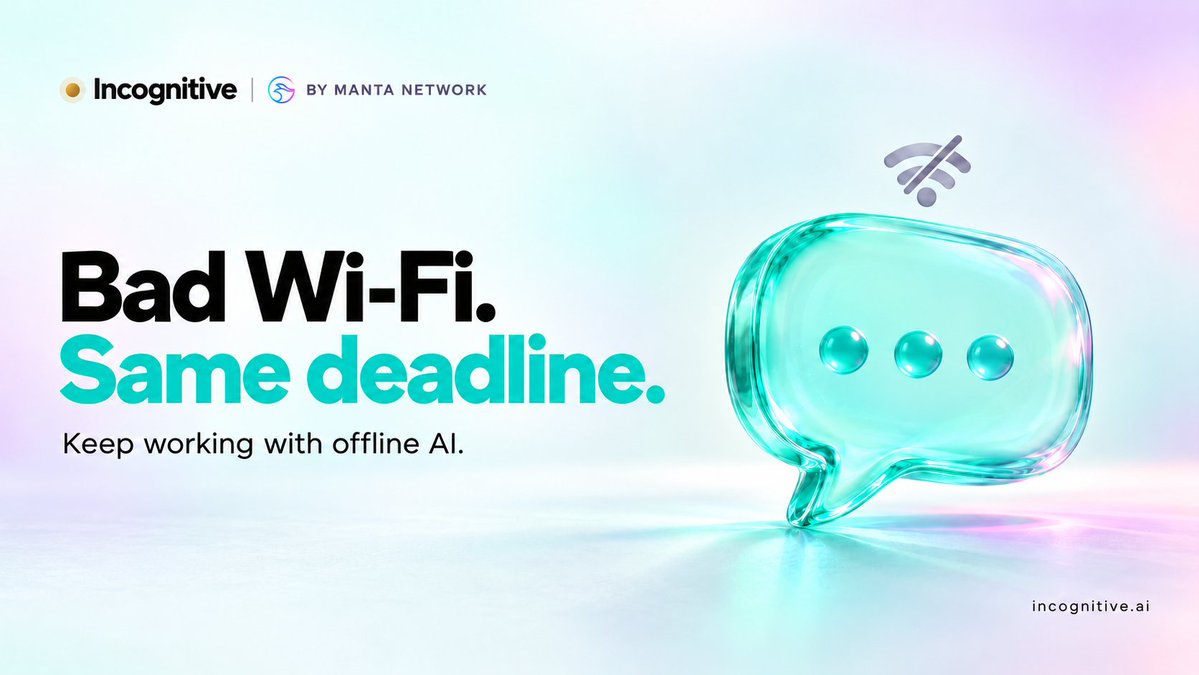
Bad Wi-Fi 🛜 Same deadline⏰
The café Wi-Fi keeps dropping. The train hits another tunnel. Your mobile data runs out just when you need to finish something.
With a model downloaded, Incognitive runs directly on your phone, so you can keep drafting, asking questions and working through ideas offline.
Your connection can take a break. Your ideas don’t have to 😉
Download Incognitive on the App Store: https://t.co/4kyJ3P4tWC
Private AI can still keep you connected 🔐
Incognitive brings on-device AI and online search together on your phone.
Search for fresh information, save articles for a flight and keep working with them offline. Your chats stay encrypted on your device, protected by Face ID, with no cloud sync or server backups.
You decide when to connect.
Explore Incognitive: https://t.co/8VKJKl8hFm
Download on the App Store: https://t.co/4kyJ3P4tWC
@Shohan_Tech_AI Same thing I think about with AI: if I just want help with a private note, why upload it at all? My phone can do that.
https://t.co/7KlocePM15
Private AI can still keep you connected 🔐
Incognitive brings on-device AI and online search together on your phone.
Search for fresh information, save articles for a flight and keep working with them offline. Your chats stay encrypted on your device, protected by Face ID, with no cloud sync or server backups.
You decide when to connect.
Explore Incognitive: https://t.co/8VKJKl8hFm
Download on the App Store: https://t.co/4kyJ3P4tWC
@coinbureau One small step toward better privacy: use AI that runs on your device when working with sensitive files. It’s one less place your data has to go.
https://t.co/7caGFpP5Kc
Private AI can still keep you connected 🔐
Incognitive brings on-device AI and online search together on your phone.
Search for fresh information, save articles for a flight and keep working with them offline. Your chats stay encrypted on your device, protected by Face ID, with no cloud sync or server backups.
You decide when to connect.
Explore Incognitive: https://t.co/8VKJKl8hFm
Download on the App Store: https://t.co/4kyJ3P4tWC
How did @Yarrow_ai’s earnings forecasts hold up?
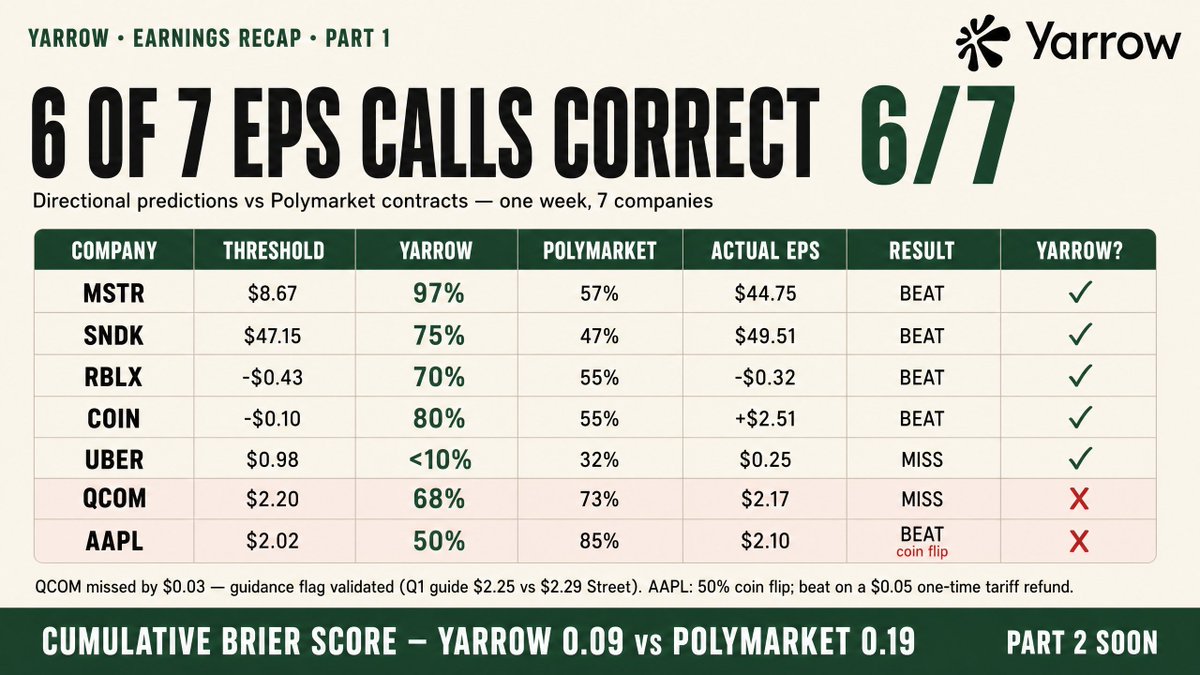
The team reports 6 of 7 EPS calls correct in its latest recap, with a breakdown of the results and where its reasoning fell short.
Take a look at the numbers and the lessons behind them 👇
https://t.co/YJiB7cML9t
We published predictions on 11 companies over the past week. Here's every call, right and wrong.
Part 1: EPS predictions with Polymarket contracts
We made directional calls (beat/miss) on 7 companies where Polymarket had active contracts.
6 out of 7 correct.
Cumulative Brier score: Yarrow 0.09, Polymarket 0.19.
Two misses to be transparent about:
AAPL: We called it a coin flip (50%). It beat. Our logic was sound — Apple's guidance is precise, and the $2.02 threshold was above consensus. What we missed: a $0.05 one-time tariff refund. Without it, EPS would have been $2.05 — barely clearing. We stand by the reasoning, but the market was closer.
QCOM: We gave 68% beat. It missed by $0.03. Close call. Our guidance risk flag (65% chance of weak guidance) did validate — Q1 midpoint $2.25 came in below the $2.29 Street expected, stock dropped 5-7% after hours.
@shafu0x The more capable assistants become, the more personal context we’ll give them. Where that context is stored and processed will matter just as much as what they can do.
https://t.co/g3r5WuurNG
Private AI can still keep you connected 🔐
Incognitive brings on-device AI and online search together on your phone.
Search for fresh information, save articles for a flight and keep working with them offline. Your chats stay encrypted on your device, protected by Face ID, with no cloud sync or server backups.
You decide when to connect.
Explore Incognitive: https://t.co/8VKJKl8hFm
Download on the App Store: https://t.co/4kyJ3P4tWC
Bad Wi-Fi 🛜 Same deadline⏰
The café Wi-Fi keeps dropping. The train hits another tunnel. Your mobile data runs out just when you need to finish something.
With a model downloaded, Incognitive runs directly on your phone, so you can keep drafting, asking questions and working through ideas offline.
Your connection can take a break. Your ideas don’t have to 😉
Download Incognitive on the App Store: https://t.co/4kyJ3P4tWC
@JayBisen473370 Room for a 10th? 👀
Incognitive turns your phone into a private AI assistant: ask questions about documents, dictate ideas and polish your writing without uploading your files or voice to the cloud.
Keep using it even when the Wi-Fi gives up ✈️
https://t.co/UbmDu1aKQI
Meet Incognitive Pro ✨
Work with your documents, capture ideas by voice and polish your writing - all on your phone, even offline.
📄 Get answers from documents and saved web pages, with source citations.
🎙️ Dictate privately. Your audio is transcribed on your phone, never uploaded.
✍️ Proofread, shorten, translate or rewrite in a different tone.
🔊 Listen to replies while you get on with your day.
Plus assistant personalities, Face ID protection, disappearing chats, conversation exports and more.
Your files, voice and chats stay on your device.
Download a model beforehand and keep using these features offline.
Get 1, 6 or 12 months of Pro access through the App Store.
Download Incognitive and explore Pro:
https://t.co/4kyJ3P4tWC
Imagine waking up tomorrow with no internet.
No scrolling. No cloud tools. And suddenly, a lot of apps that won’t do much.
What would you miss first?
We’d still have an AI to talk to. With a model already downloaded, Incognitive runs directly on your phone, so you can ask questions, draft messages, brainstorm ideas and work offline.
It won’t bring the internet back. But it can help you figure out what to do with all that unexpected free time👀
Explore Incognitive: https://t.co/8VKJKl8hFm
Download on the App Store: https://t.co/4kyJ3P4tWC
A video call and several interview rounds can make a fake job offer feel real 🕶️
Before downloading a test assignment, verify who’s hiring through the company’s official channels.
A useful reminder from @Agentese_AI 👇
https://t.co/TauxEJGjnV
According to Binance’s account, a fake recruitment process led an engineer to download a malicious coding assignment. A video call and multiple interview rounds helped make it convincing.
For anyone job hunting, a few checks are worth the awkwardness:
- Verify the recruiter through company contact details you find independently.
- Pause if an interview requires unfamiliar software, terminal commands or disabling security settings.
- Keep take-home code off your work computer. Ask for a browser-based assessment or get help setting up an isolated environment.
- Never share passwords, verification codes or wallet recovery phrases as part of recruitment.
From us at Little Pink Potato: wanting the opportunity shouldn’t mean feeling unable to question the process.
You’re allowed to ask the interviewer to prove who they are, too.
Where does your data go when you ask AI a question or upload a file?
☁️ With cloud AI, your question or file is sent over the internet. The AI processes it on a remote server and sends the answer back to your phone.
📱 With Incognitive, the model processes your question or file and generates the answer right on your iPhone. Your chats and files stay on your device.
That means you can get help with sensitive documents or personal notes without uploading them to the cloud.
Once you’ve downloaded a model, you can try it in airplane mode✈️
See what you can do with Incognitive Pro ↓
https://t.co/AMb3SvKOGh
Meet Incognitive Pro ✨
Work with your documents, capture ideas by voice and polish your writing - all on your phone, even offline.
📄 Get answers from documents and saved web pages, with source citations.
🎙️ Dictate privately. Your audio is transcribed on your phone, never uploaded.
✍️ Proofread, shorten, translate or rewrite in a different tone.
🔊 Listen to replies while you get on with your day.
Plus assistant personalities, Face ID protection, disappearing chats, conversation exports and more.
Your files, voice and chats stay on your device.
Download a model beforehand and keep using these features offline.
Get 1, 6 or 12 months of Pro access through the App Store.
Download Incognitive and explore Pro:
https://t.co/4kyJ3P4tWC
@Cointelegraph Strong passwords, 2FA, and a healthy distrust of “urgent” emails. For private AI chats, we keep them on the device.
https://t.co/Xg1Okm2A4E
Private AI can still keep you connected 🔐
Incognitive brings on-device AI and online search together on your phone.
Search for fresh information, save articles for a flight and keep working with them offline. Your chats stay encrypted on your device, protected by Face ID, with no cloud sync or server backups.
You decide when to connect.
Explore Incognitive: https://t.co/8VKJKl8hFm
Download on the App Store: https://t.co/4kyJ3P4tWC
@net_termina Yeah, running big models at home gets pricey fast. But if you just want to try local AI, start with the phone you already have.
https://t.co/7WZti81T5T
Private AI can still keep you connected 🔐
Incognitive brings on-device AI and online search together on your phone.
Search for fresh information, save articles for a flight and keep working with them offline. Your chats stay encrypted on your device, protected by Face ID, with no cloud sync or server backups.
You decide when to connect.
Explore Incognitive: https://t.co/8VKJKl8hFm
Download on the App Store: https://t.co/4kyJ3P4tWC
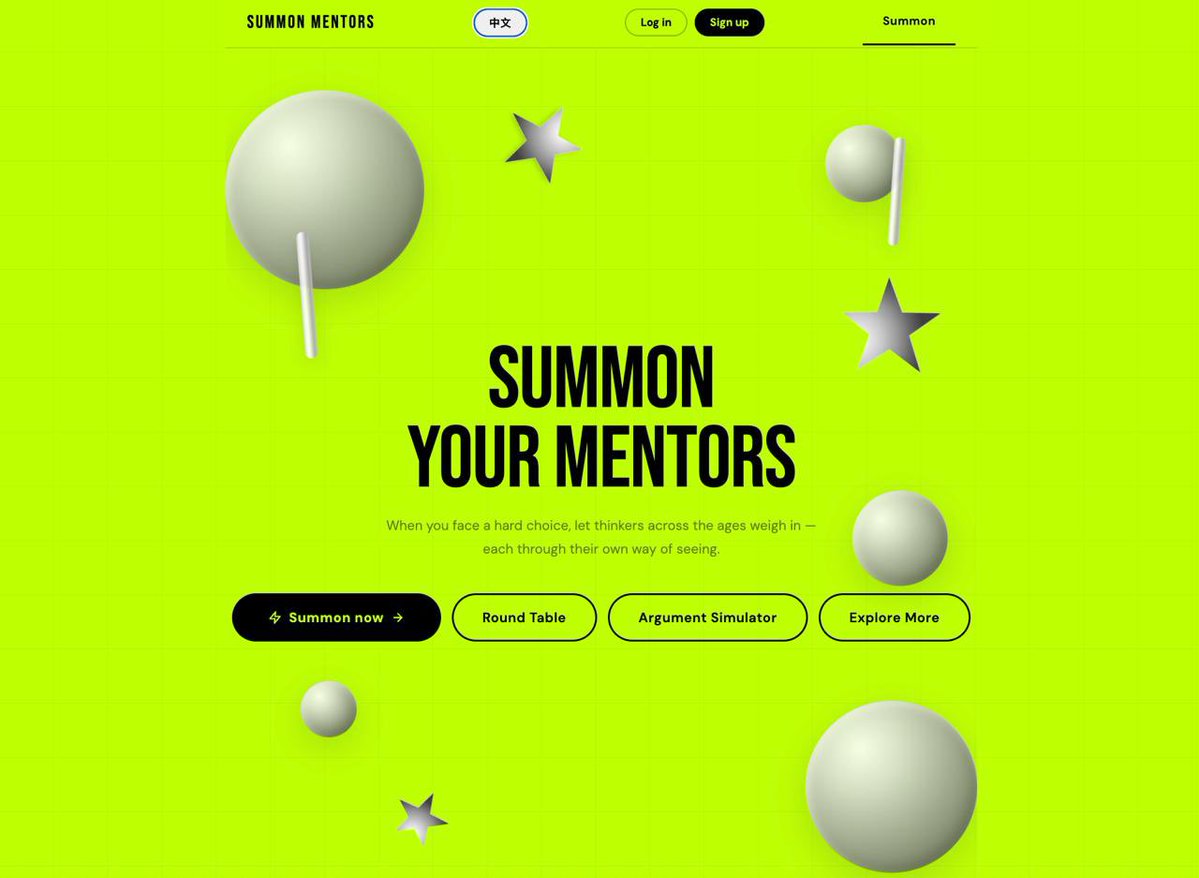
Stuck on a decision? Explore perspectives inspired by Freud, Adler and Sun Tzu with Summon Your Mentors by @SUPERFORTUNE888
A fresh perspective could help you see what you’ve been missing.
https://t.co/1O4neRtkHS
🧠 What if the biggest obstacle to making a good decision is your own brain?
In a classic Stanford psychology study, researchers found something fascinating: people with opposing beliefs could examine the same evidence and walk away even more convinced they were right.
This is closely related to «confirmation bias» - our tendency to favor information that supports what we already believe.
It can shape how we approach relationships, career changes, financial decisions and everyday conflicts.
Sometimes, thinking harder isn't enough. We need to think differently.
That's the idea behind Summon Your Mentors on Superfortune.
Explore your dilemma through the perspectives of thinkers like Freud, Adler, Sun Tzu, and Marx. Different philosophies, different questions, different ways of looking at the same situation.
💭 https://t.co/qSYtNhGv21