From all of us at MAPILab, we wish you a wonderful New Year filled with happiness, health, and success. Stay tuned for more updates and innovations from MAPILab in the coming year. Let’s make 2025 an incredible year together!
As the holiday season approaches, the @mapilab team warmly extends our best wishes to our valued clients and partners. May this festive season bring you joy, peace, and prosperity. Thank you for your continued support throughout the year.
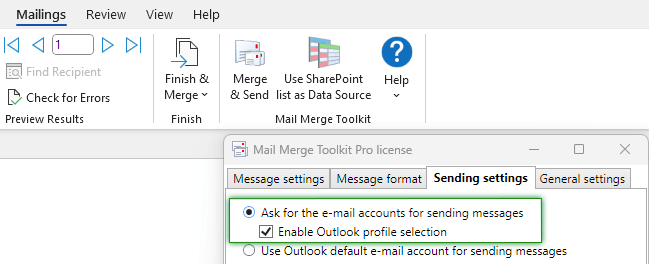
We are delighted to introduce a major update of Mail Merge Toolkit Version 7.0! Faster, new preview options, new merge fields, and more! Find more details at https://t.co/f3verBGhro
#mailmerge#EmailMarketing
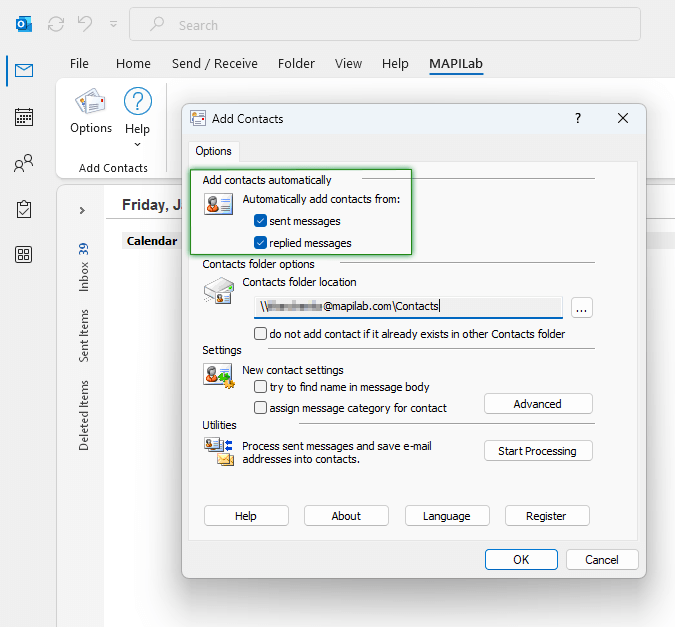
We are excited to announce a new update for Add Contacts for Outlook. This version includes important fixes that improve the performance of the product when adding contacts automatically from emails in Outlook. https://t.co/tHCmrKDOQQ
Looking ahead, we have loads of exciting updates lined up for 2024. We will continue to design powerful solutions for the #microsoft environment and add new features to help you ease and automate daily tasks while working from office or remotely.
As the festive season unfolds, we extend our warmest wishes to all our customers and business partners. You are the driving force behind our achievements throughout the year. @mapilab wants to express heartfelt gratitude on behalf of our team for your feedback and collaboration.
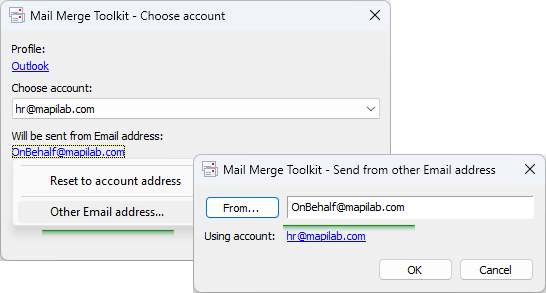
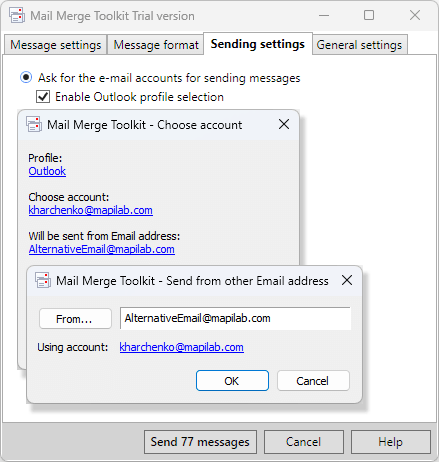
Mail Merge Toolkit allows to change the sender, when having multiple Outlook accounts. Moreover, you can mail merge as someone else if you were delegated Send As or Send on Behalf of another Exchange mailbox permissions.
Check out our tutorial at https://t.co/lDGvtSVdyK
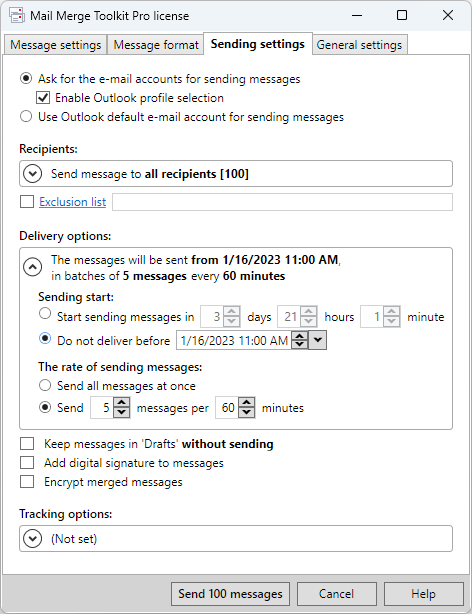
New in Mail Merge Toolkit 6.0! Schedule sending for specific time and date in future. This also allows to review and edit messages in Outlook before being sent out if necessary. More at https://t.co/iFbNAMM56d
Starting from Mail Merge Toolkit 6.0, you also send emails as someone else, if you were granted a permission to Send As or On Behalf Of another Exchange mailbox.
Learn more at https://t.co/iFbNAMM56d
We would like to warmly thank our customers and business partners for the trustful collaboration in 2022. It has been a pleasure working with all of you around the world. Your feedback has enabled us to evolve and enhance our solutions to meet new business challenges.
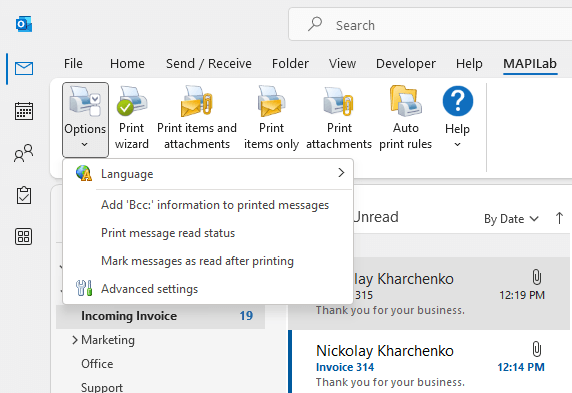
New version of the Print Tools app - the 'must-have' add-in to save your time and effort by automating printing tasks in Microsoft Outlook. Significantly optimized add-in performance now provides faster execution of printing tasks: https://t.co/9o6BvuKiUz
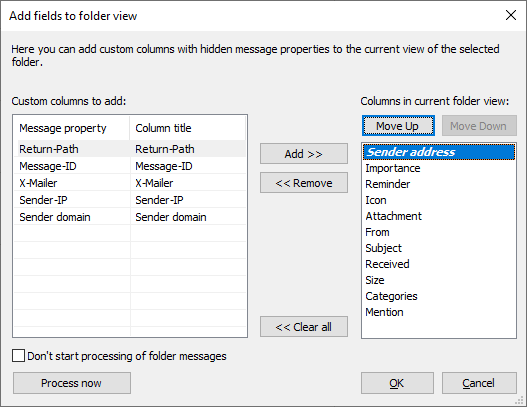
Add New Fields to the View - new component in @MAPILab Toolbox for Outlook. It can display additional hidden technical details of the message as custom columns in the View settings: sender address, domain, IP, return path, and more.
Learn more at https://t.co/vPF8FLSv8y
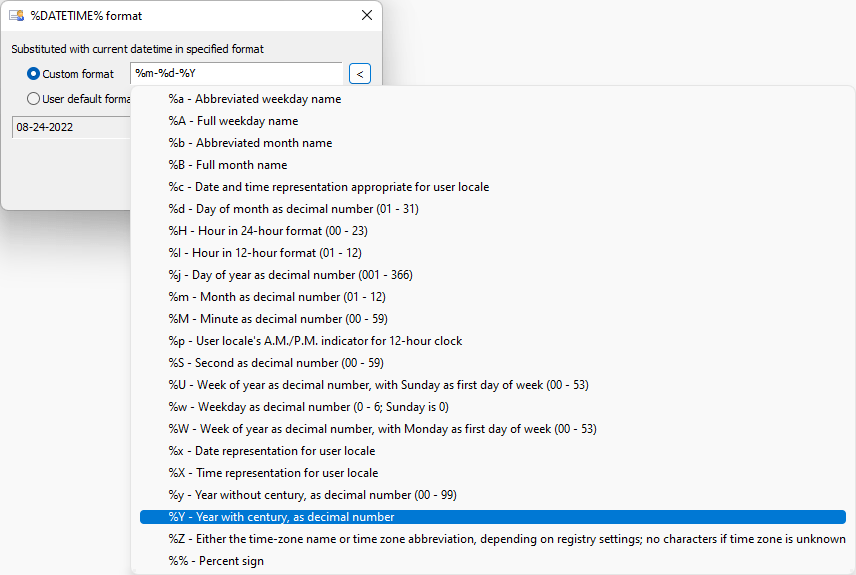
Send Personally is a powerful app to send bulk emails from Outlook. In the updated version we have added a new macro DATETIME that allows to insert a custom format timestamp. Learn more at https://t.co/Wkj4m9UvlI
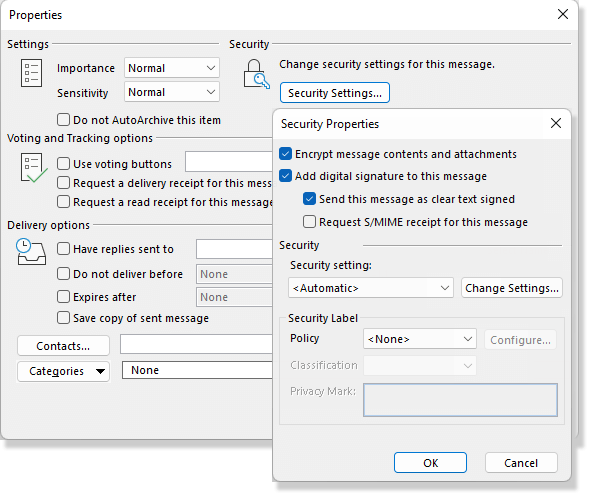
In Send Personally for Outlook 3.1 we have added support of digital signature and encryption settings in #MicrosoftOutlook. Using this, you can protect outgoing sensitive information and improve email deliverability. Learn more at https://t.co/2wJfDAL8o1
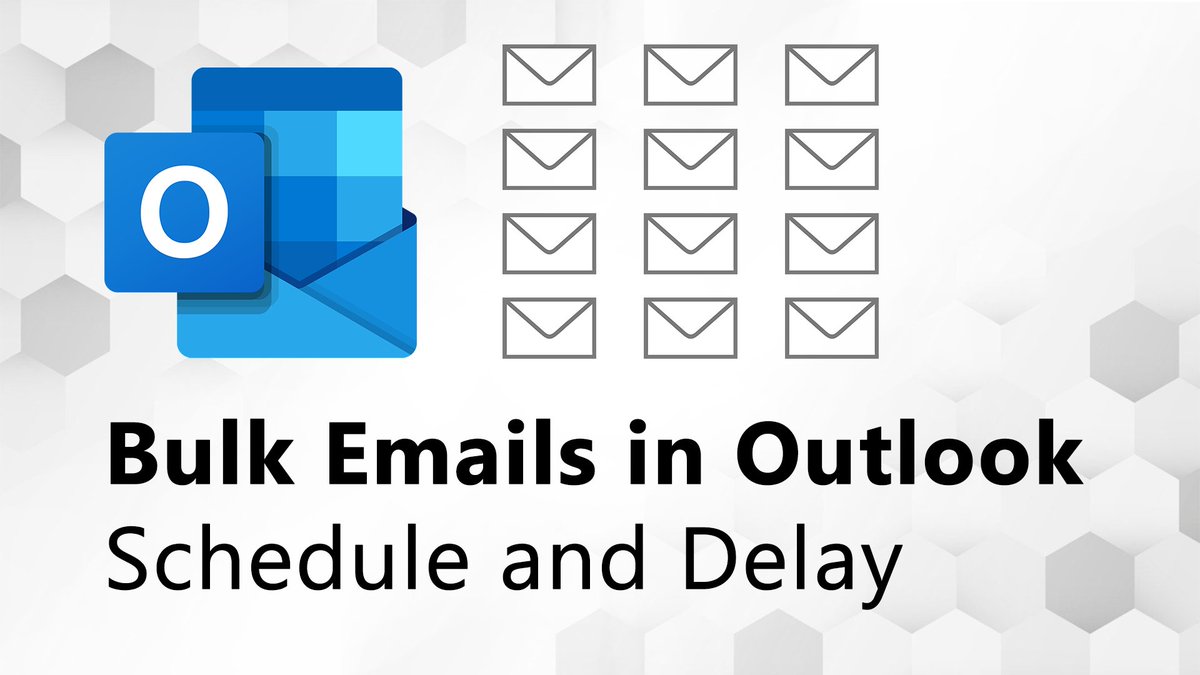
Quick tutorial: how to use Microsoft Outlook to send bulk emails with Send Personally. It is a powerful add-in that allows you to schedule mass emails and set a delay after each message to avoid various email services sending limitations: https://t.co/IYJ1EV7dWY