Want to be featured in Excel content? 👀
We’re looking for elite spreadsheet users like you. The over-organizers. The shortcut snobs. The ones who spreadsheet everything.
Learn more: https://t.co/yM7JG8Ete7
Join me and my colleagues for a live webinar on Microsoft 365 Copilot in Excel innovations.
Register today! https://t.co/k48SylVmVE June 25, 9:00-10:00 AM PDT.
#Microsoft365#Copilot#Excel
The suite of MAI models will start rolling out to Word, Excel, PowerPoint & Outlook soon alongside the other foundation models. Giving customers more choices between capabilities, performance and efficiency for the job that need to be done. (@mustafasuleyman - Great job MAI team)
https://t.co/bGA4YA0Tbp
Copilot in Excel can pull trusted data from LSEG and Moody’s—including market data, credit ratings, and research—directly into your workbooks. This is the first set of trusted data providers we’re bringing into Excel via MCP, with more coming soon.
Learn more: https://t.co/BDBcfDXepx
Both highlighting the current task's changes as well as the ability to see the edit history of what changes were made by Excel Copilot are both important for transparency on what Copilot is doing and has done
Copilot can now bring in real time data from LSEG + Moody’s straight into your workbook with Data Connectors.
Hear more from @brijones on the latest improvements.
New for Copilot in Excel: pull trusted data into your workbook via MCP connectors from LSEG and Moody's. Excited to bring more of these connectors into Excel in the coming weeks.
Excel Copilot reads your workbook and helps you figure out what's going on, highlighting issues and offering to fix them.
Several more improvements coming in the next few weeks will give it richer context, making it even faster with these tasks and have deeper insight.
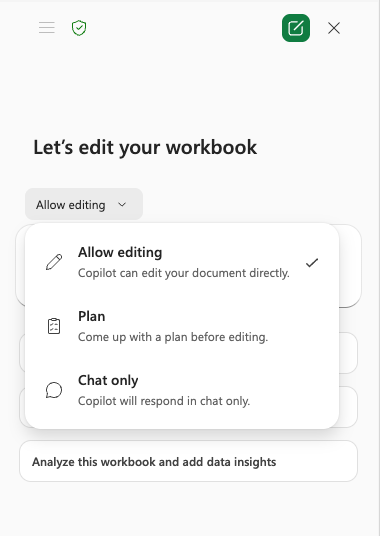
We just shipped Plan Mode in Excel Copilot. Sometimes you want Copilot to just go, sometimes you want to align on a plan first.
Curious to hear what you think as you try it.