The official channel for all things Phone Link by Microsoft. With the Phone Link you get instant access to your phone’s photos, texts and more from Windows.
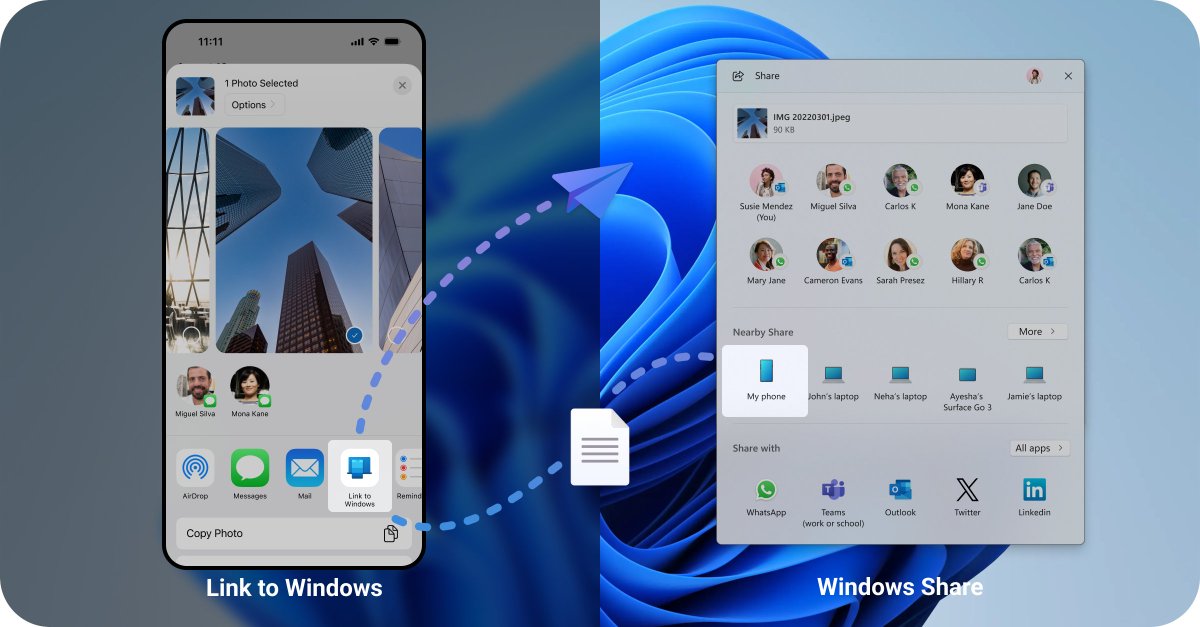
@VenteDigo1 Oye Alex… existo 😅📱 Conecta tu teléfono a Windows y usa la hoja de Compartir para enviar archivos entre tu
teléfono y tu PC. Así de fácil ✨ https://t.co/Y0mUv4SUjn
Excited to connect at #MVPSummit! Join us to explore what’s new with Phone Link & Cross‑Device experiences—and get a sneak peek at what’s coming next as we continue to make seamless connectivity across your devices even better.
@vandreytrindade@JenMsft Thanks for flagging this — that definitely looks like a lot. Would you mind sending feedback from your PC with diagnostics/logs? That will help us take a closer look at what’s going on. Thanks!
@JenMsft@Barnacules Sorry you’re experiencing this issue. The feature should work with your linked phone. Could you please send us feedback through https://t.co/SfFH3ixyxa and include logs so we can investigate further? Thanks
@RouaniJihad Thank you for your interest. It is available for Android devices too. Please note it is on gradual rollout, so it may take some time before it becomes available on your PC. We appreciate your patience!
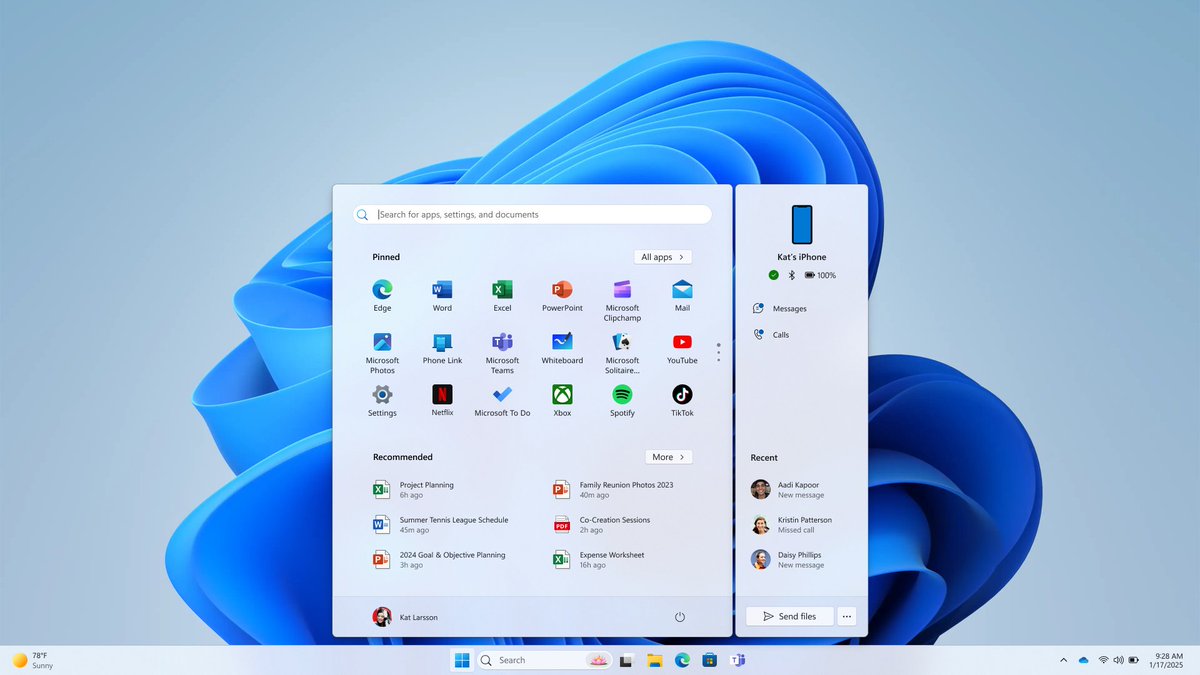
Seamless phone integration from the Start menu just got better for Insiders! 🎉 Now with iPhone ® support, file sharing, and an easier setup. Rolling out gradually—stay tuned! https://t.co/kpW5b7fzcP
@MegaMarian12350 Thank you for your interest. It is on gradual rollout for Android devices too, so it may take some time before it becomes available on your PC. Thank you for your patience!
@RouaniJihad Thank you for your interest. It is available for Android devices too. Please note it is on gradual rollout, so it may take some time before it becomes available on your PC. We appreciate your patience!
@itsyigitgungor Sorry to hear you're having connection issues! Ensure your device is within Bluetooth range and no other devices are interfering. For more help, visit https://t.co/agiykQbg37 or submit feedback with logs in Phone Link, so we can investigate.
Exciting news for iPhone® users! You can now access your phone features directly from the Start menu. Available for Windows Insiders. Learn more: https://t.co/TA6F1gNzqX. Rolling out gradually, so stay tuned!
@phantomofearth Hi, we are sorry to hear that you are having this issue. Would you mind sharing your feedback with us via https://t.co/SfFH3iy6mI and include logs for us to investigate? Could you please share your feedback link with us as well? Thanks
We're thrilled to announce that you can now easily share files between your Android mobile device & your PC! 🎉😀 Just connect via Phone Link & Link to Windows then right-click on your PC or tap the Share button on your Android device. For more info visit: https://t.co/Hg1Mbe11G6
@XenoPanther The best way to do that is to go to Phone Link > Settings > Help& Feedback > Send feedback and when you asked to collect diagnostics data from your mobile device you can click on Allow which would help us to collect the relevant logs from your mobile. Thanks
A new way to access Phone Link features directly from the Start menu on your PC for users who linked their Android devices. Available for Windows Insiders. To find out more, visit: https://t.co/GhM8icrh4v. This feature is rolling out gradually so stay tuned.
@TanukuKaushik Thank you for your interest. You would need to join Windows Insider Program on your PC in order to get the required version for this feature. You can do that by going to Settings > Windows Update > Windows Insider Program.
@SanjeetTech Thank you for the interest in this feature. Please note this rollout is gradual thus if you don't see the feature yet please stay tune. Thank you for your patience.