Found a #WorldofWarcraft 12 month sub code cleaning out some stuff. I’ll randomly pick someone in 24-48 hours who likes/retweets this (will DM it so have DMs open).
BTW, how is Midnight?
@Typerighting Its not a line in the cinematic lol. Its a internal placeholder so people working on the szenes know how she looks and expresses herself. At least read the article first
@UnhaltedGB As a programmer myself i feel sorry that these ppl have no empathy towards free open source project contributors. Its free. Everyone can use it and most devs do it besides a real job in their freetime. Thats why we cant have nice things . Appreciate your Work! <3
@GeezaxGaming Bruder was bin ich lesend. Beschäftige dich doch vorher mit dem Thema. Es gab in der season deutlich mehr runs als in TWW. Klar sind die Zahlen jetzt eingebrochen weil wir super viel catchup gear haben und du jeden char auf mythic in ein paar Tagen bekommst
🚨Pokémon Winds & Waves - POTENTIAL MASSIVE LEAK
- The games will have the highest amount of new Pokémon ever in a Pokémon game.
- The number that is being talked about is around 300 new Pokémon / forms.
- The new battle mechanic will introduce special weather forms for some Pokémon (think Megas / Gigantamax).
Rumor comes from @kurwashibamaste, see next tweet for more details on this why we think this may be legit.
EllesmereUI just released 6 massive new features!
Blizzard Window Skinning is here. With an EllesmereUI custom theme, I went for a WoW 2.0 Dark Theme vibe I hope you guys enjoy it! You also have the ability to customize windows with simple flat color (like black) + alpha. With this feature also comes Blizzard Window Scaling as an expansion of the Shifter module in QoL!
CDM Tracking Bars entire system has been significantly upgraded, allowing you to instantly create multiple groups of bars with ease, save styling layouts and apply them per bar or group.
Any per-spell setting you add to an icon in the CDM can now be applied to that bar across all of your specs so you can quickly setup your CDM across all your characters!
Minimap has had all of its settings drastically upgraded allowing you to create your minimap the way you want it.
Resource Bars has also been heavily upgraded. You can now choose an advanced mode of resource bars that lets you customize your settings on a per-spec basis without needing another profile. You can also set multiple thresholds, and make thresholds based on talent selection, for resources, power and health.
-- Full Patch Notes Below --
**Blizzard Skin:**
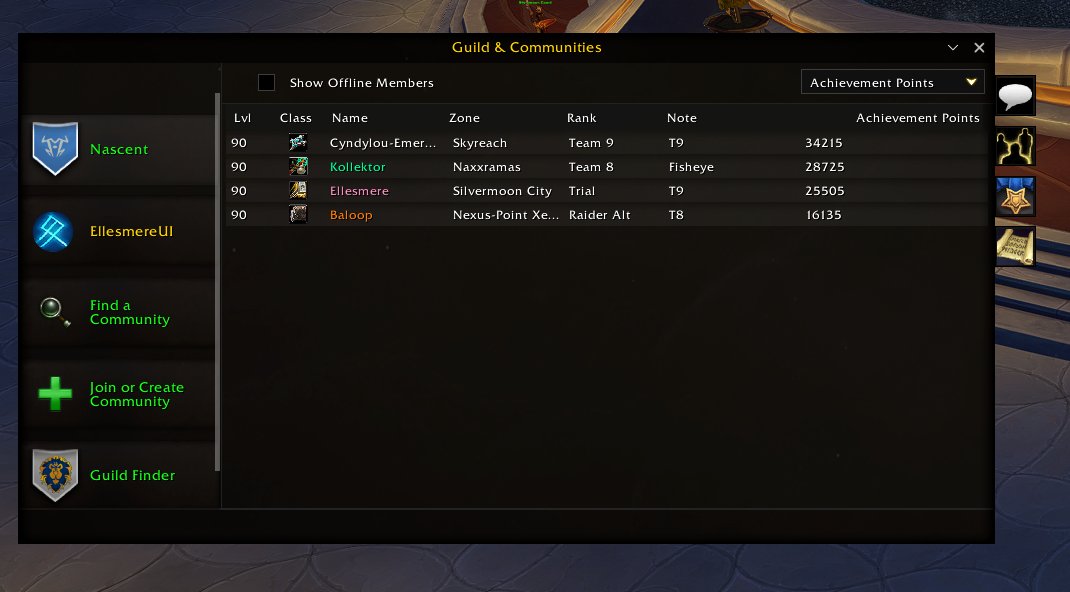
- **NEW: Blizzard Window Skinning** - A new window-skinning engine themes dozens of Blizzard windows to match EllesmereUI -- Collections, Professions, the Auction House, Guild and Communities, Calendar, Achievements, Mail, the World Map, Macros, Settings, the Addon List, and many more. Each window has its own style dropdown on the new Blizzard Window Skins page, so you can set it to the EUI theme, a Modern flat color, or off.
- **NEW: Item Max Stack Tooltip** - Item tooltips can now show the item's max stack size, shown always or only while holding a modifier key of your choice (Shift, Control, or Alt).
- **NEW: Guild Rank & Mount Tooltips** - Unit tooltips can now show a player's guild rank next to their guild name, and the name of the mount they are currently riding.
- Character Sheet stat tooltips now break down how Crit, Strength, Agility, Armor, and Block translate into parry, dodge, and physical damage reduction, both against an even target and your current target.
- Fixed Character Sheet primary attribute tooltips showing an incorrect base value that double-counted buffs.
- Close buttons on the Character Sheet, Inspect Sheet, and Great Vault now use a clean icon glyph instead of a plain text x.
- Static popups and the pause menu now highlight their buttons on hover, fully skin popups with a fifth action button, and give popup input boxes a matching border.
**Resource Bars:**
- **NEW: Threshold System Upgrade** - The class, power, and health bars gain a fully rebuilt threshold system. Define multiple color bands per bar that recolor it as your resource rises or falls past each point, set every threshold independently per talent spec, auto-generate matching band colors, and give Druids form-specific colors.
- Fixed the Guardian Druid Ironfur bar showing in every form; it now only appears in Bear Form.
- Added an option to show Class Resource text only while the Power Bar is hidden, so the count does not double up.
- Fixed smooth-animated bars settling just short of full or empty instead of landing exactly on the value.
**Cooldown Manager:**
- **NEW: Tracking Bars System Upgrade** - Tracking Bars now support any number of named groups instead of one simple on/off grouping -- each group gets its own grow direction and spacing, bars can be dragged and dropped between groups, style presets can be saved and applied to a single bar or a whole group at once, and each group can opt in to auto-adding newly tracked buffs. A live popout preview now sits beside the options panel, built from the exact same code as your real bars, with every element clickable to jump straight to its setting.
- **NEW: Apply to All Specs** - Per-spell cooldown, utility, and buff settings now travel with the spell itself instead of resetting when you move it to another bar. Hovering any setting in a spell's menu reveals Apply to Bar and Apply to Bar (All Specs) buttons, so you can push that one value onto every spell on the bar -- or onto every spec at once -- with a single click.
- **NEW: Arrange Without Talents** - The spell picker and the default cooldown and utility bar previews now include spells you track but have not talented into yet (shown desaturated), so you can lay out an entire spec's loadout ahead of time.
- **NEW: Resource-Aware CD Ready Glow** - Pixel Glow and Button Glow CD Ready effects gain Resource Aware variants that also check whether you have enough resources to use the ability, so the glow no longer lights up on a spell you cannot yet afford.
- **NEW: Decimal Countdowns for Custom Timers** - Presets and custom spell or item IDs can now show a 1-decimal countdown (like 2.7) once their active state or buff duration drops under a threshold you set, with an optional color change for those final seconds.
- Bars using a 2-row Custom Split can now anchor the first row so it stops re-centering, and the top and bottom rows can each have their own icon size offset.
- Custom spell and custom buff IDs gain Copy to Other Specs (and Remove from Other Specs) in their right-click menu.
- Trinket and item CD-ready sounds now fire correctly in Mythic+, and self-timed buffs like Bloodlust, potions, and custom buff IDs can now play a sound on loss, not just on gain.
- Cooldown-ready glows no longer briefly show the wrong state right after a loading screen, zone change, or login.
- Tracked buff bars no longer sit on an inactive placeholder for a moment after the buff procs.
- Vertical tracking bars now show duration text at your chosen position, thin vertical bars are no longer forced wider, and switching a bar to vertical flips its whole group together.
- Toggling a tracking bar's icon on or off now keeps the bar's overall footprint the same.
**Minimap:**
- **NEW: Full Settings Upgrades** - Move the addon button row and the Blizzard icon row (tracking, calendar, mail, crafting) to start from any corner of the minimap and grow in any direction, each with its own icon spacing and distance-from-map sliders -- and choose which way their tooltips and popups open to match. A new Border Style system also brings the same textured border options used elsewhere in EllesmereUI to the minimap, with dedicated Class Color, Accent Color, and Custom Color swatches.
- **NEW: FPS/MS Readout** - Add a live FPS and ping readout on the minimap. Choose its position, text size, update speed, whether it shows local and world latency, and an optional hover tooltip.
- **NEW: Instance Difficulty as Text** - Replace the small Blizzard difficulty icon with a compact text readout like 20M, M+12, or T4, freely positioned and resized, optionally colored by tier.
- **NEW: More Text Placement Options** - Clock and zone text now support None, Inside Map, or Edge Box styles at any of nine positions, coordinates gain a Never option, zone text can show sub-zone and tint by PvP ruleset, and Omnium Folio can be hover-only.
- Hover-only minimap elements (zoom buttons, hover-mode Omnium Folio, hover coordinates) now reveal reliably no matter which edge or icon the cursor enters through, and the Zoom In/Out buttons correctly hide when disabled and fade in on hover.
- Scroll to Zoom now works reliably in the corners of the square minimap shape.
- The mail indicator can now be pinned to any minimap corner instead of only the Blizzard icon row.
- The Great Vault, Friends Online, and M+ Portals extra buttons, and ungrouped addon buttons, can now be drag-reordered from their checklists.
- Clicking anywhere outside the addon button flyout now closes it.
- M+ Portals flyout scale is now a separate slider from a new Custom Tooltip Size option for the Great Vault, Friends, and Calendar panels, which now stay clamped on-screen.
- Mouseover Extra Buttons no longer fades the button row out while the Friends Online tooltip is open.
**Quality of Life:**
- **NEW: Scale Blizzard Panels** - Shifter can now scale panels, not just move them. Hold Shift and scroll over any Shifter-enabled Blizzard panel to permanently resize it larger or smaller, or hold Ctrl and scroll for a temporary zoom that resets when the panel closes, so you can right-size the character sheet, bags, or any movable window to fit your layout.
- **NEW: Hide Item Transforms** - Automatically cancels cosmetic transform auras the moment they land (profession gear like the Chef's Hat, holiday costumes, toys, consumables). A picker chooses which categories get removed; anything gained in combat is cleared when combat ends.
- **NEW: Range-Aware Crosshair for Every Spec** - The crosshair's out-of-range coloring now works for every class and spec, with an auto-calculated cutoff distance for ranged and caster specs.
- **NEW: Move Loot Windows** - Bonus Roll and Group Loot windows can now be repositioned from Unlock Mode, with a toggle to hide their movers while keeping saved positions.
- Added an adjustable update interval (1 to 5 seconds) for the FPS counter instead of it always refreshing once per second.
- Auto Open Containers now skips warband bank deposit boxes by default, with a cog toggle to turn the exclusion off.
- Group death alerts and the death sound no longer overlap into a spammy mess when several people die at once; the sound is throttled and only one alert shows per check.
**Chat:**
- **NEW: Durability Sidebar Icon** - Add an optional Durability icon to the chat sidebar showing your lowest equipment durability at a glance, with a hover tooltip and live updates.
- **NEW: Drag to Reorder Sidebar Icons** - The Sidebar Icons list now lets you drag rows to set the exact stacking order of your chat sidebar icons.
**Damage Meters:**
- **NEW: Custom Icon Border** - Add a customizable border around each bar's class or spec icon, with its own texture style, size, offset, and color, independent of the bar's own border.
- Added an option (CJK clients only) to force numbers into K/M/B units instead of localized 10k or 100M grouping.
**Mythic Timer:**
- **NEW: Key Level on Timer Line** - Move the lone +key title down onto the timer line (like +21 | 28:41) when the dungeon name is hidden, plus a Spacing slider for the gap.
- Fixed the timer clock getting clipped on custom fonts whose digits render wider than 9.
- Fixed the +2 and +3 threshold time labels jittering horizontally as the seconds tick down.
**Nameplates:**
- **NEW: Friendly Nameplate Stacking** - Friendly nameplates can now stack vertically too, independent of enemy stacking, whenever EllesmereUI is managing friendly player plates.
- Fixed neutral-reaction trash in Mythic+ showing the plain neutral color instead of the correct Mini Enemies, Caster, or aggro color.
- Fixed nameplate vertical overlap spacing being force-reset on every login.
- Fixed the interrupted-cast flash not shrinking with a nameplate that scales down after the cast.
**Raid Frames:**
- Fixed a debuff icon briefly duplicating when its visibility was re-evaluated (duel start and end, phasing, or PvP flag changes).
- Fixed a duplicate dispel indicator appearing with an icon-only dispel display.
- Fixed rare one-pixel border jitter on reload for certain frame sizes.
- Improved localization coverage for Buff Manager display text.
**Unit Frames:**
- Fixed the Empty Bar Color swatch on the Modern class resource bar not saving or applying, and it now applies live.
- Fixed the power bar border on detached power bars failing to appear on the target and focus frames without a reload.
- Fixed unlock-anchored frames and castbars snapping back to an old position after a reload.
- Fixed the native Blizzard class power bar snapping back onto the player frame after a form or spec change.
**Friends:**
- Auto-Accept Friend Invites now has a cog option to also automatically accept group invites from guildmates, not just friends.
**General:**
- Fixed the sidebar highlight accent not updating immediately after switching the EUI Options Theme.
- Disable Slug Outline and Outline Icon Text are now saved per profile and travel with export and import.
- Expanded and corrected translations across Korean, Russian, Simplified Chinese, and Traditional Chinese.
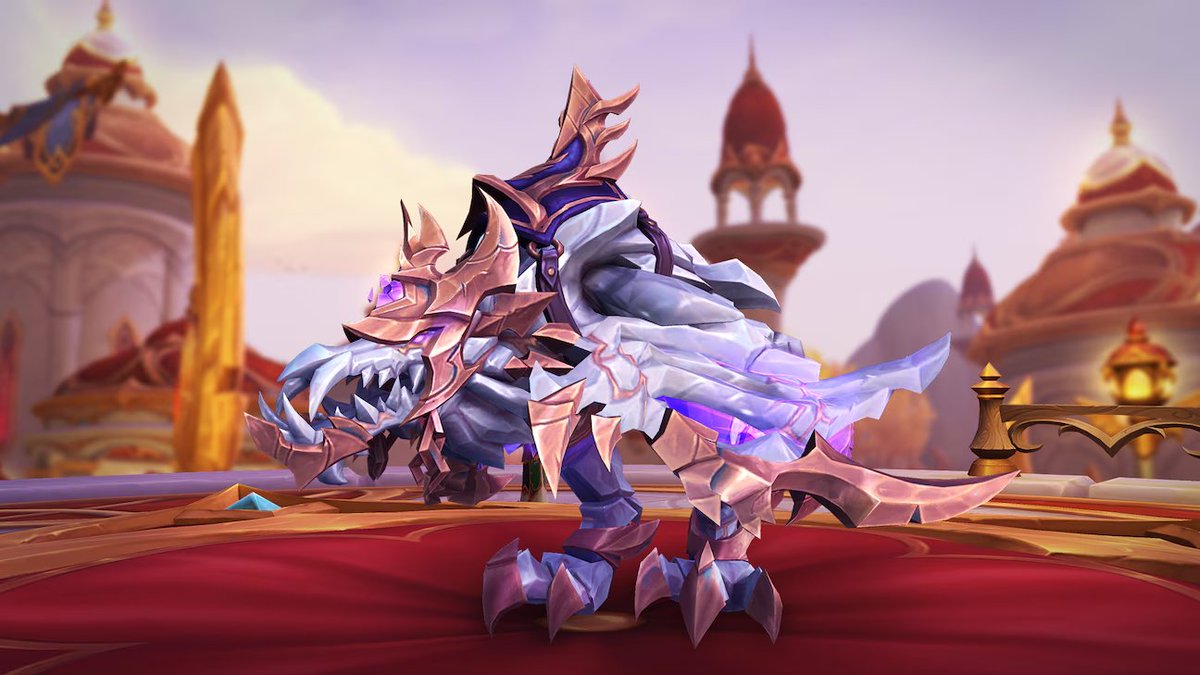
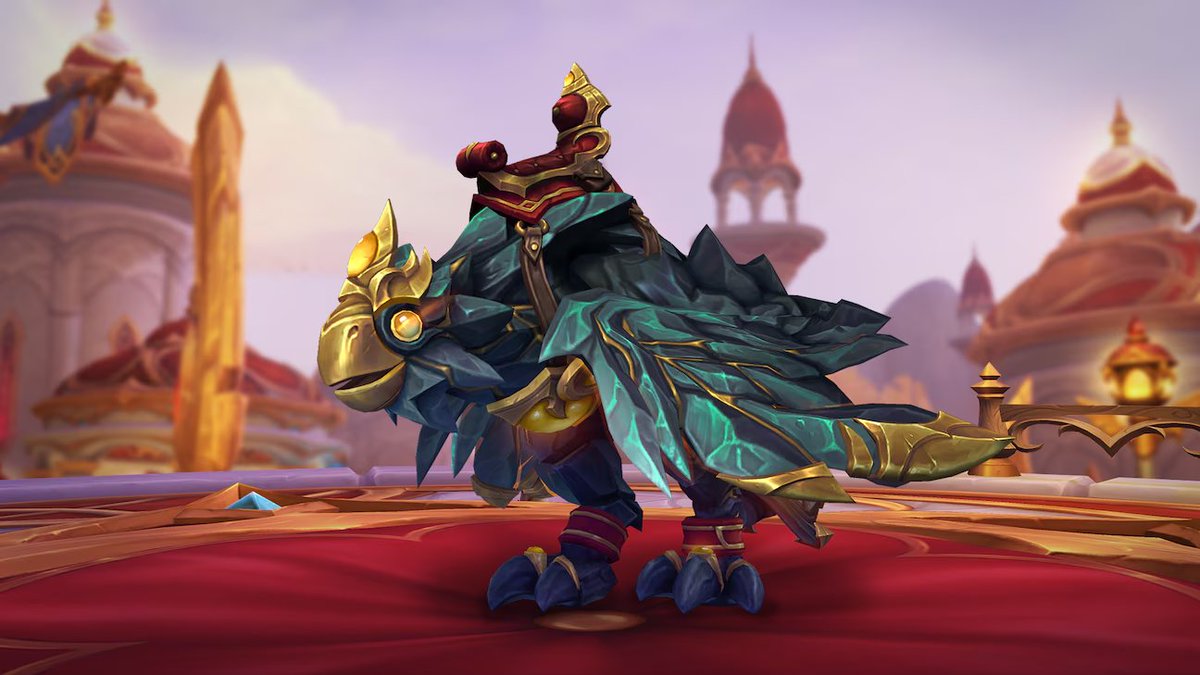
The Stoneforged Sentinel, a new customisable mount has been added to the World of Warcraft in-game store
Customization Options Include:
• 4 Stone Colors
• 6 Wing Styles
• 6 Claw Styles
• 6 Tail Styles
• 3 Saddle Options
• 4 Metal Colors
• 6 Head Options
• 5 Gem Colors
I promise this isn’t an April Fools.
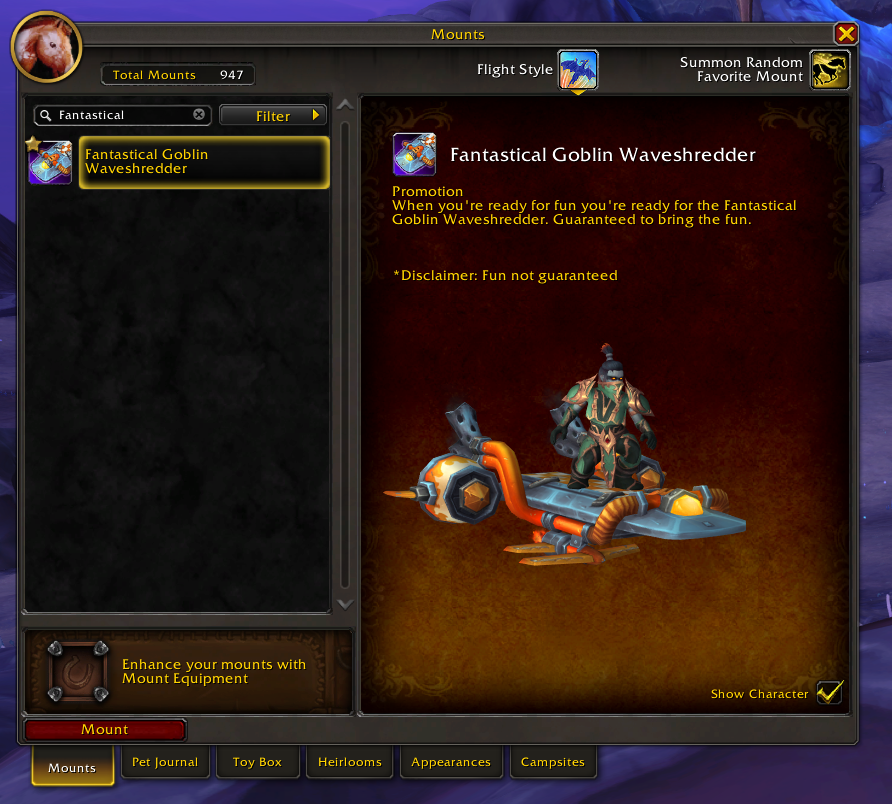
The Xbox x Fanta promo looks to be live early.
Head here 👉 https://t.co/qmqz5b1UwD
Play the mini-game to unlock an exclusive WoW mount (plus other in-game rewards).
If you're having the "something went wrong" error, then you need to enter your zip code on your account
Once redeemed, it’ll show up in your Battle net gift inventory.
Announcing EllesmereUI: WoW's Most Intuitive UI Suite
COMPLETELY FREE and Performance Optimized, EllesmereUI combines the most intuitive UI editor in WoW with extreme performance optimization and endless customization. Bring your UI to life like never before.
Install: https://t.co/kWF01PNnSZ
@slikey Can you roughly tell us when we can expect linear Interpolation animations to work in Hytale? :D I wanted to make a few magical animations but these aren't possible right now without linear Interpolation ^^
We are tracking 3 feature requests here btw:
- Variable animation speed for blocks (to reflect RPM or operating speed)
- Animation Speed smoothing (for RPM changes to speed up / slow down)
- Linear Interpolation on animations (currently only allows cubic)
Hytale Update 2 – Patch Notes (Pre-Release)
Enable via Launcher → Settings → Pre-Release
Cosmetics & Customization
• New mask face accessories (available for all editions)
• Armor slot visibility toggle (host-enforced for PvP/immersion)
• New mouth variants: Vampire, Cute, Orc (all editions)
• Berserker haircut tiling fixed
• Updated haircuts, cape animations, petals & cloth visuals
Gameplay & Balance
• New magic! Necromancy grimoire! Drops from Skeleton Praetorian, lets you raise up to 5 skeletal minions from bone piles (5-min duration or until summoner dies)
• Adamantite now requires a Thorium or Cobalt pickaxe
• Pickaxe progression reworked: mining speed now scales with pickaxe quality
• Faster rail karts (still not great, but faster!)
• Tower exploit fixed (NPCs can now throw rocks at players)
• Buffed polar bears and multiple skeleton types
• All crops can now place produce in the world
• Missing decorative light blocks added to furniture bench
• Adjusted hide drops (Light → Medium for some NPCs like cows)
• Added permission for world map teleporting
• Magma Rhino Toad attack updates (…maybe accidental buff)
World Generation
• WorldGen V2 prepared for public documentation (modder support)
• New Default_Flat & Default_Void templates using WorldGen V2
• Hub Portal now spawns with V2 flat worldgen (clear weather, limited fog, new worlds only)
• Major ore placement refactor in all zones
– More ores, especially in Devastated Lands underground
– Requires new chunks in existing worlds
• Zone 1 dungeon environment fixes + new environment fixes (you might hear new soundtracks)
Farming
• Eternal crops no longer break from weapon damage
• Increased tilled soil lifetime
• Fixed soil decay under fully grown crops
UI / UX
• Improved editor block tooltips
• Clothing color tooltips added
• Better hotbar active-slot contrast (diamond indicator, helpful in Howling Sands)
• Memory categories sorted alphabetically
• Scripted Brush QoL improvements
• Inventory interaction updates (e.g. new keybind to pull all items from chests)
• Optional FPS counter overlay
• Player markers added to compass
• Ophidiophobia accessibility mode
Audio
• Added basic Rex sounds + additional audio fixes
Bug Fixes, Tech & Stability
• Server self-updater
• Shadow improvements
• Pick block works when hotbar is full
• Asset editor documentation fixed
• Mantling fixes
• Keybind persistence fixed
• Improved weather transitions (still not perfect, but smoother)
• Teleporter offset fixed
• Rail karts now consume & place correctly
• Bed respawn in unloaded chunks fixed
• Food particle tint updates
• Major server stability, validation, ECS, localization & timeout improvements
Important Notes
We aim to release this update this weekend. Please help us test and report bugs (in-game or reply here if you find something major)! If all goes well, we will update everyone on Friday or Saturday!
Update 3 is already in the works, and we are planning a longer pre-release period to give modders and servers time to catch up and update. As more and more modders and servers create content, we want to make our updates more predictable to maintain stability across the ecosystem.
@Simon_Hypixel@Simon_Hypixel when can we expect that linear Interpolation animations get fixed? Because currently it's impossible to add object that are spinning at a consistent speed. The same issue has your salvagers workbench animation btw.