@alexserver@luismejiadev Me interesa el resultado de ese análisis, también vengo de formación pública,la única diferencia que he sentido hasta el momento es en idiomas
¡Los actos de Hamas son reprochables y deben ser condenados, pero ese discurso hipócrita de orar por Israel apesta!!
Todo el tiempo se han hecho los maricas mientras Israel sigue adelante con más de medio siglo de genocidio Palestino y apropiación sistemática de una nación entera
Debido a que la velocidad de la luz, es varias veces mayor a la del sonido, ciertas personas pueden parecernos brillantes antes de escuchar las gilipolleces que dicen
Understand how Cosine similarity is used in LLMs
Language models need to know how similar texts or words are.
But how does it work?
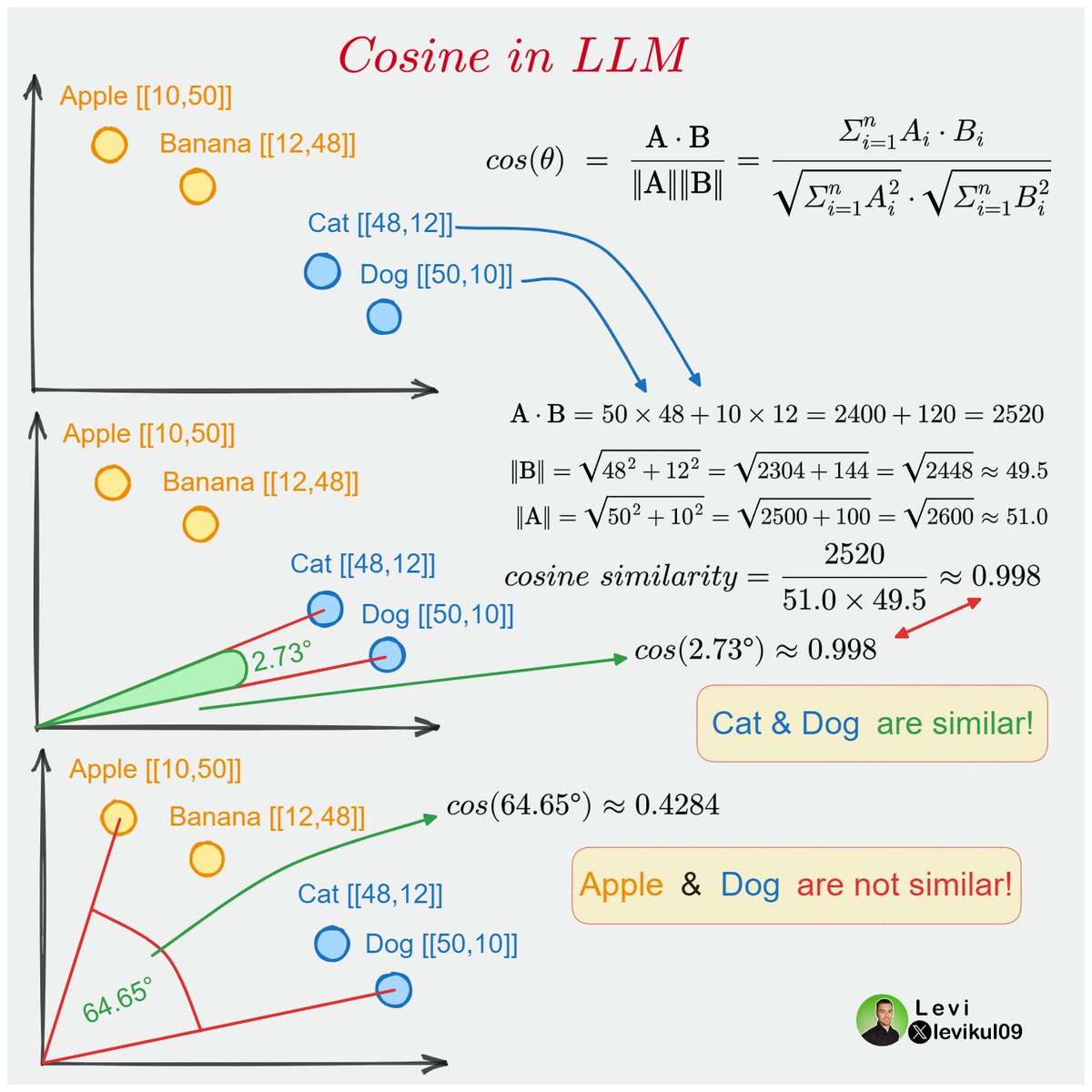
I will explain with the help of this single image 🔽
Models usually cannot work with textual data, so we need to convert words into numbers.
This is mostly done with word embeddings. These are vector (numerical) representations of text.
Note: The embeddings are usually huge, but for simplicity now I will use a vector that contains only X and Y coordinates for words.
We have four words in this example: Apple, Banana, Cat and Dog. All of them are converted into vectors and visualized.
As the name suggests Cosine similarity can tell how similar two vectors are.
The range for cosine is usually between 0 and 1.
0 means no similarity, while 1 means exact match.
To calculate Cosine similarity in the 2D space we can use the angle between the two points.
Or we can use the formula from linear algebra where a⋅b is the dot product of a and b, and ∥a∥ and ∥b∥ are the magnitudes respectively.
You can check the detailed calculation for Cat and Dog below.
As you can see from the calculation, since both Cat and Dog are animals, they are pretty similar.
But what about Apple and Dog? They are far from each other, and the angle is larger, so the Cosine similarity will be lower!
What about huge embeddings?
Look at the formula and think about it.
The best thing about Cosine similarity is that it is not restricted to 2D vectors. You can do the same calculation for embeddings that contain hundreds of elements.
Of course, we cannot visualize words the same way with bigger vectors, but the process is the same.
How to add a console script to your #Python package:
1️⃣ Organize your package:
mypackage/
│
├── __init__.py
├── https://t.co/c9muy1ySOe
└── https://t.co/e7w2TxC9Mn
In mypackage, define the function you want to make accessible via the command line, for example:
# https://t.co/c9muy1ySOe
def hello_world():
print("Hello world")
2️⃣ Create a pyproject.toml in your project root directory:
project_root/
│
├── pyproject.toml <--
└── mypackage/
├── __init__.py
├── https://t.co/c9muy1ySOe
└── https://t.co/e7w2TxC9Mn
3️⃣ Add your console script "entry point" to pyproject.toml:
# pyproject.toml
...
...
[project.scripts]
hello-world = "mypackage.module1:hello_world"
4️⃣ Build it:
# Install the build tool
$ pip install build
# Build your package
$ python -m build
5️⃣Test it out in a virtual env:
# Make a venv + activate it
$ python -m venv venv
$ source venv/bin/activate
(Windows: venv\Scripts\activate)
# Install your package into the virtual environment
(venv) $ pip install dist/mypackage-0.1.0-py3-none-any.whl
# Use the command line alias:
(venv) $ hello-world
Hello world
#pybobtips
@soyanalima Por?
En definitiva muchas son un robo, pero almenos tengo 1 como la uso me funciona bastante bien, sin cuota de manejo y con 20% ahorro gastos de gasolina
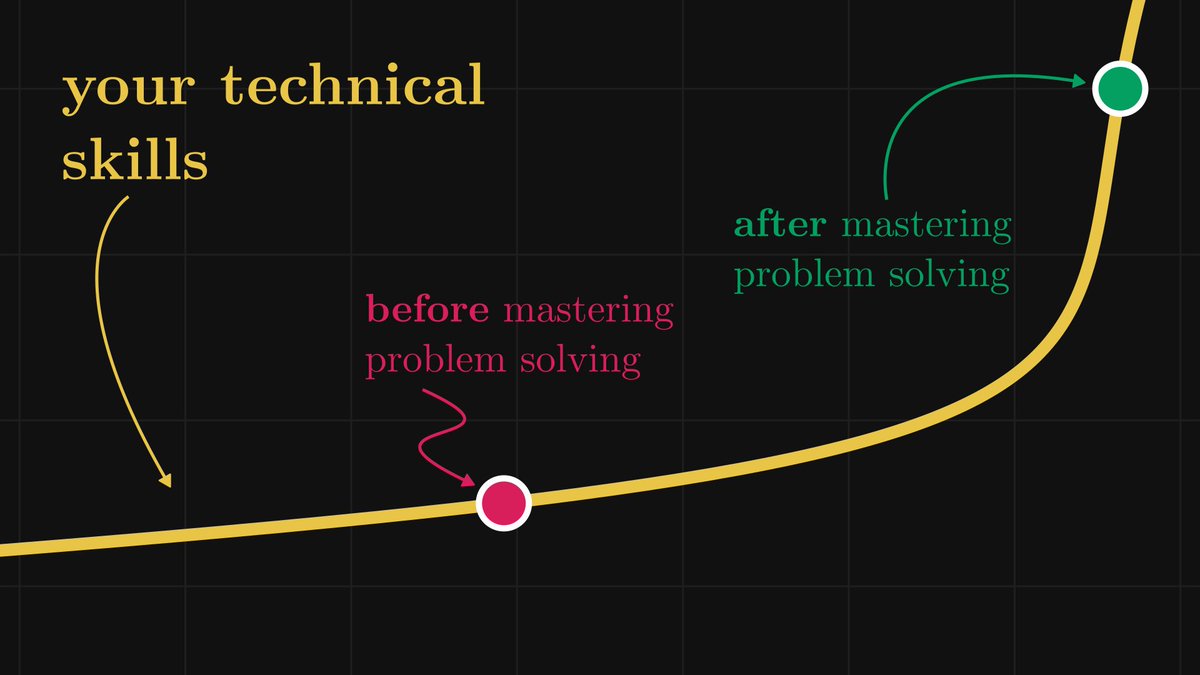
Problem-solving is at least 50% of every job in tech and science.
Mastering problem-solving will make your technical skill level shoot up like a hockey stick. Yet, we are rarely taught how to do so.
Here are my favorite techniques that'll loosen even the most complex knots: