I didn’t believe this would work.
Gave Claude $20.
Left it running overnight.
Woke up to:
• a ready script
• +$95 from 5 trades
Didn’t touch a thing.
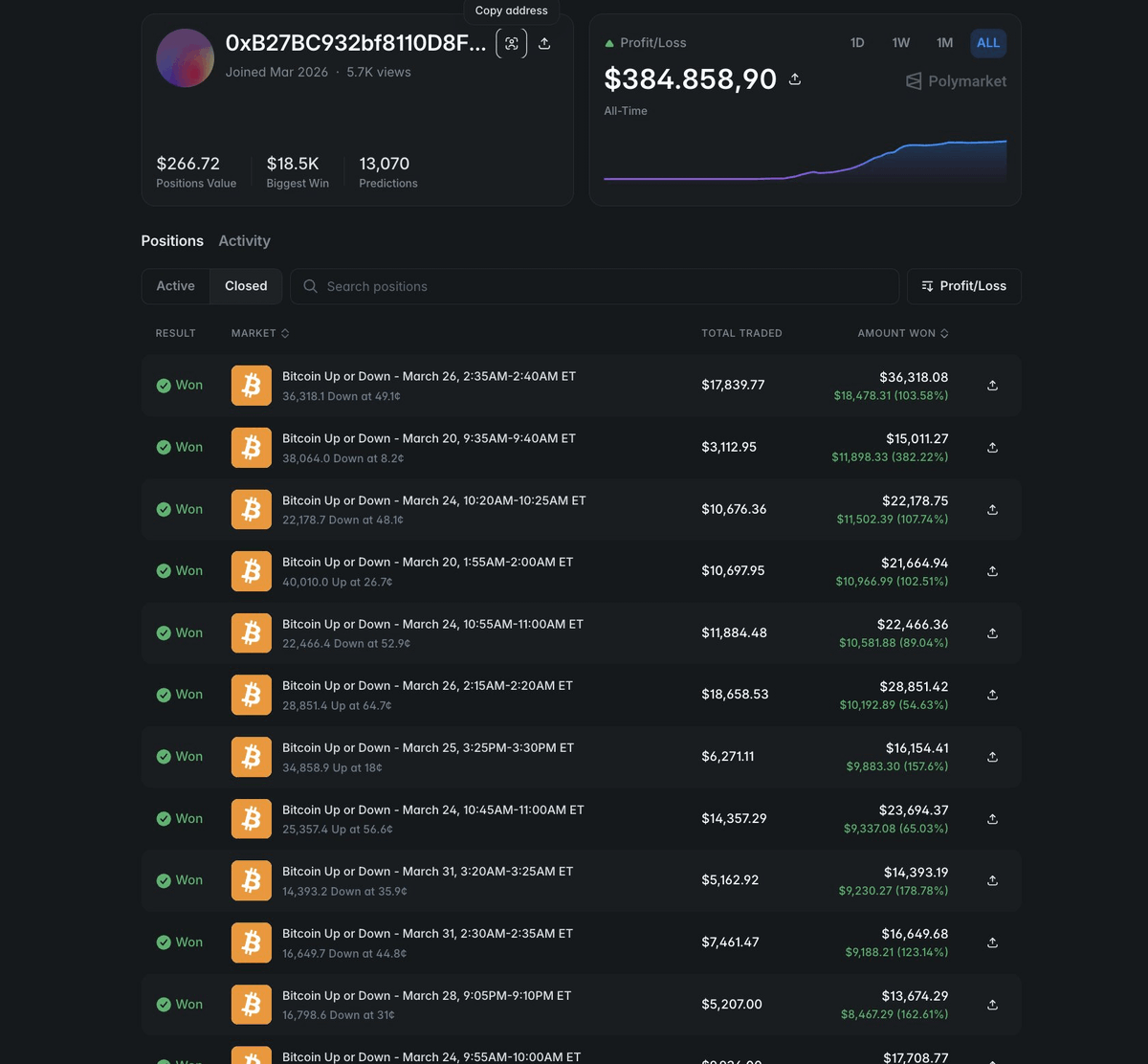
Then I found a wallet running the same logic:
0xb27b...b82
• $384,858 profit
• 13,070 trades
• Started March 2026
• Almost no one watching
This isn’t trading.
It’s a math exploit.
Every position follows the same structure:
No indicators.
No guessing.
Just probability + sizing.
While testing, I copytraded with $80.
Didn’t expect much.
→ $4,218
Examples:
$3,112 → $15,011
$10,676 → $22,178
$17,839 → $36,318
Same logic. Every time.
Here’s the framework:
• Find windows where BTC ≠ 50/50
• Enter only if edge > 65%
• Size using Kelly
• Avoid volatility spikes
• Update probabilities after each trade
Runs while you sleep.
No emotions.
No hesitation.
Copytrade →https://t.co/IPY41UFOdx
This doesn’t stay unnoticed for long.
After setting up Claude code + Tradingview
first thing I built is a bottom detection indicator.
I've been manually eyeballing RSI divergences + volume spikes + key support levels to try and catch local bottoms.
works sometimes. misses a lot.
So I told Claude:
Write a Pine Script indicator that detects potential local bottoms using:
> Bullish RSI divergence on the 4H (price making lower low, RSI making higher low) > Volume spike above 2x the 20-period average > Price within 1% of the lower Bollinger Band (2.5 std dev) > Stochastic RSI below 20 and crossing up
When all 4 conditions align, plot a green diamond below the candle and fire an alert.
Claude wrote it. Injected it into TradingView.
First compile had errors with the divergence detection logic. Claude read the errors, rewrote the lookback function, recompiled. Clean.
Then: "Run it on BTC 4H and screenshot the last 3 months. How many signals did it fire? How many were actual local bottoms?"
Claude read the chart back:
→ 7 signals in 3 months → 5 hit within 2-3% of the actual local bottom → 2 were false signals that kept bleeding
Not bad for a first version.
"Now tighten it. Add a condition that volume must be increasing for at least 3 consecutive candles before the spike. And add an EMA 200 filter only signal when price is above the 200 EMA on the daily."
Recompiled. Reran. False signals dropped to 0.
Total signals dropped to 4 but all 4 were within 1.5% of the local bottom.
Then I ran it across $SOL, $ETH, and $HYPE. Same timeframe. Claude compared the results across all 3 and told me which pair the indicator works best on.
The entire process.. idea to working indicator to multi-pair validation took about 15 minutes.
Normally this would be a full weekend project. Writing the Pine Script. Debugging. Manually scrolling through charts.
Tweaking parameters one by one. Checking each pair separately.
I'm not saying this indicator is the holy grail. It's a starting point.
But the speed of going from idea → code → validation → iteration is completely different now.
Claude code doesn't give you an edge. It lets you test your ideas fast enough to actually find one…
Dear Traders,
Claude code can now connect directly to your TradingView charts
It reads your charts, indicators, writes Pine Script for your trading strategies, compiles it and fixes errors.. all automatically
Not a browser extension.. A direct connection to your live charting platform
▫️Here's how it works and how to set this up:
> How it works:
TradingView Desktop runs on Electron (Chromium). Chromium has a built in debug interface called Chrome DevTools Protocol. It's off by default. One flag turns it on.
That's the door. Claude Code connects through it via an MCP server running locally on your machine.
Nothing touches TradingView's servers. No data leaves your machine. Everything runs on localhost.
Here's the setup, give Claude code this prompt and it does everything:
"Install the TradingView MCP server. Clone and explore https://t.co/4NApHd4Lyx, run npm install, add to my MCP config at ~/.claude/.mcp.json, and launch TradingView with the debug port."
Once it's done, verify:
"Use tv_health_check to confirm TradingView is connected."
Then just try:
"What's on my chart right now?"
That's the whole setup. Claude installs it. Claude runs it. You just describe what you want.
▫️What Claude can actually see
What Claude can read from your charts:
> Current symbol and timeframe
> Real-time OHLC and volume
> Up to 500 price bars
> All indicator names, IDs, and values
> Pine Script drawings — lines, labels, tables, boxes
> Data window values
> Order book depth
> Strategy tester results and trade list
> Screenshots of any chart region
The most useful part is it reads protected indicators too.
Pass a filter with the indicator name and you get back every price level, every text annotation, full table contents, every drawn zone.
"What levels is my NY Sessions indicator showing?"
it reads them.
"What does the session stats table say?"
it reads that too.All of this data is already on your screen. This tool just makes it readable to an AI.
▫️ The Pine Script workflow
This is the part that changes everything for traders who code:
You describe what you want → Claude writes the Pine Script → injects it into TradingView → compiles it → reads the errors → fixes them → recompiles That loop runs until the script is clean.
The whole time Claude has full context of your chart and every indicator on it.
No more copy-pasting between VS Code and the Pine editor hunting type mismatches.
You can also:
→ Validate indicators (write it, compile it, read values back, check the math)
→ Loop through input parameters and test each one
→ Run the same indicator across multiple symbols and timeframes
→ Read strategy tester metrics after each compile
The actual workflow of verifying your indicators works instead of just assuming they do.
sharing the usecases of this workflow in my next post.. like & RT
So I don't object to engineered environments for kids; I do think the standard Asian choices for environment engineering are not good
Classical piano/violin are basically devoid of creativity, strategic thinking, teamwork. They basically train rote memorization and hard work
WABADALABADU! TIME TO MEET THE REST OF THE TEAM!
Are you ready to meet the other half of the Magic 8?
✨🧁🧁🧁🧁⚔️
Let’s unveil the rest of the iconic muffins!
🧵
⚔️ Freemium vs. Premium Ally Pass ⚔️
🔸 Freemium Pass: Perfect for getting started! Enjoy leaderboards, daily missions, and compete for free. Gain experience and rewards as you climb the leaderboard!
🔸 Premium Pass: Ready to level up your game? For just $10 USD (or the equivalent in MATIC), unlock all the rewards from both the Freemium and Premium passes. Exclusive rewards and more $ALLY ! 🪙
How does the Premium Pass work?
As you progress and complete new levels, rewards from both passes will unlock.
Get your premium pass now 👇
https://t.co/cKC22TLQ1N
Mark your calendars, Allies 📅
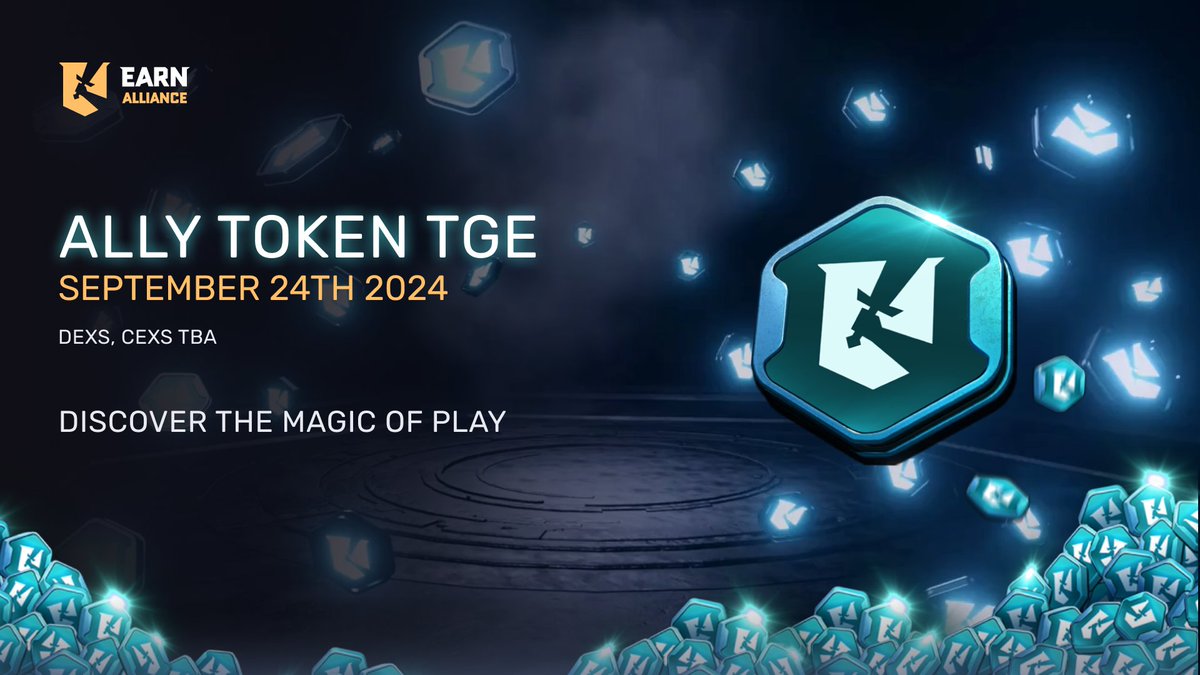
TGE is locked in for September 24th. Keep grinding the Ally Pass and stacking that $ALLY!
More details on DEXs and CEXs soon.
https://t.co/uAy8d4pcp8
How much $ALLY have you earned so far? 👀
Ready to level up in the Ally Pass? 🔥
Top Level & Beyond
The top level in Ally Pass is level 60. But the game doesn’t stop there! After reaching level 60, you can continue earning more XP to rank higher on the leaderboard.
By the end of the season, 50 million $ALLY Tokens will be awarded to all Ally Pass holders.
This includes:
🪙 15 million $ALLY through the leaderboard challenge.
🪙 35 million $ALLY from Ally Pass season play.
Maximize Your Earnings
The amount of tokens you earn will depend on your final XP score. Premium Pass holders will receive a multiplier of tokens, so the more you play, the more you can win!
Keep Grinding
After reaching level 60, continue completing missions from other areas of the Earn Alliance Platform to score even more and climb the leaderboard ⚔️
From collecting XP to unlocking exclusive in-game rewards, every step counts! Curious about the strategies to get ahead?
Get all the tips and tricks you need to stay ahead of the game 🔻
https://t.co/DZtMz3uV6x
The whole world’s buzzing about a chocolate muffin at the Olympics... and yes, that’s me, thankz to my squad making me a global sensation! Sir Mango out...
🚨 Ally Pass is LIVE! 🚨
Complete missions, earn XP, climb the leaderboard, and unlock incredible rewards including $ALLY, Magic Muffins and more! 🧁✨
🔻 50 Million $ALLY ready to be claimed 🔻
Remember, the TGE is set for September 24th, just as Sir Mango announced. There’s no time to waste—who’s in? 🔥
Start NOW: https://t.co/cKC22TLQ1N
We've just burned 10M $OPEN tokens 🔥🔥 reflecting booming activity on our protocol and surging interest in OPEN Staking.
Our Keychains are gaining traction, and more users are locking up $OPEN. This burn potentially increases value for holders while showcasing our growing ecosystem.
https://t.co/u3iS5ZcYN0
🧵 Thread: Latest Token Burns Update 🔥
1/ 🔥 Total Token Burns: 721,772,136
We are excited to announce that we have successfully burned a total of 721,772,136 tokens! This significant milestone highlights our commitment to reducing the token supply and increasing value for our community.
4/ 🔎 Public Tracker Launched
For full transparency, we have launched a public tracker on our docs site. You can now access detailed information about all burns, including on-chain transactions. Verify the burns and stay informed!
https://t.co/hgAIYAoFes