We just hit 300 followers! 🎉
Just a few hours ago, I was struggling to reach 100. Now we're already at 300!
Thank you all for the support! ❤️
I'll keep sharing AI news, useful tools, and exciting tech discoveries.
If you're into AI, tech, or just looking to make new friends on X, let's connect!
Let's keep growing together! 🚀
Websites can now decide which AI agents are welcome.
Cloudflare just introduced new tools to help website owners see, track, and control AI agents visiting their sites.
Here's what they can do:
🔍 Track AI agents: See which agents are visiting, how many requests they make, which pages they access, and their HTTP status codes.
🛡️ Control access: Allow or block individual agents, or block them only on pages containing ads.
👤 Identify users: With Account Abuse Protection enabled, connect agent activity to the user accounts they're acting for.
How to use it:
1. Open Cloudflare's Bot Analysis to inspect AI agent traffic.
2. Go to Security → Settings → AI Crawler and Agent access policies.
3. Choose an access policy for each supported agent.
As AI agents increasingly browse the web on our behalf, websites are gaining the power to decide which agents get in.
https://t.co/NneRJPX6G6
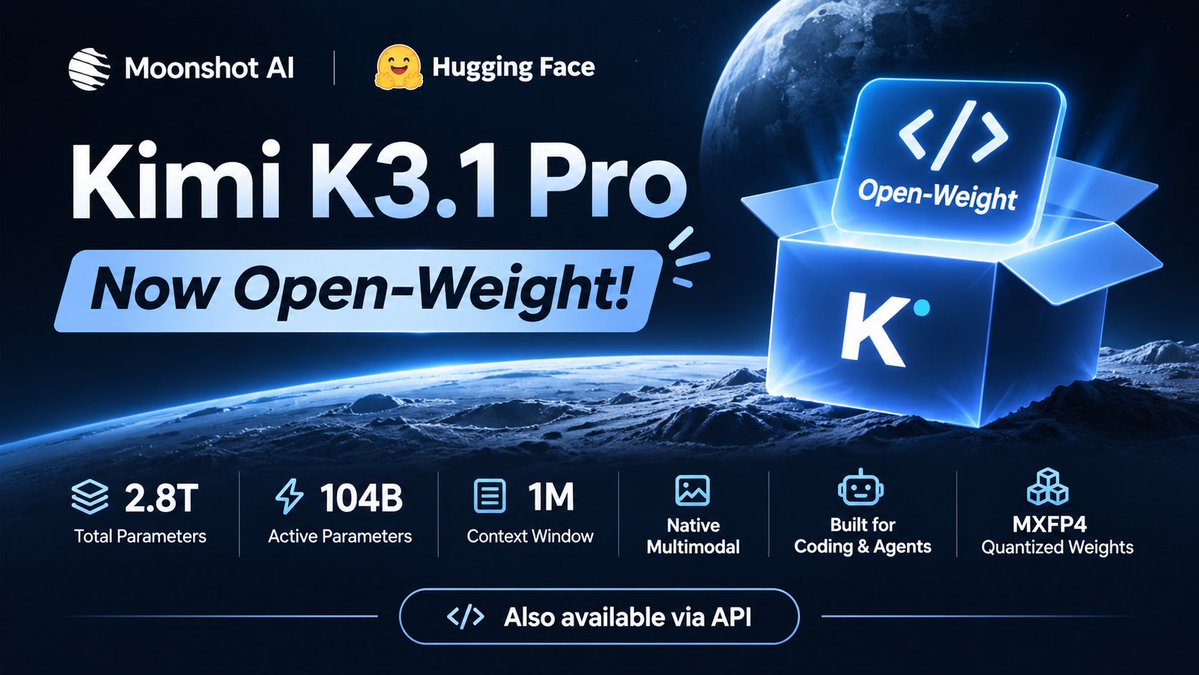
🚀 Kimi K3.1 Pro is now open-weight!
Moonshot AI has released the model weights on Hugging Face.
• 2.8T total parameters, 104B active
• 1M-token context window
• Native multimodal capabilities
• Built for coding and complex agent tasks
• MXFP4 quantized weights
The model is also available via API.
🔗 https://t.co/k6GzOGlI6I
We just hit 100 followers! 🎉
It might not seem like much, but it means a lot to me.
I'll keep sharing AI news, useful tools, and interesting tech discoveries.
If you're into AI, tech, or just looking to make new friends on X, let's connect!
Let's grow together! 🚀
Claude Code has a command that reviews how you've been using it and tells you what to do better
It's /insights, and it's easy to miss
Type it in Claude Code and it reads your recent sessions on that computer, then writes a report that opens in your browser:
• what you've been working on
• where things went wrong, like requests it misunderstood or buggy code
• features you should try next
Investor Nikunj Kothari runs it every two weeks. He says it shows him the best ways to upgrade his setup
His other favorite is /playground, an official add-on from Anthropic. To get it, type /plugin install playground@claude-plugins-official and confirm in the panel that opens
Then ask for something like "make an interactive concept map for machine learning fundamentals"
You get one page with controls to play with, a live preview, and a ready-made prompt you can copy back into Claude
One thing to know: /insights runs on your normal Claude usage, and it can't see sessions from your other devices or https://t.co/Bx8YhnKJtg
Letting Claude review your own habits is the most underrated move in Claude Code. When did you last check yours?
My two favorite default skills on Claude Code, still, that seem relatively less used are a) /insights and b) /playground..
For insights, I have a regular cron job that runs this now every two weeks. It tells me all the best ways to upgrade my setup. I pair it with X bookmarks that show all the new ways to build a software factory. It's a self improving loop on how I use Claude Code + what the industry thinks I should move to.
For playground, it's the best way to visualize what's happening in the workflow. I ask it to show me architecture of esoteric Github's to simulating a full learning loop on my side project. My new favorite thing is to pair Codex + Claude Code on this skill and ask it to find dead code, hot pathways, latency improvements.
Give it a shot and tell me what you think!