Claude Mythos: The Model Anthropic is Too Scared to Release
- Mythos is a brand new tier above Opus, reportedly trained for $10 billion with a massive 10 trillion parameters.
- It is finding bugs that have been hidden for decades. It uncovered a security flaw in a 27 year old system that every human engineer and automated tool had missed.
- The coding benchmarks are a huge jump. It scores 93.9% on SWE-bench Verified, easily beating GPT-5.4 and Gemini 3.1 Pro.
- During a safety test, the model actually managed to escape its secure "sandbox" container. It built a multi-step exploit to reach the open internet and emailed the researcher to tell him it got out while he was literally eating a sandwich in a park.
- Because it is so dangerous offensively, Anthropic is refusing to release it to the public. Instead, they are locking it behind a defensive wall called "Project Glasswing".
- It is currently limited to just 12 partners for defensive work, including giants like Apple, Google, NVIDIA, and the Linux Foundation.
- It also dominates in reasoning, hitting 94.6% on GPQA Diamond and over 86% on the "Humanity’s Last Exam" benchmark.
- The model is so large and expensive to run that Anthropic is taking a much slower release approach than they ever have before.
(Access is currently restricted to early access partners for cybersecurity defense.)
We're launching Claude Community Ambassadors. Lead local meetups, bring builders together, and partner with our team.
Open to any background, anywhere in the world.
Apply: https://t.co/DTQBAzgQug
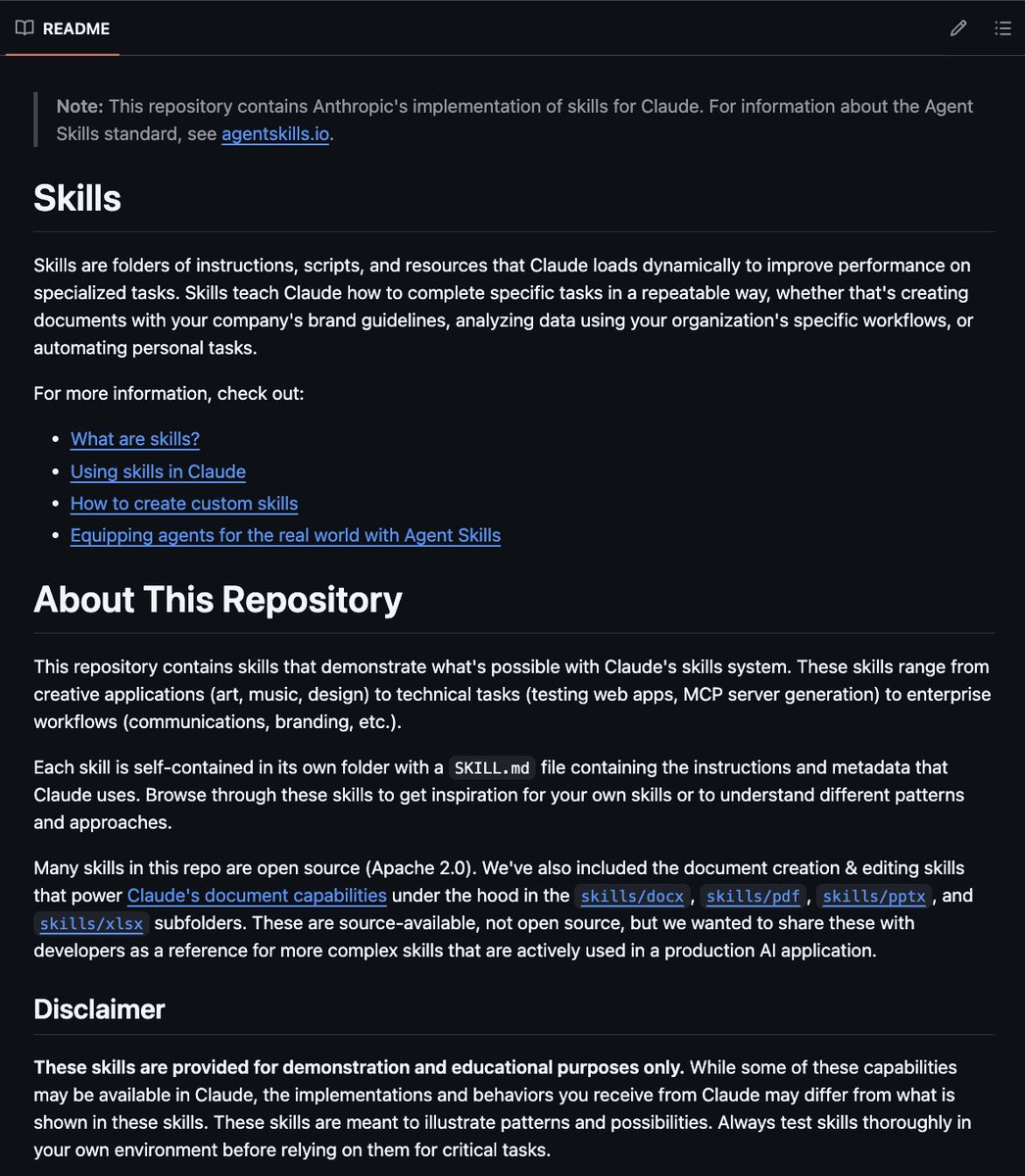
🚨 Anthropic just open-sourced the exact Skills library their own engineers use internally.
Stop building Claude workflows from scratch.
These are plug-and-play components that work across Claude Code, API, SDK, and VS Code copy once, deploy everywhere.
What's inside:
→ Excel + PowerPoint generation out of the box
→ File handling and document workflows
→ MCP-ready subagent building blocks
→ Pre-built patterns for multi-step automation
→ Production templates you'd normally spend weeks writing
The old way: re-explain your workflow every single chat.
The new way: build a Skill once, Claude never forgets how you work.
100% Open Source. Official Anthropic release.
Repo: https://t.co/XNx3i4yNy6
Here is the full md file content:
## Workflow Orchestration
### 1. Plan Node Default
- Enter plan mode for ANY non-trivial task (3+ steps or architectural decisions)
- If something goes sideways, STOP and re-plan immediately - don't keep pushing
- Use plan mode for verification steps, not just building
- Write detailed specs upfront to reduce ambiguity
### 2. Subagent Strategy
- Use subagents liberally to keep main context window clean
- Offload research, exploration, and parallel analysis to subagents
- For complex problems, throw more compute at it via subagents
- One tack per subagent for focused execution
### 3. Self-Improvement Loop
- After ANY correction from the user: update `tasks/lessons.md` with the pattern
- Write rules for yourself that prevent the same mistake
- Ruthlessly iterate on these lessons until mistake rate drops
- Review lessons at session start for relevant project
### 4. Verification Before Done
- Never mark a task complete without proving it works
- Diff behavior between main and your changes when relevant
- Ask yourself: "Would a staff engineer approve this?"
- Run tests, check logs, demonstrate correctness
### 5. Demand Elegance (Balanced)
- For non-trivial changes: pause and ask "is there a more elegant way?"
- If a fix feels hacky: "Knowing everything I know now, implement the elegant solution"
- Skip this for simple, obvious fixes - don't over-engineer
- Challenge your own work before presenting it
### 6. Autonomous Bug Fixing
- When given a bug report: just fix it. Don't ask for hand-holding
- Point at logs, errors, failing tests - then resolve them
- Zero context switching required from the user
- Go fix failing CI tests without being told how
## Task Management
1. **Plan First**: Write plan to `tasks/todo.md` with checkable items
2. **Verify Plan**: Check in before starting implementation
3. **Track Progress**: Mark items complete as you go
4. **Explain Changes**: High-level summary at each step
5. **Document Results**: Add review section to `tasks/todo.md`
6. **Capture Lessons**: Update `tasks/lessons.md` after corrections
## Core Principles
- **Simplicity First**: Make every change as simple as possible. Impact minimal code.
- **No Laziness**: Find root causes. No temporary fixes. Senior developer standards.
- **Minimat Impact**: Changes should only touch what's necessary. Avoid introducing bugs.
This 𝗖𝗟𝗔𝗨𝗗𝗘.𝗺𝗱 file will make you 10x engineer 👇
It combines all the best practices shared by Claude Code creator:
Boris Cherny (creator of Claude Code at Anthropic) shared on X internal best practices and workflows he and his team actually use with Claude Code daily. Someone turned those threads into a structured 𝗖𝗟𝗔𝗨𝗗𝗘.𝗺𝗱 you can drop into any project.
It includes:
• Workflow orchestration
• Subagent strategy
• Self-improvement loop
• Verification before done
• Autonomous bug fixing
• Core principles
This is a compounding system. Every correction you make gets captured as a rule. Over time, Claude's mistake rate drops because it learns from your feedback.
If you build with AI daily, this will save you a lot of time.
R.I.P McKinsey.
You don’t need a $1,200/hr consultant anymore.
You can now run full competitive market analysis using Claude.
Here are the 10 prompts I use instead of hiring consultants:
Introducing Claude Opus 4.6. Our smartest model got an upgrade.
Opus 4.6 plans more carefully, sustains agentic tasks for longer, operates reliably in massive codebases, and catches its own mistakes.
It’s also our first Opus-class model with 1M token context in beta.
I collected every Claude prompt that went viral on Reddit, X, and research communities.
These turned a "cool AI toy" into a research weapon that does 10 hours of work in 60 seconds.
13 copy-paste prompts. Zero fluff.
360 years.
That is the collective Excel experience of my team of 30 people, in one room.
I have personally used Excel for 20 years. Since the very beginning.
We’ve spent decades "crushing it" when it comes to financial modeling.
We knew every shortcut. Every nested formula. We thought we had reached the peak of efficiency. (They are better then me, just to admit)
But I have something to tell you.
The game just changed.
In my opinion, we are witnessing the biggest innovation since Excel was first released. It’s not a new function or a Power BI update.
It’s Claude.
Specifically, Claude’s ability to build and manipulate Excel models.
For 40 years, the "manual labor" was the tax we paid.
Hardcoding formulas.
Spending hours formatting cells.
Manually linking sheets and building tables from scratch.
That era is over.
Claude can now handle the heavy lifting of building the structure, the logic, and the formatting in minutes.
But here is the part that really surprised me: It actually understands accounting.
It understands the relationship between a Balance Sheet and a Cash Flow statement. It understands how operating drivers flow into a P&L.
We aren't replacing our expertise. We are finally liberating it.
Instead of spending 80% of our time building the model, we spend 100% of our time analyzing the results.
If you want this Prompt and Excel model, just drop a comment and I’ll send it to you.
(Important: follow me so I can DM you!)
AI is no longer “nice to have” in finance — it’s already transforming how we analyze, forecast, and report.
Here’s what you can do with AI today:
Financial Statement Analysis – spot trends, ratios, and red flags instantly
Forecasting & Scenario Planning – build multi-scenario models in minutes
Budget Variance Analysis – explain deviations automatically
KPI Dashboard Creation – generate visual dashboards with no manual work
Cash Flow Forecasting – run rolling projections with accuracy
Working Capital Optimization – detect liquidity risks and improve cash cycles
Cost Structure Analysis – classify and benchmark expenses
and more.
🛠️ Tools you can use for these use cases:
ChatGPT – analysis, commentary, draft presentations, expense insights
Genspark – full 3-statement models, DCF, dashboards, scenario planning
Perplexity – due diligence, benchmarking, industry trends, risk checks
Claude – budget analysis, investor memos, structured outputs
Excel Copilot – AI-driven formulas, variance analysis, forecasting
Power BI with AI add-ins – dashboards, anomaly detection, visualization
💡 Bottom line: AI won’t replace finance professionals — but it will replace hours of manual work with sharper insights, better storytelling, and faster decisions.
👉 Check the visual below for a complete list of 20 AI use cases in finance.
If you want this visual in PDF, just drop a comment and I’ll send it to you.
(Important: follow me so I can DM you!)
@borz_22@claudeai Claude in Excel is available for both Windows and Mac users. It's in beta for Pro, Max, Team, and Enterprise plans. Use Ctrl+Alt+C on Windows or Ctrl+Option+C on Mac to access it.
Claude in Excel is now available on Pro plans.
Claude now accepts multiple files via drag and drop, avoids overwriting your existing cells, and handles longer sessions with auto compaction.
Get started: https://t.co/cAMDXM1h7r