Not every user is sitting in front of a keyboard.
Smart TVs, kiosks, IoT devices, and other input-limited hardware all need secure authentication. But cramming a traditional login flow onto a device with no keyboard or limited input is a terrible experience that most teams just give up on.
MonoCloud's device authentication solves this using the OAuth 2.0 Device Authorization Grant. Secure sign-ins on input-limited devices, without compromising security.
Whether you are building for living rooms, factory floors, or public kiosks, authentication should not be the reason your experience breaks.
👉 Explore MonoCloud at monocloud[dot]com
#Authentication #Device #IoT #Kiosks #SmartTvs
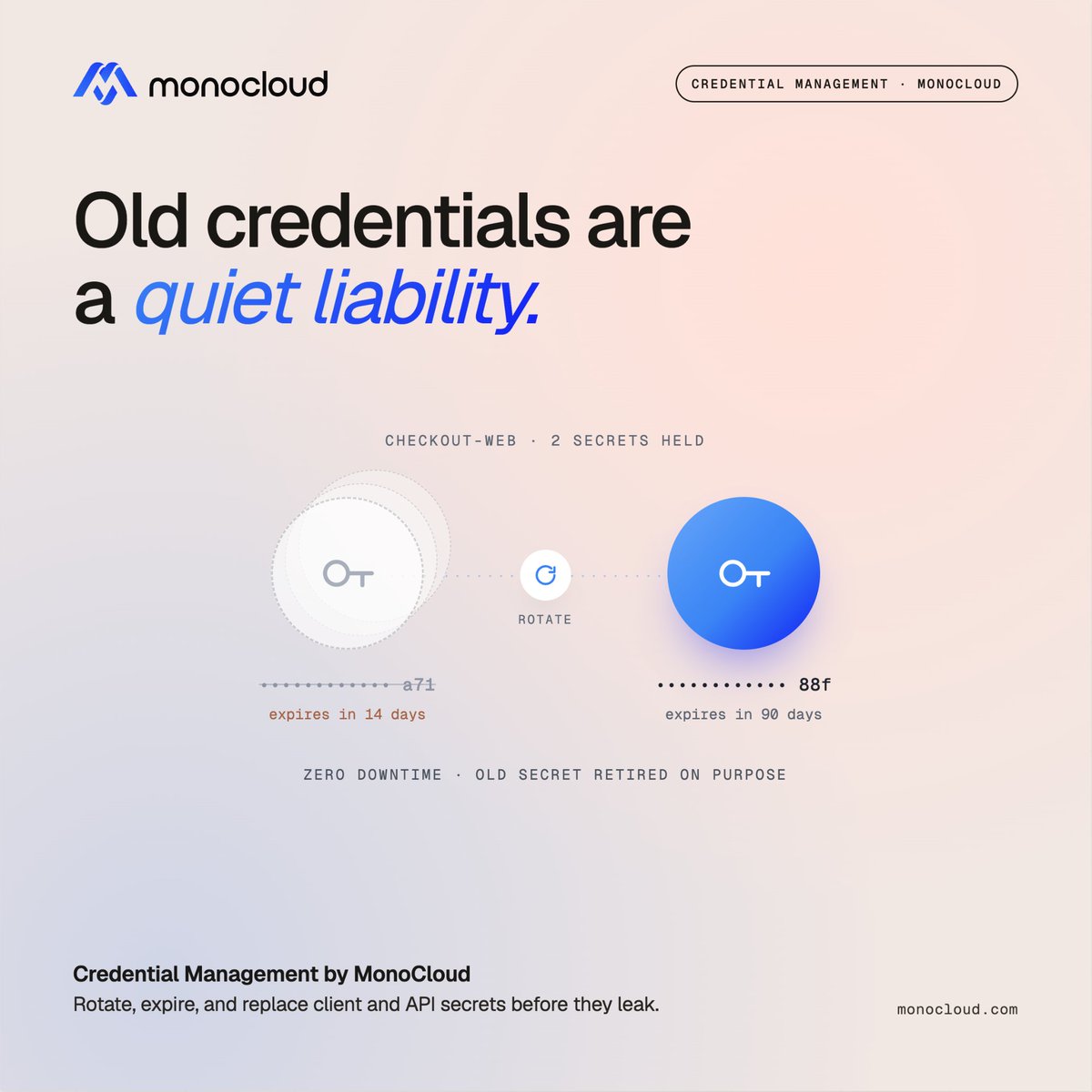
A long-lived client secret can quietly become a rotation problem.
It starts in one config. Then another service. Then a deployment script. A year later, nobody is completely sure where it's being used, and nobody wants to rotate it because nobody knows what might break.
That's how a credential quietly becomes a liability.
MonoCloud lets you provision multiple client and API secrets, set expirations, and replace old credentials without disrupting the services that depend on them.
Credentials are meant to change. Your infrastructure shouldn't make that difficult.
👉 Start building at https://t.co/A0joEXMl51
#Authentication #AppSecurity #DeveloperTools #SaaS
Most identity pain is not felt at launch. It shows up later, after the people who made the decisions have moved on.
Early on, a team needs auth working fast. They pick the simplest path and move on. What is invisible at that moment: some of those choices are not features. They are foundations. And foundations are expensive to change later.
Account recovery, designed as an afterthought, becomes a support burden and a takeover vector.
Shared accounts, shared "just for now," quietly become load-bearing.
Access, granted in the moment and never reviewed, until nobody can answer "who has access to what, and why."
The lesson is not to predict every future need. It is that a few identity decisions carry outsized long-term weight.
The teams that age well are the ones that did not treat auth as a thing to bolt on and forget.
With MonoCloud, authentication, user management, session control, and audit logging live in one platform, so early choices do not turn into the cleanup you dread later.
Explore more at https://t.co/A0joEXMl51
#Authentication #SaaS #DeveloperTools
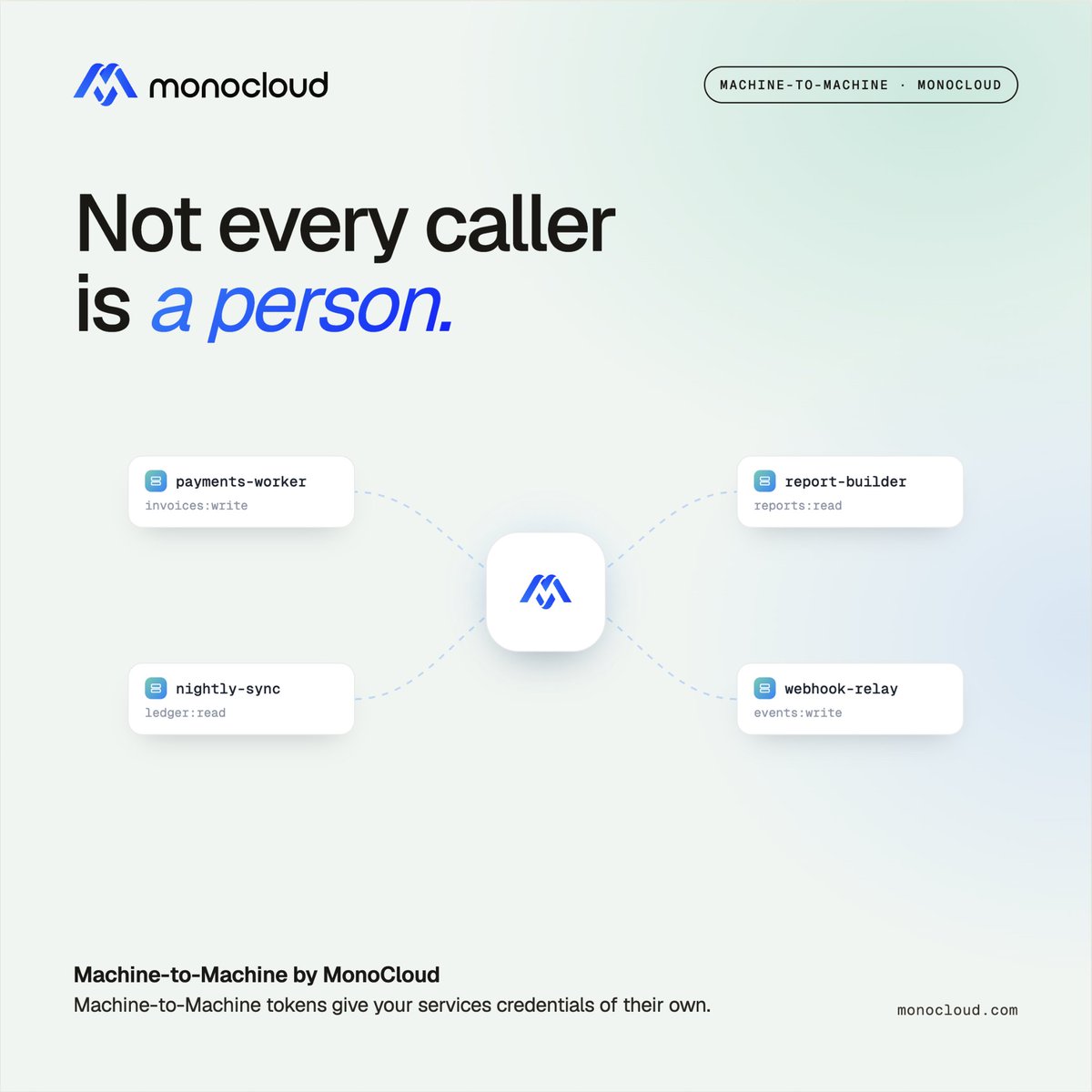
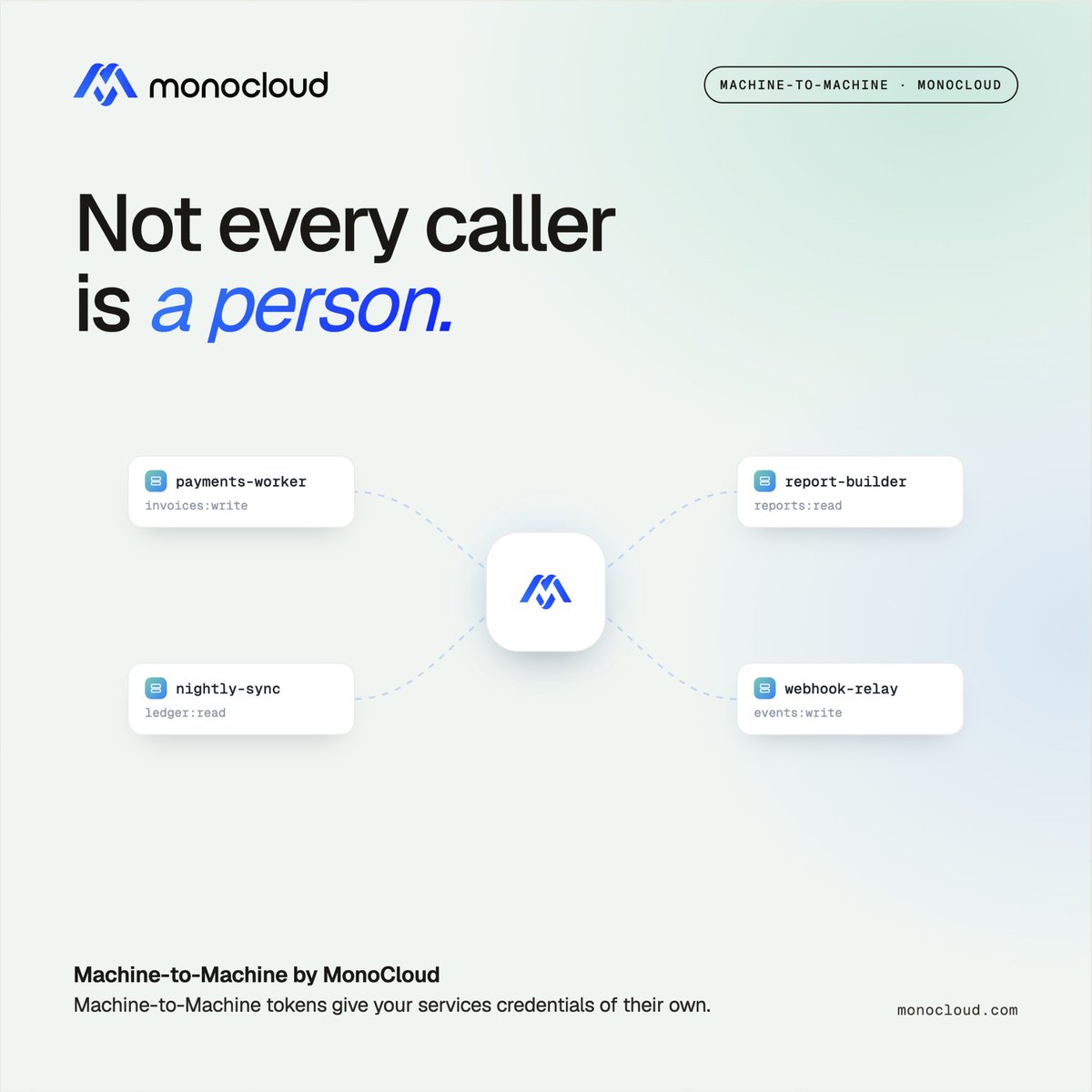
Not every caller to your API is a person clicking through a login screen.
Scripts, integrations, and backend jobs need access too. And handing those a user login is the wrong approach, it ties automated access to a human account that could change, leave, or lose permissions at any time.
Machine access needs its own kind of credential.
MonoCloud supports machine-to-machine authentication, so your services and automated systems authenticate with credentials of their own, separate from any individual user.
Automated systems get what they need. Human accounts stay human.
Give your services their own credentials, not a borrowed login.
👉 Start building at https://t.co/A0joEXMSUz
#Authentication #DeveloperTools #API #SaaS
Some teams have already invested in their own email and SMS delivery. They should not have to give it up to add authentication.
If you have your own provider, you have already tuned it: your sender reputation, your deliverability, your sending limits, your compliance setup. That infrastructure is worth keeping, especially for the messages that log your users in.
MonoCloud lets you bring your own email and SMS providers. Authentication emails and codes go out through the delivery infrastructure you already run and trust, not a separate pipe you have to manage on the side.
Your provider. Your reputation. Your control.
👉 Start building at https://t.co/A0joEXMl51
#Authentication #Emails #SaaS #SMS #Providers
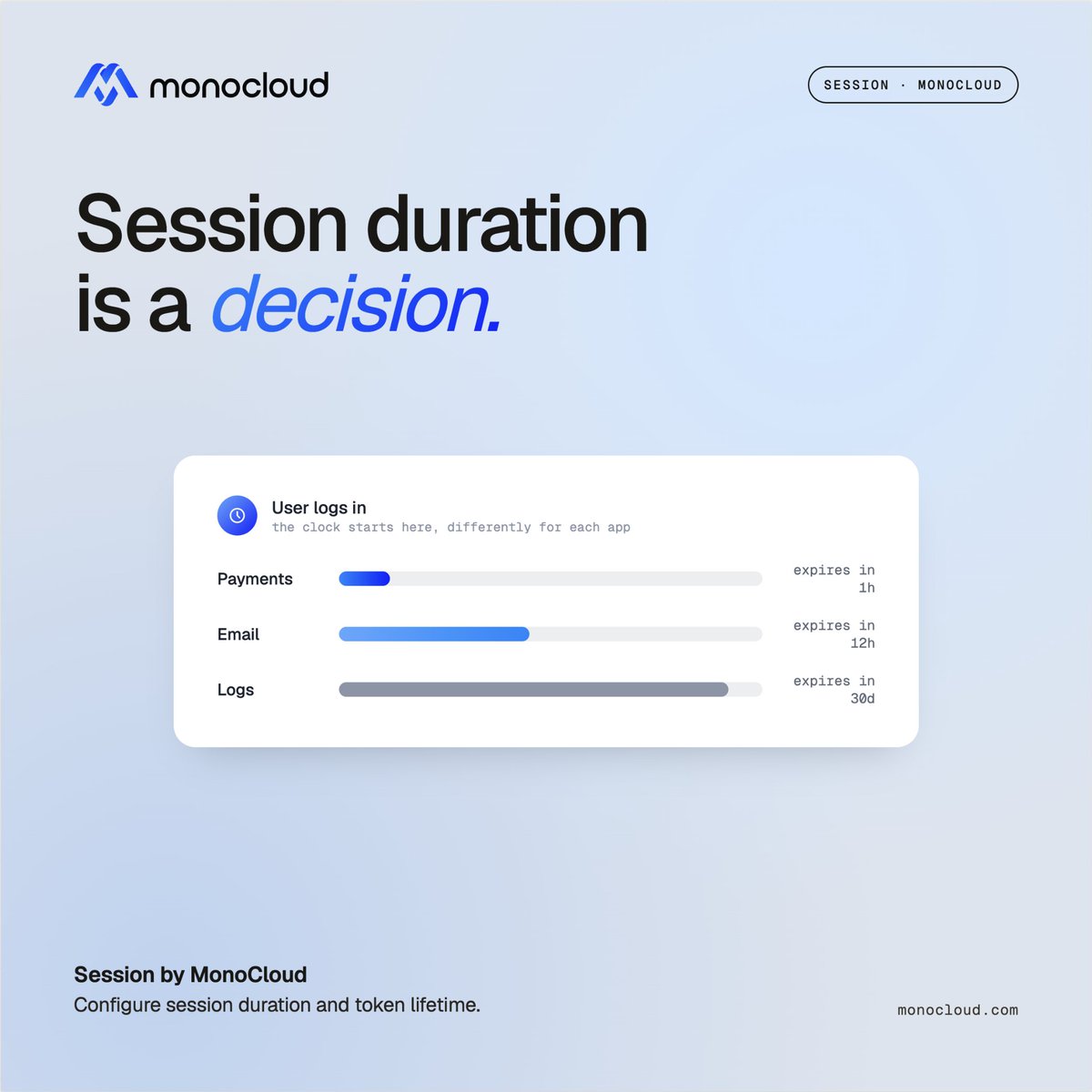
Every session duration is a tradeoff, whether you chose it or not.
Make sessions too short and your users are forever logging back in, resenting the product a little more each time. Make them too long and a login on a borrowed laptop stays live for weeks after the person walked away. Most teams never actually decide where they land on this. They inherit a default and move on.
But a banking app and a streaming app should not hold a session the same way. And a request to move money should not quietly ride on the trust of a login from three weeks ago.
The fix is to treat session duration as a decision, not a single global number you inherited.
MonoCloud lets you tune it. Configure maximum session duration and refresh token lifetime to match your product, so a session lasts exactly as long as you decide it should.
Session duration should be a decision, not a default.
👉 Start building at https://t.co/A0joEXMl51
#Authentication #Session #DeveloperTools #SaaS
Your login page is often the first thing a user sees. Before the product, before the value, before anything. And in that moment, they are quietly deciding how much to trust you.
A generic hosted page. A "powered by" badge in the corner. A verification text that reads like it came from a company they have never heard of. None of these are dealbreakers on their own. But together they whisper the same thing: this part was handed off to someone else. Users may not name the feeling, but they register it.
The opposite lands just as quietly. A login that looks and sounds like your product tells the user they are exactly where they meant to be.
MonoCloud lets you own the whole flow. Customize the hosted login with your layout, colors, logo, and copy on every page. Put your own Terms and Privacy links in the signup step. And remove MonoCloud branding entirely for a fully white-labeled experience.
The first screen should feel like you, not like a third party.
👉 Explore MonoCloud at https://t.co/A0joEXMl51
#Authentication #SaaS #CustomerExperience #Branding
We spend a lot of time protecting credentials during login. But there’s another part of the flow we often overlook: the authorization request itself.
When a user starts logging in, the request carrying all the parameters travels through their browser before it reaches the server. For the vast majority of apps, that is completely fine. But the browser is a place where things can be observed, and parameters that pass through it can, in the wrong circumstances, be seen or altered before they land.
For a sensitive flow, that in-between moment is worth closing.
There are two ways to close it, and they do different jobs.
MonoCloud supports Pushed Authorization Requests and JWT Secured Authorization Requests.
PAR keeps the request confidential: the client sends it straight to the server over a secure back channel, so sensitive parameters never travel through the browser at all. JAR adds a protection layer: the request is packaged and signed as a JWT, so it is not hidden, but any tampering in transit is detectable.
Confidentiality from one. Integrity from the other.
The request nobody thinks about is worth protecting too.
👉 Start building at https://t.co/A0joEXMSUz
#Authentication #Authorization #SaaS
Most teams can tell you who their users are. Far fewer can tell you what those users can still reach.
Access has a way of accumulating and then going quiet. An app gets authorized during a trial. A token gets issued for an integration someone set up two quarters ago. A grant is made for a one-time task and never looked at again. On a normal day, none of it matters.
Then comes the day it does. A security review. An offboarding. A support ticket that starts with "why does this account still have access to that?" And the question lands all at once: who can reach what, and can we take it back right now?
Visibility and revocation are the same capability seen from two sides. You cannot pull back access you cannot see.
MonoCloud gives you both. Inspect every application a user has authorized, along with the active tokens and authorization codes in flight. Revoke a specific application's access, manage a user's active grants, or disable an account entirely, cutting off access immediately while keeping the record intact.
Access you can see is access you can control.
👉 Explore MonoCloud at https://t.co/A0joEXMl51
#Authentication #DeveloperTools #SaaS
"Log out" should mean logged out. Everywhere. Not just here.
Picture a user on a shared machine at a library or a front desk. They finish up in one app, click log out, and walk away, confident they are signed out. But they were signed into three connected apps through the same identity, and two of them are still wide open. They never saw those. They assumed logout meant logout.
That gap is not the user's mistake. It is a logout that only did half its job.
Proper sign-out has to reach every app the user was signed into, not just the one they happened to be looking at.
MonoCloud supports backchannel and frontchannel sign-out. Backchannel notifies all connected clients server-to-server when a user logs out, eliminating orphaned sessions. Frontchannel cleanly signs users out from every app sharing that browser session.
Between them, one logout reaches the whole set.
One logout. Everywhere it should reach.
👉 Start building at https://t.co/A0joEXMl51
#Authentication #DeveloperTools #SaaS #SignOut
Not every user is sitting in front of a keyboard.
Smart TVs, kiosks, IoT devices, and other input-limited hardware all need secure authentication. But cramming a traditional login flow onto a device with no keyboard or limited input is a terrible experience that most teams just give up on.
MonoCloud's device authentication solves this using the OAuth 2.0 Device Authorization Grant. Secure sign-ins on input-limited devices, without compromising security.
Whether you are building for living rooms, factory floors, or public kiosks, authentication should not be the reason your experience breaks.
👉 Explore MonoCloud at https://t.co/A0joEXMl51
#Authentication #Device
Phishing attacks steal passwords. There is no password for a passkey.
Passkeys are phishing-resistant, passwordless credentials tied to a user's device. There is no password to intercept and no credential to leak in a data breach. Authentication uses the device's own unlock - a fingerprint, face scan, or PIN.
The user experience is equally strong. One gesture, done. No typing, no remembering, no resetting.
MonoCloud supports passkeys for seamless, phishing-resistant sign-ins. Your users get strong security with a smooth experience. You get one less attack surface to worry about.
Phishing resistant sign-in. No password to steal.
👉 Try MonoCloud free at https://t.co/A0joEXMl51
#Authentication #DeveloperTools #SaaS #Passkeys
At ten users, everyone having access to everything is fine. At a thousand, it is a liability.
Access tends to grow by accretion. Someone needs a permission, it gets granted, and it is never removed. Multiply that across a growing team and growing customer base, and eventually nobody can answer a simple question: who can reach what, and why?
That is not a problem you notice on a good day. You notice it during an audit, or an incident, or an offboarding that leaves access behind.
The fix is to stop managing access one user at a time. Group people by role, tier, or team, and scope access at the group level, so access reflects structure instead of history.
With MonoCloud, you can organize users into groups and restrict application access by group, mapping your tiers, teams, and hierarchy directly into how access is granted.
Access should reflect who someone is. Not what they once needed.
👉 Start building at https://t.co/A0joEXMl51
#Authentication #Groups #B2B #SaaS
Not every caller to your API is a person clicking through a login screen.
Scripts, integrations, and backend jobs need access too. And handing those a user login is the wrong approach, it ties automated access to a human account that could change, leave, or lose permissions at any time.
Machine access needs its own kind of credential.
MonoCloud supports machine-to-machine authentication, so your services and automated systems authenticate with credentials of their own, separate from any individual user.
Automated systems get what they need. Human accounts stay human.
Give your services their own credentials, not a borrowed login.
👉 Start building at https://t.co/A0joEXMSUz
#Authentication #DeveloperTools #API #SaaS
On Kubernetes, workloads come and go constantly.
Pods spin up, scale out, and disappear. Assigning each one a static credential by hand does not work at that speed.
So teams reuse secrets across workloads. And the moment you do that, you lose the ability to say which workload actually did something.
If they all share an identity, none of them really has one.
MonoCloud supports workload identity with SPIFFE.
Each workload gets its own cryptographically verifiable identity, issued at runtime by your SPIRE setup. Nothing to distribute, nothing to rotate manually, nothing to leak.
Point MonoCloud at your SPIFFE bundle endpoint once, and it discovers the trust domain automatically. Each workload authenticates with its own SVID, and MonoCloud validates both X.509 and JWT. If one workload misbehaves, ban its specific SVID without touching anything else.
No shared secrets. A real identity for every workload in the cluster.
👉 Explore MonoCloud at https://t.co/A0joEXMSUz
#WorkloadIdentity #SPIFFE #Kubernetes #DeveloperTools
Passwords are not going away tomorrow. So the ones you do allow had better be good.
Attackers do not guess randomly. They start with the weakest passwords, and a predictable one like "Password123" is still one of the most common ways in.
Letting users set weak passwords, or reuse an old one, quietly lowers the floor for everyone.
MonoCloud lets you enforce password strength requirements and configure password history, so users cannot cycle back to a password they have already used.
The bar stays high. The old ones stay out.
Passwordless is the direction. Until then, make the passwords count.
👉 Start building at https://t.co/A0joEXMl51
#Authentication #Passwords #DeveloperTools #SaaS
Ten apps should not mean ten logins.
Repeated logins interrupt work, pile up reset tickets, and add friction across every app.
Single Sign-On fixes that.
Authenticate once and move across connected apps without repeated login prompts.
With MonoCloud, you get:
👉 SSO across applications
👉 Branded login experiences
👉 Passkeys, magic links, SMS OTP, and more
Less friction for users. Less overhead for teams.
👉 Try MonoCloud free at monocloud[dot]com
#SSO #Login #Authentication
Your CLI can authenticate users with a browser sign-in instead of a static API key.
The user signs in once, and the CLI gets a token. Nothing to generate, paste, or leave sitting in a dot file.
🔹 Trigger sign-in from any protected command. The CLI opens your system browser to MonoCloud's hosted sign-in page.
🔹 The flow uses PKCE and a local loopback listener to securely handle the redirect.
🔹 The session is cached after the first sign-in, so protected commands just run, no repeated prompts.
🔹 When the access token expires, the CLI refreshes it silently. The user never sees it.
🔹 Every CLI login shows up in your audit logs, same as any other application.
No browser available, like a headless server over SSH? MonoCloud supports the device authorization flow too.
No API keys. Just a browser sign-in and a token.
Watch the full walkthrough below. 👇
#CLI #Authentication #DeveloperTools #OAuth #SaaS
Your services authenticate to each other with secrets someone set up once and hoped to never touch again.
But those secrets live everywhere. In config files. In environment variables. In a vault someone has to remember to rotate. And when one leaks, you often cannot even tell which service it came from.
Static secrets were never really identity. They were just passwords your services pass around.
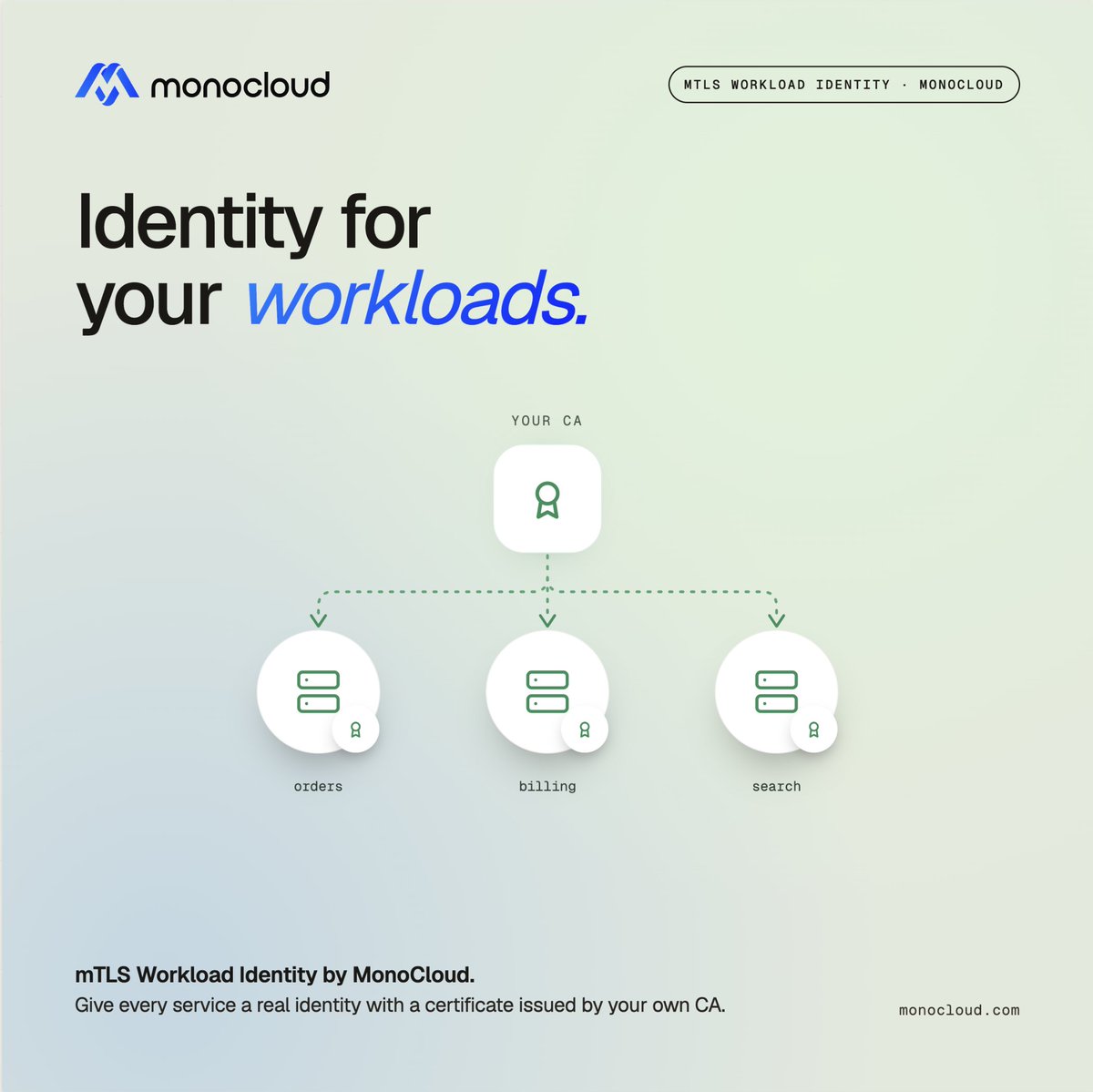
MonoCloud supports workload identity with mutual TLS.
Each service authenticates with a client certificate issued by your own CA. Nothing to distribute, nothing to rotate by hand, nothing to leak.
Upload your root CA to a trust store, then match workloads by certificate issuer, subject, or thumbprint, as broad or as granular as you want. The access token comes back bound to the certificate that requested it, so it cannot be replayed from anywhere else.
Revoke a certificate, and the next request is blocked - revocation status is checked against your CA using OCSP / CRLs on every request.
Bring your own CA: Google Certificate Authority Service, AWS Private CA, or any PKI with online revocation support.
No static secrets. Just a verifiable identity for every service.
👉 Explore MonoCloud at https://t.co/A0joEXMSUz
#WorkloadIdentity #mTLS #Authentication #DeveloperTools
Not every token can be checked just by reading it.
Opaque tokens do not carry their own claims. Your API receives one and has no way, on its own, to know if it is still valid, what it can access, or whether it was revoked five minutes ago.
Guessing is not an option. You need to ask the source.
MonoCloud supports token introspection. Your services can check a token against MonoCloud in real time and get back what matters: whether it is active, what it is scoped to, and who it belongs to.
No decoding assumptions. No stale trust.
A token is only useful if you can trust what it says. Introspection is how you check.
👉 Start building at https://t.co/A0joEXMl51
#Authentication #DeveloperTools #AppSecurity #SaaS


![MonoCld's tweet photo. Not every user is sitting in front of a keyboard.
Smart TVs, kiosks, IoT devices, and other input-limited hardware all need secure authentication. But cramming a traditional login flow onto a device with no keyboard or limited input is a terrible experience that most teams just give up on.
MonoCloud's device authentication solves this using the OAuth 2.0 Device Authorization Grant. Secure sign-ins on input-limited devices, without compromising security.
Whether you are building for living rooms, factory floors, or public kiosks, authentication should not be the reason your experience breaks.
👉 Explore MonoCloud at monocloud[dot]com
#Authentication #Device #IoT #Kiosks #SmartTvs](https://pbs.twimg.com/media/HSfbF0VbIAAT6Ir.jpg)






![MonoCld's tweet photo. Ten apps should not mean ten logins.
Repeated logins interrupt work, pile up reset tickets, and add friction across every app.
Single Sign-On fixes that.
Authenticate once and move across connected apps without repeated login prompts.
With MonoCloud, you get:
👉 SSO across applications
👉 Branded login experiences
👉 Passkeys, magic links, SMS OTP, and more
Less friction for users. Less overhead for teams.
👉 Try MonoCloud free at monocloud[dot]com
#SSO #Login #Authentication](https://pbs.twimg.com/media/HPWWrkVbgAAIIgG.jpg)