A Astrazeneca le pagamos 53 millones de dólares por vacunas que nunca llegaron. A Sinopharm le pagamos una vacuna 16 dólares más caros que a la Pfizer. Algunas de las cosas que aún no tienen castigo. Link a la nota entera en el tuit que sigue. Adelanto:
@Mr_Bugman Mr me parece que no está haciendo bien las cosas… y la investigación concienzuda y profunda? Parece que se le escapó la tortuga 249 veces, me extraña…
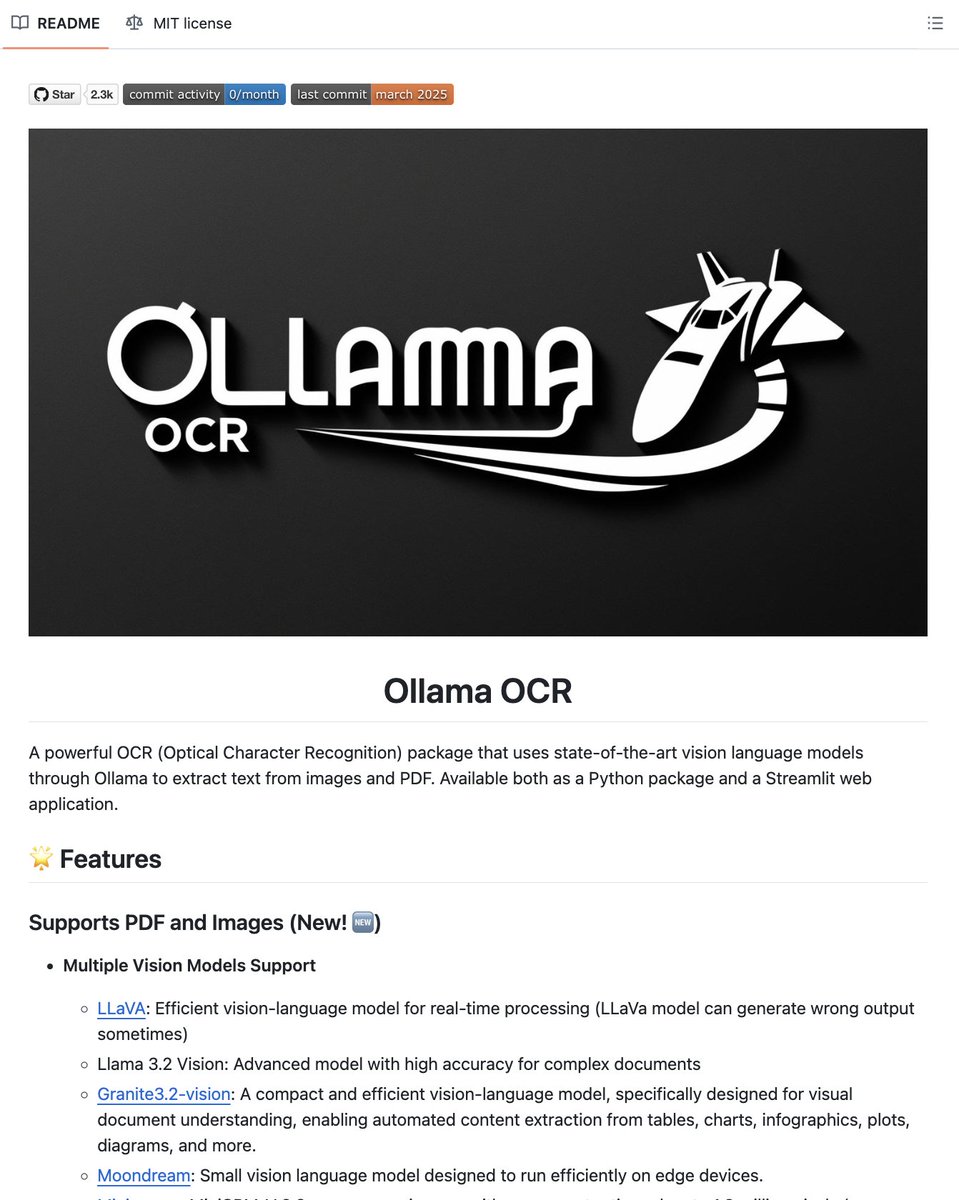
YOU CAN NOW RUN OCR COMPLETELY OFFLINE ON YOUR OWN MACHINE WITH ZERO API COSTS.
AWS Textract charges $1.50 per 1,000 pages. Google Document AI charges $1.50 per 1,000. Adobe Acrobat Pro locks basic OCR behind a subscription. this repo replaces all of them and its completely free.
Its called Ollama-OCR -- a Python package that runs vision language models locally through Ollama to extract text from images and PDFs. No cloud. No API keys. No usage limits.
Here's what you can actually do with it:
→ Extract text from images and PDF files with a single Python function call
→ Choose from 5 vision models depending on your hardware -- LLaVA, Llama 3.2 Vision, Granite3.2-vision (built for documents, tables, charts), Moondream (edge devices), or MiniCPM-V (handles images up to 1.8M pixels)
→ 6 output formats -- Markdown, plain text, JSON, structured data, key-value pairs, and clean table extraction
→ Batch processing with parallel workers and progress tracking
→ Custom prompts to focus extraction on specific fields like dates, names, invoice numbers
→ Language selection for better OCR accuracy on non-English documents
→ Streamlit web app included for drag-and-drop OCR without writing code
Here's the wildest part:
If your extracting handwritten notes, scanned invoices, tables from PDFs, or receipts in any language, this handles all of it locally on your GPU or even CPU. Your documents never leave your machine, which means sensitive medical records, legal documents, and financial statements stay private.
It also works inside Autogen and LangGraph pipelines out of the box -- so you can plug it directly into agent workflows.
Install with one line: pip install ollama-ocr
2.3K GitHub stars. 258 forks. MIT license.
100% open source.
(link in the comments)
HERMES AGENT PROFILES TURN ONE MACHINE
INTO A TEAM OF SPECIALIZED AGENTS.
EACH WITH ITS OWN BRAIN, MEMORY, MODEL,
AND PHONE NUMBER. KANBAN MAKES THEM COLLABORATE.
@tonbistudio just dropped module 9 of his masterclass
covering profiles, multi-instance, and Kanban orchestration.
here is the full architecture.
WHAT A PROFILE IS:
not a settings toggle. a full second Hermes agent.
each profile gets:
→ own config.yaml
→ own model
→ own SOUL.md
→ own memory.md + user.md
→ own skills
→ own cron jobs
→ own sessions
→ own gateway (own Telegram bot, own Slack workspace)
everything isolated. nothing shared.
~/.hermes/profiles/[name]/ mirrors your entire
default Hermes directory.
PROFILES VS SUB-AGENTS:
sub-agent (module 8):
→ borrows parent's setup
→ ephemeral, dies when turn ends
→ summary only returns to parent
→ a helper inside one agent's session
profile:
→ own model, memory, skills, gateway, persona
→ persistent, runs its own process
→ survives restarts
→ a different agent entirely
sub-agents are a fork you watch finish.
profiles are permanent team members.
CREATE A PROFILE:
three paths:
CLI:
hermes profile create researcher
Dashboard:
Profiles → Create → name, model, clone config
Desktop app:
bottom sidebar → New Profile → configure
clone an existing profile:
hermes profile create writer --clone-from default
clone everything (memory, skills, sessions, state)
or clone config only. your choice.
switch active profile:
hermes profile use researcher
or click the profile in Desktop app / Dashboard.
run a specific profile:
researcher chat
researcher gateway
RUN MANY GATEWAYS AT ONCE:
each profile can run its own gateway
with its own bot token.
researcher connected to Telegram bot A.
writer connected to Telegram bot B.
coder connected to Slack.
all on one machine. all running simultaneously.
one rule: two profiles cannot share the same bot token.
second gateway gets blocked.
whichever starts first claims the token.
install as a persistent service:
researcher gateway install
creates a systemd/launchd service
that survives reboots.
WHAT PROFILES DO NOT DO:
profiles isolate state. not your filesystem.
a profile on local backend can still read your entire disk.
SOUL.md guides behavior. it does not enforce boundaries.
for real isolation:
→ set terminal.cwd to pin a working directory
→ use Docker or SSH sandbox backend (module 2)
profiles are not sandboxes.
EXPORT AND SHARE YOUR AGENT:
package a full agent as a portable archive:
hermes profile export researcher
creates a .tar.gz snapshot.
restore it anywhere:
hermes profile import researcher.tar.gz
or distribute as a git repo:
hermes profile install github. com/you/researcher \
--alias researcher
soul, config, skills, cron, MCP = all included.
API keys and memories stay per-machine.
build an agent once. share it as a repo.
digital employees as git repositories.
THE KANBAN BOARD:
where profiles stop being solo acts
and start collaborating.
a goal goes on the board.
the Kanban decomposer fans it into child tasks.
each child is routed to the best-fit profile
by reading the profile's description.
routing happens by description, not by name.
the one-line role you set at create time
determines which tasks land on which profile.
the board is a durable SQLite file:
~/.hermes/kanban.db
assignee is a profile, not a person.
BOARD PIPELINE:
triage → ready → in progress → blocked → review → done
blocked = needs human input.
click unblock in the Dashboard to resume.
comment on any card mid-flight.
the board survives restarts.
kill the gateway. bring it back.
work resumes where it stopped.
HOW TO USE IT:
create a goal:
hermes kanban create "research ML in sports,
prototype the approach, write it up" --triage
decompose into tasks:
hermes kanban decompose [card-id]
the decomposer breaks the goal into tasks
and routes each to the right profile automatically.
or use swarm mode:
hermes kanban swarm "research ML in sports" \
--workers researcher,coder \
--verifier researcher \
--synthesizer writer
AGENT-SIDE TOOLS:
agents don't shell out to hermes kanban.
they get a gated toolset:
→ kanban_show
→ kanban_create
→ kanban_complete
→ kanban_block
→ kanban_comment
they update the board through tools only.
THE DEMO:
three profiles:
→ researcher (GPT-5.5, reads sources, writes findings)
→ coder (GPT-5.5, implements and tests from spec)
→ writer (GLM 5.2, turns findings into clear writeup)
one goal: "research ML in sports,
prototype the approach, write it up."
decomposer auto-routed:
→ research task → researcher profile
→ prototype task → coder profile
→ writeup task → writer profile
researcher finished. handed off to coder.
coder hit a checkpoint. blocked for human review.
one click unblock. coder completed.
writer picked up. wrote the final report.
three agents. one goal. fully automatic routing.
human in the loop only when needed.
WHEN TO USE WHAT:
→ single loop: sequential dependent steps, under 50 turns
→ delegate_task: parallel fan-out within one session
→ kanban board: durable work across profiles that
survives restarts with human gates
delegate_task = a fork you watch finish.
kanban = a team you hand a project to.
full Hermes architecture deep-dive in the article 👇
5 open-source AI repos that blew up on github this week →
1. MinerU (opendatalab) - ~69k★
turns any PDF or office doc into clean, LLM-ready markdown - the fix for garbage RAG inputs
https://t.co/eiZMNb2QPp
2. voicebox (jamiepine) - ~35k★
open-source AI voice studio - clone a voice, dictate, create. the local ElevenLabs
https://t.co/TH27t0hIXh
3. ai-website-cloner-template (JCodesMore) - ~22k★
clone any website with one command using your AI coding agent - great for learning and prototyping
https://t.co/2VrPh70MaC
4. Anthropic-Cybersecurity-Skills (mukul975) - ~21k★
800+ ready security skills for AI agents, mapped to MITRE ATT&CK and NIST - works with claude code, cursor, codex
https://t.co/PthCvXVRDi
5. agent-native (builderio) - ~3k★
a framework for building apps designed for AI agents from day one, not bolted on after
https://t.co/BQBePhy3ob
one of these saves you a paid tool. bookmark before you forge