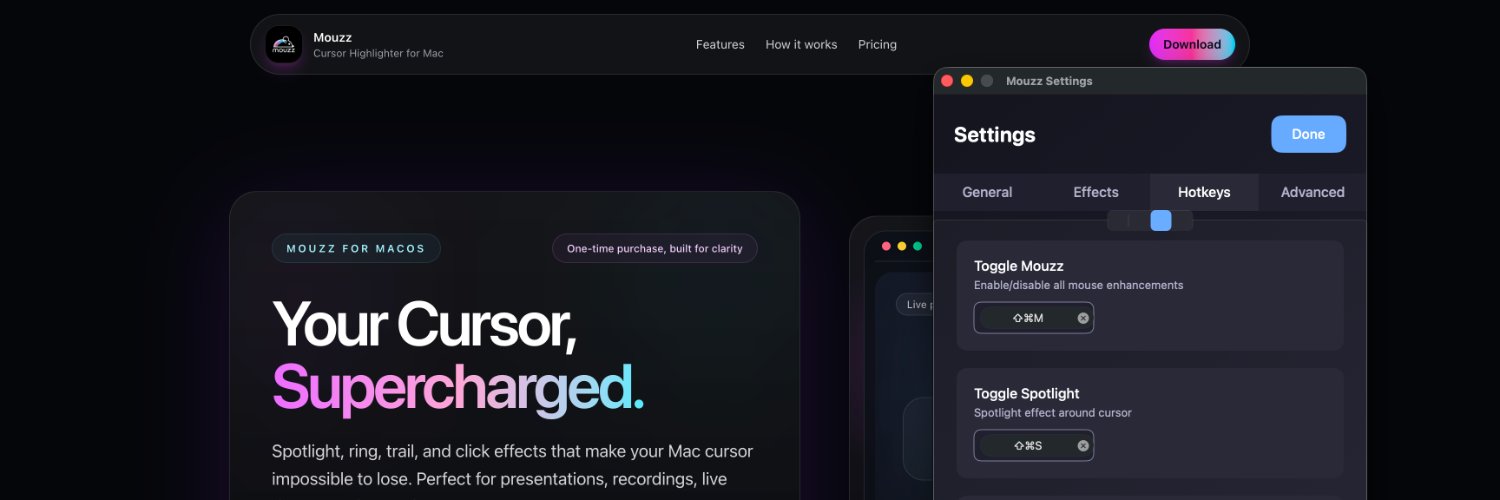
Mouzz runs natively on Apple Silicon. No Rosetta, no emulation. Optimized for M1, M2, M3, and M4 chips. Lightweight, fast, and battery-friendly.
https://t.co/HRtNIe6Elo
Mouzz Fullscreen zoom magnifies your entire display around the cursor position. Range from 1.2x to 20x. Toggle it instantly with a keyboard shortcut. Built on native macOS accessibility APIs for smooth performance.
https://t.co/He8nUMf1QD
Recording a bug for your QA team? Turn on Mouzz click feedback so the developer can see exactly where you clicked and in what order. Way more useful than a screenshot with a red circle drawn on it.
https://t.co/HRtNIe6Elo
The first 10 seconds of a screen recording decide if someone keeps watching. A visible, highlighted cursor instantly looks more professional. Mouzz spotlight or ring cursor makes that first impression work.
https://t.co/He8nUMf1QD
I keep Mouzz ring cursor on all day for general use. When I hop on a call, I toggle spotlight on with a keyboard shortcut. When recording a tutorial, I add click feedback and sounds. Adapt the effects to the moment.
https://t.co/HRtNIe6Elo
PM presenting a roadmap or prototype? Mouzz spotlight keeps stakeholders focused on the exact feature you're discussing. Click feedback shows them every interaction. Makes roadmap reviews way smoother.
https://t.co/He8nUMf1QD
Mouzz click sounds give audible feedback on every mouse click. Pairs perfectly with click ripples for tutorials where viewers need to see and hear every interaction.
https://t.co/HRtNIe6Elo
Using macOS Stage Manager? Mouzz effects work perfectly with it. The overlay renders on top of Stage Manager's window layout. Spotlight, ring, trail — all visible regardless of how your windows are arranged.
https://t.co/He8nUMf1QD
Onboarding new employees? If you record screen walkthroughs of internal tools, Mouzz spotlight and click feedback make every step obvious. New hires follow along without rewinding.
https://t.co/HRtNIe6Elo
Mouzz Split Screen zoom divides your display: one half normal, one half magnified. Great for accessibility, design reviews, or anytime you need to see detail and context simultaneously.
https://t.co/He8nUMf1QD
Mouzz makes zero network requests. No telemetry, no crash reports, no usage analytics. I can't see what you do with the app. I don't want to. Your Mac, your cursor, your business.
https://t.co/HRtNIe6Elo
Experimented too much with Mouzz settings? You can reset any effect back to its default configuration. No need to remember what the original values were.
https://t.co/He8nUMf1QD
Quick tip for Slack Huddles: Mouzz spotlight works during Huddle screen shares. Toggle it on before sharing and your teammates see exactly what you're pointing at. Especially useful for async-heavy teams.
https://t.co/HRtNIe6Elo
Mouzz Picture-in-Picture zoom puts a floating magnified window on screen that follows your cursor. Resize it, move it anywhere. Perfect for showing fine details in UI reviews or design critiques without zooming the whole screen.
https://t.co/He8nUMf1QD
Mouzz effects are GPU-accelerated and run as a lightweight overlay. Zero impact on your app performance. No dropped frames in your recordings. I tested this obsessively.
https://t.co/HRtNIe6Elo
Walking someone through a Notion workspace? Pages, databases, linked views — it gets complex fast. Mouzz spotlight keeps the focus exactly where your cursor is. No more "scroll up a bit, no, the other page."
https://t.co/He8nUMf1QD
Not ready to buy the Mac app? Try the free Mouzz Chrome extension first. Spotlight, ring, and custom cursor effects right in your browser. Works on any website.
https://t.co/sFkaKOlBT0