Introducing Nativeline Cloud.
Build native Swift apps with AI. Then build your database with a prompt.
Auth. Storage. Analytics. Everything your app needs — one platform.
No Supabase. No Firebase. No Xcode. No setup.
iPhone. iPad. Mac. From idea to App Store.
https://t.co/x60varC5nO
Introducing Nativeline Challenges.
Every 2 weeks we pick a theme. You build it. Best app wins a free month of Pro.
Challenge #1: Build an iPhone app for summer 2026!
Post your build, tag @Nativelineai, and use #BuildWithNativeline.
2 weeks starts now. Submit here: https://t.co/tDhqviFbKl
Agent 2 just shipped.
Faster builds. fewer bits. better designs out the gate.
The agent now knows liquid glass, Metal, and modern SwiftUI deeply. it builds more complete apps from a single prompt — including widgets and dynamic islands.
New live code view so you can watch your app being written in real time.
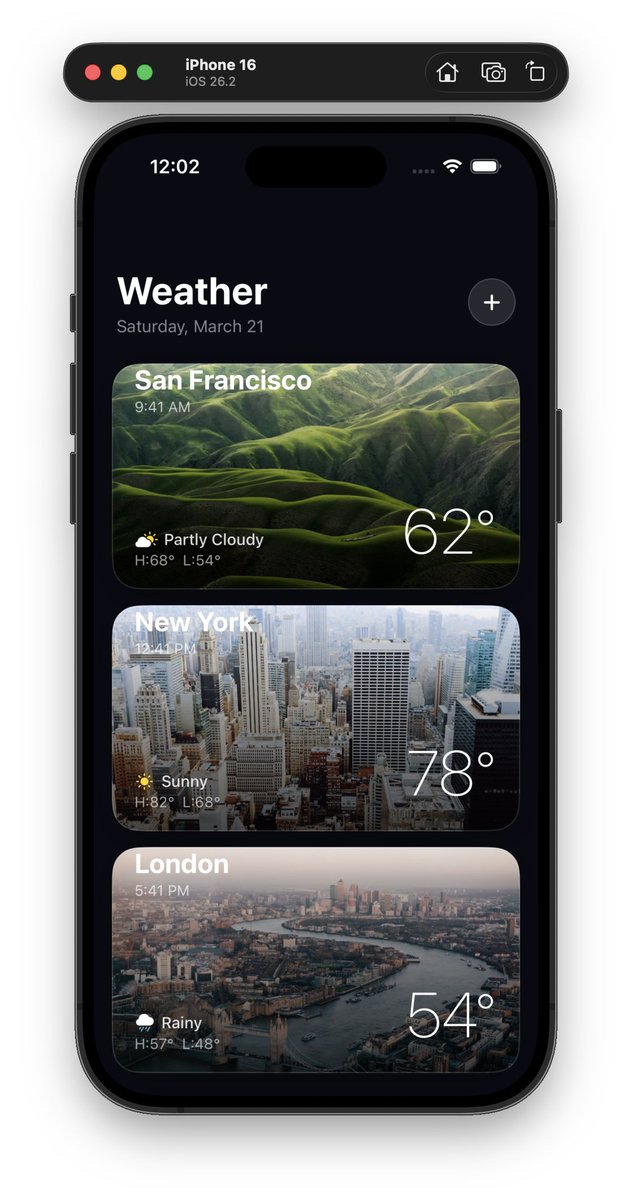
Attached: one-shotted app that works on iPhone and Mac.
Update is live now. go build something.
I think most “AI app builders” are solving the wrong problem.
Generating UI isn’t the hard part anymore. We’ve kind of cracked that. You can describe a screen and get something decent in seconds.
The real friction starts after that, when you try to turn that into something that actually works.
Suddenly you’re setting up a database, figuring out auth, wiring APIs, thinking about storage, analytics… and now you’re jumping between 3–4 different tools just to make your “simple idea” usable.
That’s usually where things slow down. Not because the idea is bad, but because the setup kills momentum.
I had actually tried @Nativelineai earlier to build out a small app, and the app-building part itself was pretty smooth.
But like always, the backend part was still sitting there waiting to be figured out.
They just launched their Cloud, so I went back and connected it to the same app, and it was honestly way simpler than I expected.
The backend isn’t something you have to go and bolt on later anymore. It’s just there - database, auth, storage, even analytics, its all already wired into what you’re building.
And it changes the experience more than I expected. You’re not context switching or breaking your flow every 20 minutes. You just keep building, and things… work.
It’s a small shift on paper, but in practice it feels like the difference between prototyping something and actually moving toward a real product.
Not saying this replaces everything yet, but it definitely feels like a step closer to “idea → working app” without that usual setup spiral.
Curious how far this direction goes tbh.
Been using Nativeline lately and honestly… it’s pretty cool. Took me two prompts to turn an idea into an app.
If you’re into coding and dev, definitely worth checking out 👀
Feels like one of those tools that just makes things click a bit faster.
#coding#devtools#Nativeline
I've been developing apps with @Lovable it was not the move, just switched to @Nativelineai 100 x better...
Literally one prompt, my app is ready to go to the app store, no more wrapping lovable apps with despia, Nativeline uses swift, so your apps are ready to deploy right away
The current AI app builder workflow:
1. Build app in AI tool
2. Leave to set up Supabase
3. Wire APIs
4. Configure auth
5. Momentum dead
Nativeline workflow:
1. Describe your app
2. Done
Database, auth, and storage are built in.
https://t.co/S4l7J6SlkS
Thank you to @Nativelineai for sponsoring Hacking with Swift last week! You know enough Swift to know what a good app looks like. Describe it to your AI team in Nativeline and get real SwiftUI, truly native, on TestFlight by tonight. https://t.co/YxvdZm0CaD
We're live on Product Hunt 🚀
Nativeline AI + Cloud — native Swift apps with a real database built in.
Would love your support 👇 https://t.co/njVVL98w8n