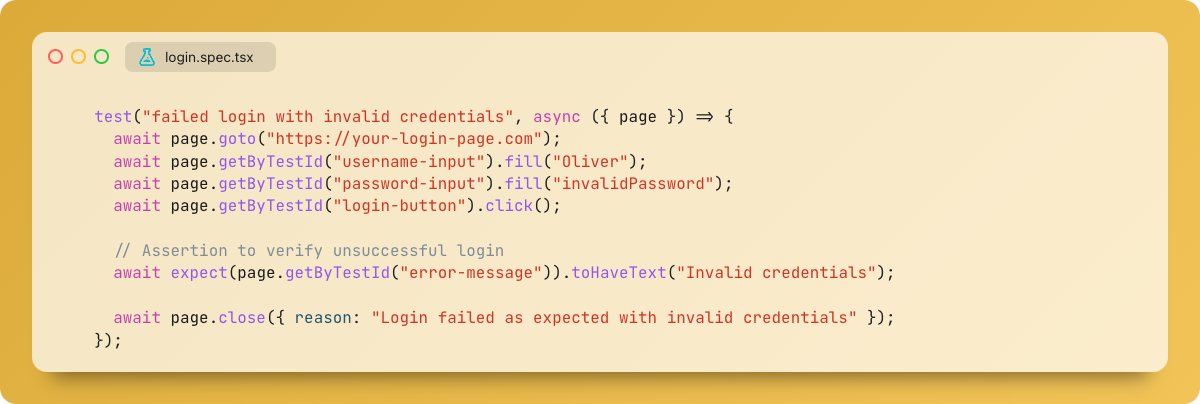
Playwright traces are like flight recorders for your tests - they capture every action, network request, DOM snapshot, and console log during test execution. When a test fails, especially in CI environments, traces become the most powerful debugging tool, providing a complete timeline of what happened and why.
We wrote a very detailed blog on how to analyze Playwright traces. @NeetoPlaydash can analyze Playwright traces.
This blog covers the trace viewer, the trace viewer interface, the execution timeline, the environment context, advanced debugging techniques, and some best practices.
As AI-assisted tools make it easier to ship code, the importance of having solid tests has increased. Over the years, we looked at Selenium, Cypress, and Playwright. We strongly believe Playwright is the best tool available today.
If anyone is interested in learning Playwright then you can checkout this tutorial that we maintain. https://t.co/Lk4a6sWHjM
https://t.co/NhxScld1or
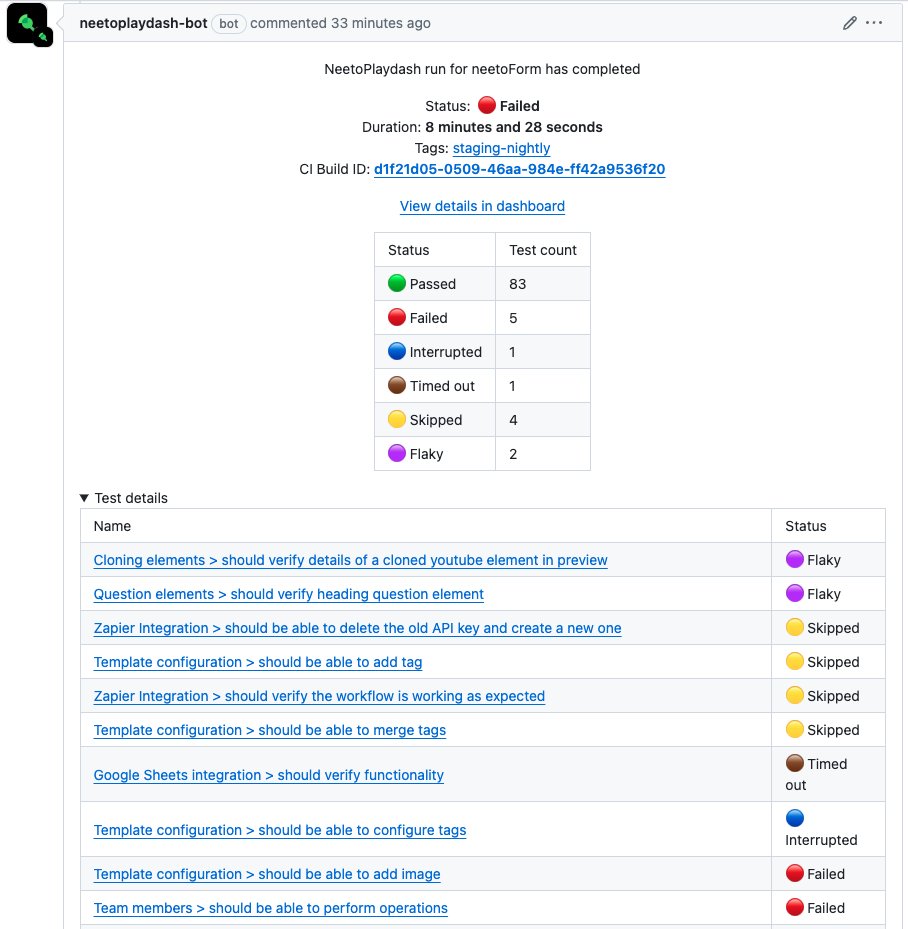
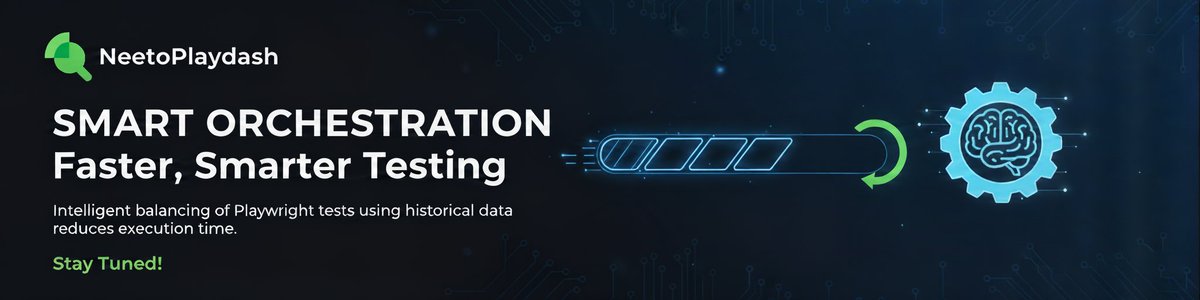
NeetoPlaydash is making Playwright sharding smarter!
Our new smart orchestration feature balances tests across shards based on historical test duration, not just equal counts.
The result? Significantly faster and more reliable test execution. Stay tuned! 🚀
#Playwright#E2E
Playwright #TipsNTricks #19
Isolating tests with browser contexts? Here's how you
can do it
browser.newContext()
🆚
browser.newContext({ storageState: { cookies: [], origins: [] }});
#Playwright#Automation#testautomation#QA
Playwright #TipsNTricks #17
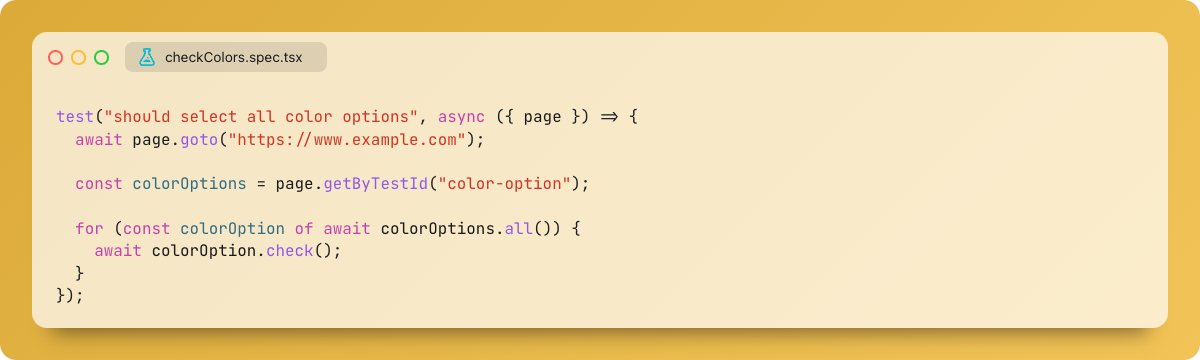
Use trial option with "locator.check" to verify a checkbox/radio is ready for interaction. ✅
Great for checking element state before continuing your test!
#Playwright#Automation#testautomation#QA
Playwright #TipsNTricks #16
Having trouble with tests failing randomly in Playwright? Run each test multiple times with "repeatEach" to catch those random failures and make your tests more reliable. 🔂
#Playwright#Automation#testautomation#QA
Playwright #TipsNTricks #14
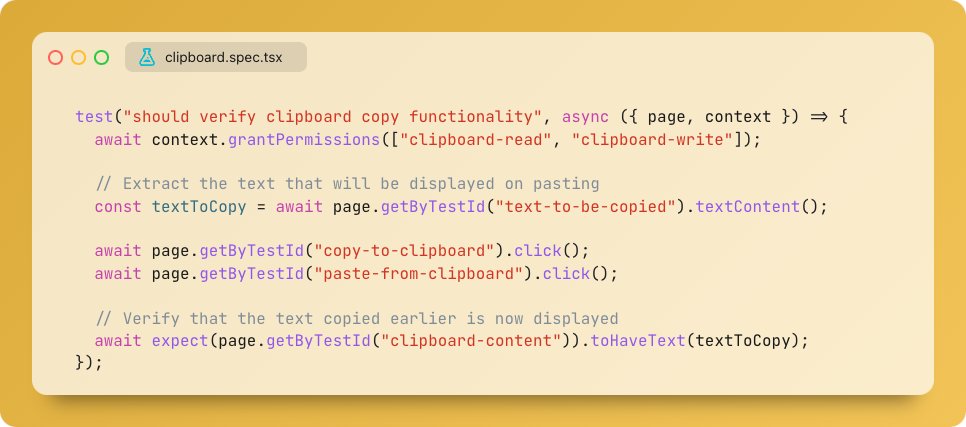
"grantPermissions" lets you simulate user-granted permissions for your contexts! 🦾
Give your tests access to clipboard, camera, microphone & more!
#Playwright#Automation#testautomation#qa
Playwright #TipsNTricks #13
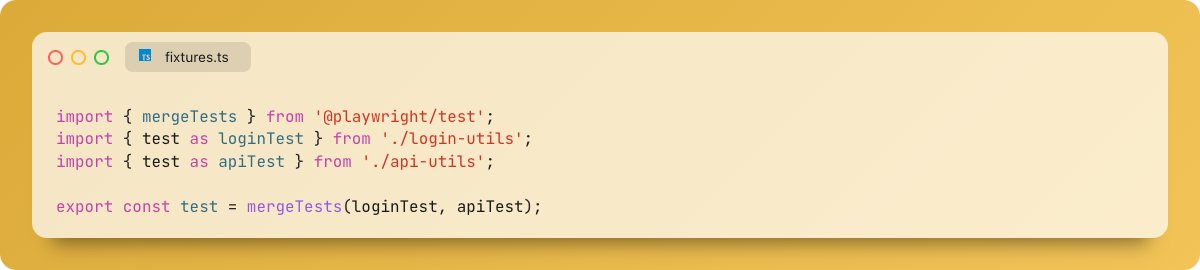
Tired of juggling test fixtures across files? Merge them with mergeTests! ⛙ ✅
Combine fixtures from multiple files for cleaner & more organized tests.
#Playwright#Automation#testautomation#qa
Playwright #TipsNTricks #11
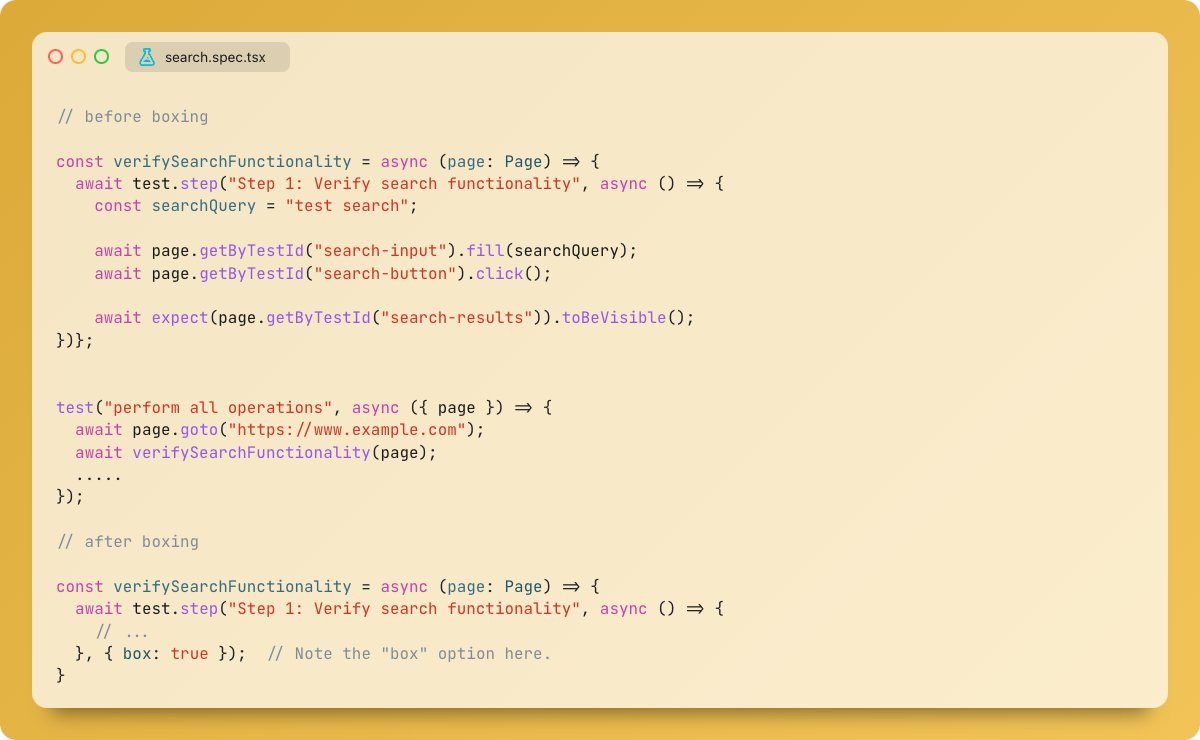
For smoother debugging, add a box option to your test 'step'! 👀
It shifts errors to the step call, highlighting the entire step instead of the internal action.
#Playwright#Automation#testautomation#qa
Don't waste time managing test runs! ⏰
neetoPlaydash keeps your reporter & CI in sync. Terminate runs directly from the dashboard.
#SaaS#Playwright#buildinpublic#automation
Playwright #TipsNTricks #9
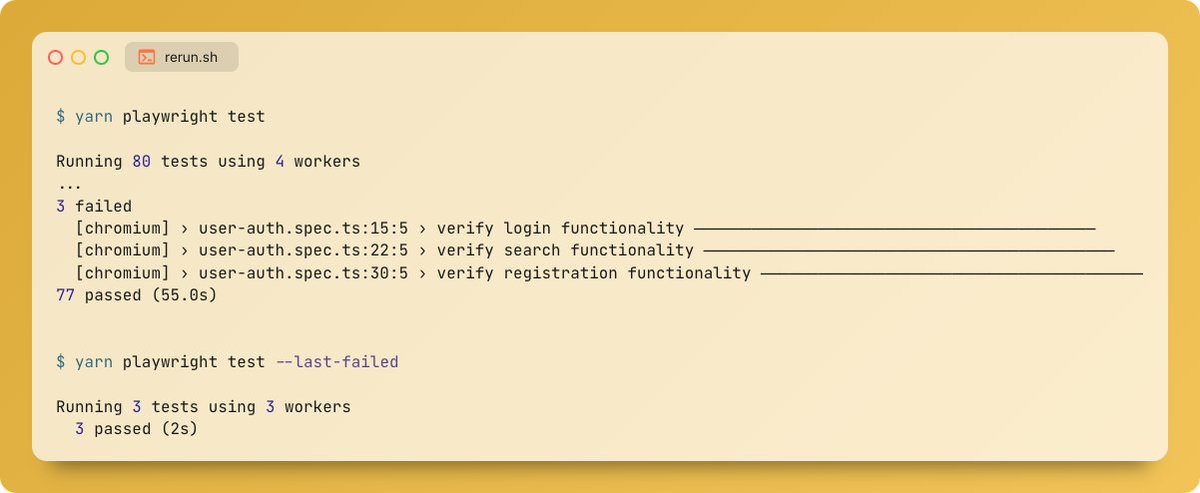
Instead of rerunning all tests after making fixes, use the "--last-failed" option to rerun only the ones that failed in the previous run. 🛠️📷
( available from v1.44 )
#Playwright#Automation#testautomation#qa



![AutomationBinry's tweet photo. Playwright #TipsNTricks #19
Isolating tests with browser contexts? Here's how you
can do it
browser.newContext()
🆚
browser.newContext({ storageState: { cookies: [], origins: [] }});
#Playwright #Automation #testautomation #QA https://t.co/nlGJsXkYzz](https://pbs.twimg.com/media/GSGUyjaaAAARmah.jpg)