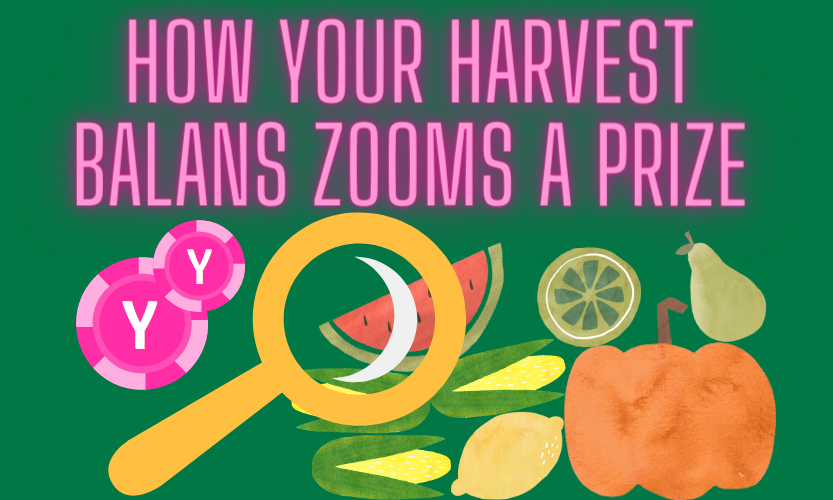
🍎 First Harvest — (+50XYM)
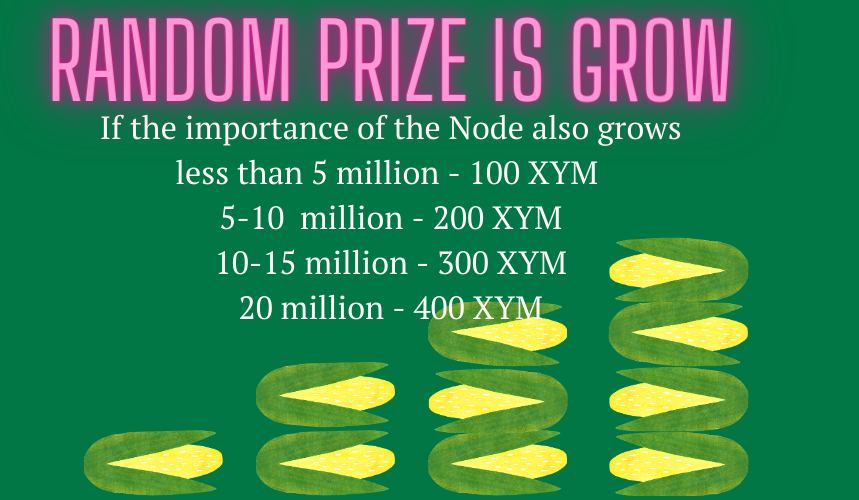
🌽 Node fee reduced to — 15% (Standart — 25%)
🍉 Random prize per week — 100XYM (Probability now — 1/20)
🍓 More importance Node more Amount prizes 📈
🍊Harvest Balance zooms min prize 📈
More info:
https://t.co/VFc8la8kXP
I have started a small blog 🐈✍️ with some longer form content that I plan to update regularly. It is still a work in progress. I hope you will enjoy it! 🙇♀️🙇♂️
https://t.co/oPGze17GNF
OpenAI has just released DALL-E 3, and it's their most powerful image tool yet
Generate a professional logo without spending $10/month
I will show you how in four easy steps:
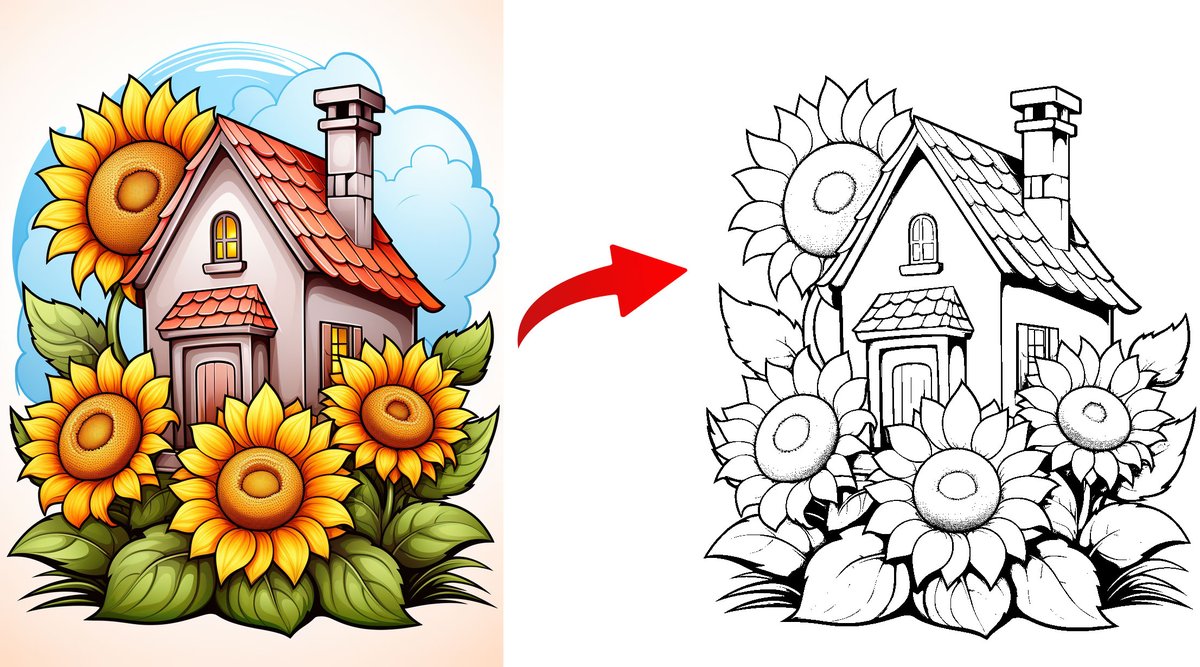
You can make some very beautiful coloring pages for your kids using Midjourney.
But there's a problem.
The images normally have some color or shading, which is not ideal.
Here's how to remove it:
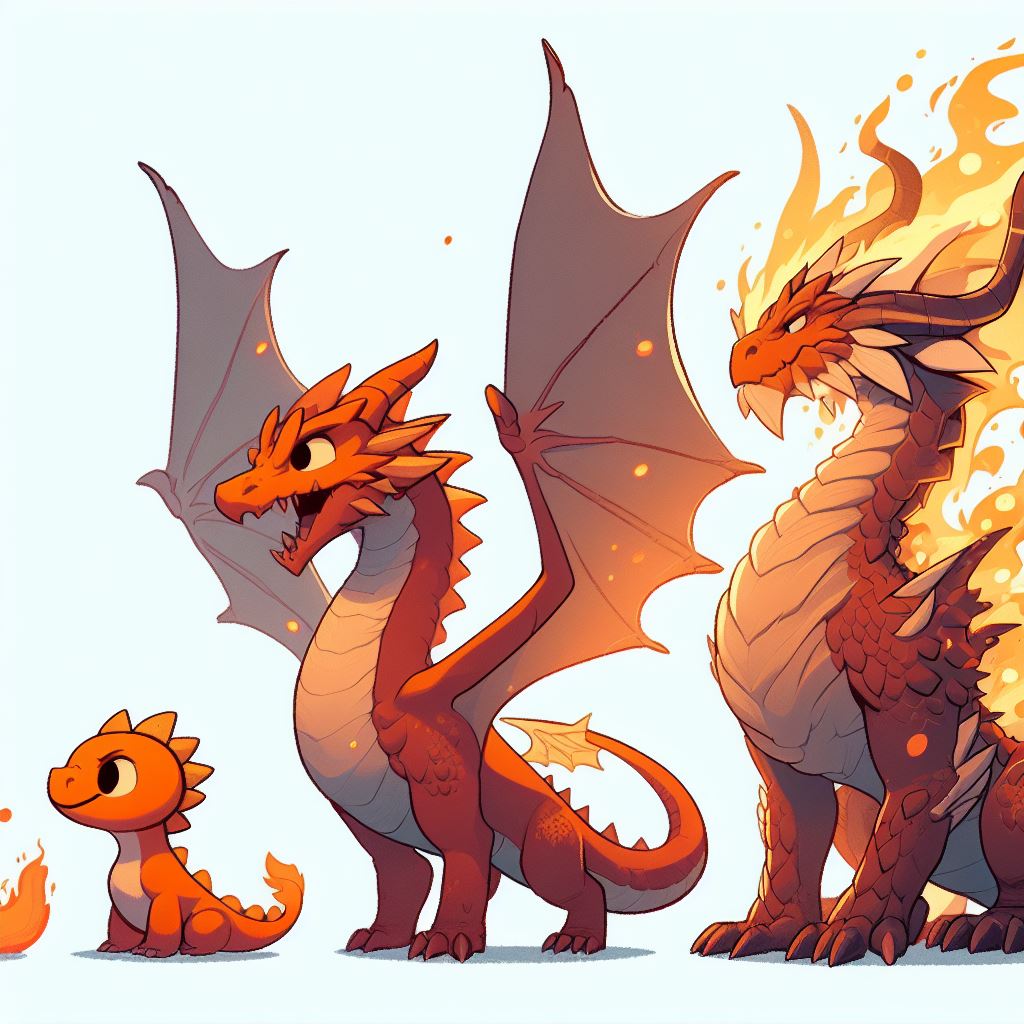
Just discovered that DALL-E 3 can make cool images that show a life cycle!
Since it's so good at following instructions, DALL-E can do lots of stuff that other AI image generators can't.
I'll be sharing more use cases soon.
Btw, here's the prompt that I used for the pic below:
Four images side by side illustrating the life cycle of a cartoon dragon: A tiny orange reptilian. It grows larger and stronger. A fierce dragon-like creature with wings and roaring flames. An old and majestic dragon.
If you want to generate more life cycles, just copy and paste my prompt into ChatGPT.
Then ask it to give some suggestions.
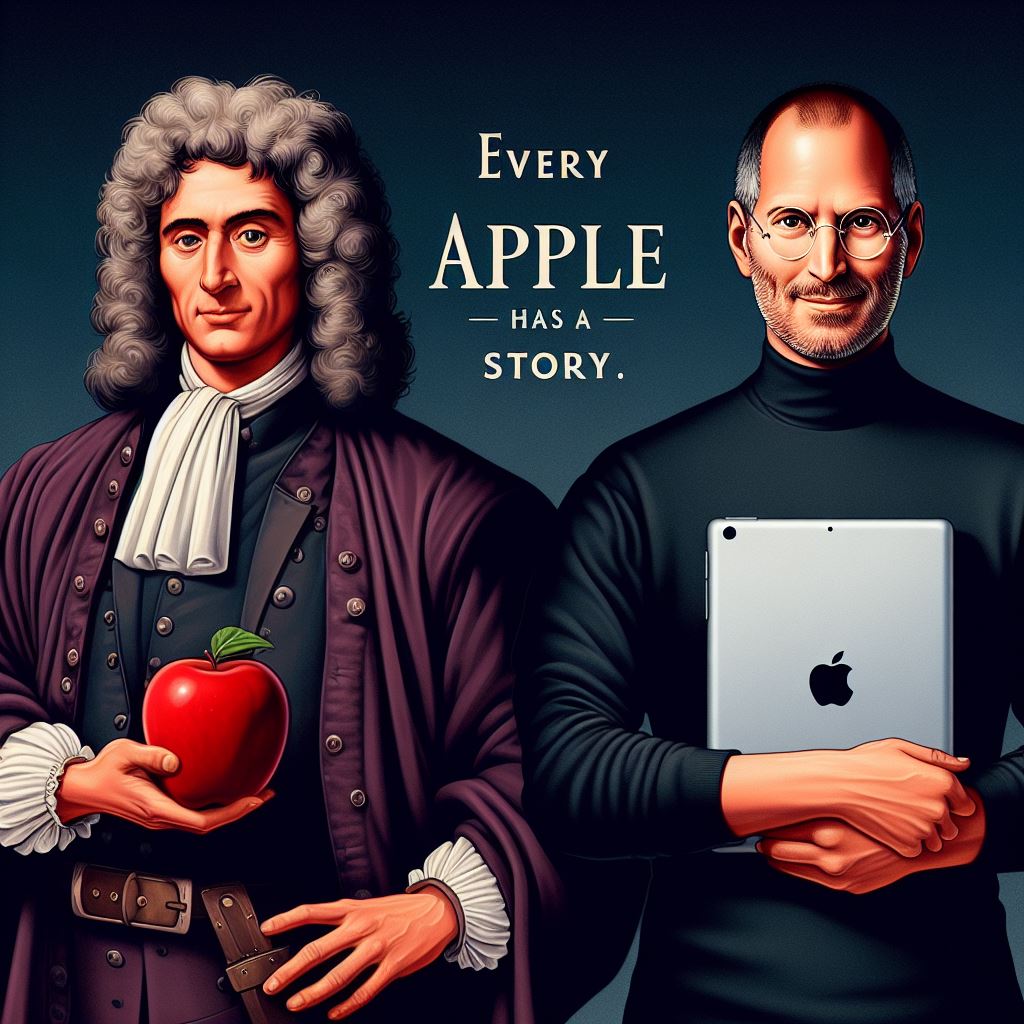
Omg, just tried out DALL-E 3 and it can really follow the instructions inside the prompt!
Prompt:
The words "Every apple has a story" in between Newton and Steve standing side by side. Newton, with thick curly hair and 17th-century attire, holds a red apple. Beside him, Steve, in his iconic black turtleneck and glasses, holds a sleek iPad.
Congratulations to all the teams competing in @Teknofest!
Thank you, President @RTErdogan, for the invitation.
I look forward to attending in person next year, as well as discussing further opportunities for investment in Türkiye.
Canva just integrated into ChatGPT.
Now ChatGPT can generate visuals like logos, banners and more.
Here’s how to generate any visual with ChatGPT using Canva:
🏖️✈️ Imagine you can travel anywhere. Where would you go? With this prompt, you can create your ideal landscape 👇
📃 [Subject] hiking by the [place] overlooking | gravity-defying landscapes, realistic with soft edges, national geographic photo | nature-inspired camouflage [palette] tones | Hasselblad X1D shot, 8k resolution --ar 7:4 --s 750
🦾 Choose the subject, location, and color tones for your image, and you're all set!
🌟 If you need inspiration, you can find it in the ALT.
🫂🔄❤️ Remember to share this post and tag your friends if you liked it!
👏 I'm reading your comments!
#aiartcommunity #promptshare
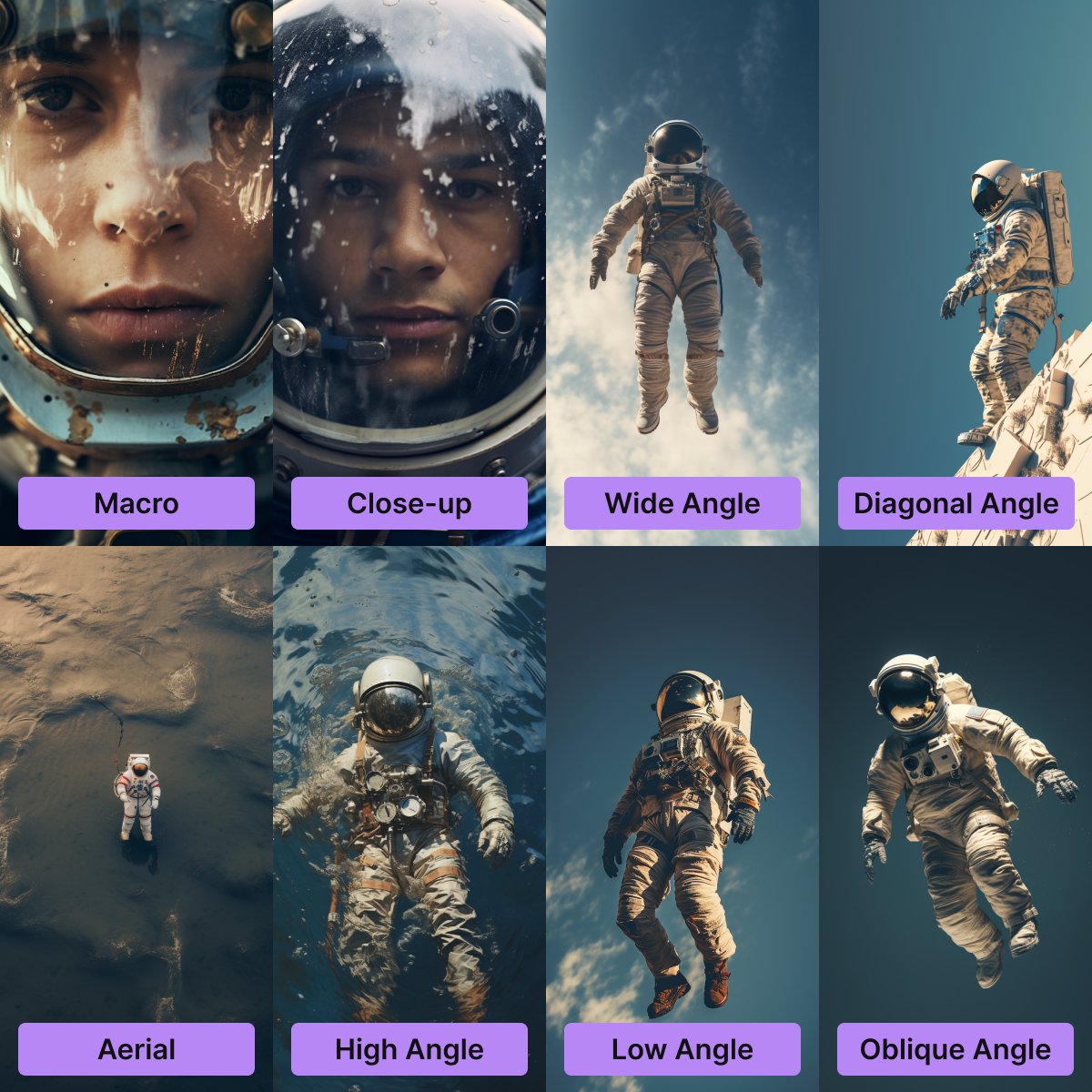
CONTROL THE COMPOSITION IN MIDJOURNEY WITH CAMERA ANGLES
When I need a specific composition, I often use the following tokens:
- Macro
- Close-up
- Wide Angle
- Diagonal Angle
- Aerial
- High Angle
- Low Angle
- Oblique Angle
These techniques are derived from photography and work best with objects typically found in photos. They may be less effective with more exotic subjects, but they work well for me.
Video editing is a waste of money.
Now, AI can create videos in minutes.
Just enter a prompt and the video is ready.
Here's a video I created using @morphaistudio
Data Scientists make an average of $120,000/year.
It's one of the highest paying tech job in 2023.
These FREE courses will help you become a Data Science Master:
I was testing out a bunch of tokens today and discovered a really sick combo through the process.
The two tokens are:
1️⃣ Mezzotint
2️⃣ Cyanotype Photography
Mezzotint is an engraving technique developed in the 17th century. It creates prints with soft tonal gradations and velvety black.
Cyanotype photography is actually one of the oldest forms of photography and was originally used for reproducing diagrams, and I learned today that it's where the term "blueprint" came from. Pretty cool fun fact.
These two pair up so nicely. To mash them up I used a multiprompt and --style raw.
The prompt:
💬 Mezzotint of {subject}:: Cyanotype photography of {same subject} --ar 4:5 --style raw
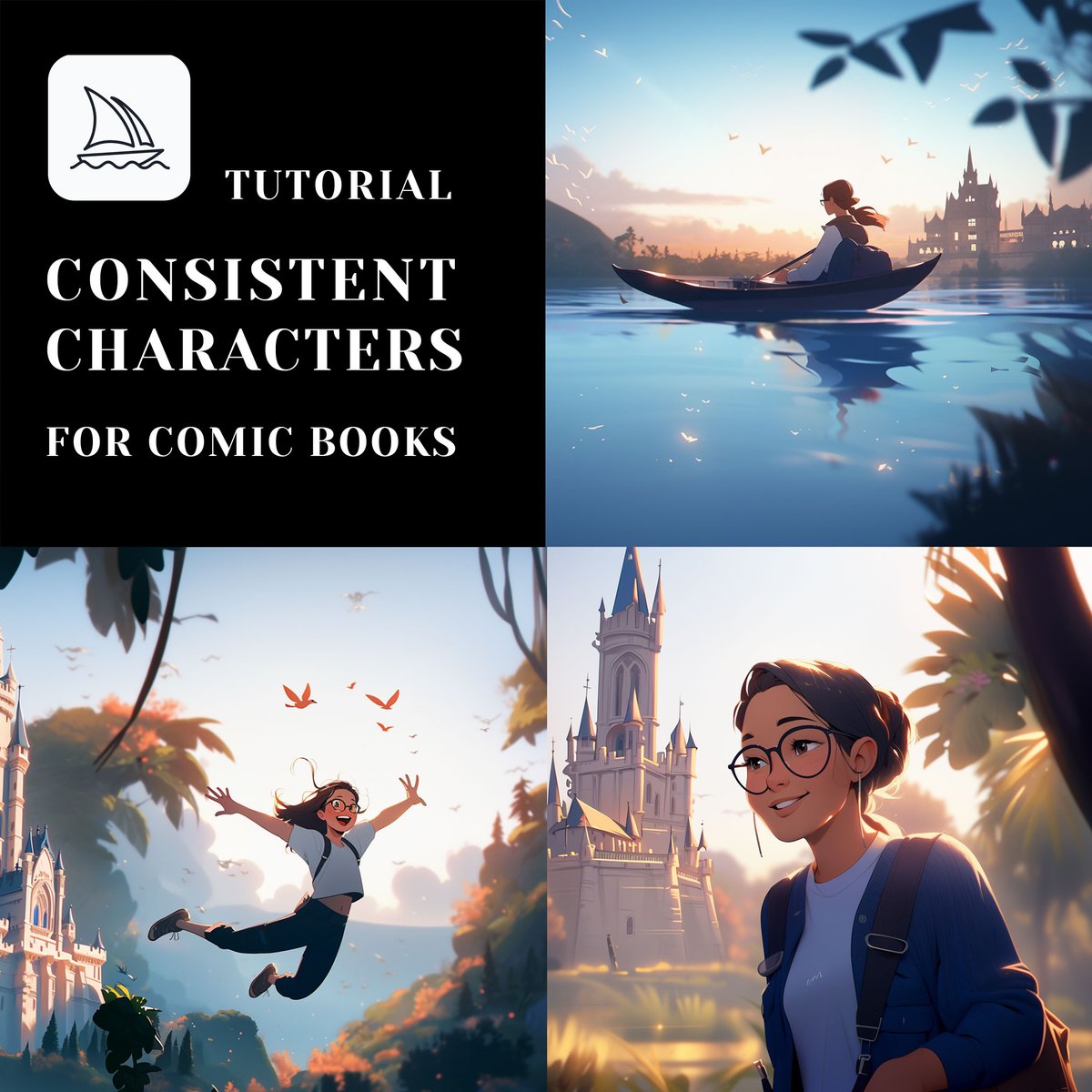
Many people struggle to make consistent comic characters and scenes in Midjourney.
Combining my findings with techniques shared by fellow creators, this post will fix it once and for all.
In theory you can now make the images of an entire comic book.
Let's dive in.
Yesterday I showed you how to make consistent Midjourney comic characters.
Missed it? See below.
The method works for real people too.
For example, I made pictures of the same woman traveling to different places around the world.
Quick guide + prompts below:
How to create high quality vector illustrations using Midjourney (Part 4)
Want to make multiple vector style illustrations with the same theme and color scheme?
Use this prompt:
4 png images, vector illustration pack, knolling style, no border, png white background, [subject], in the style of animated illustrations, [environment], full body --style raw --stylize 50
Here are the key elements of the prompt:
1. 4 png images
In theory, you can create as many as you want.
But I always stick to 4, because too many can reduce the quality of the images.
2. Vector illustration pack
This tells Midjourney you want a pack of similar images.
3. Knolling style
Sometimes Midjourney doesn't listen to your instructions. Adding this makes the prompt more stable.
With this prompt, you can generate a set of images in one go.
This gives you pictures with a consistent theme and color scheme.
Take a look at the images below to see what I mean.
The prompt is in the ALT.
I hope you find this information useful!
I share practical Midjourney prompts and tutorials like this daily.
Follow me at @chaseleantj so you don't miss any of them.
How to create high quality vector illustrations using Midjourney (Part 3)
Working on web projects or preparing presentations for a tech company?
You'll love this prompt:
png white background, [subject], in the style of big tech illustrations, [environment], full body, text-based --style raw
The key element of the prompt is "big tech illustration."
It gives your images the vibes of a big tech company.
The phrase big tech tells Midjourney to generate:
- Lots of people
- Advanced charts & gadgets
- A blue color palette
Take a look at the images below to see what I mean.
Prompts in ALT.
That's it for today.
If you liked this post, you definitely won't want to miss the next one.
Tomorrow, I'll show you guys how to make an entire set of vector illustrations with the same theme in one go.
It'll be the final post in this series.
If you're interested, follow me at @chaseleantj.





![techhalla's tweet photo. 🏖️✈️ Imagine you can travel anywhere. Where would you go? With this prompt, you can create your ideal landscape 👇
📃 [Subject] hiking by the [place] overlooking | gravity-defying landscapes, realistic with soft edges, national geographic photo | nature-inspired camouflage [palette] tones | Hasselblad X1D shot, 8k resolution --ar 7:4 --s 750
🦾 Choose the subject, location, and color tones for your image, and you're all set!
🌟 If you need inspiration, you can find it in the ALT.
🫂🔄❤️ Remember to share this post and tag your friends if you liked it!
👏 I'm reading your comments!
#aiartcommunity #promptshare](https://pbs.twimg.com/media/F6BMNrTWYAAvL0o.jpg)
![techhalla's tweet photo. 🏖️✈️ Imagine you can travel anywhere. Where would you go? With this prompt, you can create your ideal landscape 👇
📃 [Subject] hiking by the [place] overlooking | gravity-defying landscapes, realistic with soft edges, national geographic photo | nature-inspired camouflage [palette] tones | Hasselblad X1D shot, 8k resolution --ar 7:4 --s 750
🦾 Choose the subject, location, and color tones for your image, and you're all set!
🌟 If you need inspiration, you can find it in the ALT.
🫂🔄❤️ Remember to share this post and tag your friends if you liked it!
👏 I'm reading your comments!
#aiartcommunity #promptshare](https://pbs.twimg.com/media/F6BMNa5X0AAJonI.jpg)
![techhalla's tweet photo. 🏖️✈️ Imagine you can travel anywhere. Where would you go? With this prompt, you can create your ideal landscape 👇
📃 [Subject] hiking by the [place] overlooking | gravity-defying landscapes, realistic with soft edges, national geographic photo | nature-inspired camouflage [palette] tones | Hasselblad X1D shot, 8k resolution --ar 7:4 --s 750
🦾 Choose the subject, location, and color tones for your image, and you're all set!
🌟 If you need inspiration, you can find it in the ALT.
🫂🔄❤️ Remember to share this post and tag your friends if you liked it!
👏 I'm reading your comments!
#aiartcommunity #promptshare](https://pbs.twimg.com/media/F6BMMGkXsAAWj39.jpg)


![chaseleantj's tweet photo. How to create high quality vector illustrations using Midjourney (Part 3)
Working on web projects or preparing presentations for a tech company?
You'll love this prompt:
png white background, [subject], in the style of big tech illustrations, [environment], full body, text-based --style raw
The key element of the prompt is "big tech illustration."
It gives your images the vibes of a big tech company.
The phrase big tech tells Midjourney to generate:
- Lots of people
- Advanced charts & gadgets
- A blue color palette
Take a look at the images below to see what I mean.
Prompts in ALT.
That's it for today.
If you liked this post, you definitely won't want to miss the next one.
Tomorrow, I'll show you guys how to make an entire set of vector illustrations with the same theme in one go.
It'll be the final post in this series.
If you're interested, follow me at @chaseleantj.](https://pbs.twimg.com/media/F5GZdYab0AAsFBv.jpg)
![chaseleantj's tweet photo. How to create high quality vector illustrations using Midjourney (Part 3)
Working on web projects or preparing presentations for a tech company?
You'll love this prompt:
png white background, [subject], in the style of big tech illustrations, [environment], full body, text-based --style raw
The key element of the prompt is "big tech illustration."
It gives your images the vibes of a big tech company.
The phrase big tech tells Midjourney to generate:
- Lots of people
- Advanced charts & gadgets
- A blue color palette
Take a look at the images below to see what I mean.
Prompts in ALT.
That's it for today.
If you liked this post, you definitely won't want to miss the next one.
Tomorrow, I'll show you guys how to make an entire set of vector illustrations with the same theme in one go.
It'll be the final post in this series.
If you're interested, follow me at @chaseleantj.](https://pbs.twimg.com/media/F5GZSfvaQAAiaGd.jpg)






![techhalla's tweet photo. 🏖️✈️ Imagine you can travel anywhere. Where would you go? With this prompt, you can create your ideal landscape 👇
📃 [Subject] hiking by the [place] overlooking | gravity-defying landscapes, realistic with soft edges, national geographic photo | nature-inspired camouflage [palette] tones | Hasselblad X1D shot, 8k resolution --ar 7:4 --s 750
🦾 Choose the subject, location, and color tones for your image, and you're all set!
🌟 If you need inspiration, you can find it in the ALT.
🫂🔄❤️ Remember to share this post and tag your friends if you liked it!
👏 I'm reading your comments!
#aiartcommunity #promptshare](https://pbs.twimg.com/media/F6BMN5jWAAA0lh1.jpg)



![chaseleantj's tweet photo. How to create high quality vector illustrations using Midjourney (Part 4)
Want to make multiple vector style illustrations with the same theme and color scheme?
Use this prompt:
4 png images, vector illustration pack, knolling style, no border, png white background, [subject], in the style of animated illustrations, [environment], full body --style raw --stylize 50
Here are the key elements of the prompt:
1. 4 png images
In theory, you can create as many as you want.
But I always stick to 4, because too many can reduce the quality of the images.
2. Vector illustration pack
This tells Midjourney you want a pack of similar images.
3. Knolling style
Sometimes Midjourney doesn't listen to your instructions. Adding this makes the prompt more stable.
With this prompt, you can generate a set of images in one go.
This gives you pictures with a consistent theme and color scheme.
Take a look at the images below to see what I mean.
The prompt is in the ALT.
I hope you find this information useful!
I share practical Midjourney prompts and tutorials like this daily.
Follow me at @chaseleantj so you don't miss any of them.](https://pbs.twimg.com/media/F5Lki7mawAA59GG.jpg)
![chaseleantj's tweet photo. How to create high quality vector illustrations using Midjourney (Part 3)
Working on web projects or preparing presentations for a tech company?
You'll love this prompt:
png white background, [subject], in the style of big tech illustrations, [environment], full body, text-based --style raw
The key element of the prompt is "big tech illustration."
It gives your images the vibes of a big tech company.
The phrase big tech tells Midjourney to generate:
- Lots of people
- Advanced charts & gadgets
- A blue color palette
Take a look at the images below to see what I mean.
Prompts in ALT.
That's it for today.
If you liked this post, you definitely won't want to miss the next one.
Tomorrow, I'll show you guys how to make an entire set of vector illustrations with the same theme in one go.
It'll be the final post in this series.
If you're interested, follow me at @chaseleantj.](https://pbs.twimg.com/media/F5GZdY3aMAAdPCm.jpg)


