A content agent is asked to adapt a supplied image.
Before it starts editing, Numbers Verify Engine can help check whether that input matches a registered asset or points to a visually similar source.
The important part is what happens next.
Keep the lookup result connected to the task itself: which input was checked, what source or candidate was found, what the agent is actually allowed to do, and which decisions still require human review.
A similar match is something to investigate. It is not permission to edit, publish, or reuse the asset.
Verify Engine can help establish the source context. The task brief still needs to define the limits of the agent's action, and the permission decision remains separate.
**Put the source check beside the proposed action. Know what the asset is before deciding what the agent can do with it.**
https://t.co/W3I5sxaTAm
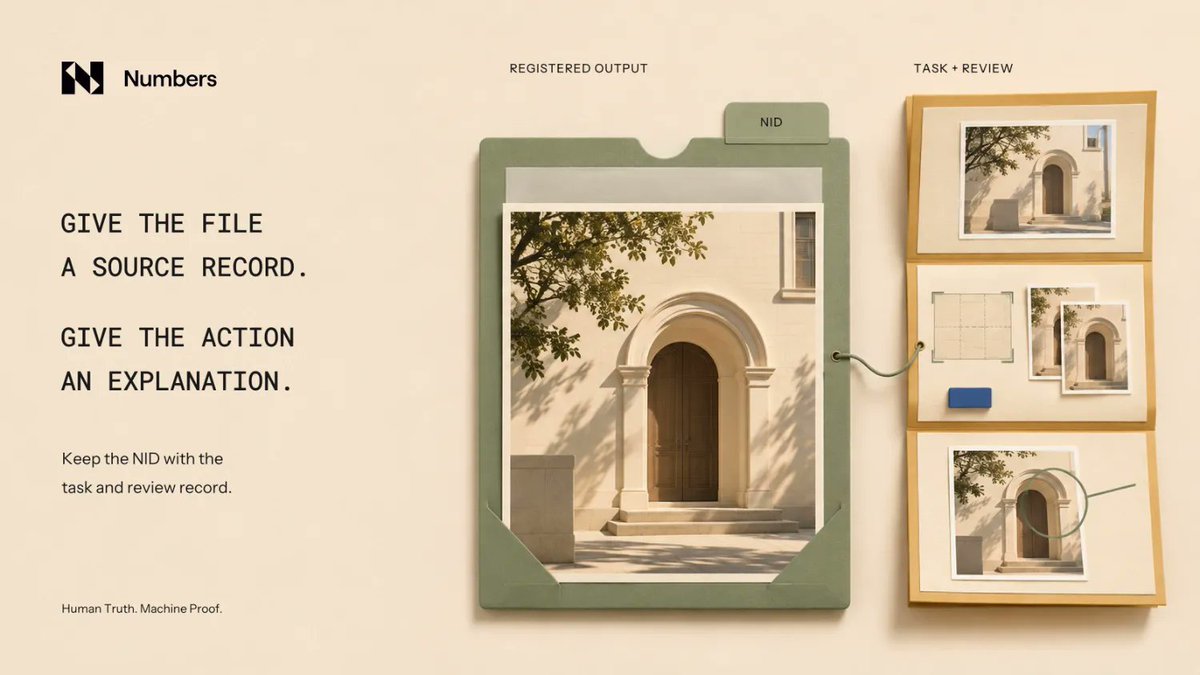
An agent delivers a registered image. Its Numbers ID gives the reviewer a reference to that exact output.
But the identifier is only the starting point.
The action receipt should still explain which input was used, what the agent was asked to do, which tool or agent performed the work, what output was produced, what execution evidence exists, and who reviewed the result.
Keep **requested work** and **observed work** separate.
The task brief says what should happen. The execution record supports what actually happened.
And if part of that evidence is missing, say so. A complete-looking receipt should not turn an unverified step into a fact.
**The NID helps locate the output. The receipt helps explain how it got there.**
A production agent returns a finished image. A reviewer needs a reference to that exact output, alongside an explanation of how it was made.
Numbers’ Registration API can register the delivered asset, return its Numbers ID, and make its Asset Profile available.
Add the returned ID to an action receipt with the input reference, requested operation, produced version, agent or tool identifier, and review outcome. Record any uncertainty in those fields.
Registration makes it easier to identify the registered output. It does not certify that the listed agent performed the action or that the account uploading it had permission to make every change.
The workflow supplies that evidence separately. Include references to the supporting task and execution records, and plan ongoing content availability according to the storage terms.
Give the file a source record and give the action an explanation:
https://t.co/vChWs96omC
A project lead briefs an agent on Monday. By Thursday, someone else is reviewing the work.
The new reviewer needs more than the final draft.
They should be able to see what input the agent received, what it was allowed to do, where the output was intended to go, what limits were set, and when the task was supposed to return for review.
Any decisions that changed the task along the way should stay with that record too.
Then the handoff can answer four simple questions:
What was requested? What was produced? What changed? What still needs a decision?
The source record helps identify the asset.
The task record explains what happened around it.
Delegation should remain understandable even after the original conversation is gone.
A content agent is asked to adapt a supplied image.
Before it starts editing, Numbers Verify Engine can help check whether that input matches a registered asset or points to a visually similar source.
The important part is what happens next.
Keep the lookup result connected to the task itself: which input was checked, what source or candidate was found, what the agent is actually allowed to do, and which decisions still require human review.
A similar match is something to investigate. It is not permission to edit, publish, or reuse the asset.
Verify Engine can help establish the source context. The task brief still needs to define the limits of the agent's action, and the permission decision remains separate.
**Put the source check beside the proposed action. Know what the asset is before deciding what the agent can do with it.**
https://t.co/W3I5sxaTAm
A media assistant receives an image with a source reference, but the brief never says how the image is meant to be used.
The agent should not have to fill that gap with an assumption.
A good delegation includes a return condition:
If the input, permission, destination, or requested action is unclear, return the unresolved item to the reviewer with the file reference and the decision needed.
Now the handoff is inspectable.
Instead of receiving a polished output built on hidden assumptions, the reviewer sees exactly what is missing and what decision is required before work continues.
The same rule should apply when the brief changes halfway through the task.
Define what "done" looks like, but also define when the agent should stop and ask.
A content agent is asked to adapt a supplied image.
Before it starts editing, Numbers Verify Engine can help check whether that input matches a registered asset or points to a visually similar source.
The important part is what happens next.
Keep the lookup result connected to the task itself: which input was checked, what source or candidate was found, what the agent is actually allowed to do, and which decisions still require human review.
A similar match is something to investigate. It is not permission to edit, publish, or reuse the asset.
Verify Engine can help establish the source context. The task brief still needs to define the limits of the agent's action, and the permission decision remains separate.
**Put the source check beside the proposed action. Know what the asset is before deciding what the agent can do with it.**
https://t.co/W3I5sxaTAm
A creative agent was asked to prepare an image for a presentation.
Then a new message arrives: "Can you make a public campaign version too?"
That is not just another output. It changes the task.
The original delegation should stay visible alongside the new request: what the agent was initially allowed to do, what is changing, where the new version will be used, and who is authorized to expand the scope.
Only then should the agent receive its updated instruction.
The fact that an agent can generate another version does not mean that version automatically belongs inside the approved job.
When the use changes, update the delegation too.
The next reviewer should be able to see not only that the work expanded, but who approved that expansion and what the agent was told to do next.
An agency asks an agent to prepare a client presentation using a registered image.
Before the task starts, Numbers Asset Profile gives the reviewer a place to inspect the recorded source context: who registered the asset, any license information available, and the committed history attached to it.
That context should then travel into the delegation itself.
Name the exact asset and version being supplied. Define what the agent is being asked to produce. State which edits and uses are allowed. And make the handoff clear: return the draft and a record of what changed to the reviewer.
Asset Profile helps answer what asset are we working with?
The delegation still needs to answer what is the agent allowed to do with it?
A profile is evidence to inspect, not an authorization layer. It does not grant publishing rights or resolve permissions that are missing.
Start with the recorded asset. Then define the task around it.
https://t.co/xiVd3wyO1C
Finding an asset's source does not authorize its use. A clear brief defines what an agent may do and when it returns to a person.
Read the letter:
https://t.co/NsM8ofxfpk
Keep the decision with the evidence.
An agency asks an agent to prepare a client presentation using a registered image.
Before the task starts, Numbers Asset Profile gives the reviewer a place to inspect the recorded source context: who registered the asset, any license information available, and the committed history attached to it.
That context should then travel into the delegation itself.
Name the exact asset and version being supplied. Define what the agent is being asked to produce. State which edits and uses are allowed. And make the handoff clear: return the draft and a record of what changed to the reviewer.
Asset Profile helps answer what asset are we working with?
The delegation still needs to answer what is the agent allowed to do with it?
A profile is evidence to inspect, not an authorization layer. It does not grant publishing rights or resolve permissions that are missing.
Start with the recorded asset. Then define the task around it.
https://t.co/xiVd3wyO1C
A publishing assistant locates the source image.
Its next instruction says: "Prepare the post."
That sounds simple, but it bundles several decisions together: what may be changed, where the content is intended to appear, who reviews it, and whether the assistant is allowed to publish at all.
A better delegation makes the stopping point explicit.
The assistant can inspect the supplied file, record the source reference, prepare an adaptation for the named channel, and describe what it changed. Then the work goes back to a named reviewer.
Publishing should only happen through a separate, clearly authorized step.
The lookup result explains what the assistant found.
The delegation explains what it is allowed to do next.
"Prepare" becomes much safer and more useful when the instruction also says where the agent must stop.
A content agent is asked to adapt a supplied image.
Before it starts editing, Numbers Verify Engine can help check whether that input matches a registered asset or points to a visually similar source.
The important part is what happens next.
Keep the lookup result connected to the task itself: which input was checked, what source or candidate was found, what the agent is actually allowed to do, and which decisions still require human review.
A similar match is something to investigate. It is not permission to edit, publish, or reuse the asset.
Verify Engine can help establish the source context. The task brief still needs to define the limits of the agent's action, and the permission decision remains separate.
**Put the source check beside the proposed action. Know what the asset is before deciding what the agent can do with it.**
https://t.co/W3I5sxaTAm
A communications lead approves an image for an event recap.
A week later, the same image is requested for a product advertisement.
The asset may not have changed. The proposed use has.
That is the moment the old approval should be reviewed instead of carried forward automatically.
A useful handoff can make this explicit with one simple rule:
Recheck permission when the channel, audience, duration, edit, or receiving team changes.
That gives whoever handles the asset next a clear trigger. They can compare the new brief with the permission evidence already on record, confirm what still applies, and record the new decision.
Keep the source reference, the earlier approval, and the updated decision connected. Otherwise, reuse starts depending on scattered messages, old folders, and whatever filename happened to survive.
The goal is not to approve the same image over and over.
It is to make sure a previous decision is not quietly stretched beyond what it originally covered.
A reusable asset needs a reviewable use history.
A studio receives permission to use an image. Before the production folder fills with crops, resizes, and campaign exports, that original can be registered with the Numbers Registration API.
Registration gives the source a Numbers ID and makes its Asset Profile available, creating a clear reference point for everything that follows.
Keep that NID with the original file and the permission record. When a new version is delivered, identify that version separately rather than treating the source NID as an identifier for every export.
Registration helps establish **which source the work started from**. It does not grant a license, confirm every right held by the uploader, or automatically record what happens later in production.
The handoff should still connect the registered source, the permission evidence, the delivered version, and the intended use.
And storage is a separate decision too. The current Registration API documentation says the initial IPFS pin is available for one month, with longer-term storage handled separately.
**Register the source before the versions start multiplying.**
https://t.co/vChWs96omC
An agency delivers five images with one message: "These are cleared."
The receiving side needs more than reassurance. It needs to know what "these" actually covers.
Each delivered image should stay connected to its source reference and the permission evidence that applies to it. If several assets share the same terms, they can point to the same document, but it should still be clear which files those terms cover.
Exceptions matter too. One image may be cleared for editorial use, another may still need logo approval, and a crop may require a separate check.
Those differences should be visible in the handoff, not buried in filenames or old messages.
One delivery can contain five assets with five different permission states.
Make it possible to inspect each one without guessing what "cleared" meant.
A designer crops a licensed photograph for a banner.
The source reference still points to the original. The file being delivered is now the crop.
Both need to stay visible in the handoff.
Keep the original source reference connected to the delivered version, the intended placement, and the permission evidence relevant to that edit and use.
A visual match can help recover the source. It cannot explain what changed during production or whether the new placement is covered by the original terms.
That relationship should be recorded before the exported file becomes the only thing left.
**The reviewer should be able to trace the delivery back to its source without confusing the two.**
A studio receives permission to use an image. Before the production folder fills with crops, resizes, and campaign exports, that original can be registered with the Numbers Registration API.
Registration gives the source a Numbers ID and makes its Asset Profile available, creating a clear reference point for everything that follows.
Keep that NID with the original file and the permission record. When a new version is delivered, identify that version separately rather than treating the source NID as an identifier for every export.
Registration helps establish **which source the work started from**. It does not grant a license, confirm every right held by the uploader, or automatically record what happens later in production.
The handoff should still connect the registered source, the permission evidence, the delivered version, and the intended use.
And storage is a separate decision too. The current Registration API documentation says the initial IPFS pin is available for one month, with longer-term storage handled separately.
**Register the source before the versions start multiplying.**
https://t.co/vChWs96omC
Sofia's Weekly Summary.
A useful handoff connects the registered source, the intended use, and the permission evidence before versions multiply.
Build a handoff others can inspect.
Read the letter:
https://t.co/VwDNYVfIYv
AI agents are moving beyond answering questions. They're starting to make decisions and manage real money.
But what happens when they do it without human approval?
We're bringing industry voices together to discuss the risks, trust, and future of autonomous AI agents.
@numbersprotocol | @Sylic_AI
Topic: What happens when AI agents start managing real money without human approval?
Set a reminder: https://t.co/epPfmzM2Yr
A studio receives permission to use an image. Before the production folder fills with crops, resizes, and campaign exports, that original can be registered with the Numbers Registration API.
Registration gives the source a Numbers ID and makes its Asset Profile available, creating a clear reference point for everything that follows.
Keep that NID with the original file and the permission record. When a new version is delivered, identify that version separately rather than treating the source NID as an identifier for every export.
Registration helps establish **which source the work started from**. It does not grant a license, confirm every right held by the uploader, or automatically record what happens later in production.
The handoff should still connect the registered source, the permission evidence, the delivered version, and the intended use.
And storage is a separate decision too. The current Registration API documentation says the initial IPFS pin is available for one month, with longer-term storage handled separately.
**Register the source before the versions start multiplying.**
https://t.co/vChWs96omC
A producer sends an image to marketing with one note: **"Approved."**
The problem is that nobody knows exactly what was approved.
Was it this exact version? Was permission granted for one campaign or any future reuse? Does it cover paid ads, edits, or only the original placement?
That context should travel with the file. Keep the asset version, source or Numbers ID, permission evidence, intended use, any remaining limits, and the review date connected to the handoff.
If something is missing, leave that gap visible instead of filling it with an assumption.
And if the plan changes from an internal deck to a public campaign, revisit the permission rather than carrying the old "approved" forward.
**A short, clear record is much easier to trust than reconstructing permission from old chats later.**
A designer finds a campaign image through its Numbers Asset Profile.
That helps answer one question: which asset are we dealing with?
The next question is whether the planned reuse is actually covered by the recorded terms.
Keep these four things together:
1. The asset's Numbers ID and the version being delivered.
2. The recorded license or terms, plus when they were checked.
3. The intended use: channel, audience, duration, and any planned edits.
4. The permission evidence, including anything still unresolved.
An image approved for an internal client presentation, for example, may not automatically be cleared for a paid advertisement.
Asset Profile makes the recorded source context and license information easier to inspect. It does not decide whether every new use is permitted.
Identify the asset. Check the terms. Compare them with the actual brief. Record any gap before delivery.
Inspect an Asset Profile:
https://t.co/xiVd3wyO1C
A designer finds a campaign image through its Numbers Asset Profile.
That helps answer one question: which asset are we dealing with?
The next question is whether the planned reuse is actually covered by the recorded terms.
Keep these four things together:
1. The asset's Numbers ID and the version being delivered.
2. The recorded license or terms, plus when they were checked.
3. The intended use: channel, audience, duration, and any planned edits.
4. The permission evidence, including anything still unresolved.
An image approved for an internal client presentation, for example, may not automatically be cleared for a paid advertisement.
Asset Profile makes the recorded source context and license information easier to inspect. It does not decide whether every new use is permitted.
Identify the asset. Check the terms. Compare them with the actual brief. Record any gap before delivery.
Inspect an Asset Profile:
https://t.co/xiVd3wyO1C
The receiving team can find the original. It can interpret the match. It knows which use the supplier authorized.
Those are the pieces that make this month's handoff useful.
Registration creates the source reference. Verification helps investigate the received copy. Asset Profile exposes recorded context. The actual usage terms address what the next team plans to do.
No single result should be asked to carry all four jobs.
Before closing a delivery, connect the finished file with its intended source and the terms for its intended use. Keep any uncertain source relationship or missing permission visible.
That is a workflow the agency and the publisher can repeat.
The next handoff should start with an answer, not a search through old messages.
A publisher traces an image back to its Numbers Asset Profile.
Now they can inspect where the asset came from, who registered it, its recorded history, and any license information attached to it.
That is useful context. But it is not the same as automatic permission to use the image however they want.
The same source could appear on a product page, in a news article, or in a paid campaign. Those uses may be covered by different terms, even when the underlying image is the same.
Asset Profile makes the recorded context visible. The publishing decision still needs to answer a separate question: "Does the permission we have actually cover what we are about to do?"
That is where provenance helps.
It gives the reviewer a source to inspect and a record to work from, instead of starting with a file and trying to reconstruct its history from scratch.
Provenance can show the terms that were recorded. It should not quietly turn those terms into permission they never granted.
Inspect an Asset Profile:
https://t.co/xiVd3wyO1C
A designer finds an image through its source profile and downloads it for a client campaign.
The download works. That proves availability, not permission.
The next step is to inspect the source, check any recorded terms, and confirm whether the intended campaign use is actually covered.
A public URL, a search result, or a visible creator field cannot fill in missing usage rights.
Keep the source reference attached when asking for permission too. It makes clear exactly which asset the approval applies to, instead of leaving a vague "yes, you can use it" floating on its own.
**A file can be easy to find and still require a specific agreement.**
A content pipeline finds a registered result in Numbers Verify Engine.
The next step is not “approved.” It is inspect the source.
Open the Asset Profile to see the creator, registration time, recorded history, and any license information attached to that asset.
That gives the reviewer something concrete to work from. But it does not automatically answer whether the planned use is allowed.
The same image might appear on a product page, in a news article, or in a paid campaign under different terms.
So the workflow should keep two questions separate:
Did we find the source?
Do we have permission for this use?
Verify Engine helps answer the first. Asset Profile gives you the recorded context needed to investigate the second.
If the license is missing or does not cover the intended use, leave the permission decision open and ask for the right authorization.
Finding the source is verification. Using it is a rights decision.
Inspect an Asset Profile:
https://t.co/xiVd3wyO1C
A team starts with a licensed source image, adds generated text, crops it, and delivers a new campaign graphic.
Finding the original source is useful. But it does not describe everything that happened to the finished file.
Keep the source reference, the delivered graphic, and the relevant usage terms connected. Record what source was used and what changed along the way.
Most importantly, do not carry an exact-match conclusion from the source onto the new output.
If that graphic moves into another campaign or handoff, the same context should move with it so the receiving side can inspect what they actually received.
**The output should not inherit certainty from the input.**
Finding the source is one step. Understanding the delivered asset is another.
A content pipeline finds a registered result in Numbers Verify Engine.
The next step is not “approved.” It is inspect the source.
Open the Asset Profile to see the creator, registration time, recorded history, and any license information attached to that asset.
That gives the reviewer something concrete to work from. But it does not automatically answer whether the planned use is allowed.
The same image might appear on a product page, in a news article, or in a paid campaign under different terms.
So the workflow should keep two questions separate:
Did we find the source?
Do we have permission for this use?
Verify Engine helps answer the first. Asset Profile gives you the recorded context needed to investigate the second.
If the license is missing or does not cover the intended use, leave the permission decision open and ask for the right authorization.
Finding the source is verification. Using it is a rights decision.
Inspect an Asset Profile:
https://t.co/xiVd3wyO1C