Do this:
1. Open AWS and create an account.
2. Go to EC2, spin up an instance, generate a key pair, and SSH into it from your local system. Just play around install Nginx, deploy a Node app, break things, fix them.
3. Decide to launch something? Go to Security Groups open ports for HTTP (80), HTTPS (443), and SSH (22).
4. Grab your instance’s public IP, open it in your browser, and you’ll see your app running on the cloud.
5. Start scaling ? create another EC2 instance and set up an Application Load Balancer to route traffic.
6. Tired of adding instances manually? Use Auto Scaling Groups (ASG) define min/max instances, attach a launch template/AMI of your app, and AWS will scale automatically based on CPU or request load.
7. Getting millions of requests and your DB is choking? Use Kafka or SQS for buffering high-throughput workloads. Learn more about async
8. Store images, videos, or backups? Use S3 connect it from your app via the SDK, and make a file uploader.
9. Use RDS for managed databases (MySQL/Postgres). AWS handles backups, scaling, and maintenance.
10 Use CloudWatch to monitor your instances, logs, and metrics. Set up alerts when CPU spikes or memory usage is high.
11. For networking, explore VPCs subnets, route tables, gateways. This is where you learn how AWS isolates traffic securely. You will learn really well about networking here. Just create a vpc and play around
12. Once you’re comfortable, try Terraform to automate infra because that's 100X easier to manage state.
Stage 13: Say Fuck AWS for stealing money and buy your own VPS, set up Docker, or use Coolify for one-click PaaS setups.
2026 Pre-Seed and Seed Active VC list
At Right Side Capital, we have made over 2,200 early-stage investments in the past decade and anticipate approximately 150 new investments in 2026. We also assist our founders in connecting with the right next-round investors.
I have compiled a personally curated list of around 200 venture capitalists who ACTIVELY invest at the Pre-Seed and Seed stages.
What sets this list apart:
- All contacts are individuals I know personally (no scraping or outdated databases).
- Their actual investment criteria were provided directly by them this week.
- This is not zombie capital; each has shared their expected investment pace for 2026.
I am sharing this information as an Airtable, allowing you to filter by themes, check investment size/round, and see whether they lead or follow.
If you are a VC I may have missed, please reach out via direct message. I am happy to connect and add you if it aligns.
Link👇
https://t.co/8Iph3LG3pz
A toolkit for building agents that watch, listen, and understand video.
Low latency by design. Open source. Production ready.
Vision Agents lets you build real time video AI that works with your models and your edge layer.
Supports YOLO, Moondream, Cartesia, Deepgram, ElevenLabs, HeyGen, Gemini, OpenAI, and more.
Quick model switching. Easy to use API.
Perfect for coaching tools, collaboration apps, avatars, and robotics.
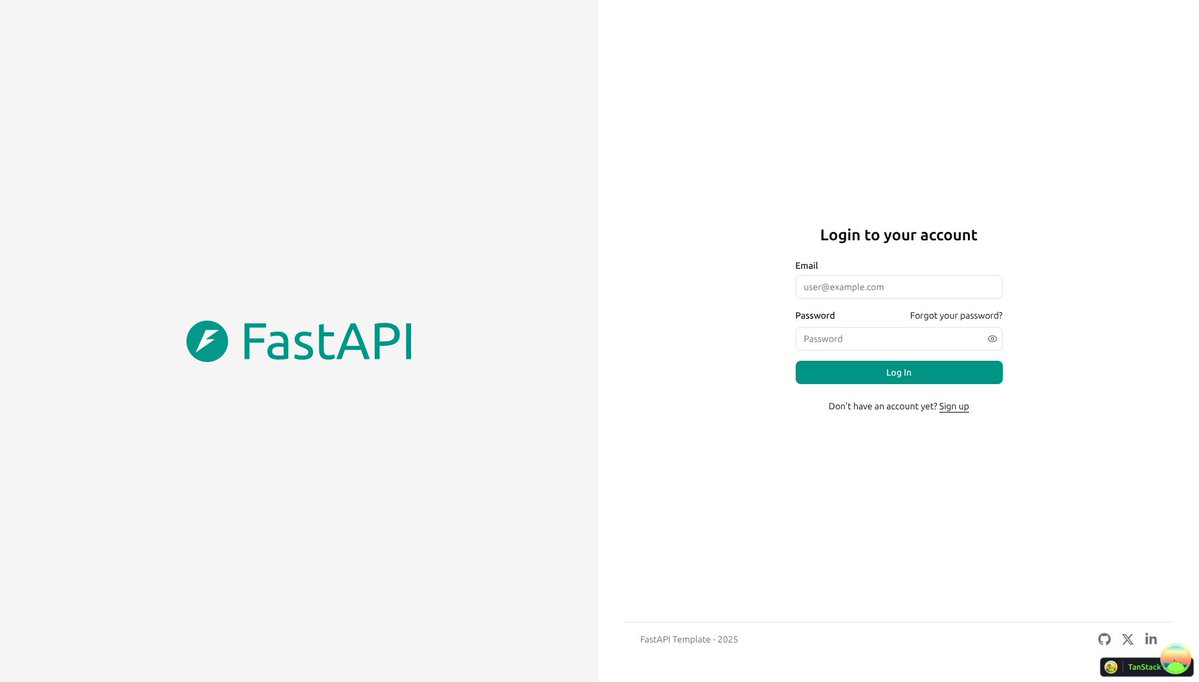
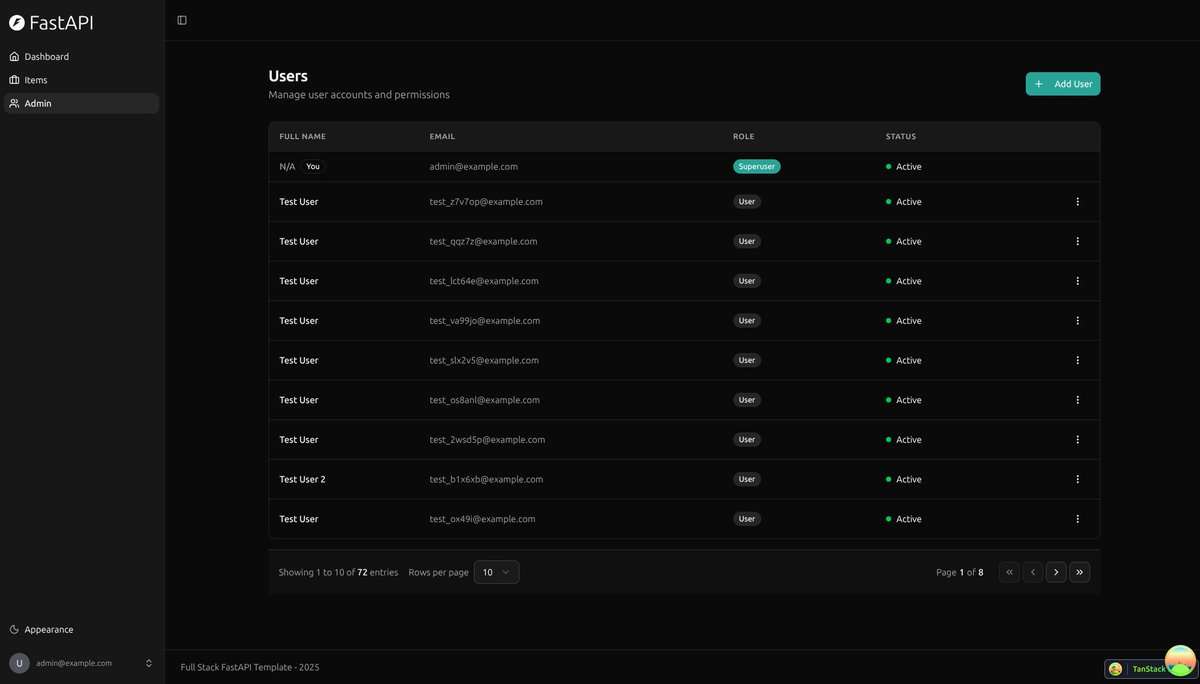
The full-stack-fastapi-template now uses @shadcn / ui (with @tailwindcss) for the frontend 🚀🎉
There's still dark mode too, and all the nice things 🦇
Thanks @alejsdev ! 🙌
https://t.co/o20d40hCPD
Most beginners assume authentication is this huge, messy system. 🔐
It’s not.
There’s one pattern, and every login method fits into it.
Google, Microsoft, email, phone number, etc
learn how in 43 mins
if you use @shadcn ui for your apps, you're gonna love these tools and ui components:
- https://t.co/ImgXQnWsu8 -> custom themes @raillyhugo
- https://t.co/eat08fvfyd -> custom background @meghtrix
- https://t.co/MeQ1ZMuAkq -> building forms
- https://t.co/rBxxexZF8p -> animation @Ibelick
- https://t.co/S9t2C7gK97 -> animation @davidhaz
- https://t.co/GpXGtHVxsR -> embedded maps
Follow for more tips about shadcn ecosystem
API DESIGN IN SYSTEM DESIGN
→ API Design defines how different parts of a system communicate reliably, securely, and efficiently.
→ A well-designed API ensures scalability, consistency, maintainability, and great developer experience.
→ 1. WHAT AN API IS
→ API (Application Programming Interface) allows one service to communicate with another
→ Defines endpoints, methods, data formats, authentication, and response structures
→ Used in microservices, mobile apps, web apps, and third-party integrations
→ 2. PRINCIPLES OF GOOD API DESIGN
→ Consistency in naming, responses, and behavior
→ Simplicity → easy to understand and use
→ Predictability → same input produces same output pattern
→ Scalability → handles high traffic
→ Security → protects sensitive data
→ Documentation → makes integration easy
→ 3. REST API DESIGN BASICS
→ Uses HTTP methods to perform CRUD operations
→ Standardized communication over HTTP/HTTPS
→ Resource-based architecture
Common methods:
→ GET → read data
→ POST → create data
→ PUT → update entire resource
→ PATCH → update partial resource
→ DELETE → remove resource
→ 4. ENDPOINT STRUCTURE
→ Should be clean, readable, and resource-based
→ Use nouns → not verbs
→ Use plural forms
Examples:
→ /api/v1/users
→ /api/v1/users/{id}
→ /api/v1/orders/{orderId}/items
→ 5. REQUEST & RESPONSE FORMATS
→ Use JSON as the standard format
→ Keep responses consistent
Response example:
{ "status": "success", "data": { "id": 4, "name": "Dhanian" } }
→ On errors, return structured responses with messages
→ 6. VERSIONING
→ Ensures backward compatibility
→ Helps introduce new features without breaking clients
→ Approaches:
→ URI versioning → /api/v1/users
→ Header versioning → Accept: application/vnd.api.v2
→ 7. PAGINATION, FILTERING & SORTING
→ Critical for large datasets
→ Prevents overloading server with heavy responses
Pagination example:
→ /api/v1/products?page=1&limit=20
Filtering example:
→ /api/v1/products?category=phones&brand=samsung
Sorting example:
→ /api/v1/products?sort=price_asc
→ 8. AUTHENTICATION
→ Verifies the identity of the client
→ Common methods:
→ API Keys
→ JWT (JSON Web Tokens)
→ OAuth 2.0
→ Session-based authentication
→ 9. AUTHORIZATION
→ Determines what the authenticated user can access
→ Role-based access:
→ admin, editor, user
→ Permission-based:
→ read, write, delete, update
→ 10. RATE LIMITING
→ Prevents abuse and protects infrastructure
→ Limits number of requests per minute/hour
→ Techniques:
→ Token Bucket
→ Leaky Bucket
→ Fixed Window Counter
→ 11. IDEMPOTENCY
→ Recommended for safe and reliable APIs
→ Same request executed multiple times should have same effect
→ GET, PUT, DELETE → idempotent by nature
→ POST → not idempotent unless specially designed
→ 12. API GATEWAY
→ Single entry point for all API requests in microservices
→ Handles routing, caching, throttling, logging, authentication
→ Tools:
→ Kong, Nginx, AWS API Gateway, Apigee
→ 13. DOCUMENTATION & DEVELOPER EXPERIENCE
→ Use OpenAPI/Swagger for clear documentation
→ Provide examples, status codes, request/response schemas
→ Easy onboarding → fewer support issues
→ Tip
→ API design is essential for scalable, secure, and maintainable systems
→ Focus on clarity, consistency, proper versioning, and strong security
→ Use API Gateways for advanced microservice architectures
→ Apply pagination, rate limits, and structured responses for smooth performance
Grab the full System Design Handbook:
https://t.co/aE1KNO717x
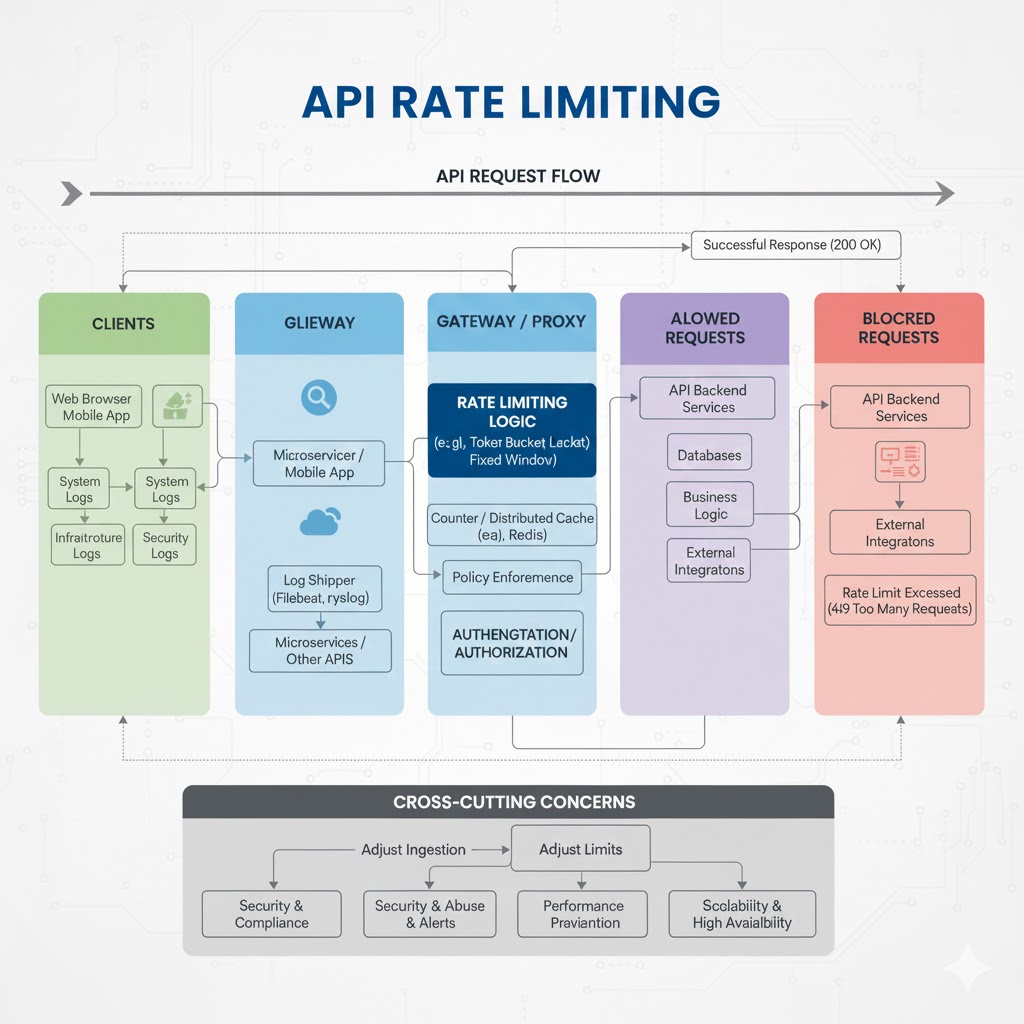
API Rate Limiting
API rate limiting is the practice of controlling how many requests a client can make within a specific time window. It protects your backend from abuse, ensures fair usage among clients, and maintains reliable performance even under heavy load.
Why API Rate Limiting Matters
→ Prevents server overload
→ Stops malicious bots or brute-force attempts
→ Ensures fair resource distribution
→ Improves API reliability and uptime
→ Helps manage API costs and infrastructure usage
Key Rate Limiting Techniques
1. Fixed Window Rate Limiting
→ Requests are counted within a fixed time window (e.g., 100 requests per minute)
→ Simple to implement
→ Can cause request spikes at window boundaries
2. Sliding Window Log
→ Tracks each request timestamp in a log
→ More accurate smoothing of traffic
→ Higher memory usage
3. Sliding Window Counter
→ Combines fixed window and log techniques
→ Provides smoothed limits without heavy storage
→ Reduces “burst” issues
4. Token Bucket Algorithm
→ Clients collect “tokens” at a fixed rate
→ Each request uses a token
→ Allows controlled bursts while enforcing limits
5. Leaky Bucket Algorithm
→ Processes requests at a constant, fixed rate
→ Queue holds overflow requests
→ Helps smooth fluctuations in traffic
Where Rate Limiting is Applied
→ API Gateways (Kong, NGINX, AWS API Gateway)
→ Reverse proxies
→ Backend application layer
→ CDN edges (Cloudflare, Akamai)
→ Microservices communication layer
Common HTTP Responses for Rate Limiting
→ 429 Too Many Requests — client exceeded limit
→ Retry-After header — tells client how long to wait
Best Practices
→ Set limits based on user roles (free vs. premium)
→ Provide clear error messages with retry instructions
→ Use caching systems like Redis for counters
→ Log all rate limit violations for analysis
→ Avoid extremely strict limits that hinder usability
→ Use adaptive limits for different workloads
Real-World Example
Rate Limit: 100 requests per 1 minute Exceeded: Server returns → 429 Retry-After: 60 seconds
Add-On: Rate Limiting in Modern API Ecosystems
→ Essential for securing public and partner APIs
→ Enforced in every scalable API architecture
→ Helps maintain predictable performance during traffic spikes
API Mastery Ebook (Add-On)
Get the full deep-dive into API design, security, scalability, and best practices:
API Mastery Ebook: https://t.co/142pBABAhq
Update on CVE-2025-66478 (React2Shell):
An npm package has been released to scan and update affected Next.js apps. Use `npx fix-react2shell-next` to update to patched versions.
All users should update as soon as possible.
More details our blog:
https://t.co/fjNfpv3huI
@Her_SoConscious@BlackConserve@BigMeeish@AntiSocialBoobe He didn’t lie. While you may not agree with him, there’s an element of truth in what he said.
I bet you don’t understand when he said “we see too much of ourselves in you”
@MidKnight_Snax@AntiSocialBoobe Your vocabulary is shallow if you don’t understand what being “open” implies. Major reason why you have no mind of your own and you cannot reflect on issues that require critical thinking.
You think a white man gives a fuck if youre black American or African?
Netflix Engineering: DB Migration to Aurora results in 75% speedup
Blog: https://t.co/BXPsY3asvU
Paper: https://t.co/IynKHLdX2W
System Design Course: https://t.co/Z2zxvshP01
#Netflix#Aurora#DatabaseMigration
@drago_pat@AntiSocialBoobe You’ve completely misinterpreted his reasoning. What he is saying is that he looked up to African Americans as a more civilsed (vs the mess left by colonial rule), version of the African. However, when he arrived he was met with the same haphazard ways that he saw back in Africa
Today, we're turning your project into a full-fledged identity provider 🔐
Now you can build "Sign in with Your App" using Supabase Auth
https://t.co/su4c8nbs8K
Bro vibe coded a $20k MRR app in 14 days.
I asked @BusDownBonnor to come on our show break down how it all went down.
Amazing story! Here's are the top 1% of our chat:
– What he does BEFORE he starts building (2:46)
– How to avoid ideas that make no money (7:02)
– The full distribution strategy for this app (8:12)
– Demo of the actual app he built (9:57)
– A breakdown of his onboarding that CONVERTS (10:22)