I got the controls sample and it's nice because I could just load it and run from visual studio.
Love the controls!!
It's got more than Maui out of the box, that's really great.
I think there's no "alert dialog" included but well I'll just use child windows.
Kudos!
It turns out you can ad-hoc sign a macOS .app from inside Chrome on Windows.
https://t.co/9enTyWD0I1 v0.7 publishes native C#+XAML desktop apps for Windows, macOS and Linux. All packaging and signing run in WebAssembly, in your browser.
Free, no signup:
https://t.co/vKprMEP8rK
@James_M_South Thank you! I just asked internally: we ported a C++ algorithm from WPF to OpenSilver C# ("it's a Bentley-Ottmann sweep-line algorithm adapted for boolean operations on planar subdivisions").
@BankQuote 👋 OpenSilver team here. Looks like there may be a naming collision. Just to avoid confusion: the official OpenSilver project is under the OpenSilver GitHub org. Happy to clarify!
Thanks!
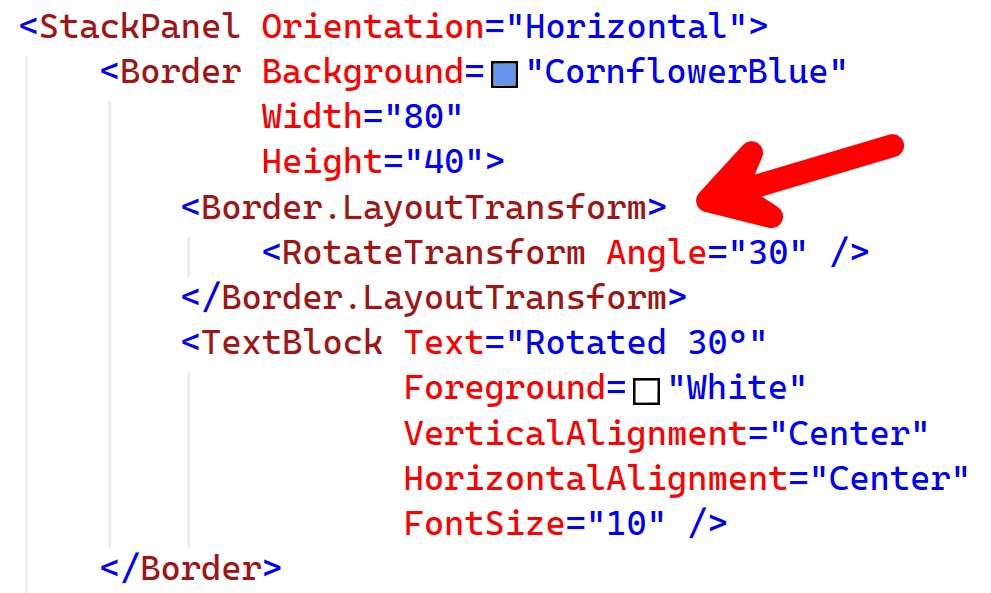
We implemented CombinedGeometry because it was needed to faithfully support WPF’s FrameworkElement.LayoutTransform.
One of the subtleties is that LayoutTransform affects layout, and clipping has to be applied after the transform. That behavior is different from a simple RenderTransform, so supporting CombinedGeometry helped us reproduce clipping more accurately.
In general, our goal with OpenSilver is to make it as easy as possible to bring existing WPF applications to the web, by supporting the WPF API surface and behavior wherever we can.
Why the web? Easier deployment, broader platform reach, stronger sandboxing/security, and the ability to benefit from browser features such as accessibility tools, Ctrl+F, text selection, translation, browser extensions, and more.
OpenSilver renders UI using real DOM elements, which is an important part of making those benefits available.
For anyone curious, there’s a live playground here: https://t.co/AeNpmKTlmd
NEW:
Build .NET desktop apps for Windows, macOS, and Linux. From your browser. Under 30 seconds.
No install. No sign-in. Free.
Everything runs in WebAssembly. Your code never leaves your machine.
Yes, even the macOS ad-hoc code-signing.
🔗 https://t.co/Y1dlBsms4p
Most UI frameworks are still trying to catch up
to what WPF got right 20 years ago.
Today we added support for
FrameworkElement.LayoutTransform
to the OpenSilver develop branch,
as we continue bringing the power of WPF
to the native web.
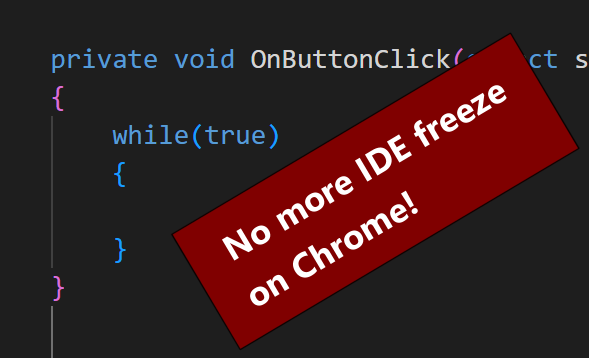
We improved in-browser App Preview isolation on Chrome
so infinite loops in your app no longer freeze the IDE.
Just close the App Preview tab to stop your app.
Firefox can still freeze the IDE, but after a few seconds you’ll see a prompt to stop the preview.
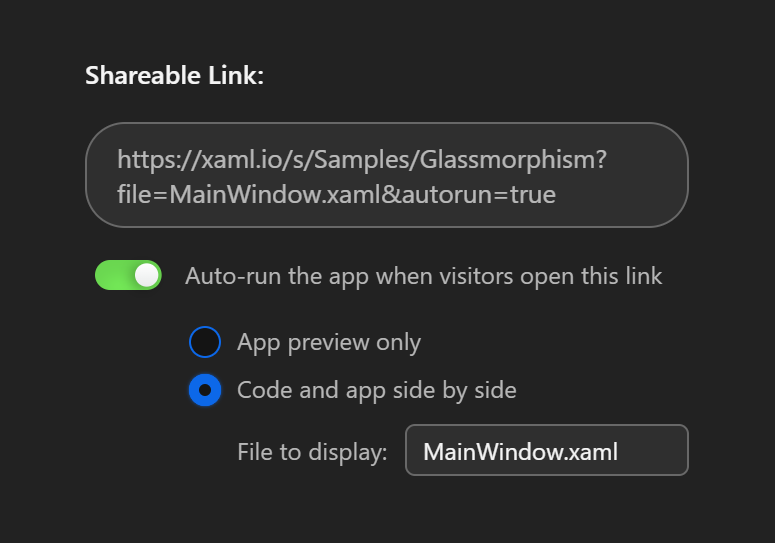
New on https://t.co/9enTyWD0I1: shared codebases can now open exactly how you want.
Choose the starting experience for the person opening your link:
• auto-run the app
• show code + preview side by side
• open to a specific file
Great for snippets, demos, and .NET tutorials.
You can now export your .NET app as a native Windows .EXE — straight from the browser.
No install. No signup. No backend. Pure WebAssembly. Free.
Try it: https://t.co/Y1dlBsms4p
Building the best place to design, build, and run C# + XAML cross-platform in 2026. 🛠️