Working on the App Store screenshots in Figma today.
Still surreal seeing KeycoBoard’s core features come to life on real devices.
Swipe → Rewrite.
Tap → Translate.
#buildinpublic#iOS#indieDev#AIkeyboard
New demo from my AI keyboard🎥
From the container app, you can now fully customize @KeycoBoard’s Translate panel: reorder languages, hide the ones you never use, and keep your go-to pairs one tap away.
Screen recording below👇
#buildinpublic#iOSDev#IndieDev#AIkeyboard
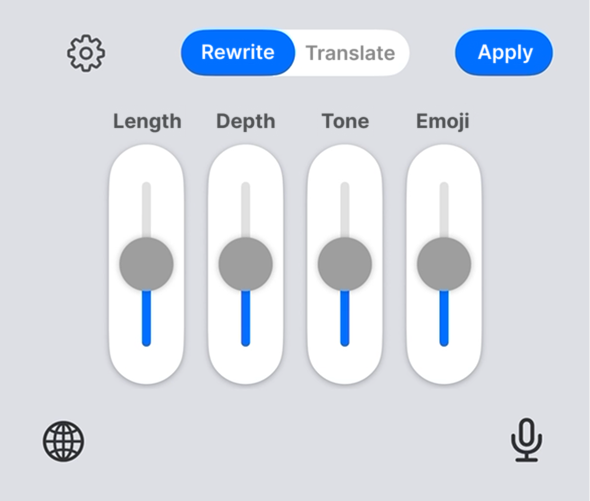
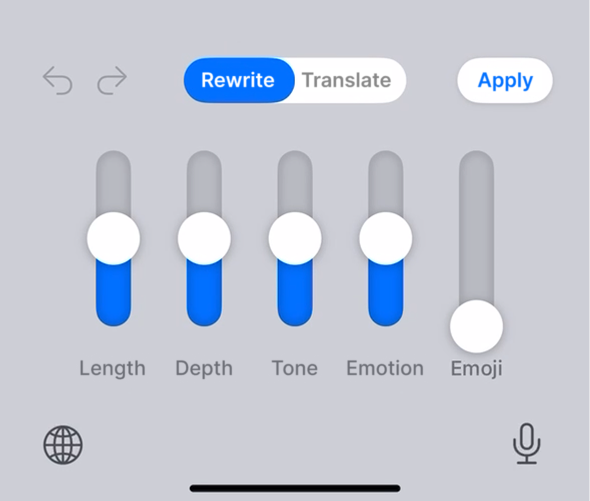
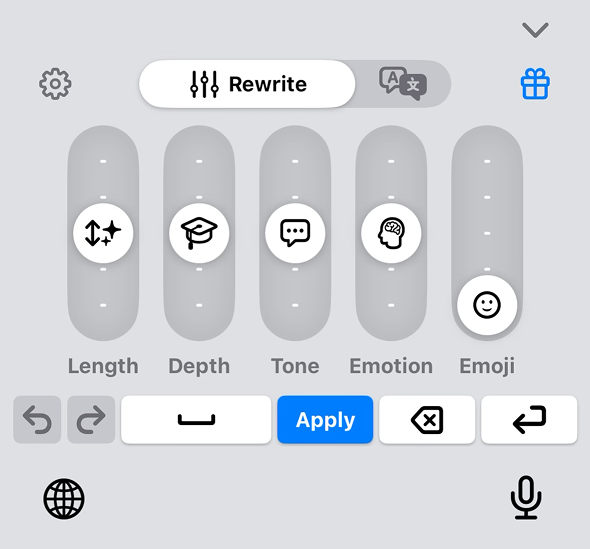
UI glow-up for @KeycoBoard💡
1️⃣ First concept
2️⃣ Getting closer — added one more slider.
3️⃣ Current version — a compact Rewrite Console above the keyboard.
Slowly turning a rough idea into something I’d actually want to use.
#buildinpublic#iOS#indieDev#UXdesign#AIkeyboard
Stop switching apps just to rewrite a sentence.
I’m building @KeycoBoard — an AI Rewrite Console inside your iOS keyboard.
Rewrite or translate text in-place with five intuitive sliders.
No prompts. No copy-pasting.
Watch the demo👇
#buildinpublic#IndieDev#iOSDev#AITools
@robert_shaw I'm building @keycoboard, an iOS keyboard extension focused on AI rewriting. No more app-switching for tweaks—sliders let you quickly dial in length, tone, emotion, and more, then apply the rewrite (or translation) straight to your input field.
https://t.co/Z3C2C49LSJ
Join the waitlist – early birds get beta sliders to play with emotions/tones IRL. Let's make words fun again.
https://t.co/Z3C2C49e3b
#buildinpublic#iOS#AI#IndieDev#solofounder
6/6 🧵
This AI-generated text kicked off my best relationship. It's stiff, formal AF, and it's why I'm solo-building @keycoboard. Buckle up for the story that birthed an iOS AI keyboard. 🧵 #buildinpublic
1/6 🧵
Building solo, sharing the chaos: Wins like seamless iOS integration, fails like debugging that one slider glitch at 2AM.
If you've battled copy-paste (or just wanna vibe-check words like a pro), your input shapes this. What's your go-to rewrite hack? Reply below! 👇
5/6 🧵