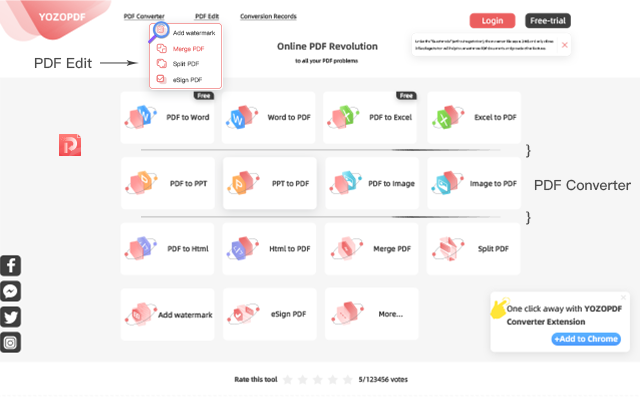
Free and easy to use PDF tools to merge, create, edit, compress, convert and organize PDFs. YOZOPDF makes PDF easy! 👉 https://t.co/5WPn8Bimcr #pdfconverter#pdf2word#PDF
Install "YOZOPDF- a free solution to all your PDF problems."
👉👉 https://t.co/5WPn8Bimcr
Steps to use:
1. Select or Drag& Drop PDF files with + icon.
2. Wait for the upload.
3. Convert to Word
4. Download the Word files.
#pdftoword#pdfconverter#convertpdf#pdftodocx
Q: How to edit a PDF file online?
A: If you just want to add watermark or E-sign to the PDF file , you can the function:PDF Edit;If you want to make a big change to the PDF file,you can choose the Converter function and edit the file👉https://t.co/5WPn8Bimcr #pdfconvert#pdfedit
See the newest enhancements to YOZOPDF, all the conversion can be approached via just one platform regradless of the file formats. Let's wait !! now try our existing features
https://t.co/CGeiqjEKtX
How to convert your PDF file to Word format just one second? Use YOZOPDF and install the google extension to your web!! now click 👉 https://t.co/qhW4vdgsJL
What to do when you receive a PDF Document that asks you to sign? With YOZOPDF new function , no more hassle of printing, signing, and scanning is required. 👉 https://t.co/5WPn8Bimcr