@arslaman For now, unfortunately, Pop alone doesn't offer this option, but you can use a virtual webcam to do this, and pretty much anything you want. 💁🎅👼🧑🎤🧌🧜♀️
Like all the cool kids, we're also on Threads now, where we can demonstrate our remarkable talent for online aloofness. 🤫🎉 #SilentButPresent
https://t.co/idZTyv3CHb
@theoneguilherme When you’re in a video call without screen sharing, you can minimize/expand your own camera view. This setting persists into screen sharing, but unfortunately there currently isn’t a way to change it once you’re there. The good news: a fix is in the works!
@harper Sorry about that — it looks like our fleet load balancer isn’t correctly adding VMs to handle unexpectedly higher load. We’ve manually triggered more VMs for the time being, and we’ll fix this issue (along with alerting to detect it in the future) asap.
@petikoch @didlix We are still in beta, and yes it has been a while, but we have been working non-stop on the future of Pop, and we are so close to being able to finally start sharing it.
@nicolasln We’ve just released an update that addresses the issue. Sorry for the inconvenience!
Our next big product update is under a feature flag, and one line of code slipped through that incorrectly assumed the new feature existed. We’ll try to make sure this doesn’t happen again 🙏
A quick heads-up: we’ll be undergoing scheduled maintenance from 9-10am on Saturday PDT (GMT-7). We’re in the process of getting out some great new features — stay tuned!
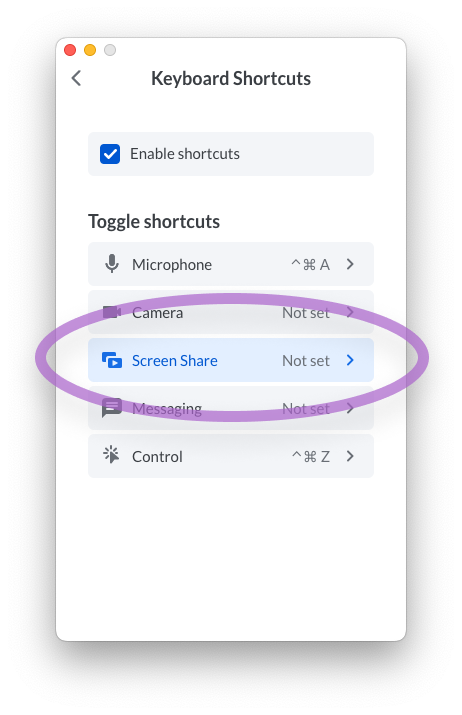
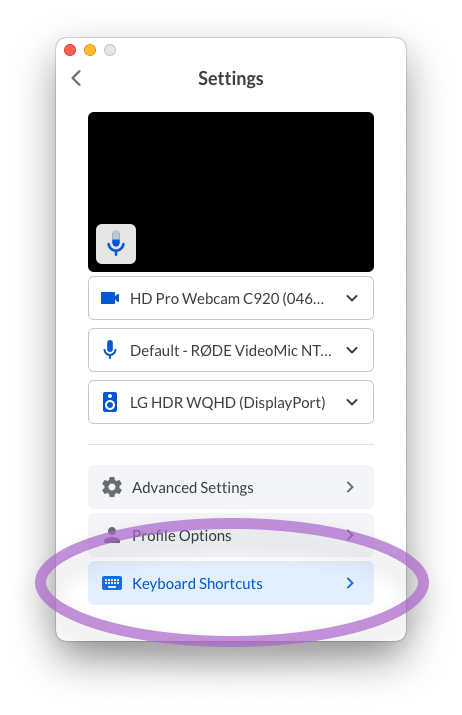
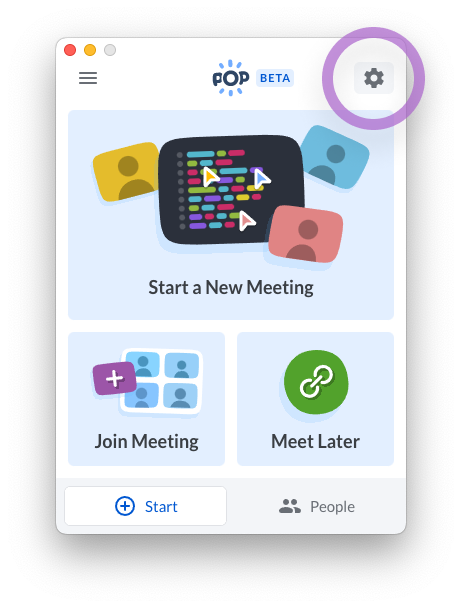
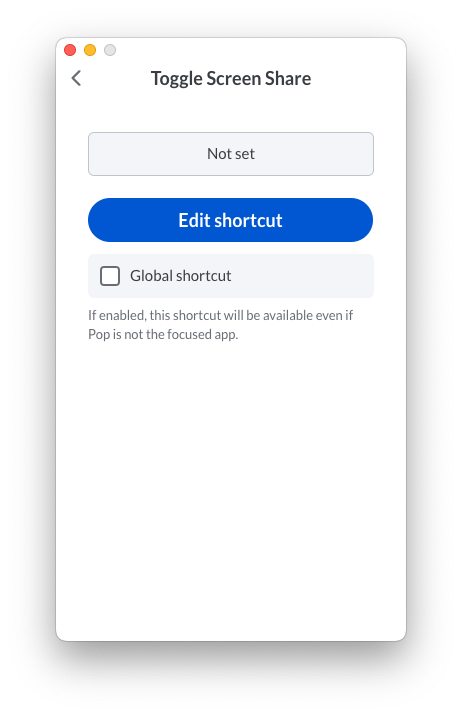
@lisaschumann_ Anything you want! You can define your own keyboard shortcut to share your screen, and more, in the app settings:
1. click the Settings icon
2. select "keyboard shortcut
3. select "screen share"
4. set your preferred shortcut. You can even make it global if you want.
We’ve been a little quiet on Twitter lately, and there’s a reason: we’re working on a set of ✨new features ✨ aimed at helping remote teams feel connected.
We’re close to opening up our beta, and if you’re interested in early access, drop us a note 📬!