Performing recon can take hours of your time... 😅
Recon-skills by @uphiago packages 169 offensive security skills into an AI-ready toolkit, covering everything from subdomain enumeration and vhost discovery to JS analysis and GitHub secrets, all tested across 600+ real targets in 45+ sectors! 🤠
Check it out! 👇
https://t.co/1zEMvDU47e
Use NextJS? Recon ✨
A quick way to find "all" paths for Next.js websites:
DevTools->Console
console.log(__BUILD_MANIFEST.sortedPages)
javascript:console.log(__BUILD_MANIFEST.sortedPages.join('\n'));
Credit: @ofjaaah#infosec#bugbountytips#bugbounty
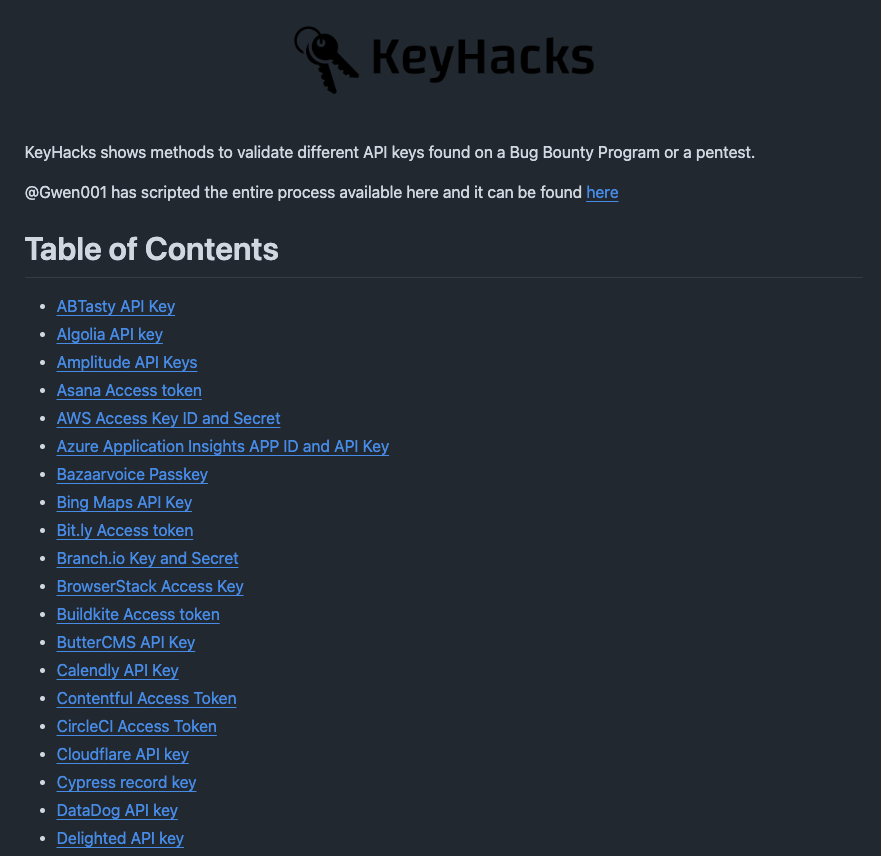
A repository showing quick ways to validate leaked API keys for 50+ services.
If you find an API key in a bug bounty, this tells you exactly which endpoint to call to check if it's valid and what access it gives.
Most hunters who find keys don't know this exists
Link 🖇️ 👇
Big #Bugbountytip / #bugbountytips
Google Services Hunting
Google services are amazing, and for bug hunters, it's amazing as well. In some cases, you can get some P1-P2-P3 from these services, such as
Workspaces / Sheets / Groups / Drives / Etc...
In groups: you can access emails / internal data/ credentials
In Sheets, you can access PIIs / Edit access
In Drive: you can access backups/ PII / Etc...
still hard to find and
It was an issue how to make good and at the same time fresh dorks for bug bounty programs
Then I found out that a lot of links have the same path, and it was like this
All Google resources I've found
https://t.co/2SixYDAKvE
https://t.co/tbE8WaX9CX
https://t.co/5D7Clds9cH
https://t.co/OfodYVKOk0
https://t.co/ZyA0JFkax4
https://t.co/mhIbyMF03b
https://t.co/QwByRWofh8
https://t.co/vAwAEX8KxI
https://t.co/4y1UMeZdq7
https://t.co/u7mOVPnus3
https://t.co/V9ALsFoqP9
https://t.co/2eLIaEPCGm
https://t.co/VxllqvwT6n
https://t.co/c1vkp8YrBt
https://t.co/2EkMSEUpIt
UrlScan Dorking:
page.url:"https://t.co/qb3s3f8koJ*"
page.url:"https://t.co/BNLIA1rXht*"
You can replace * => the program domain
Google Dorking:
site:https://t.co/qb3s3f8koJ* "inurl:/a/"
Or for specific domain
site:https://t.co/qb3s3f8koJ* "inurl:/a/domain.com"
GitHub Dorking:
"https://t.co/qb3s3f8koJ"
Or for a specific domain
"https://t.co/FKHqr19e0o"
Shodan Dorking:
"https://t.co/3vQLeWEs54"
Web Archive
https://t.co/c8tGyvVlH7
Don't forget:
It's not just https://t.co/pbqxKC9P4s
still you have to look for docs/groups/mail/drive/spreadsheetsX
still working in Google Research and will add more and more soon ......
Happy Hunting♥
#bugbounty
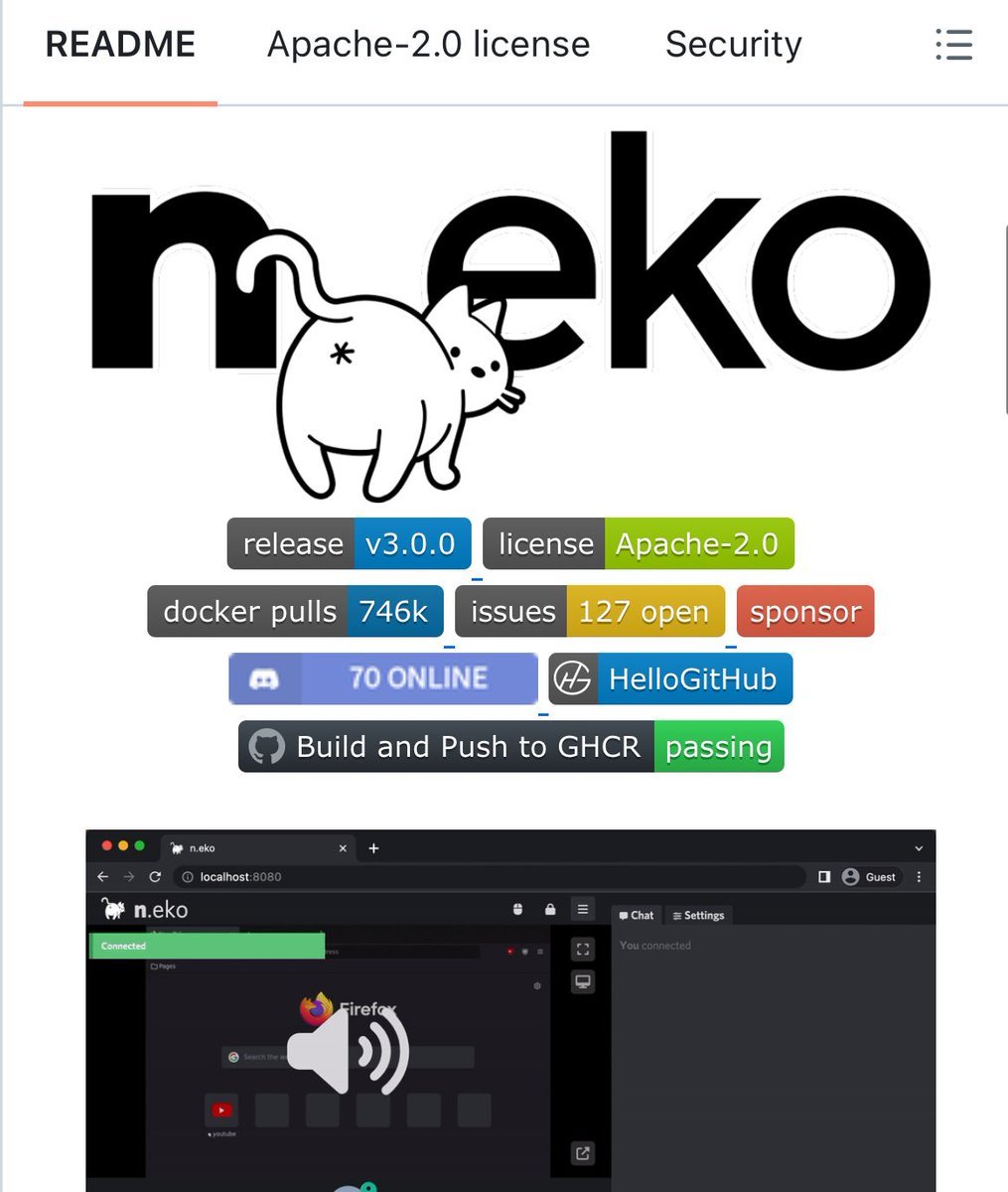
🚨 Someone built a full virtual computer that runs inside your browser.
No downloads. No installs. No VMs. Just a Docker command.
It's called Neko. It runs a complete desktop environment inside a Docker container and streams it to your browser using WebRTC.
Not a screen share. Not a remote desktop. A real computer running in a container that you control from any browser tab.
No VNC lag. No RDP setup. No TeamViewer watermarks. Just smooth, real-time video and audio.
Here's what this thing can do:
→ Run Firefox, Chrome, Brave, Edge, Tor Browser, or Opera in an isolated container
→ Run full desktop environments like XFCE or KDE
→ Multiple users can watch and control the same session simultaneously
→ Built-in audio streaming. Watch videos together with perfect sync
→ Persistent sessions. Close the tab, come back later, everything is still there
→ GPU acceleration for smooth rendering
→ Embed it in your own web app via API
Here's why people are losing their minds over this:
Watch parties. Open a movie, invite friends, everyone sees the same screen in real-time with synced audio. Open source alternative to Hyperbeam.
Throwaway browsing. Need to visit a sketchy site? Do it in a disposable container. Nothing touches your real machine. Pair it with Tor Browser and a VPN for full anonymity.
Team collaboration. Debug code together. Brainstorm on a shared whiteboard. Give a live demo where your audience can actually click around.
Secure jump host. Access internal company apps from anywhere without a VPN. Only video leaves the container. No cookies, no tokens, no data on the client.
Here's the wildest part:
The backstory. The creator built this because https://t.co/FEdEkGNdbS shut down and he just wanted to watch anime with his friends. Discord kept crashing. His internet couldn't handle streaming. So he built an entire virtual browser platform from scratch.
One Docker command to start:
docker run -d -p 8080:8080 m1k1o/neko:firefox
Open localhost:8080. You now have a full browser running in the cloud that anyone can join.
17.3K GitHub stars. 1.2K forks. 2,133 commits. 57 contributors.
100% Open Source. Apache 2.0 License.
How I made $2,000,000 Bounty for Android Full-Chain 0-Day
git clone android source code
cd /home/h4x0r-dz/android_source_code
run codex with this prompt
"find the Full-Chain 0-Day with working poc"
wait 30 seconds
boom !! $2,000,000 💰
Built a small project over the past few days: OSCP DB
A curated database of OSCP-related repositories, filtered to focus on updated and relevant resources instead of outdated material.
Repo:
https://t.co/ngppzoSvr2�
Explore it:
https://t.co/nAoMIWOmBB�
preparing for OSCP
Static JS analysis just got smarter.
jsluice is a Go-based tool that parses JavaScript using ASTs to extract endpoints, secrets, and interesting artifacts — no noisy regex scraping.
🔗source: https://t.co/7eyaQjt337
Perfect for bug bounty hunters who actually read JS instead of just grepping it. 🔎⚡
If you’re serious about client-side recon, this deserves a spot in your toolkit.
#BugBounty #AppSec #JavaScript #Recon
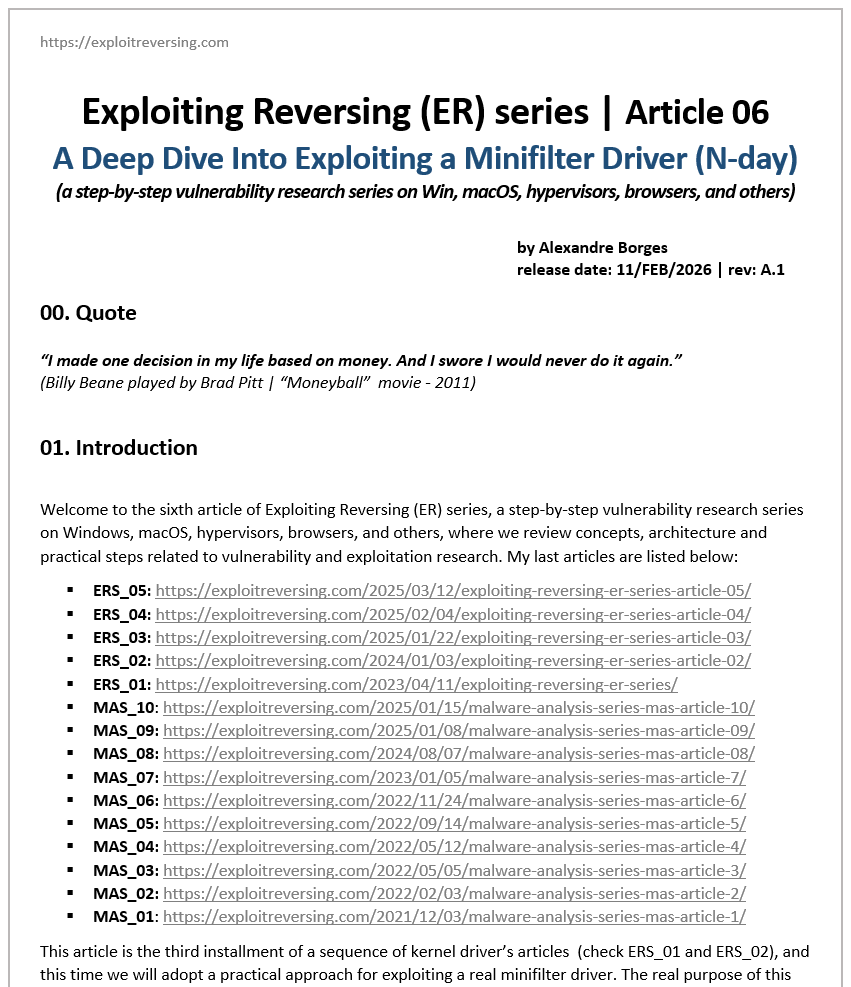
I am pleased to announce the publication of the sixth article in the Exploiting Reversing Series (ERS).
Titled "A Deep Dive Into Exploiting a Minifilter Driver (N-day)", this 251-page article provides a comprehensive look at a past vulnerability in a mini-filter driver:
https://t.co/Sh8pgB4bh8
It guides readers through the entire investigation process—beginning with binary diffing and moving through reverse engineering, deep analysis and proof-of-concept stages into full exploit development.
I hope this serves as a valuable resource for your research. If you enjoy the content, please feel free to share it or reach out with feedback.
Have an excellent day!
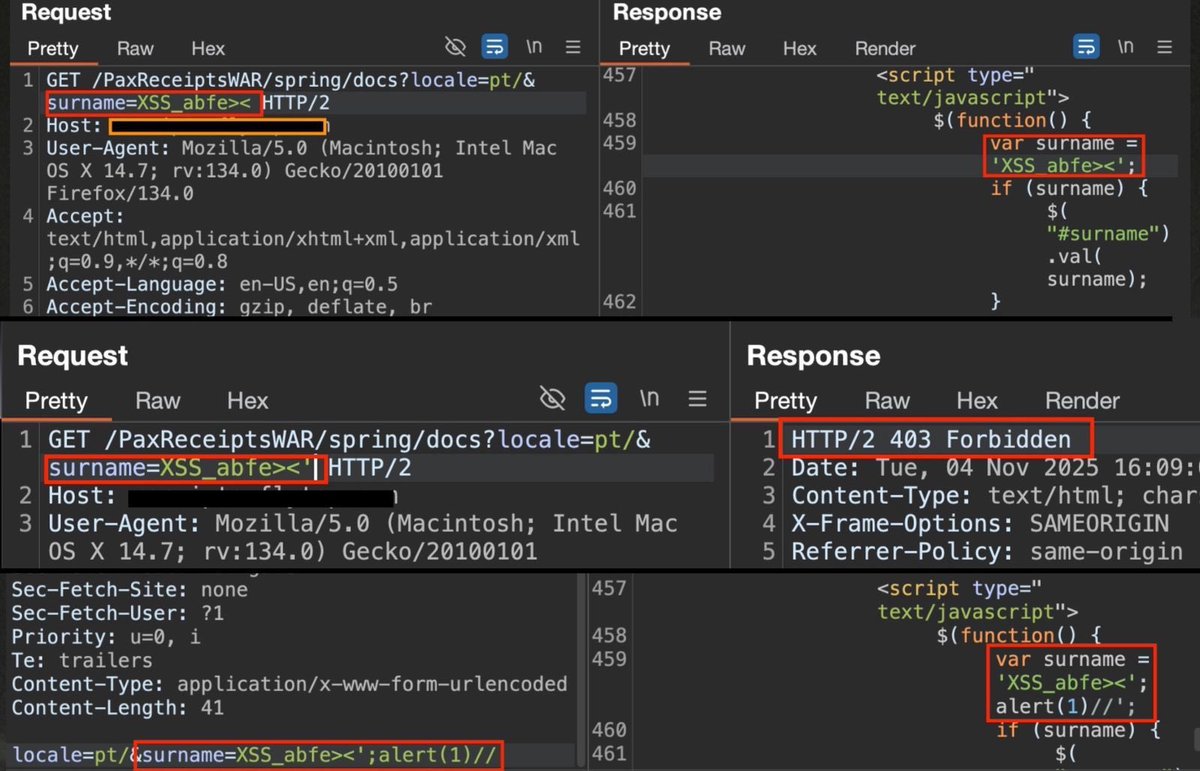
WAF bypass for XSS can be that simple, change the request method from GET to POST.
The WAF was blocking the single quote we needed for an XSS payload, We managed to bypass by simply changing the request method from GET to POST which bypassed the WAF
#BugBounty#XSS
🧠 Master Bash Scripting Free Open-Source eBook
Automation starts with Bash the foundation of every system engineer’s, network professional’s, and DevOps practitioner’s toolkit.
📘 PDF available for this guide
Use NextJS? Recon ✨
A quick way to find "all" paths for Next.js websites:
DevTools->Console
console.log(__BUILD_MANIFEST.sortedPages)
javascript:console.log(__BUILD_MANIFEST.sortedPages.join('\n'));
Cred = https://t.co/4hiJXDNlmU
#infosec#cybersec#bugbountytips