@Fabiotweaks Yeah 😅
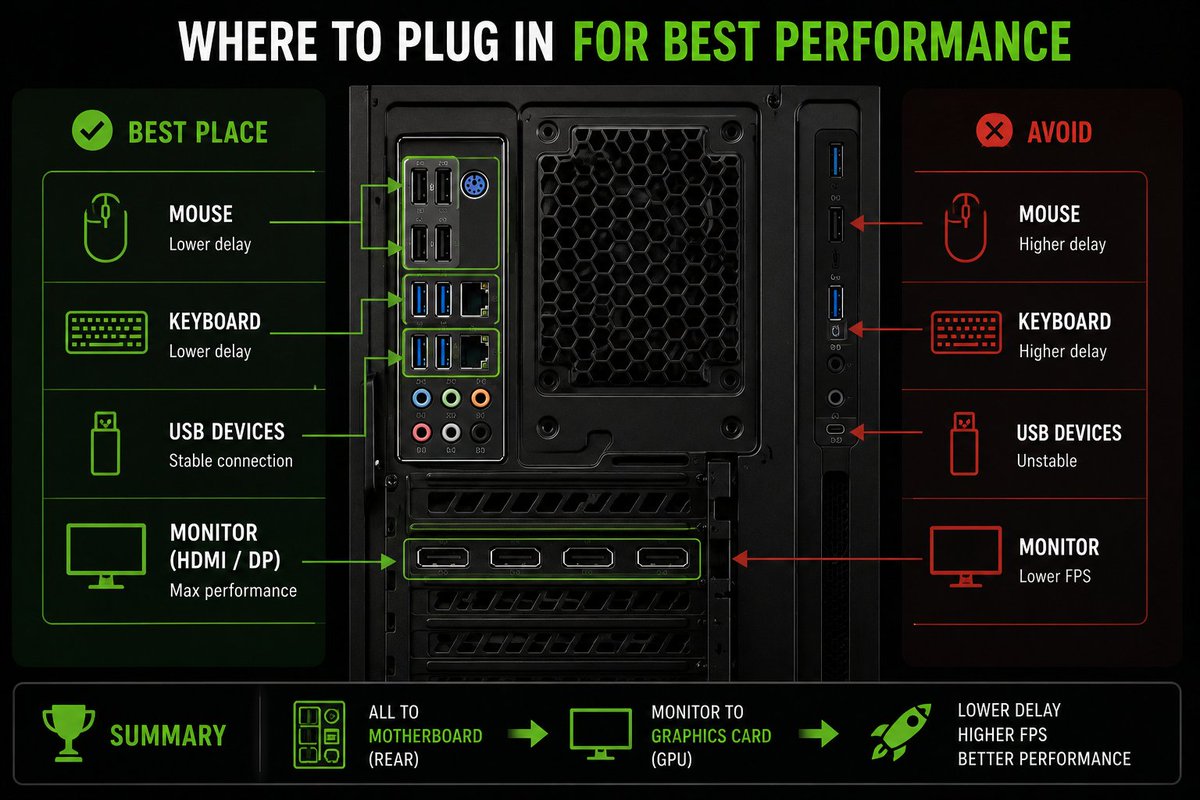
The image was AI-generated, so it's definitely not perfect and has a few mistakes. The goal wasn't to accurately recreate every motherboard layout, it was simply to illustrate the idea of plugging your peripherals into the appropriate USB ports
99% of gamers connect their PCs this way… and lose performance for no reason.
Simply connect your devices to the right ports for:
✅ More stable USB connections
✅ Lowest possible input latency
✅ Maximum GPU performance (monitor connected to the GPU)
Visual guide below 👇
Disable "SysMain" to stop the service eating your resources in the background without you knowing
Less background disk/RAM usage = smoother system.
❤️+ ♻️
@drunk3nn00b Hahaha, fair enough 😂
The image is AI-generated and has a few errors. I mainly used it to illustrate the general concept. I’ll make a corrected version thx !
@JouniHulkkonen Yes, certain behaviors related to USB controllers have indeed been observed primarily on specific AMD platforms. Nevertheless, the recommendation remains to prioritize the rear ports connected directly to the motherboard, though the impact can vary depending on motherboard used.
@Bobby_Bill_85 You’re right, the AI-image isn’t perfect, contains mistakes. USB 3.x is actually the better choice for a mouse. The main point of the post was to avoid front-panel USB when possible and plug latency-sensitive devices directly into the rear motherboard I/O.
Your Nvidia Control Panel is costing you FPS and you don't even know it 🎯
Every setting that actually matters, tuned for max performance - full breakdown in the clip 👇