✅ DO:
1. Use anchors to be more precise
- ^ for start, $ for end
2. Opt for non-greedy quantifiers
- Use *? or +? to match as little as possible
3. Test regex in tools like https://t.co/8QMErd8lkA, regex101
- Visualize and understand your pattern
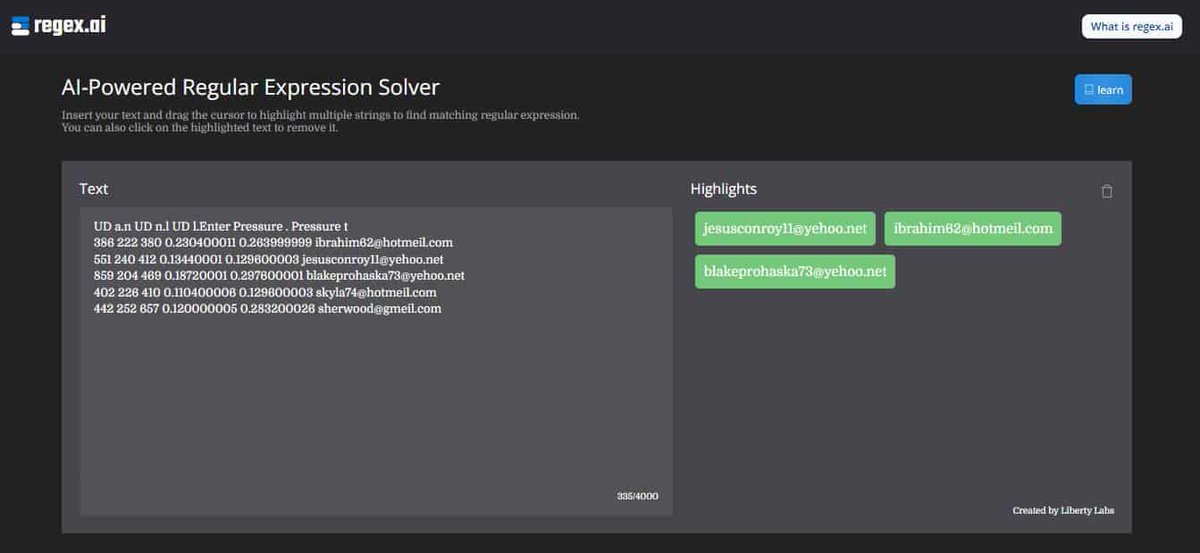
AI TOOL ALERT!!
Regex |A tool to find matching regular expressions. https://t.co/4MF6n6464n
🚀 Daily AI Newsletter - 5 Top AI News + 5 Best AI Apps+ 3 ChatGPT Prompts in your inbox! https://t.co/DVCuaTnrD6 🚀
#aitools#ai#artificialintelligence@Regex_Ai
Becoming a great developer is not an overnight process, it's a continuous journey. Embrace the challenges, stay curious, be passionate about your craft, and never stop learning. You got this!
Don't let your prompts be the victim of theft. Use regex-filtering and throw an error if generations contain snippets of your instructions. Let's take a stand together to defend originality in startup prompts.
AI is changing the face of software development, but many engineers make mistakes when implementing it in their work. Here are some common mistakes to avoid:
DON'T:
1) Write spaghetti code that is hard to read and maintain.
2) Ignore code reviews or feedback from peers.
3) Rest on your laurels and stop learning and exploring.
4) Underestimate the power of teamwork and collaboration."
DO:
1) Write clean, well-documented, and maintainable code.
2) Test your code thoroughly to ensure it works as intended.
3) Keep learning and exploring new technologies and tools.
4) Collaborate with your teammates and other developers to learn best practices.
Regular expressions are the most powerful tool for developers, but also the most intimidating. Do we really want to keep relying on something that only a few people can master? Let's start exploring more accessible options. #codetalk#developerchat