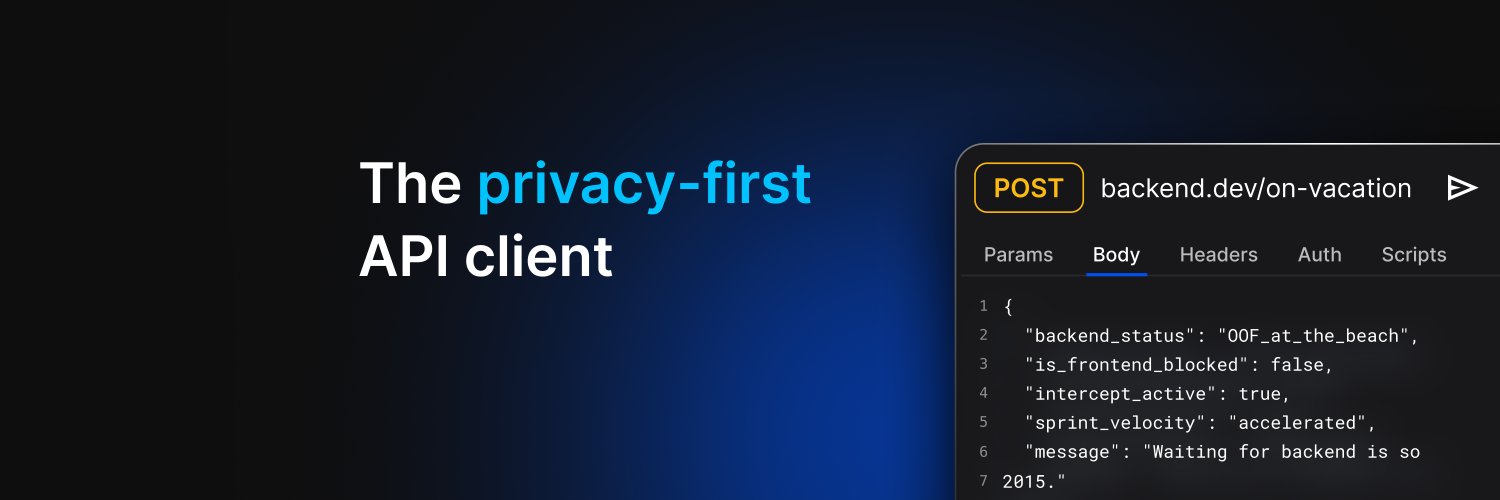
The API tooling industry is broken, and it’s time we talked about it.
Most legacy API clients are cloud-first by design. As a result, developers are dealing with leaked secrets, fragmented workflows, disconnected testing, and AI coding agents that lack the context they need to be effective.
At #Breakpoint2026, @sachinjain024 (CEO of @RequestlyIO and Group PM at @browserstack) unpacked the five biggest frictions slowing modern API development:
- Privacy Risks
- Context Switching
- No Single Source of Truth
- Blind AI Agents
- Isolated Testing
In this BrowserStack Unpacked session, Sachin shares why the current API tooling stack is holding teams back and demonstrates how Requestly is reimagining API development with a privacy-first, local-first approach.
👉 Watch the session on demand to see a live demo of Requestly’s next-generation #APIClient and #AI-powered API Test Authoring Agent: https://t.co/Wft3RTkpnm
👉 Try Requestly today and experience a faster, privacy-first way to build, test, and collaborate on APIs: https://t.co/0mAXpM870W
Heard anyone say #MCP is going to replace your #REST APIs? That's a category error
REST is built for human developers writing deterministic code, while MCP acts like a "USB-C port" for AI agents making probabilistic decisions on the fly.
Over 5,000 community MCP servers exist today, so ignoring it is a mistake—but treating it as a REST killer fundamentally misunderstands the architecture
Here is the honest breakdown of how they actually coexist in a modern API stack
✅ The core difference: REST is stateless and relies on design-time discovery via OpenAPI specs. MCP is session-based and relies on runtime discovery, allowing an AI to dynamically ask your system, "What tools do you have right now?"
✅ Different callers: REST exposes standard resources and operations. MCP exposes tools, read-only data, and prompts with descriptions explicitly written for an LLM to read and execute.
✅ MCP wraps REST: MCP isn't a replacement; it's a thin wrapper. Your existing REST API remains the absolute source of truth for your business logic, validation, and auth.
✅ The translation layer: The MCP server sits on top, converting an AI agent's unpredictable tool choices into the standard, repeatable REST calls your system already understands.
💡 You don't need to rewrite your backend to support AI agents. Since MCP servers are just translation layers, you can auto-generate an MCP wrapper directly from your existing OpenAPI specs.
👇 Check out the full video breakdown to see the 5 concrete differences side-by-side and learn how to implement them!
In 2026, an #API gets you developers, but an #MCP server gets you #AIagents—and agents are your new customers.
If your SaaS isn't natively accessible to tools like Claude or Cursor, those agents will simply recommend the competitor who already shipped an MCP server.
Here is why shipping one is a necessary distribution play:
✅ It's the new SEO: Agents recommend the tools they can actually use. The first platform in your category with an MCP integration becomes the default answer.
✅ 80% of the work is already done: If you have a stable REST API, your auth, rate limits, and business logic are already handled. Your MCP server just reuses it.
✅ Fast Time-to-Market: You can wrap your top three workflows into MCP tools in a single 1-2 week sprint.
👇 Watch the full breakdown on the real dev effort, and the 4 specific situations where you should NOT build an MCP server yet
Throwing raw ChatGPT at your #API for test generation is a recipe for hallucinated status codes and false assertions.
We spent two weeks testing 7 AI test case generators against a real OpenAPI spec so you don't have to—and these 3 are actually worth an engineering team's time:
Keploy (Grounds tests in real traffic)
testRigor (Turns plain English into runnable scripts)
Postman AI Agent Builder (Lowest friction for Postman users)
Watch the full 5-minute teardown! 👇
👉 Bonus: If you just need a quick win, Requestly's built-in AI test generator lets you use an actual API response to generate assertions for the whole endpoint in one single pass. Try it for free: https://t.co/0mAXpM870W
Disorganized API setups don't just look messy—they double your debugging time, lead to inconsistent testing, and let critical edge cases slip through
Here is how to structure your API testing workflow so it actually scales. 👇
- Keep ONE base request per endpoint: Think of this as your clean, canonical template. Never modify it directly
- Use a parent-child structure: Group related scenarios under the base endpoint so your sidebar becomes a structured, navigable map
- Name scenarios descriptively: Ditch "test1" or "edge case". Name them exactly after what is being tested, like "Missing token – 401" or "Payload too large – 413"
- Save responses alongside requests: Don't just save the request configuration. Saving the actual response creates a living reference that saves enormous time when debugging
💡 Tip: Stop mixing environments! Use variables (like ) to switch dynamically, or create clearly labeled scenario groups for staging vs. production. Mixing them up is one of the most common sources of confusing test results
👉 Read the full blog to learn the complete scenario-based testing framework and see how Requestly's Examples feature automates this structure for you: https://t.co/navZgPMha1
Your #API request folder looking like:
final_v2_ACTUAL_final_use_this_FIXED.json
Yeah. We built something for that.
Requestly Examples lets you save every version of a request — valid response, edge case, error state — clean, named, and ready to switch between instantly.
Learn more → https://t.co/YbCzJTWYA9
Your API returns a 200 OK. Your users trying to check out say otherwise.
That’s the problem with relying purely on UI tests.
👇 Here’s a 100-second breakdown on how to catch failures before they turn into 3 a.m. pager alerts.
Run your API tests locally and inside your CI pipeline before every single deploy. Try Requestly for free (no login required): https://t.co/0mAXpM870W
Every time you test an API, you're probably editing the same request over and over — changing parameters, tweaking headers, adjusting payloads. It's repetitive, and one wrong edit breaks your original setup.
With Requestly #Examples — you can save any API request + response as a snapshot, and switch between test scenarios instantly without touching the original.
What you can do with Examples:
✅ Save distinct versions of a request (valid responses, edge cases, error states) under one parent request
✅ Revisit past responses without re-running anything — the response is stored too
✅ Share exact request configs with teammates so everyone's debugging the same setup
✅ Use any example as a template to spin up new requests without starting from scratch
Read more here: https://t.co/kuNloMukSW
By pairing AI-powered code generation with a structured testing environment, engineering teams can significantly reduce the time spent chasing API errors—and move faster with more confidence.
Here’s a streamlined workflow using Cursor and Requestly to make API testing smarter and more efficient:
✅ AI-Assisted Generation: Use Cursor to generate endpoint URLs, query parameters, headers, and even expected response structures
✅ Execution & Validation: Plug those outputs into Requestly to run requests, inspect responses, and validate real API behavior
✅ Dynamic Request Reuse: Leverage environment or collection variables in Requestly to reuse requests across scenarios without rewriting
✅ Rapid Debugging Loop: When something breaks, feed the error back into Cursor for analysis and fixes—then instantly retest in Requestly
💡 Pro tip: Ask Cursor to generate edge-case inputs and test scenarios, and run them through Requestly to stress-test your APIs before they hit production.
We are incredibly excited to announce that our founder, @sachinjain024 (Co-founder, @RequestlyIO and Group Product Manager, @browserstack), is taking the #BreakPoint2026 stage to officially unveil the next-generation Requestly API Client!
For years, developers have relied on heavy, bloated API testing tools that force mandatory logins and cloud lock-ins. Your #APIClient shouldn't be the bottleneck slowing you down.
In his session, "Ditching the Bloat," Sachin will demonstrate how our faster, privacy-friendly, open-source approach is fundamentally supercharging daily QA and development.
Get ready for a highly practical breakdown as he reveals:
✅ Zero Bloat & No Lock-ins: Why modern engineering teams opting for a lightweight, lightning-fast experience.
✅ AI Test Authoring: Designed to automate complex API test generation directly within your workflow.
✅ Advanced Interception: Mastering response mocking, on-the-fly header modifications, and automated scripting.
Join hundreds of thousands of developers making the switch to a truly modern API testing experience.
Connect with 50,000+ peers and learn from 50+ industry leaders over 3 action-packed days. 12 days to go! 🚀
🗓️ Global: May 12-14, 2026 | ⏰ 7:30 AM PT
🗓️ APAC Exclusive: May 13-15 | ⏰ 10:00 AM IST
✅ 100% virtual & completely free
👉 Save your seat: https://t.co/kkrXRsuydm
Teams can now manage secrets securely within their API workflows in @RequestlyIO.
Securing API keys, tokens, and database credentials is a baseline requirement for any engineering team.
Keeping sensitive data out of shared collections and exports is key to protecting your infrastructure. By building credential management directly into your API workflow, you can strengthen security without slowing down development.
Here is how Requestly uses Vault and Pull secrets from AWS Secrets Manager:
✅ Store Secrets Locally: Store local development keys securely by accessing the Vault directly from the app footer
✅ AWS Native Integration: Connect AWS Secrets Manager to seamlessly pull centrally managed secrets directly into your local workspace
✅ Environment Configurations: Set up multiple AWS profiles to manage secrets across your different development environments
✅ Standardized Referencing: Call any credential across your workspace using a unified vault:key syntax
Brief walkthrough below 👇
Tracking success, error, and edge-case scenarios shouldn't require a cluttered workspace.
🚀 Requestly lets you save multiple request-response scenarios under a single base request to keep your testing environments clean and efficient.
In our latest video, we break down how to organize and reuse API scenarios efficiently.
✅ Capture the full state: Save the exact method, URL, headers, parameters, and response data for any scenario.
✅ Standardize setups: Create and reuse saved templates as a baseline configuration to spin up new requests faster.
✅ Switch instantly: Toggle between different scenarios directly from the sidebar.
💡 Pro Tip: Use this feature to streamline the feedback loop between QA and Development.
Instead of manually reproducing an edge case, you can save the exact failing response as an example in a shared workspace—giving the full context instantly.
Engineering time often gets lost chasing frontend “bugs” that turn out to be API issues—header mismatches, silent failures, or expired tokens.
If debugging still relies on guess-and-check, the workflow is the problem.
In this breakdown, we go through 5 common API debugging mistakes and how to structurally fix them.
✅ Assuming payloads instead of verifying actual network traces.
✅ Treating all non-200 responses the same instead of implementing specific error handling.
✅ Relying on manual UI refreshes instead of intercepting and modifying requests mid-flight.
✅ Using hardcoded, expiring data rather than dynamic variables.
✅ Manually reproducing auth and state instead of scripting your way to a clean fix.
The shift is simple but structural: move from reactive debugging to controlled, repeatable workflows.
💡 Pro Tip: Combine request interception with pre-request scripts for dynamic auth and timestamps. This allows you to isolate and test edge cases locally without relying on the UI.
The goal isn’t just faster debugging. It’s fewer unknowns.
Meet the brand new Requestly #APIClient. 🚀
We've re-architected our API testing experience from the ground up to give you the speed, privacy, and power you actually need!
And we’ve made a big shift: moving the API Client out of the browser extension into a dedicated desktop app.
Decoupling it from the browser lets us build a far more capable, privacy-first API client designed for real workflows.
If you're tired of heavy, slow API tools, this is built for you—no forced cloud syncs and no mandatory logins.
Here is what's waiting for you in the new desktop app:
✅ Lightning fast: Native handling for APIs with different supported protocols.
✅ Privacy-first & Git-native: Save locally, manage via Git, or use Team Projects.
✅ Automate Workflows: Automate your request with pre-request and post-response scripts
✅ Data-Driven Testing: Bulk execute collections using CSV & JSON files.
✅ 1-Click Imports: Seamlessly migrate Postman collections, OpenAPI specs, and cURL commands.
Give the new desktop app a spin and see the difference! 👉 https://t.co/A3yQryG2ej
An #API in 2026 is basically just a translator. It takes human language and turns it into JSON so AI agents can take action.
But the real bottleneck is your AI devs waiting for backend APIs to be ready. 🤯
If you want your team to ship faster, you have to decouple them.
With @RequestlyIO, your AI agents can keep testing with realistic data while the backend gets built in parallel. 🚀
How much does sprint velocity drop just because devs have to manually recreate API endpoints in their testing clients?
It usually starts with a quick Slack message asking for the latest payload structure.
Then suddenly, you’re spending 20 minutes configuring headers, body params, and auth tokens just to test a single route. It’s a massive, quiet time-sink.
We built a simple fix in Requestly to remove this friction.
Drop your #OpenAPI spec (v2/v3, JSON or YAML) into your workspace, and it instantly builds your full API collection.
✅ Zero setup: Import all endpoints instantly
✅ Shared alignment: Same API contract across teams
✅ Instant testing: No more copy-paste setup
Check out the quick walkthrough video below to see it in action. 👇
Docs: https://t.co/9fNBRkvOr7
We’ve rolled out native #SOAP support in @RequestlyIO ! 🚀
A huge part of the world’s infrastructure—financial systems, healthcare, telecom—still runs on SOAP APIs.
But testing them often means switching to clunky legacy tools or wrestling with XML in modern clients.
We wanted to remove that friction. Now you can handle SOAP workflows right alongside #REST and #GraphQl—without leaving Requestly.
Here’s how it works:
✅ Import WSDL: Add a URL or file to auto-generate structured requests
✅ Tweak & Send: Edit XML parameters and fire requests instantly
✅ Analyze: View responses in the same clean interface you already use
Whether you're maintaining legacy systems or migrating away from them, everything now lives in one place!
👉 Docs: https://t.co/qBp5kxnGpx
Most developers use only 20% of their #APIClient.
If you're only using your #API client to fire off GET requests and check status codes — you're leaving a lot of value on the table.
Here are 6 ways to get the most out of Requestly API Client:
1️⃣ Master Environment Variables: Stop hardcoding base URLs. Create Dev, Staging, and Production environments in Requestly and switch between them in one click — no manual edits across requests.
2️⃣ Use Pre-Request & Post-Response Scripts: Requestly lets you write JavaScript pre-request scripts to set dynamic headers or tokens, and post-response scripts to transform or validate data — automatically, every time.
3️⃣ Organize Requests into Collections: Group related API calls into Collections and sub-folders. Your projects stay clean, shareable, and navigable — especially as your API surface grows.
4️⃣ Run Automated Tests with the Collection Runner: Don't just test one request manually. Use Requestly's Collection Runner to execute multiple requests sequentially — with data file support for running tests across multiple inputs at once.
5️⃣ Collaborate Through Team Workspaces: Share Collections, Environments, and requests directly with teammates through Requestly Workspaces. Everyone works from the same source of truth, no emailing JSON files around.
6️⃣ Import from cURL or OpenAPI in Seconds: Got a cURL command from your browser's Network tab? Paste it straight into Requestly and it converts into a full request. You can also import OpenAPI/Swagger specs or even existing collections.
Introducing “Examples” in Requestly! 🎉
Most #API workspaces end up as the same few requests cloned over and over.
But cloning requests just to track different responses creates a mess. Debugging slows down, and sharing context becomes painful—you open a workspace and see a graveyard of duplicates.
We wanted to fix this in Requestly, so we built “Examples.”
Instead of duplicating a request multiple times, you can save multiple request/response snapshots under a single endpoint.
- Got a 200? Save it as “Success.”
- Hit a 400? Save it as “Invalid Input.”
- Testing edge cases? Save “404 Not Found.”
Now your workspace stays clean. Open one API call, toggle between scenarios, and reuse them instantly.
Give it a look 👇
Docs: https://t.co/PWOZ4qhvx0