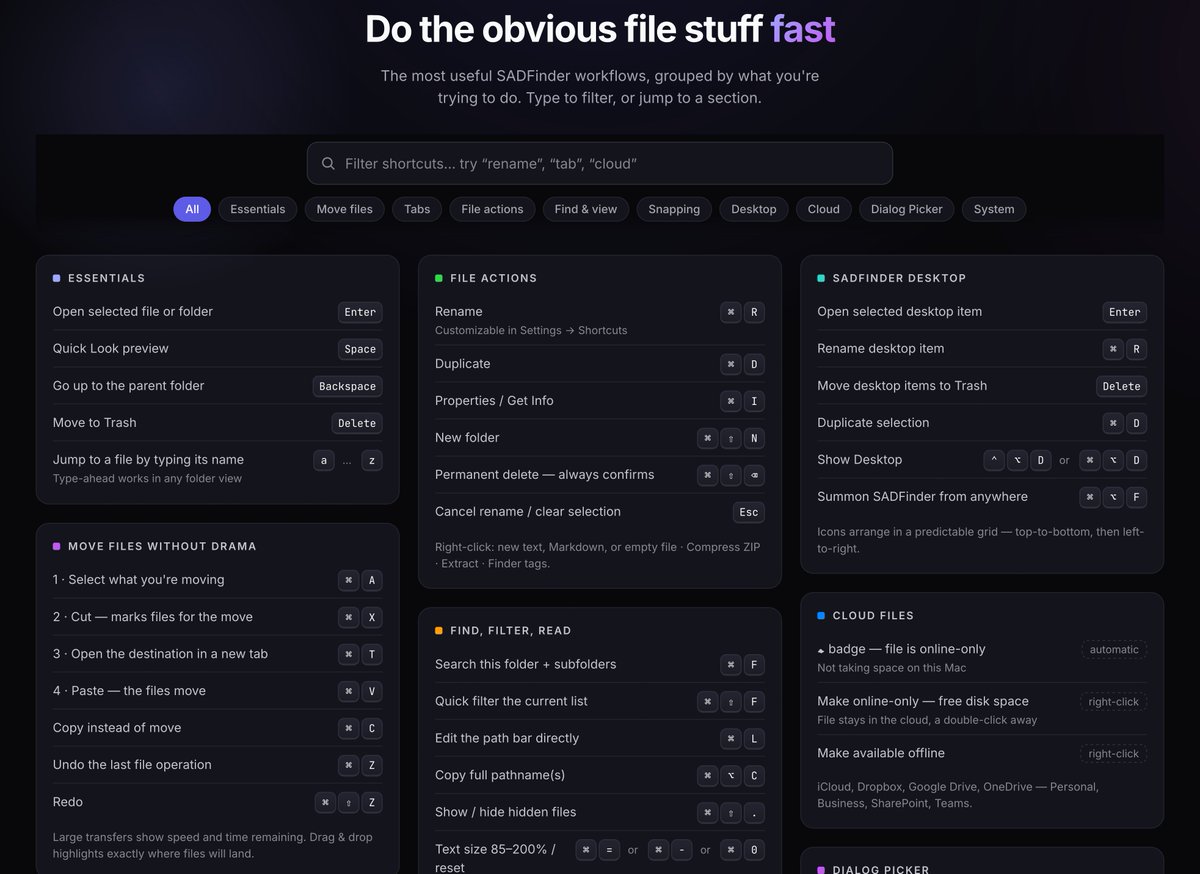
If you're on a laptop backspace will now send to trash in @SADfinderApp but if you have a regular keyboard (desktop) backspace goes up a level and the delete key sends to trash. Like God intended.
Why does https://t.co/VGoho1PWKU have features the Mac App Store version doesn’t?
Apple’s sandbox changes 7 things — from content search and global shortcuts to window control and file access.
One Pro purchase still gives you both editions.
Watch: https://t.co/F3kEuZzpkj
Can SADFinder make sense in 29 seconds?
I cut the workflow down to the essentials: tabs, familiar keyboard actions, and moving files without losing context.
What is still unclear?
https://t.co/oA5v8x8b00
I built SADFinder because routine file work on macOS was taking too many clicks.
Here’s the first full demo: tabs, familiar shortcuts, window snapping, Desktop control, themes, and a better way to work with Open & Save dialogs. 🧵
The beta Dialog Picker appears beside supported Open & Save dialogs.
You get Favorites, the editable path bar, view modes, and—in Open dialogs—a drop zone that hands selected files to the app you’re using.
Would short video demos help? Or a weekly “small things we fixed” post?
I’d genuinely like to know what you’d pay attention to.
Full changelog: https://t.co/WrbNxOt3Kj
I left a huge bug in SADFinder.
Download a file and hit “Open Folder”—or choose “Show in Finder” in another app—and regular Finder opened instead.
That’s exactly the kind of jarring break a Finder replacement should never have. It’s fixed in v0.1.43. 🧵
Now I’m wondering: how should I tell users about the small improvements that matter every day?
Themes are obvious. A folder quietly remembering its sort order isn’t. I can’t send an email for every fix.