So, Copilot Agents in EDU. Let's figure this out. My first recommendation, until you're sure you are ready, is to go to M365 Admin Center > Agents > Settings > User Access > Specific users or groups > Add a control group with your test users to deny general access.
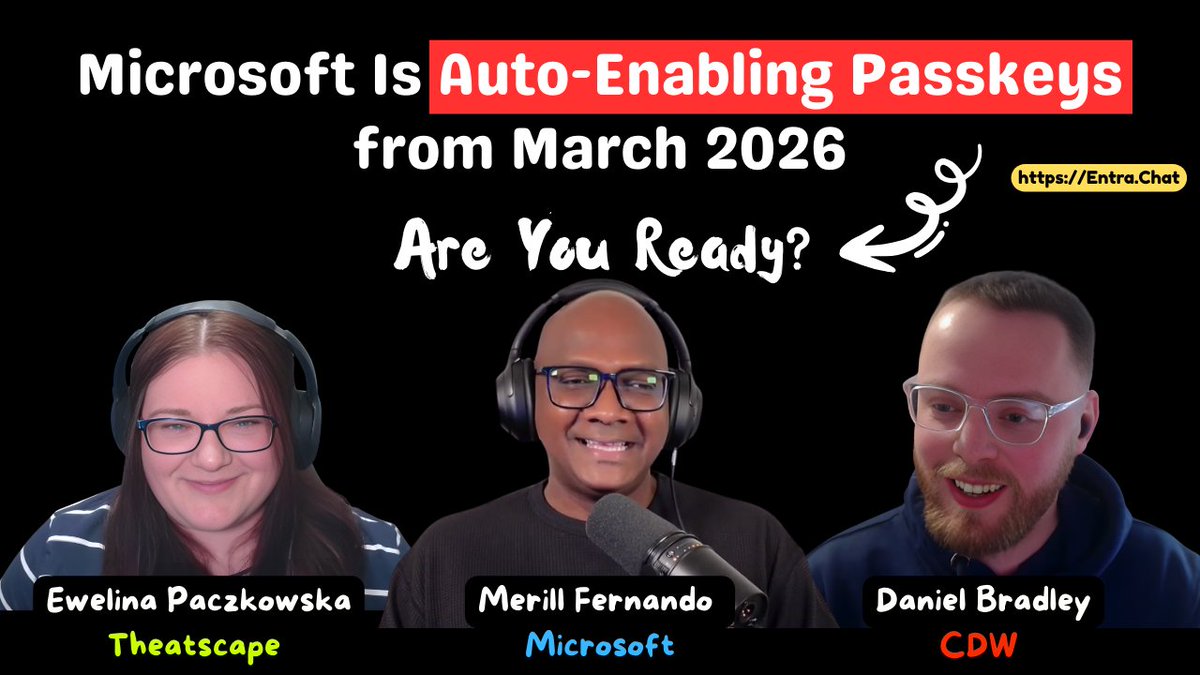
Microsoft is auto-enabling passkeys in March 2026.
No opt-in required.
If you don’t configure it first… your tenant gets the defaults.
I sat down with Microsofty Security MVPs @DanielatOCN and @WelkasWorld.
We break down:
1️⃣ Passkey Profiles Are Becoming the Default
→ Starting March 2026:
→ Passkey profiles will be auto-enabled
→ Tenants that haven’t configured profiles will be migrated
→ Registration campaigns will shift from Authenticator-first to passkey-first
2️⃣ Source of Authority Conversion Is Finally GA
For years, admins used messy delete-and-restore hacks to convert synced users to cloud-only.
→ Now it’s officially supported.
→ You can convert individual users from on-premises authority to cloud-managed — without breaking hybrid entirely.
Why this matters:
→ Easier M&A transitions
→ Full access to Entra ID Governance features
→ Cleaner lifecycle management
→ Reduced dependency on legacy infrastructure
---------------------
Sponsored by: Action1 https://t.co/YlnSF6zPmi
Action1 is a cloud-native patch management platform for Windows, macOS, Linux, and third-party apps — all from one place, no VPN needed. Curious how easy it is to start? You can use it on your first 200 endpoints, for free, forever, with no functional limits. It’s not a disguised free trial. No credit card required, no hidden limits, no tricks.
Visit https://t.co/YlnSF6zPmi and get started today.
---------------------
3️⃣ App Registration Deactivation (A Quietly Powerful Feature)
→ Microsoft added the ability to deactivate app registrations.
→ Instead of deleting an app (and losing configuration), you can now:
→ Immediately stop token issuance
→ Preserve metadata and permissions
→ Investigate safely
→ For incident response scenarios — especially in multi-tenant or MSP environments — this is a big step forward.
4️⃣ Conditional Access Behavior Changes
→ There’s also a change impacting tenants with Conditional Access policies targeting “All resources” but excluding certain apps.
→ Previously, certain minimal-scope apps could bypass enforcement under specific conditions.
→ That loophole is closing.
5️⃣ Sync Security Hardening (Hard Match Protection)
→ Microsoft is adding additional validation to protect against malicious hard matching scenarios in hybrid environments.
→ This reduces the risk of identity takeover via manipulated on-prem objects.
→ It’s automatic — but important to understand if you manage hybrid identity or MSP transitions.
Watch the full episode for the deep technical breakdown and real-world implications.
https://t.co/9c92xNqKF8
Last year, Microsoft quietly introduced Windows Quality updates during OOBE and then pulled them back after a wave of admin frustration.
Now they are back (message center), and this time, Microsoft is bringing a major improvement.
Microsoft has officially announced a new ESP setting that will give IT admins the option to defer these Quality updates during the Out-Of-Box Experience.
Important: This option is only available for Autopilot and NOT for Autopilot Device Preparation (AP-DP)!!!
If you are curious how this new ESP feature actually works, check out our blogs!
In the first blog, we previously explored the original forced OOBE quality update flow, how NDUP works, and even captured the behind-the-scenes calls to SDX.
https://t.co/1ERY9eDCva
In the additional Patch Tuesday blog, we explain how the newly announced ESP option to defer quality updates will work and how it connects with Autopilot Device Preparation.
https://t.co/qKn7zeEOqd
#Intune #MSIntune #Windows #WindowsAutopilot #Windows11 #Security #Microsoft #WindowsUpdates
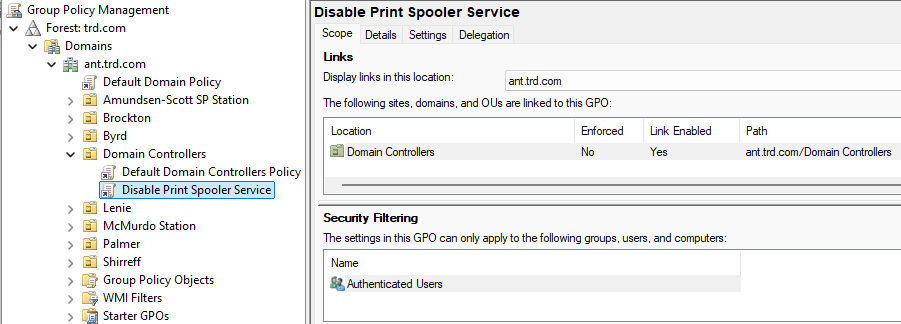
The Print Spooler service is a default service on Windows Servers and is set to run at startup. There are a number of attacks that are enabled by having the Print Spooler service running on Domain Controllers (ex.: Printer Bug: https://t.co/7NbMT0iMkJ)
At this point it's best to configure a GPO to disable the Print Spooler service on Domain Controllers (2nd & 3rd screenshot show the GPO settings). There shouldn't be anything affected by this change. No one should be using their Domain Controller as a print server and the only thing this service does by default is manage automatic Printer object pruning, but there needs to be a GPO to configure this. We have only seen this a total of 2 times over 8 years of performing Active Directory Security Assessments (ADSAs)
PowerShell code to check if the Print Spooler service is running in the current domain (requires DC admin rights, so domain Administrator or equivalent):
$DomainDCs = Get-ADDomainController -Filter * | Sort HostName
ForEach ($DomainDCItem in $DomainDCs)
{
$ServiceStatusArray = Get-service -Name 'spooler' -ComputerName $DomainDCItem.HostName
switch ($ServiceStatusArray.Status)
{
"Running" { Write-host "$($DomainDCItem.HostName): Print Spooler Service is RUNNING" -ForegroundColor Red }
"Stopped" { Write-host "$($DomainDCItem.HostName): Print Spooler Service is stopped" -ForegroundColor Green }
default { Write-host "$($DomainDCItem.HostName): Test failed" -ForegroundColor Yellow }
}
}
#ActiveDirectorySecurityTip
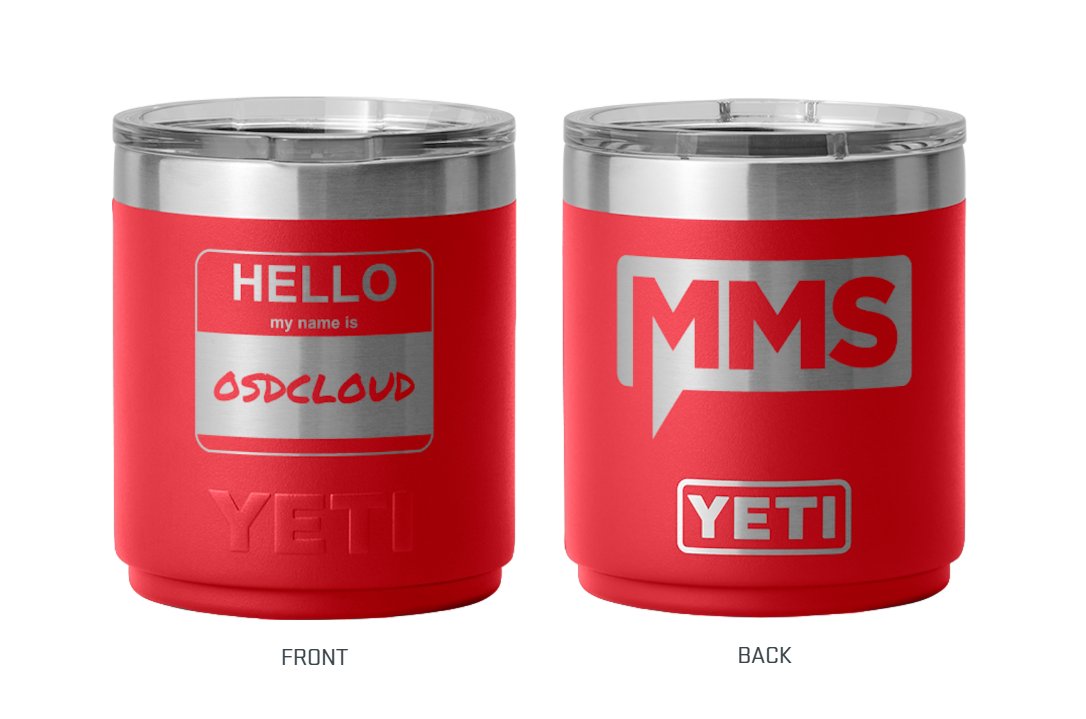
Some lucky attendee @mmomoa is going to get one of these damn cool #OSDCloud#MMSMOA#Yeti cups
The rules:
Add and attend to our #OSDCloud Session https://t.co/KHQ1eTVv7k
Like and RT this post
The attendee with the most RT likes by session gets one, right @EskimoRuler !!
@NathanMcNulty That makes a lot of sense. We currently have the strong passwords and FIDO2 keys but when we saw the MS guidance, we were wondering if we were missing something and searches were not showing anything about it. Thanks!
@NathanMcNulty
When you create emergency Entra Accounts, do you have a specific CA policy for those? Or how are we supposed to enforce FIDO2 keys on them? Looked at the docs and it’s unclear how to enforce step 4: Require phishing-resistant MFA
I'm excited to be at #MMSMOA 2025 talkin' bout #OSD stuff with @gwblok@EskimoRuler !!
Hold up ...
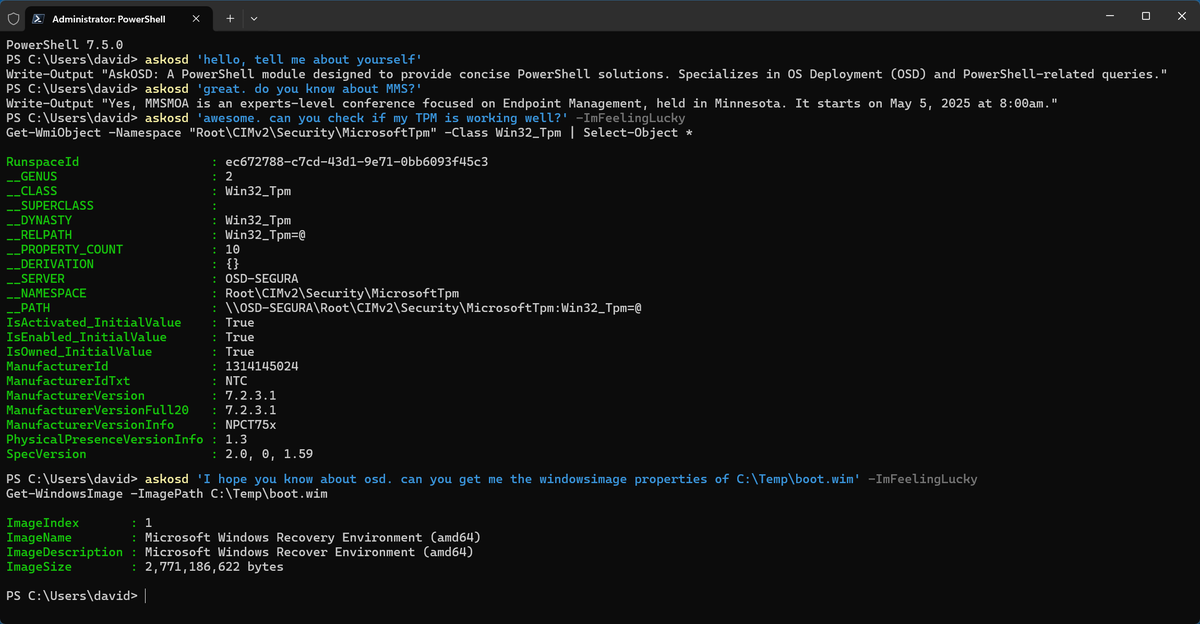
Is this a screenshot of the new OSDCloud console in @code with @github integration?
(If this Tweet gets over 100 Likes + RT's then I'll beg for an #OSDCloud Happy Hour Session!)
@NathanMcNulty FYI - In education, we need to be careful with this setting. This policy will block logins to Chromebooks if you are doing SSO with Google and logging into Chromebook with your Microsoft credentials.
@SwiftOnSecurity Testing with IT staff now, even my daily driver. Speed, MacBook wake up time, battery life are fantastic. I haven’t come across anything that won’t run on the compatibility layer. 2 things that are lacking is proper OSD support and enterprise printing support. - Lattitude 7455
@acjuelich@AdamGrossTX I do! But am currently sitting by a beach for the next few days! I will post what I have here when I get back to civilization. 😎
@acjuelich@AdamGrossTX My techs do. It only takes the time to boot from a flash drive and they move to the next machine. It has been way more reliable than using the wipe options in Intune for whatever reason. And faster as well!
@acjuelich@AdamGrossTX Ya. We image the labs every year and it’s so much nicer to get the latest drivers and OS right from the source instead maintaining SCCM (which I did for 10+ years). And then with Self Deploy, it sets itself back up again. Pair that with PatchMyPC and I have 99% of my sccm needs.