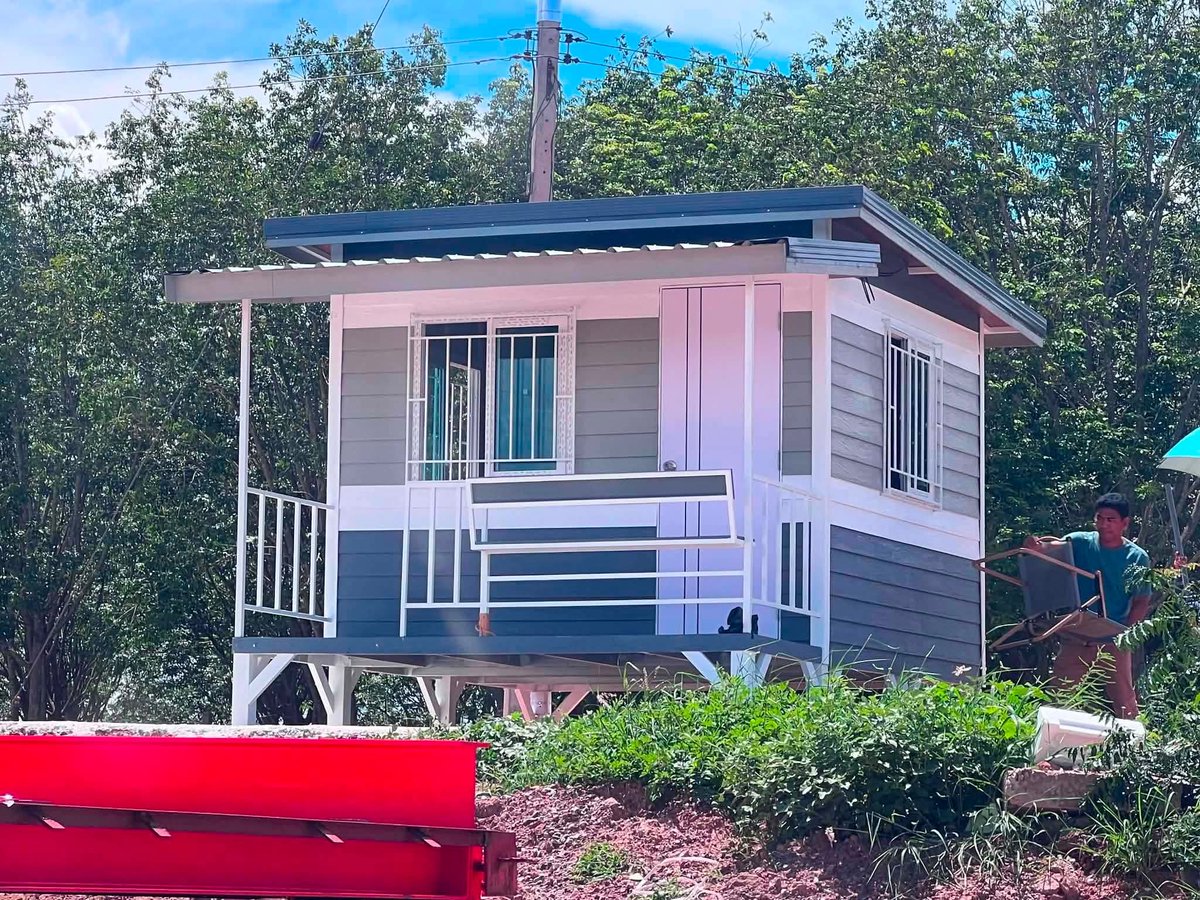
🌟 High-Quality Knockdown House (6x3m) Modern design with a front porch. Ideal for an outdoor studio, guest house, or resort room. Low maintenance and quick installation. 2,999$ please DM for pricing #TinyHouse#CabinLife#HomeStudio#SmallSpaceLiving
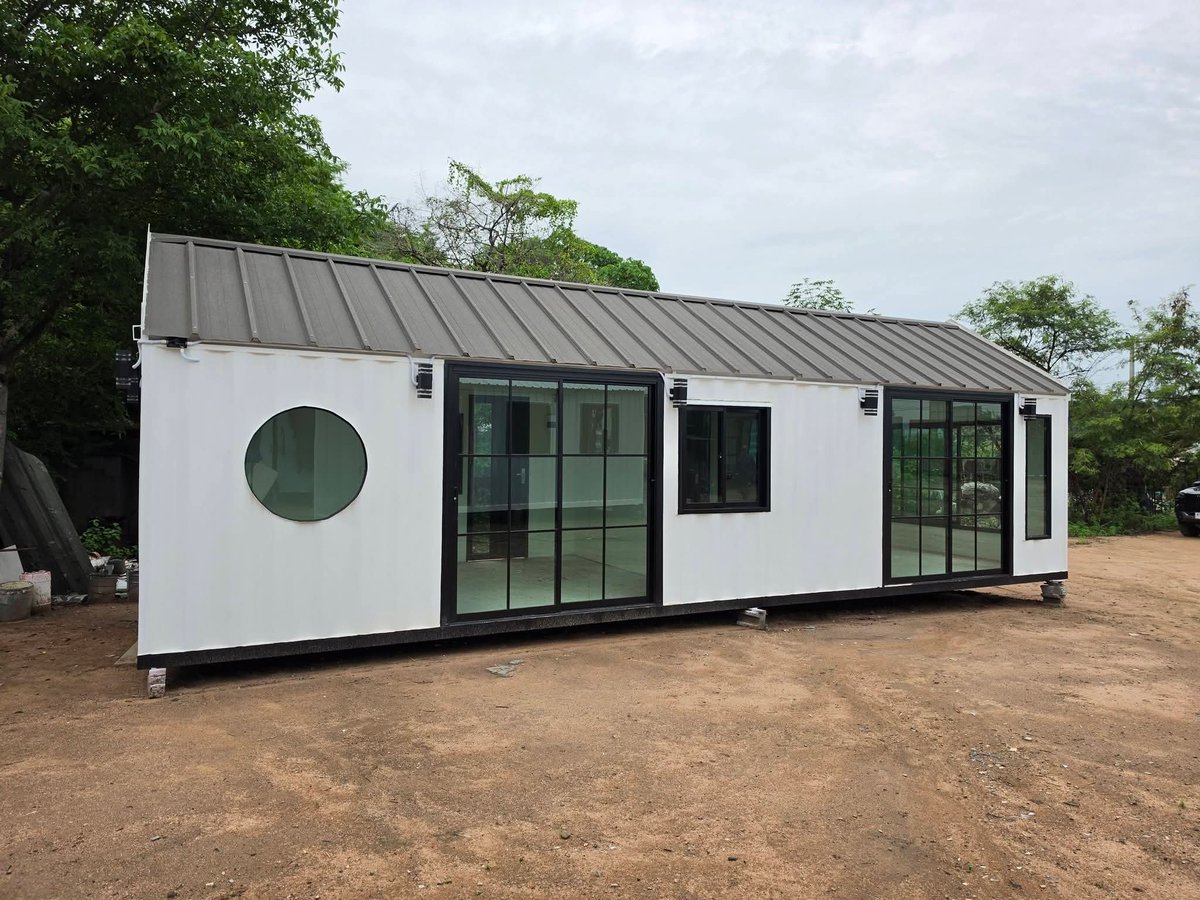
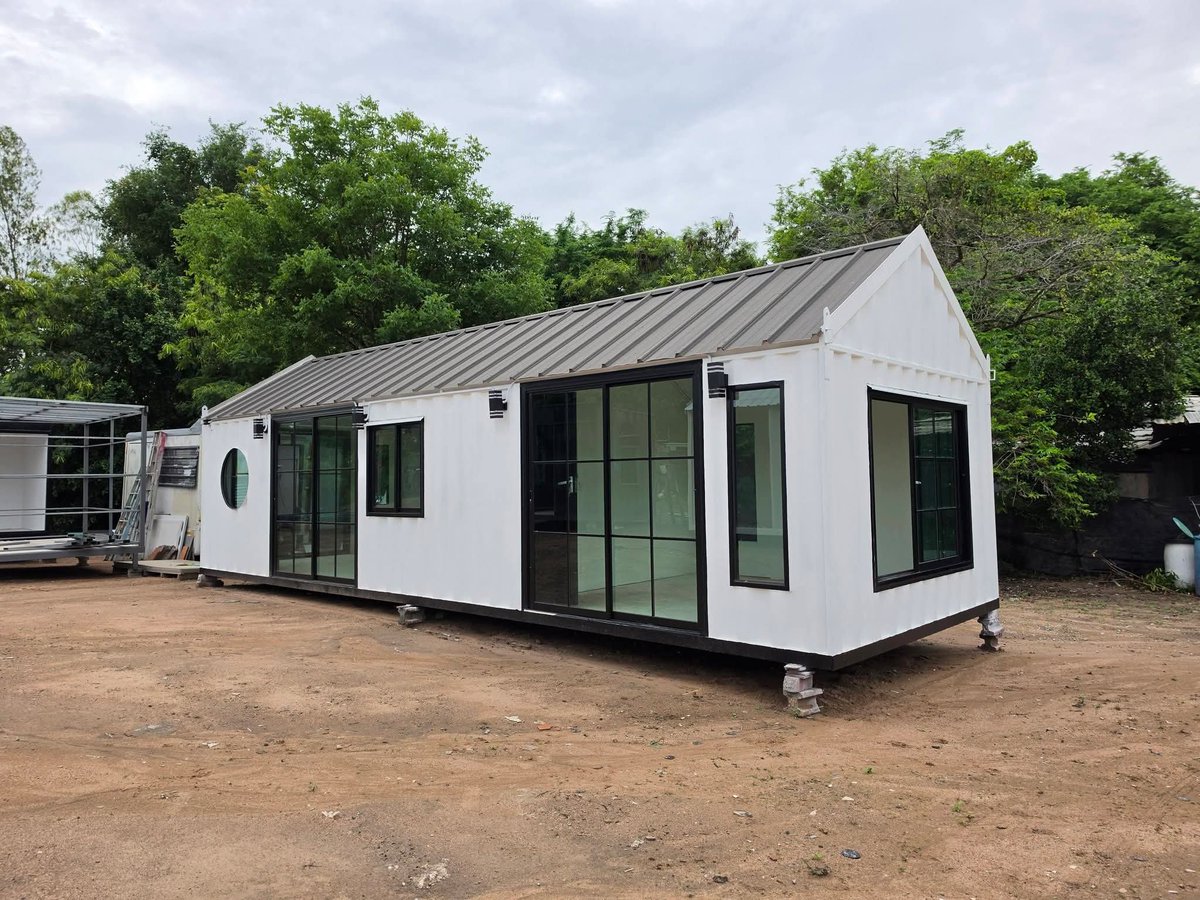
Upgrade your space! Prefab Container House (3.5×10m) – perfect for a Garden Home, Home Office, or Private Studio.
1 Bedroom 1 Bathroom 1 Living Room Ready to move in for only 280,000 THB
DM for details! 📦👇#ContainerHouse#HomeOffice#PrefabHome#MinimalistLiving
Ready-to-Ship Knock-Down Tiny Home! 🏠Price: $2,380 USD (Approx. 79,000 THB) – Ready to lift and transport!Size: 2.4 x 4.40 metersLayout: 1 Bed | 1 Bath | Front BalconyBonus: 📩 Message us today to order or customize yours!
Whatapp +66815576669
#Tiny#house
Want to preview your video before spending credits?
This GPT Image 2 prompt converts any video prompt into a complete storyboard contact sheet. It automatically extracts keyframes, preserves continuity and visualizes the most important moments before you generate the actual video.
It's a great way to debug prompts, improve generation success rates and save credits by catching problems early.
Honestly, this is a feature video generation platforms should build directly into their workflow.
Just paste your video prompt and get an instant storyboard of the most important shots.
GPT Image 2 Prompt:
Turn the VIDEO PROMPT below into one finished storyboard contact sheet. Break the visible action into the appropriate number of keyframes automatically. Use fewer panels for simple scenes and more panels for complex action, prop continuity, transformations, multiple characters, or important reactions. Each panel must be a completed cinematic still from the same video world, not a rough sketch or written shot list.
Rules:
- Arrange panels in a clean adaptive grid, in chronological order from left to right and top to bottom.
- The overall sheet can use any aspect ratio needed to keep all panels readable.
- Preserve character identity, wardrobe, props, environment, lighting, style, screen direction, character count, and object continuity.
- Each panel shows one clear visible moment only. For an action, choose the strongest readable frame, usually contact, impact, reaction, transformation result, or final position.
- Do not invent new characters, props, actions, or locations.
- Do not add captions, panel numbers, arrows, dialogue, subtitles, sound cues, camera notes, or explanatory text.
VIDEO PROMPT:
-Enter your video prompt here-