We are super excited about our latest YouTube video we just published!
Let us know what you think about it: https://t.co/BCk73HZ9z5
#technology#saperis
This was a really fun video to make. 🎦
Why?
Well, I needed to come up with code samples to explain the differences between let and var in #JavaScript.
See what I mean for yourself: https://t.co/lQWOxX7qi3
#coding#saperis#letvsvar
Kicking off our new "JavaScript for beginners" series on our YouTube channel.
This first video is dedicated to variables.
Let us know what you think about the video.
https://t.co/0c7gqyqyXT
#JavaScript#Javascriptforbeginners#coding#Youtube
<< Tip of the week >>
New feature in Google Meet: Picture in Picture!
With this feature, when you share your screen, you will see up to four video tiles of Google Meet attendees AND the tab with Google Slides open!
#TipOfTheWeek#saperis#GoogleMeet#GoogleWorkspace
<< Tip of the week >>
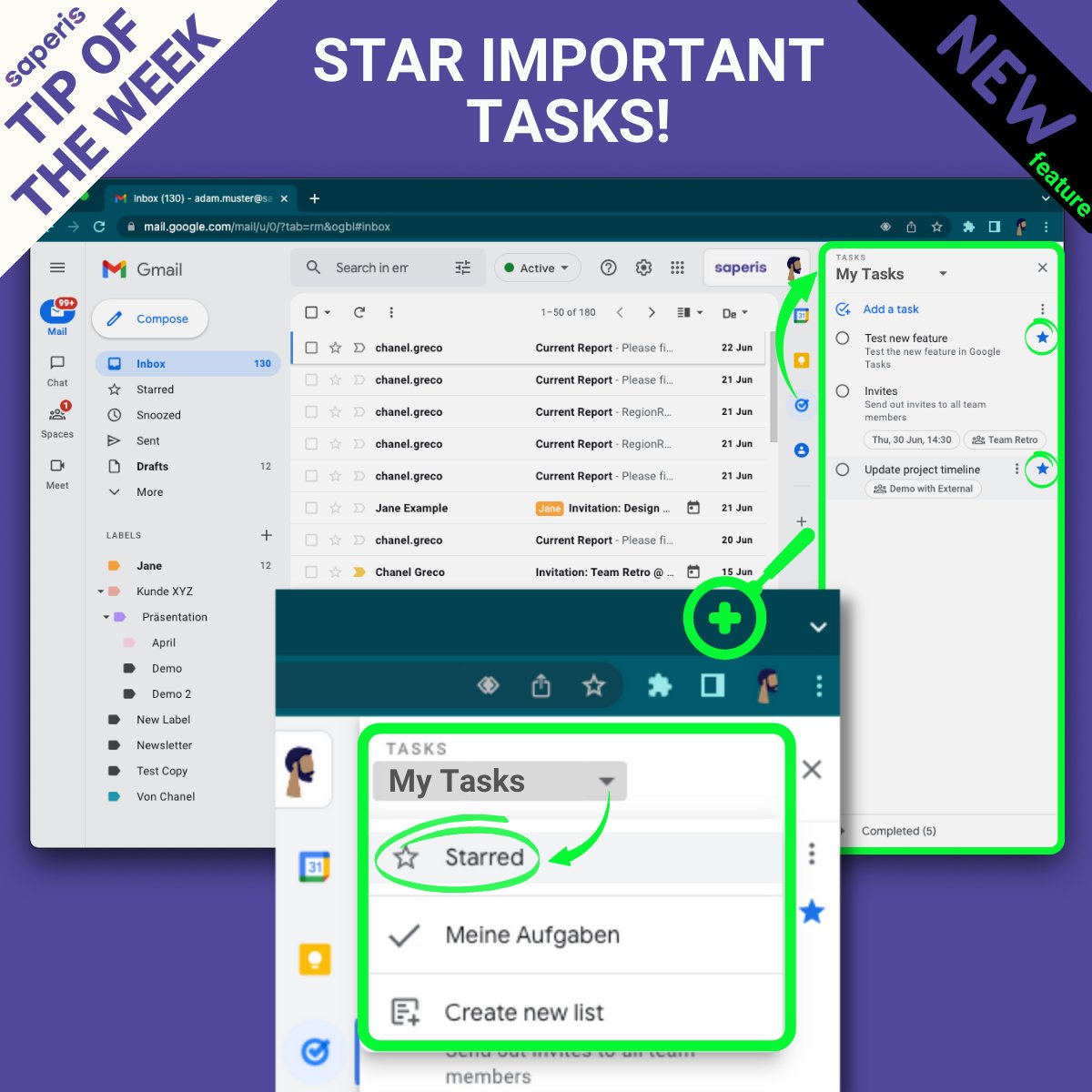
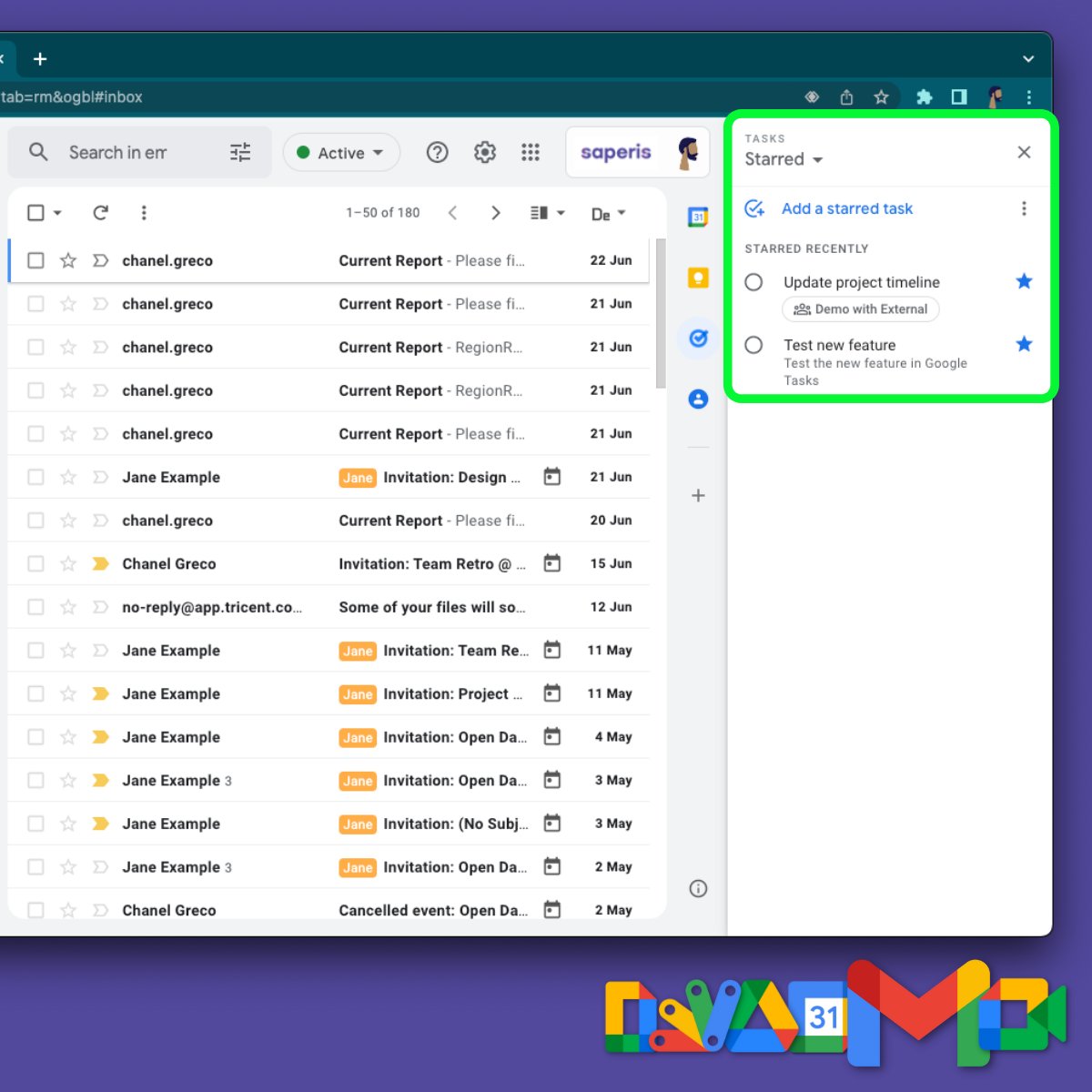
You can now star your important tasks in the Google Tasks sidebar.
This new feature enables you to view or sort your starred items across various tasks lists in the starred view.
#TipOfTheWeek#saperis#collaboration#Google#GoogleWorkspace#GoogleTasks
<< Tip of the week >>
Did you know, that you can appoint co-hosts for Google Meet video calls in advance?
To do so, create an event in Google Calendar, add the participants and then follow the steps 1 to 4.
#TipOfTheWeek#saperis#collaboration#GoogleMeet#GoogleWorkspace
Did you know that you can search through multiple sheets at once or only within a specific range? 🔍
In my latest video I share my personal “hack” to quickly search and find in Google Sheets.
https://t.co/hAPUe5taWH
#GoogleSheets#GoogleWorkspace#Google#YouTube#saperis
<< Tip of the Week >>
Content generated in #GoogleMeet, e.g. recordings, polls, meeting notes, etc. are saved to #GoogleDrive.
An easy way to locate all of this content?
In Google Drive type app:"Google Meet" in the search field.
#GoogleWorkspace#TipOfTheWeek#saperis
<< Tip of the week >>
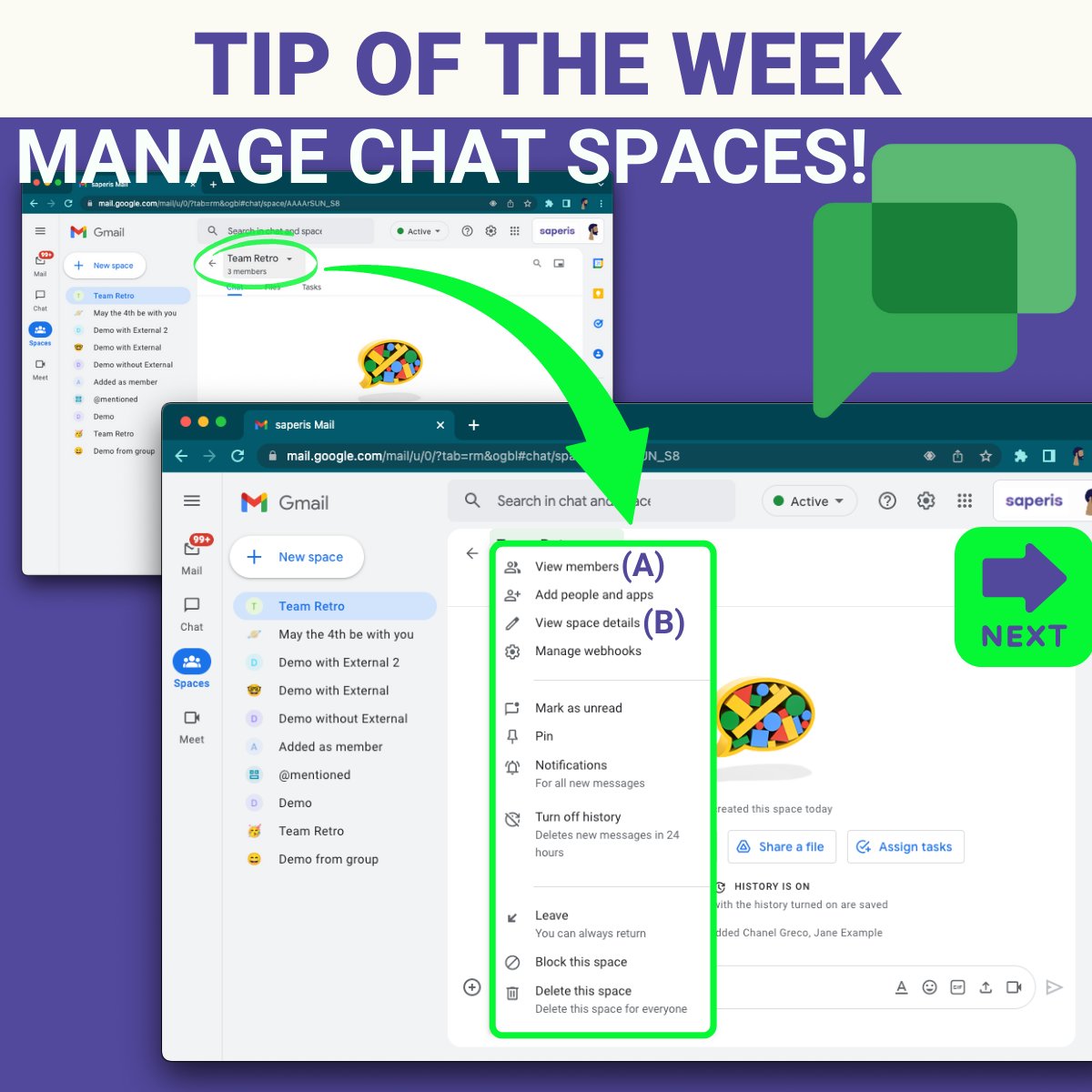
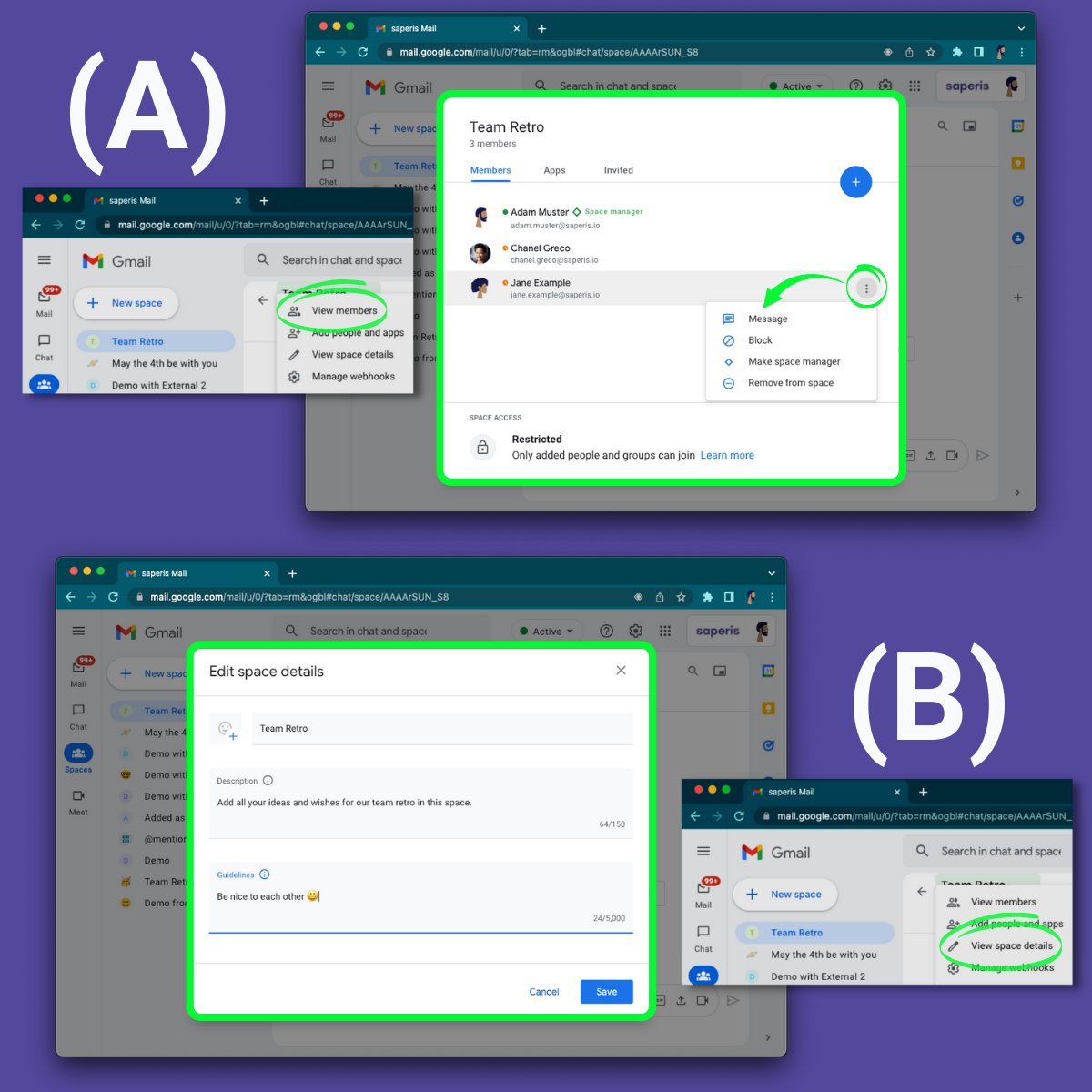
New Google Chat features:
🔹 Manager role for greater control of a space (A).
🔹 Space descriptions to set context (B).
🔹 Space guidelines for better communication environments (B).
#TipOfTheWeek#saperis#collaboration#GoogleChat#GoogleWorkspace
<< Tip of the week >>
Check the improved UI in Google Calendar.
(A) Set or change your working location for a specific date.
(B) Add your working location on a weekly basis in the calendar settings .
#TipOfTheWeek#saperis#collaboration#GoogleCalendar#GoogleWorkspace
<< Tip of the week >>
Google has added table templates to Google Docs to speed up your workflow!
You can either add a template through the menu or by typing @ search in Docs & then choosing one of them.
#TipOfTheWeek#saperis#collaboration#Google#GoogleWorkspace#GoogleDocs
<< Tip of the week >>
There is a new feature in Google Docs: Drop-down!
To use drop-downs in Google Docs click on Insert > Drop-down. Then either choose from the two presets or create your own.
#TipOfTheWeek#saperis#collaboration#Google#GoogleWorkspace#GoogleDocs
<< Tip of the week >>
Find it annoying that when you are presenting during a #GoogleMeet call, you can't see the participants?
Well, those days are over!!! You can bring the Google Meet call into the document you are presenting.
#TipOfTheWeek#saperis#GoogleWorkspace#Google
📣 New video tutorial out!
It's about how to use the new Google Calendar feature "appointment schedules" to easily plan meetings with people outside of your organization.
#GoogleCalendar#GoogleWorkspace#productivity
<< Tip of the Week>>
Do you already know the new feature "Appointment schedules" in Google Calendar?
It offers an easy way to create externally friendly booking pages so others can schedule meetings with you.
#google#saperis#TipOfTheWeek#collaboration#GoogleCalendar