ScreNearly is live 🧾
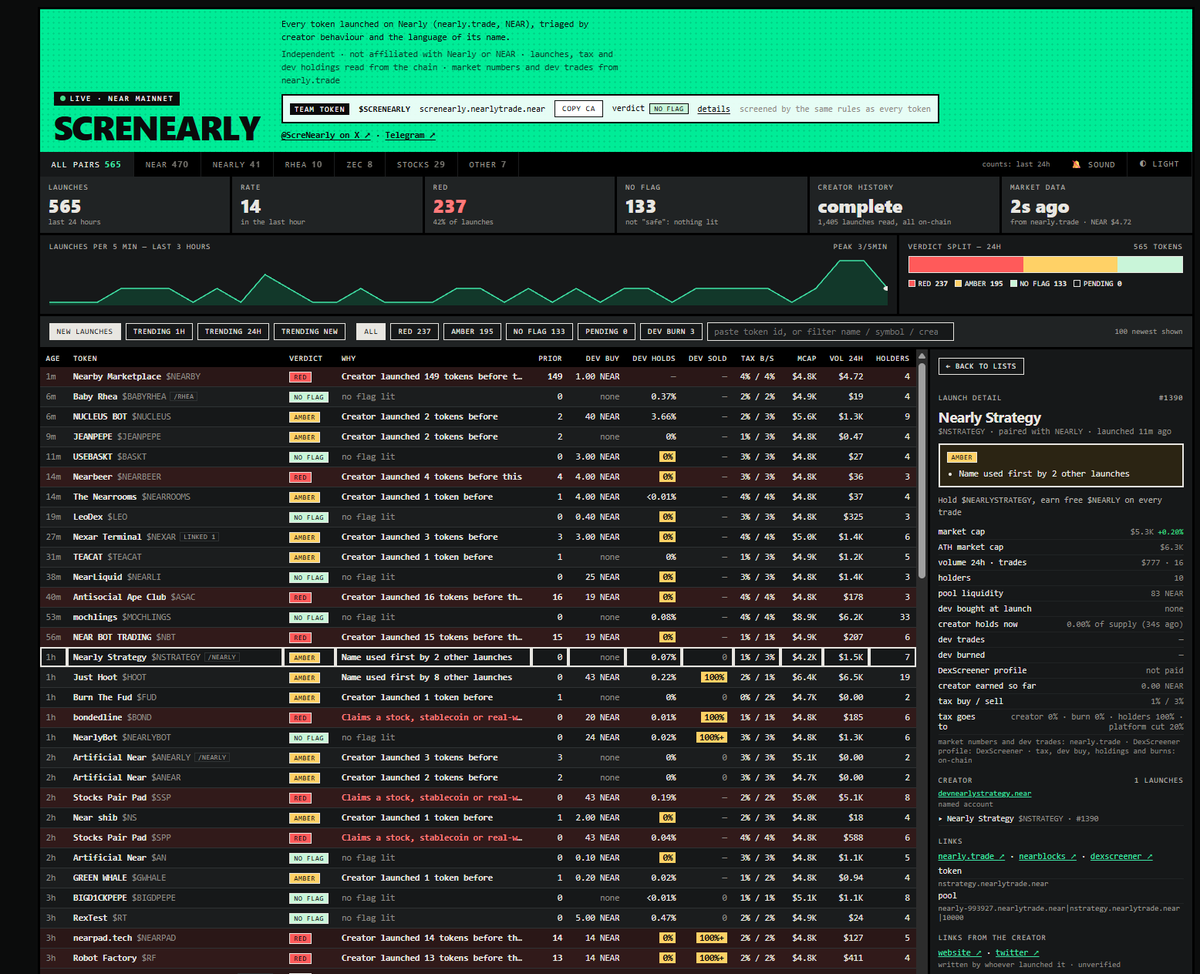
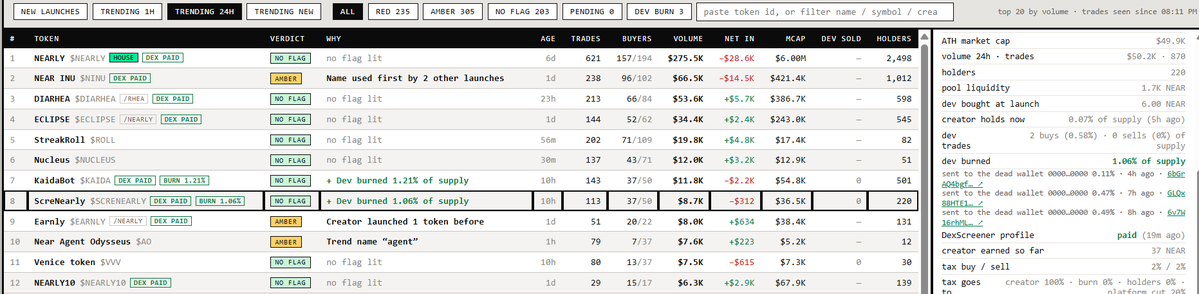
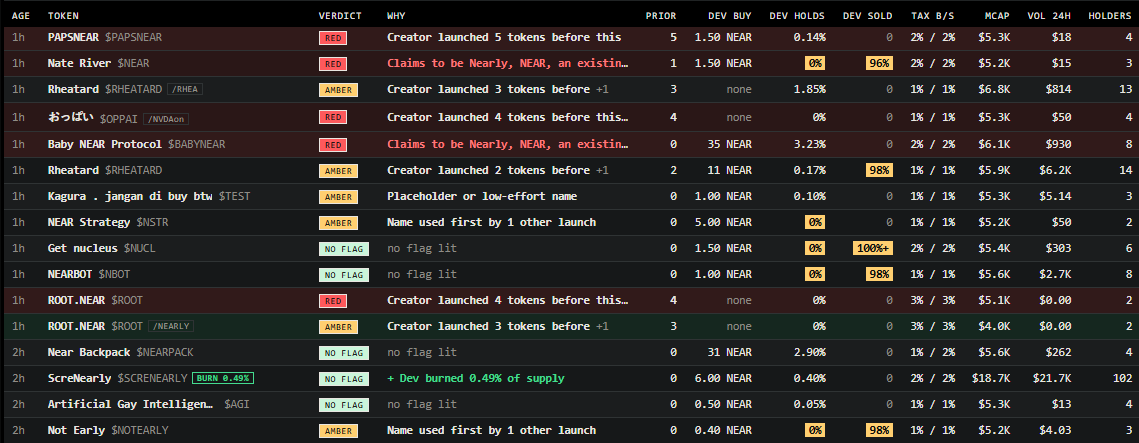
Live screener for every Nearly launch:
* serial creators
* copycat and fake names
* tax and where it goes
* what the dev still holds
https://t.co/hlKOaMRK1K
$SCRENEARLY
ca : screnearly.nearlytrade.near
TRADE : https://t.co/zXbTbWZ3ge
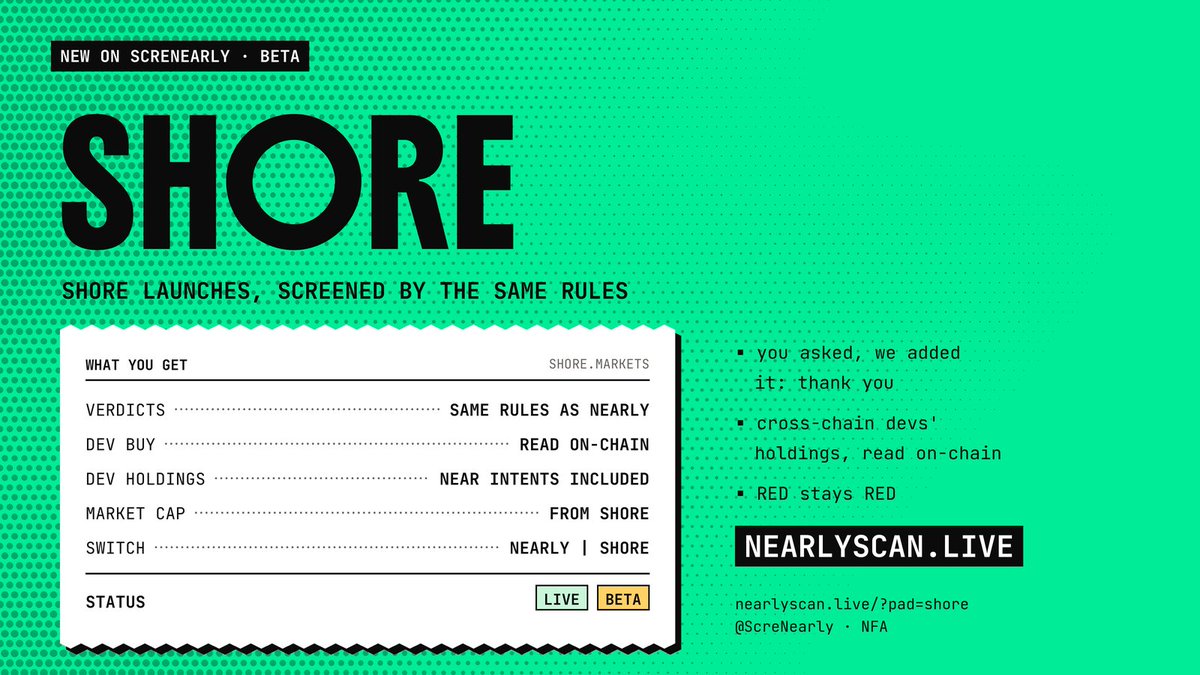
New on ScreNearly 🧾 Shore launches (beta)
Shore tokens are now screened too, same rules as Nearly:
• verdicts + dev buy
• dev holdings, Intents wallets included
• market cap
Switch at the top. Thanks for the idea 🙏
Next up: nearpadfamily 👀
https://t.co/o3SFb7m5y7
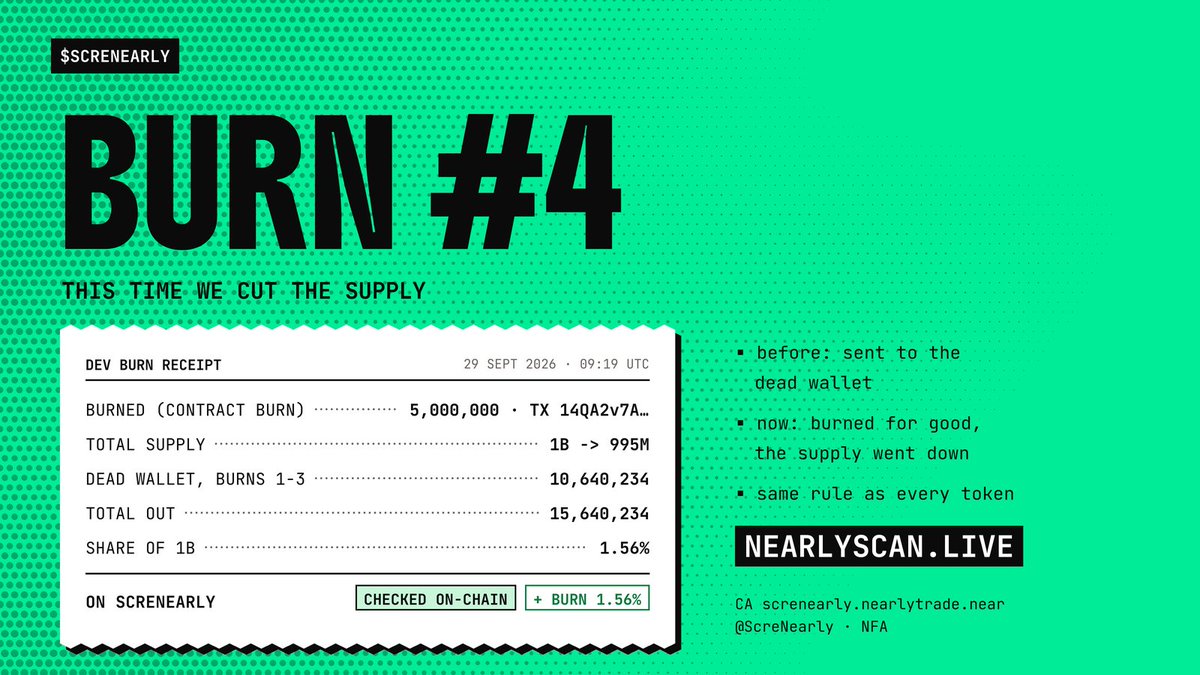
$SCRENEARLY burn #4 🔥 this time we cut the supply
Burns 1-3: sent to the dead wallet, locked forever.
Burn #4: burned through the token contract, so the total supply went down:
1,000,000,000 �� 995,000,000
Total out: 15.64M (1.56%). Checked on-chain.
https://t.co/nHB3OMlGcv
If you do trenches on NEAR, please take a minute to read this.
Hope it helps.
For my Fellowship in the @nearprotocol trenches, especially if you trade on https://t.co/lkqsiD4pzn
I spent the last 24 hours in there.
This free tool made screening much easier and saved me from a lot of scammers:
https://t.co/nJQrQv4bdD
Let me break it down.
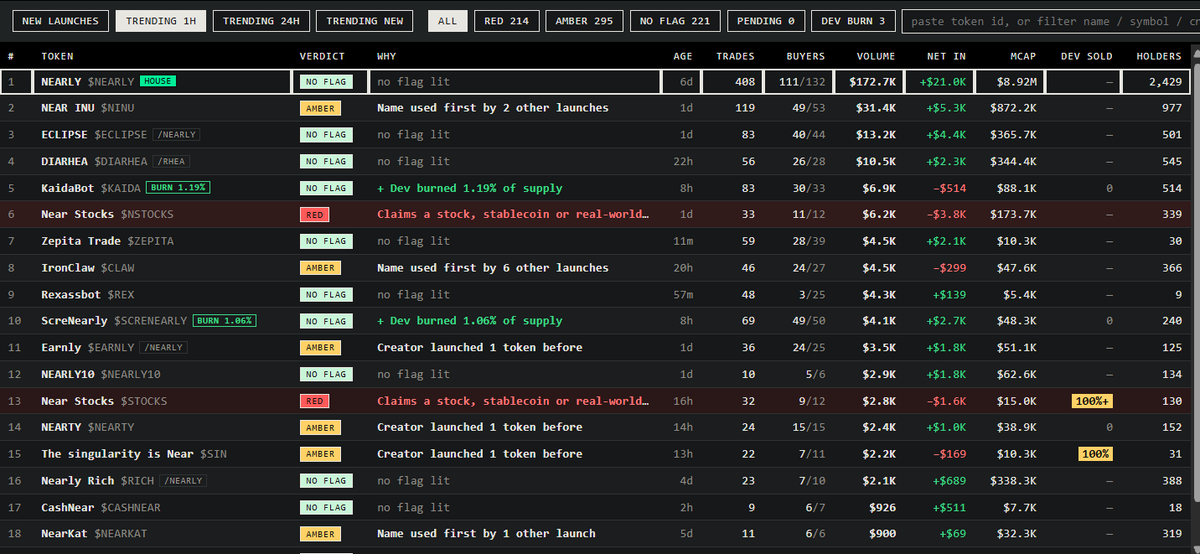
There are 3 colors:
RED
AMBER
NO FLAG
That’s it. Start there before you ape.
RED = don’t touch.
This is usually a serial scammer.
Same creator launching again and again.
Yesterday I saw one wallet launch 62 times in a row.
A real builder doesn’t do that.
Ignore RED. Every time.
AMBER = be careful.
This is for:
creators who already launched 2–3 tokens
or people copying another project’s name
Most of the time, skip it.
Only look if you really have a strong read, and still DYOR first.
NO FLAG = this is where you focus.
Fresh name.
Normal on-chain activity.
I still DYOR every time.
But in general, these feel safer, maybe 80–90%.
After that, it’s just whether the market wants it or not.
Conclusion!!
RED = never
AMBER = usually no
NO FLAG = look closer, still DYOR
Remember The tool is free!
For me, it’s the most useful thing I’ve used so far in the NEAR trenches.
Before this, I used to check every project one by one.
Open the creator wallet. Read the on-chain txs. Try to see if it’s a serial scammer.
That takes a lot of time, energy, and brain.
Especially when the wallet is messy.
This tool cuts all of that.
The thing I wished I had… was already here.
And it’s free.
https://t.co/nJQrQv4bdD
Use it. Save your time.
If it helps, support the builder:
$ScreNearly (~20k MC)
https://t.co/Z5CYnJVgXX
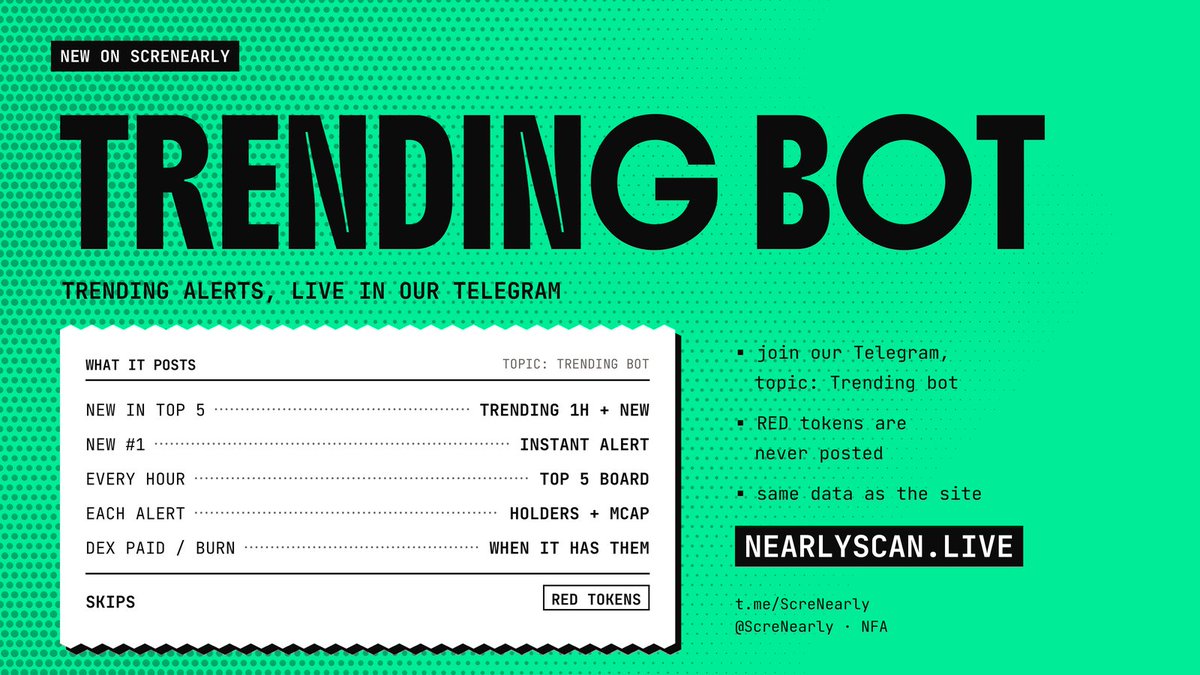
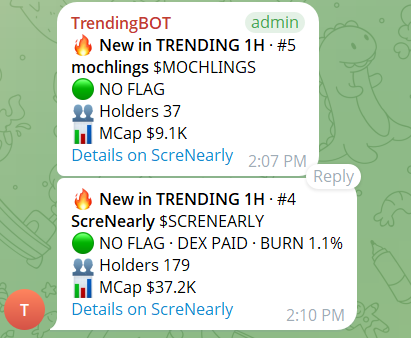
New on ScreNearly 🔔 Trending bot
Trending alerts now drop in our Telegram:
• a token enters the Top 5 in Trending 1H or NEW
• a new #1
• a Top 5 board every hour
Each alert: holders, market cap, DEX PAID / burn. RED tokens are never posted.
Join 👇
https://t.co/gOFSvrt0uZ
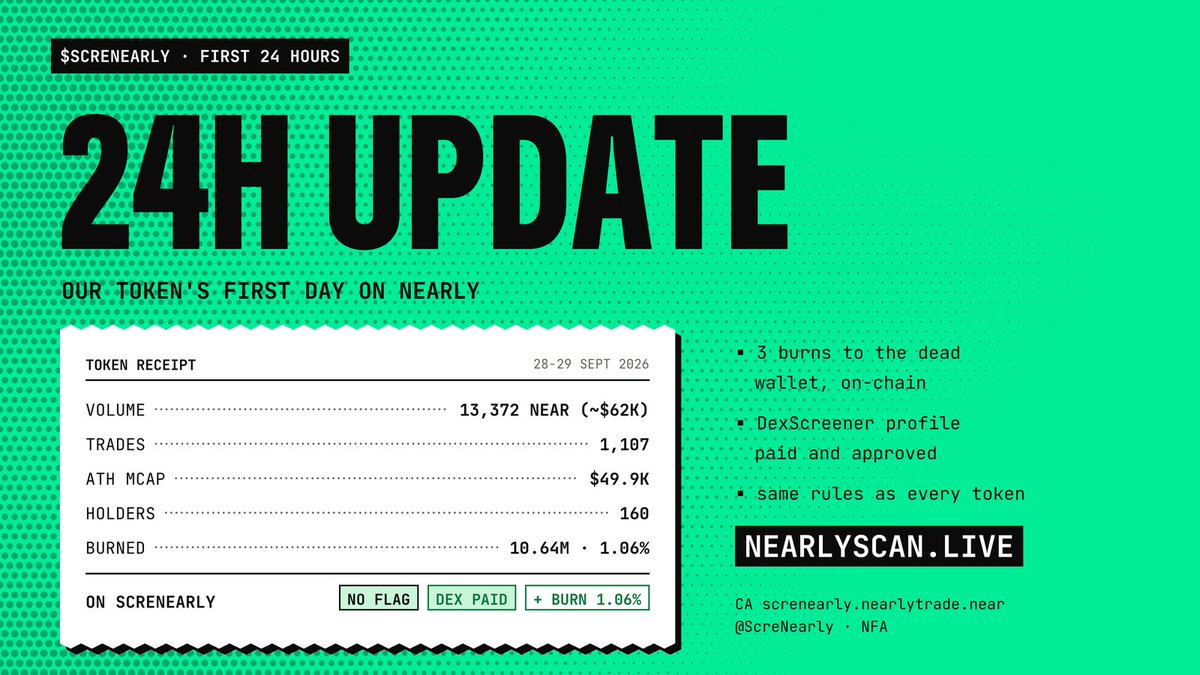
$SCRENEARLY: first 24h 🧾
• Volume: 13,372 NEAR (~$62K)
• Trades: 1,107
• ATH mcap: $49.9K
• Holders: 160
• Burned: 10.64M (1.06% of supply), on-chain
• DEX paid ��� profile live on DexScreener
Same rules as every token. NFA
https://t.co/nHB3OMlGcv
$SCRENEARLY: first 24h 🧾
• Volume: 13,372 NEAR (~$62K)
• Trades: 1,107
• ATH mcap: $49.9K
• Holders: 160
• Burned: 10.64M (1.06% of supply), on-chain
• DEX paid ✅ profile live on DexScreener
Same rules as every token. NFA
https://t.co/nHB3OMlGcv
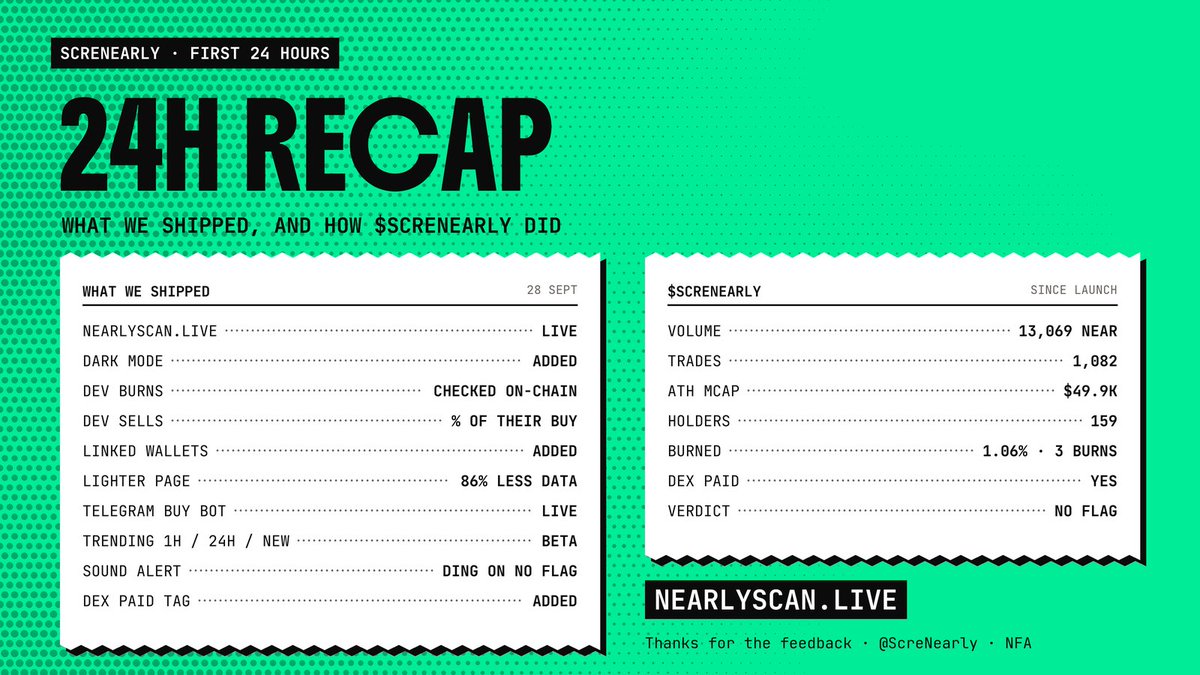
ScreNearly: first 24h recap 🧾
Shipped:
• dev burns + dev sells, live
• linked wallets
• lighter page + dark mode
• Telegram buy bot
• Trending 1H / 24H / NEW (beta)
• sound alert on new NO FLAG
• DEX PAID tags
Thanks for all the feedback 🙏
https://t.co/hlKOaMRK1K
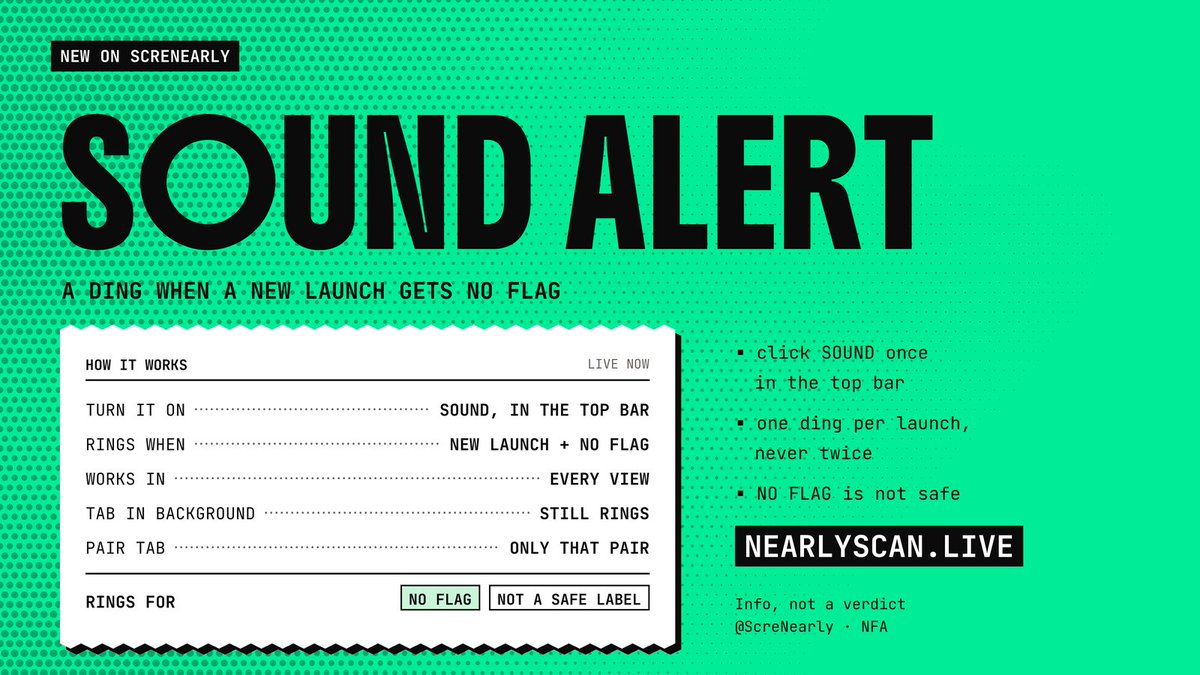
New on ScreNearly 🔔 Sound alert
Hear a ding when a new Nearly launch gets NO FLAG.
Tap SOUND in the top bar. Works in every view, even with the tab in the background.
NO FLAG ≠ safe. NFA.
Feedback? 👇
https://t.co/ftBBz9Y0cY
https://t.co/hlKOaMRK1K
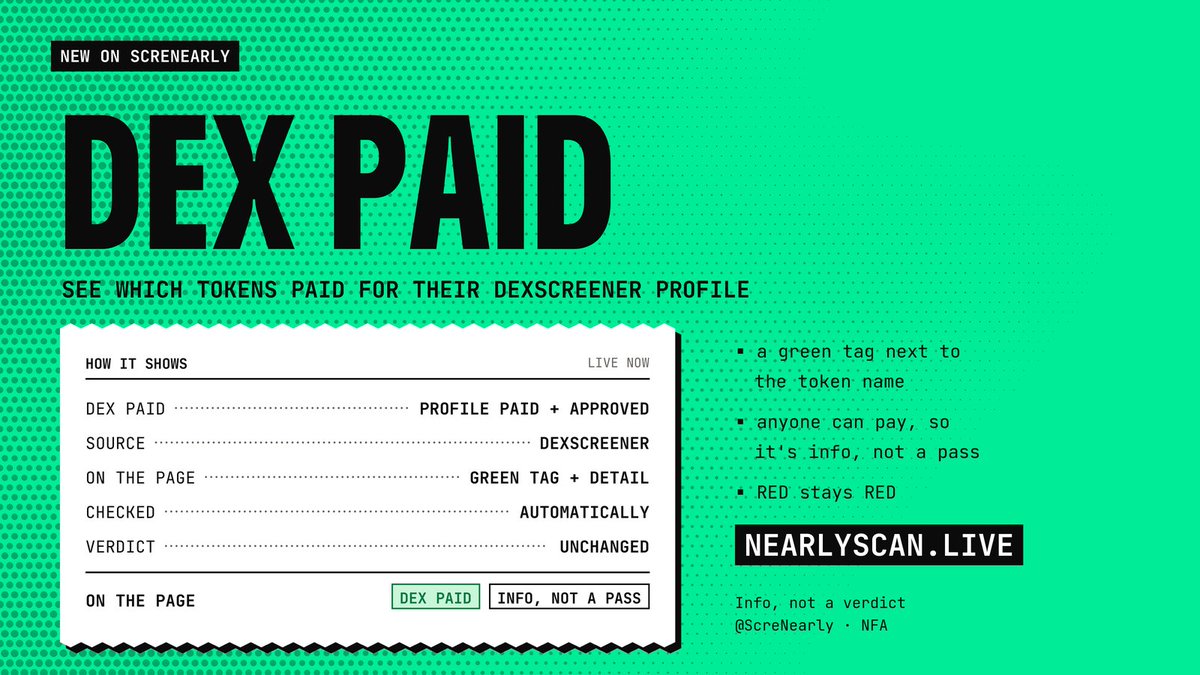
New on ScreNearly 🧾 DEX PAID
A green DEX PAID tag now shows which Nearly tokens paid for their DexScreener profile.
Info, not a pass: RED stays RED.
$ScreNearly already paid Dex
https://t.co/oFIRYU52vQ
https://t.co/hlKOaMRK1K
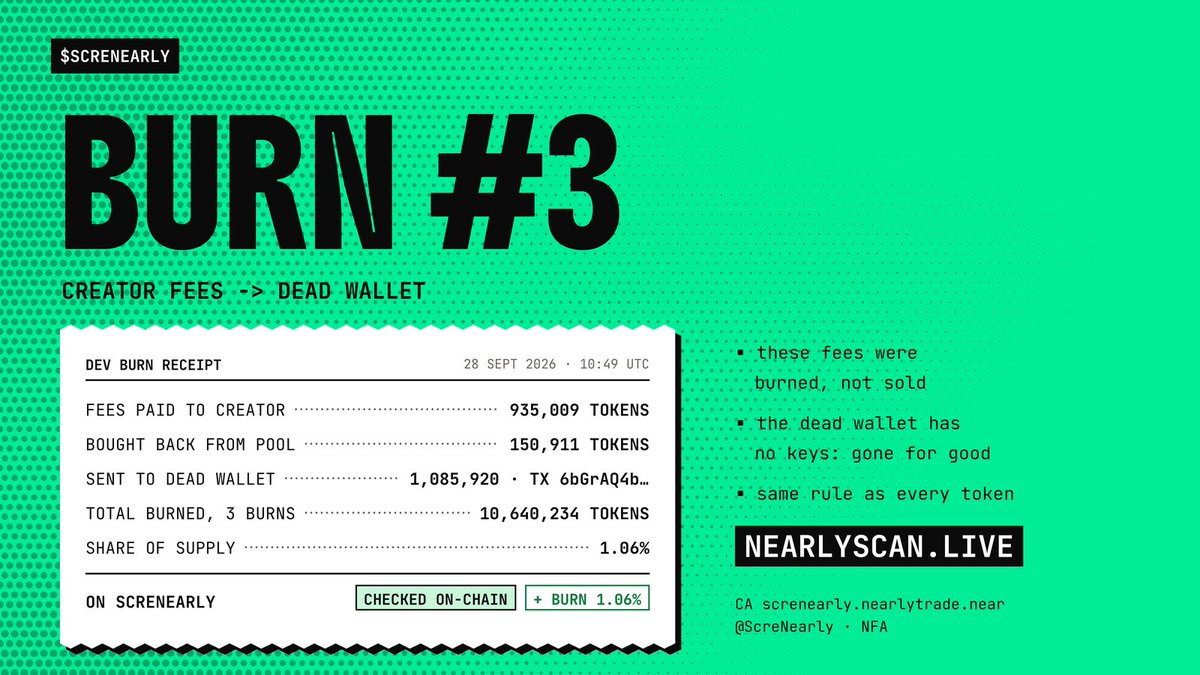
$SCRENEARLY burn #3 🔥
Creator fees go to the dead wallet:
• 935,009 tokens paid to the creator as fees
• 150,911 more bought back from the pool
= 1,085,920 burned (0.11% of supply)
Total burned: 10,640,234 (1.06%). Checked on-chain.
https://t.co/nHB3OMlGcv
Quick update
We improved the page:
• 86% less data per minute
• stops loading when the tab is in the background
• cleaner phone view: key columns first
Thanks for the feedback, keep it coming 👇
https://t.co/ftBBz9Y0cY
https://t.co/hlKOaMRK1K
New on ScreNearly 🧾 Live dev sells
When the creator sells their own token:
• DEV SOLD column, as % of supply
• highlighted once they sold 90%+ of what they bought
• live list of devs selling in the last 24h
Info, not a verdict.
https://t.co/hlKOaMRK1K
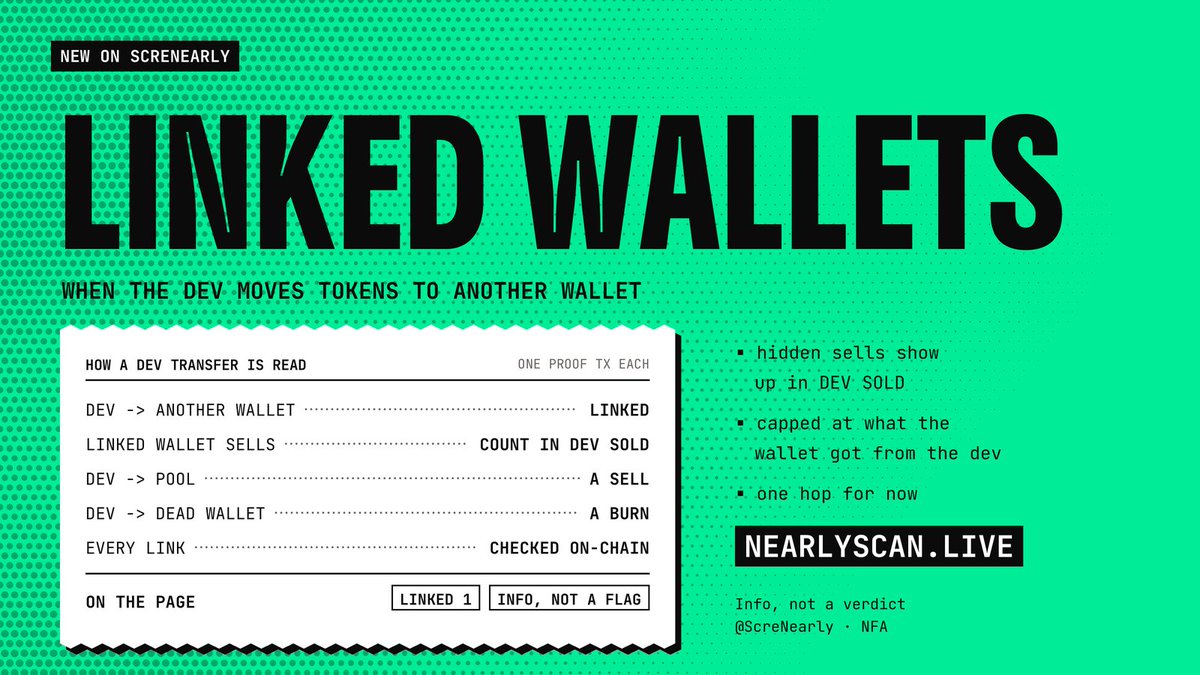
New on ScreNearly 🧾 Linked wallets
Dev moved tokens to another wallet to sell there? Now you see it:
• LINKED tag + each wallet's proof tx
• their sells count in DEV SOLD
• checked on-chain
Also fixed: tapping a token on mobile now opens its details.
https://t.co/Jew5Hud30V
$SCRENEARLY dev burn #2 🧾
Another 4,677,777 tokens sent from the creator wallet to the dead wallet 0000…0000.
Total burned: 9,554,314 (0.96% of supply). The creator wallet now holds 0.
Checked on-chain, same rule as every token.
https://t.co/nHB3OMlGcv
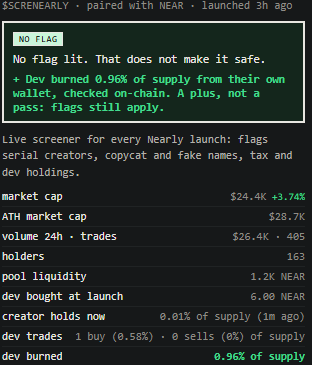
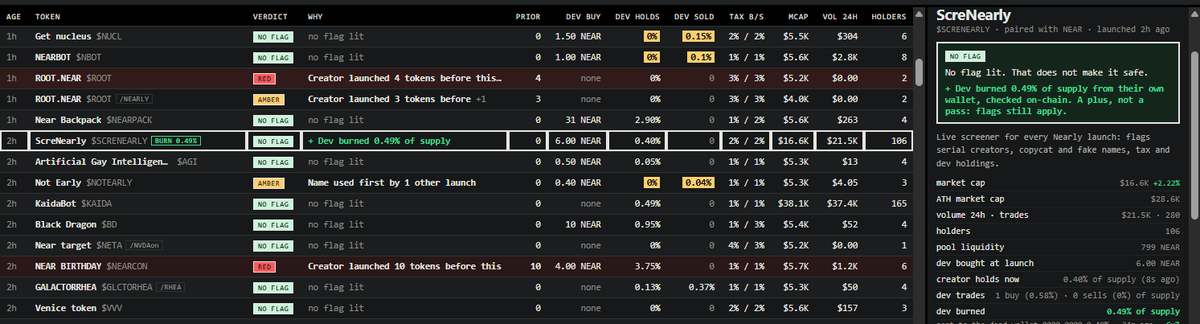
$SCRENEARLY dev burn 🧾
4,876,537 tokens (0.49% of supply) sent from the creator wallet to the dead wallet 0000…0000.
No keys, no contract: they can never move again.
Checked on-chain and shown on ScreNearly, same rule as every token.
https://t.co/nHB3OMlGcv
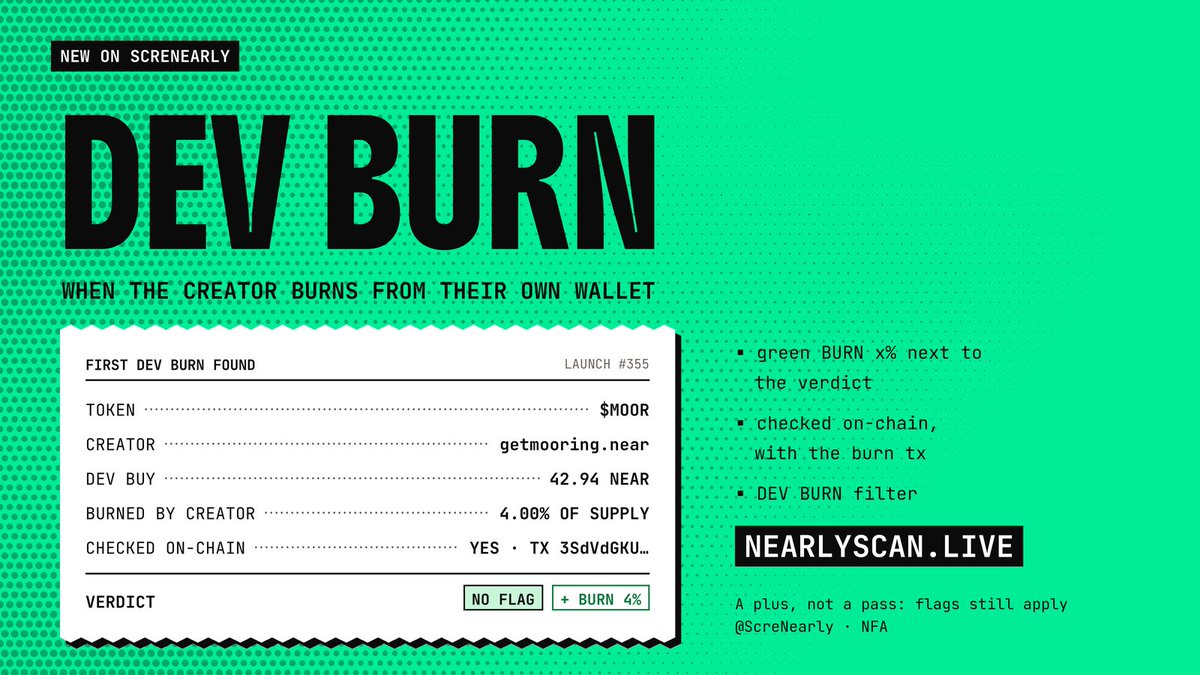
New on ScreNearly 🧾 Dev burn
When the creator burns from their own wallet:
• green BURN x% next to the verdict
• checked on-chain, with the burn tx
• DEV BURN filter
First one found: $MOOR, dev burned 4%.
A plus, not a pass: flags still apply.
https://t.co/hlKOaMRK1K