See Apps Studio — des applications utiles et élégantes. SeeClap, lecteur IPTV • SeeGym, suivi sportif • SeeList, listes de courses. Actus & mises à jour.
SeeClap 2.9.0 on iPhone and iPad, and 2.10.0 on Apple TV are here ✨🎬 Search now explores trends, streaming and box office; playlists move to cards; diagnosis is clearer; and your SeeClap server is easier to browse. iPhone and iPad also add light theme support, richer series pages, and native iPad menus. #SeeClap #AppUpdate #AppleTV #iPad
📱 Versions: iPhone and iPad 2.9.0 · Apple TV 2.10.0
💙 Thank you for supporting our work. If you enjoy this update, a rating on the App Store would mean a lot to us.
🍎 iPhone and iPad — 2.9.0
https://t.co/xhkovLs8iG
🍎 Apple TV — 2.10.0
https://t.co/xhkovLs8iG
SeeGym 3.4.2 is here on iPhone and iPad and Android 📱🏋️♂️ Sets and steps are now easier to manage in workout templates, with visible options to duplicate or delete each one. Supersets use the same controls, and if you delete the last set from a circuit, AMRAP, EMOM, or Tabata block, you can add it again right away. Stability improvements are also included. #SeeGym #Fitness #Workout
📱 Versions: iPhone and iPad 3.4.2 · Android 3.4.2
💙 Thank you for supporting our work. If you enjoy this update, a rating on the App Store or Google Play would mean a lot to us.
🍎 iPhone and iPad — 3.4.2
https://t.co/vOeFTTwgSi
🤖 Android — 3.4.2
https://t.co/cP89Ok3ihx
SeeClap 2.9.1 is now available on Apple TV. This release includes performance improvements and bug fixes. 🛠️✨📺 #SeeClap#AppleTV#AppStore
💙 Thank you for supporting our work. If you enjoy this update, a rating on the App Store would mean a lot to us.
📲 Download the update on the App Store:
https://t.co/xhkovLs8iG
📺 SeeClap tvOS — Fix on the way
Following the release of version 2.9.0, we identified a display issue that may occur on certain TV resolutions when the app is using the Light theme.
The fix is already ready: version 2.9.1 has been submitted to Apple for review and should be available very soon.
In the meantime, if you experience any interface or display issues, we recommend temporarily switching to the Dark theme in SeeClap settings.
Thank you for your understanding.
SeeClap 2.9.0 for Apple TV is here ✨ Pick light or dark theme in Settings, explore Search with weekly trends, actors of the moment, new streaming picks and box office, and see which series seasons are available or missing. More movies and series are recognized, with poster, synopsis and cast. #SeeClap #AppleTV #AppStore
💙 Thank you for supporting our work. If you enjoy this update, a rating on the App Store would mean a lot to us.
📲 Download the update on the App Store:
https://t.co/xhkovLs8iG
SeeClap 2.9.0 for Apple TV is here ✨ Pick light or dark theme in Settings, explore Search with weekly trends, actors of the moment, new streaming picks and box office, and see which series seasons are available or missing. More movies and series are recognized, with poster, synopsis and cast. #SeeClap #AppleTV #AppStore
💙 Thank you for supporting our work. If you enjoy this update, a rating on the App Store would mean a lot to us.
📲 Download the update on the App Store:
https://t.co/xhkovLs8iG
SeeList 1.1.0 is here for iPhone and iPad and Android 📋🔗👀✨ Share a list in two ways: send a copy as a link, or turn on live sharing so everyone sees items ticked off in real time. With one link to edit and one to view only, sharing works offline and still requires no account. #SeeList #Productivity #Lists
📱 Versions: iPhone and iPad 1.1.0 · Android 1.1.0
💙 Thank you for supporting our work. If you enjoy this update, a rating on the App Store or Google Play would mean a lot to us.
🍎 iPhone and iPad — 1.1.0
https://t.co/z20WAxgZfC
🤖 Android — 1.1.0
https://t.co/dug0C68Sls
SeeClap 2.8.1 for Android is here 📺✨ Smarter playback, smoother Android TV navigation, more reliable downloads, and fixes that improve day-to-day use. The player now shows the format actually rendered and can force Dolby Vision, while the TV guide and series browsing are working better across providers. #SeeClap #Android #AndroidTV
💙 Thank you for supporting our work. If you enjoy this update, a rating on Google Play would mean a lot to us.
📲 Download the update on Google Play:
https://t.co/ncMg6msxE9
SeeGym 3.4.0 is here on iPhone and iPad and Android. Share workout results as an HD image or a 30-day link, choose from 3 formats and light or dark themes, and see muscles trained plus set-by-muscle-group breakdowns. Track weight, body fat and BMI in your profile, with editable measurements and calorie estimates tied to each workout’s weight. 💪📊🖼️ #SeeGym #Fitness #Workout
📱 Versions: iPhone and iPad 3.4.0 · Android 3.4.0
💙 Thank you for supporting our work. If you enjoy this update, a rating on the App Store or Google Play would mean a lot to us.
🍎 iPhone and iPad — 3.4.0
https://t.co/vOeFTTwgSi
🤖 Android — 3.4.0
https://t.co/cP89Ok3ihx
SeeClap 2.8.1 is here for iPhone and iPad and Apple TV ✨📱📺 A new SeeClap 3D app icon arrives on iPhone and iPad, with steadier playback, more reliable downloads, and bug fixes. On Apple TV, pause preview now works on more movies. Series and playlists are also opening more reliably across both platforms. #SeeClap #AppStore #AppleTV
📱 Versions: iPhone and iPad 2.8.1 · Apple TV 2.8.1
💙 Thank you for supporting our work. If you enjoy this update, a rating on the App Store would mean a lot to us.
🍎 iPhone and iPad — 2.8.1
https://t.co/xhkovLs8iG
🍎 Apple TV — 2.8.1
https://t.co/xhkovLs8iG
SeeGym 3.3.0 is here for iPhone, iPad and Android 📱🤖 The AI Coach now works as a conversation, so you can answer one question at a time and edit any answer later. Preview your full program before saving, with exercises, images, sets, reps and rest. Replace exercises with better-matched alternatives, and keep training days editable. #SeeGym #Fitness #AI
📱 Versions: iPhone and iPad 3.3.0 · Android 3.3.0
💙 Thank you for supporting our work. If you enjoy this update, a rating on the App Store or Google Play would mean a lot to us.
🍎 iPhone and iPad — 3.3.0
https://t.co/vOeFTTwgSi
🤖 Android — 3.3.0
https://t.co/cP89Ok3ihx
Meet SeeList 1.0.0 on Android: the first release is here. 🛒✨ Multiple lists, a catalogue of 289 products in 12 languages, typo-tolerant search, your own items and categories, light and dark themes, fully offline operation, an on-device assistant with saved recipes, and backup to your personal Google Drive. #SeeList #Android #GooglePlay
💙 Thank you for supporting our work. If you enjoy this update, a rating on Google Play would mean a lot to us.
📲 Download the update on Google Play:
https://t.co/dug0C68Sls
📱 SeeList 1.0 is now available on iPhone and iPad in the App Store. This first public release brings SeeList to Apple devices for the first time. #SeeList#AppStore#iPhone#iPad
💙 Thank you for supporting our work. If you enjoy this update, a rating on the App Store would mean a lot to us.
📲 Download the update on the App Store:
https://t.co/z20WAxgZfC
SeeGym 3.2.1 for iPhone and iPad is here with bug fixes and performance improvements. If something feels off, or if you have an idea, you can send feedback from Profile > Send feedback. 🔧✨📱 #SeeGym #iPhone #iPad
�� Thank you for supporting our work. If you enjoy this update, a rating on the App Store would mean a lot to us.
📲 Download the update on the App Store:
https://t.co/vOeFTTwgSi
SeeClap 2.8.0 for Android is here 📺✨ Android TV is smoother across menus, images and search, with catalog updates you can follow without leaving the screen. Dolby and DTS audio now passes through to your amplifier on Android TV, playlist connections are sturdier when the network blocks your provider, and you can open a channel page straight from Favorites. #SeeClap #AndroidTV #GooglePlay
💙 Thank you for supporting our work. If you enjoy this update, a rating on Google Play would mean a lot to us.
📲 Download the update on Google Play:
https://t.co/ncMg6msxE9
SeeClap 2.8.0 is here for iPhone and iPad, and Apple TV ✨📱📺 Choose between Liquid Glass or Original app icons, get a sturdier connection to playlists, open channel pages from Favorites, and enjoy more recognized movies and shows. On Apple TV, you can also follow catalog updates without leaving the screen, with better remote control of the playback cursor. #SeeClap #AppUpdate #AppleTV
📱 Versions: iPhone and iPad 2.8.0 · Apple TV 2.8.0
💙 Thank you for supporting our work. If you enjoy this update, a rating on the App Store would mean a lot to us.
🍎 iPhone and iPad — 2.8.0
https://t.co/xhkovLs8iG
🍎 Apple TV — 2.8.0
https://t.co/xhkovLs8iG
SeeGym 3.2.0 is here 📲🤖
On iPhone and iPad, AI Coach can build a program from your exercise library, with sets, reps and rest set for you. On Android, a local AI coach is available on supported devices. Across both platforms, workouts now adapt as you train, animated images can be added to your own exercises, and reminders are optional for scheduled workouts and getting back to it 💪⏱️
#SeeGym #Fitness #AI
📱 Versions: iPhone and iPad 3.2.0 · Android 3.2.0
💙 Thank you for supporting our work. If you enjoy this update, a rating on the App Store or Google Play would mean a lot to us.
🍎 iPhone and iPad — 3.2.0
https://t.co/vOeFTTwgSi
🤖 Android — 3.2.0
https://t.co/cP89Ok3ihx
Hi,
First, apologies for the slow reply. If you'd like faster turnaround in
future, the quickest way to reach us is Telegram: @SeeAppsStudio
(https://t.co/eFlGUQGRIk). The contact form at https://t.co/vDEasKdWz8 is still the
right place to open a new ticket, but Telegram gets you an answer much
sooner.
Now to your questions.
1. Which Linux image for the Raspberry Pi?
64-bit Raspberry Pi OS (arm64), the Desktop version rather than Lite.
Then install the .deb from our download page — the "Debian · Ubuntu /
ARM 64" entry.
One important note: your question made us re-check the ARM build, and
we found it was broken — it had been packaged with a few Intel
components inside by mistake, so it simply would not have run on a Pi.
That is fixed and version 1.0.1 is now live on the site. If you already
downloaded anything, please grab it again. Thank you for asking, it is
genuinely how we caught it.
2. Does Whisper install automatically?
Yes, nothing to install separately. The engine ships inside the
package. The transcription model (about 190 MB) downloads itself the
first time you generate subtitles, with a progress indicator. Just be
aware a Raspberry Pi will be slow at this — transcription is pure CPU
work.
3. Does it translate or only transcribe?
Both, in two steps. It first transcribes the spoken language, then
translates in a second pass, and keeps both .srt files so you have the
original and the translation.
Translation currently covers Bulgarian, Czech, German, Spanish,
Estonian, French, Italian, Portuguese, Russian and Ukrainian, to and
from English — English is the pivot, so French to Spanish goes through
English. Turkish and Chinese can be transcribed but not yet translated.
4. Player quality on 4K HDR compared to Infuse?
Worth being precise here, because the server is not what decides it.
SeeClap Server does direct play: it sends your original file untouched,
byte for byte, with no transcoding. So picture quality comes down to
the player in the SeeClap app on your device, not the server.
On that, honestly: on Apple devices we currently use the ffmpeg-based
engine, so HDR10 works but there is no Dolby Vision passthrough —
Infuse is ahead of us there, and we won't claim otherwise. We haven't
run a formal side-by-side comparison.
On the server side a Pi is plenty for 4K HDR, since it only moves bytes
rather than decoding them. Do use wired Ethernet though: 4K remuxes run
at 60–100 Mbit/s and Wi-Fi will stutter.
Happy to help if anything comes up during setup.
One folder on your computer. Every screen in the house.
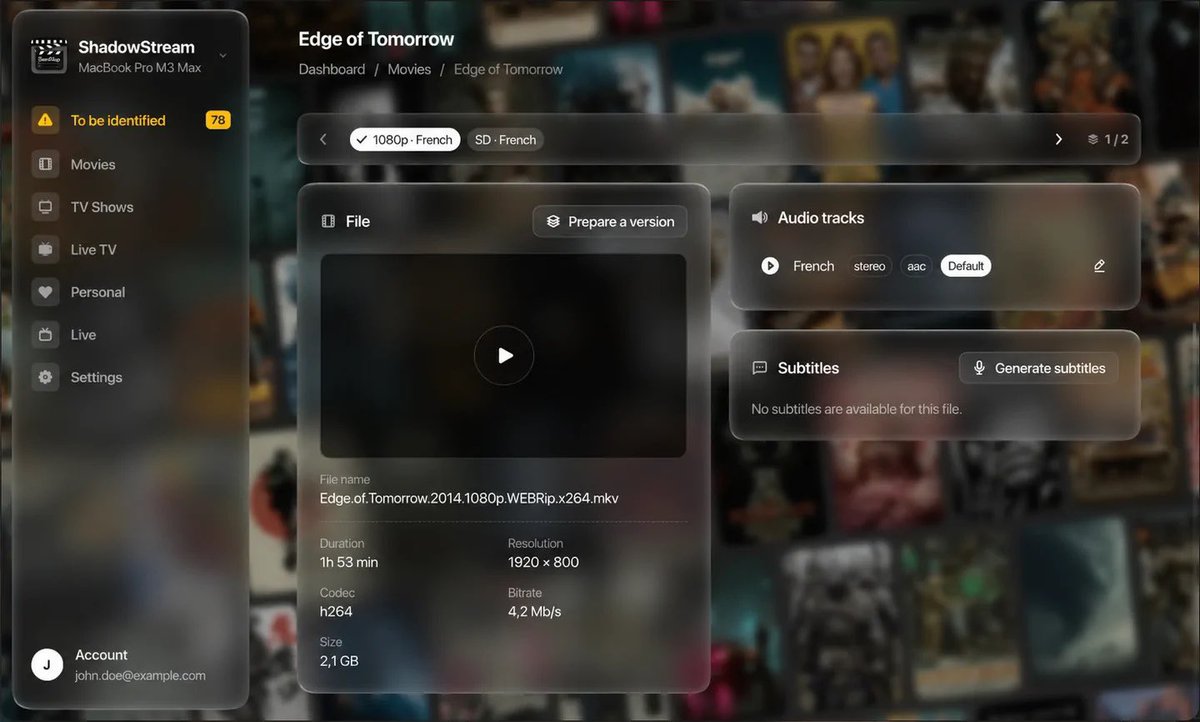
SeeClap Server (beta) turns a Mac or PC you already own into the source of your video library. Drop a file into a folder: it gets filed, identified, subtitled — and it shows up on your phone, your tablet and your TV. On your network, no cloud.
🏠 Nothing leaves your home. Your files are read where they already are. Nothing is uploaded, nothing is analysed elsewhere, and the whole library keeps working with the internet unplugged.
📂 It files everything itself. A film dropped at the root of the folder — or a whole season — is moved into place, read by ffmpeg, matched to its record. What it isn't sure about, it asks you: it never decides for you.
💬 Subtitles it writes itself. No subtitle track on a film? The server transcribes the audio on the spot — Apple's engine on a recent Mac, whisper.cpp everywhere else — and can translate it too. On the machine, never anywhere else.
🎞️ Two copies, one title. A 4K and a 1080p of the same film are a single entry, and the choice comes when you hit play.
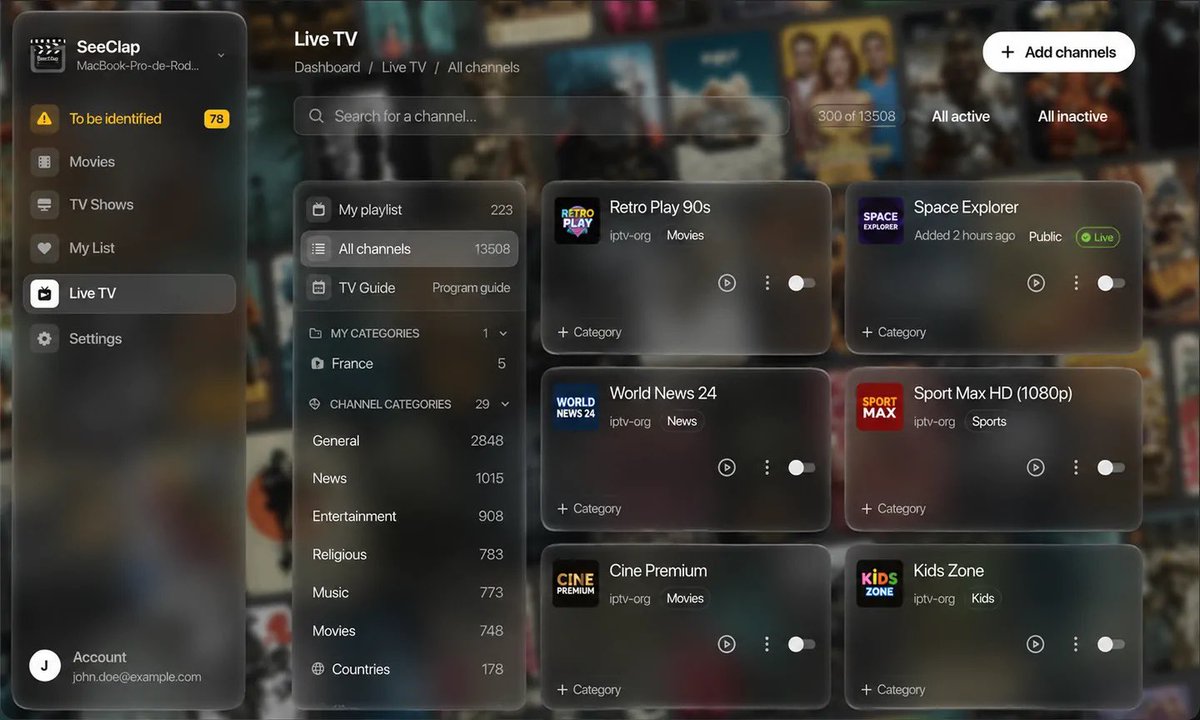
📡 Your live channels. Import your playlist, tick the channels you actually watch, file them into your own categories — and add an XMLTV guide, or let the server keep one up to date.
💾 Several disks, one library, and an unplugged disk hides its films without ever losing their records.
🔍 Nothing to configure. No port to open, no IP address to type, no extra account: the SeeClap apps find it on the network all by themselves. There is exactly one setting — the folder your videos live in.
💚 Included with your SeeClap account, and it uses none of your playlist slots.
🖥️ macOS (Apple Silicon) · Windows 10/11 · Linux (AppImage & .deb, x86_64 and ARM64)
👉 https://t.co/k4wIf2S2Vv
#SeeClap #SelfHosted #HomeServer #MediaServer #NAS #macOS #Windows #Linux #IPTV #HomeLab
SeeClap 2.5.0 is out — the release that plugs your library into your own computer.
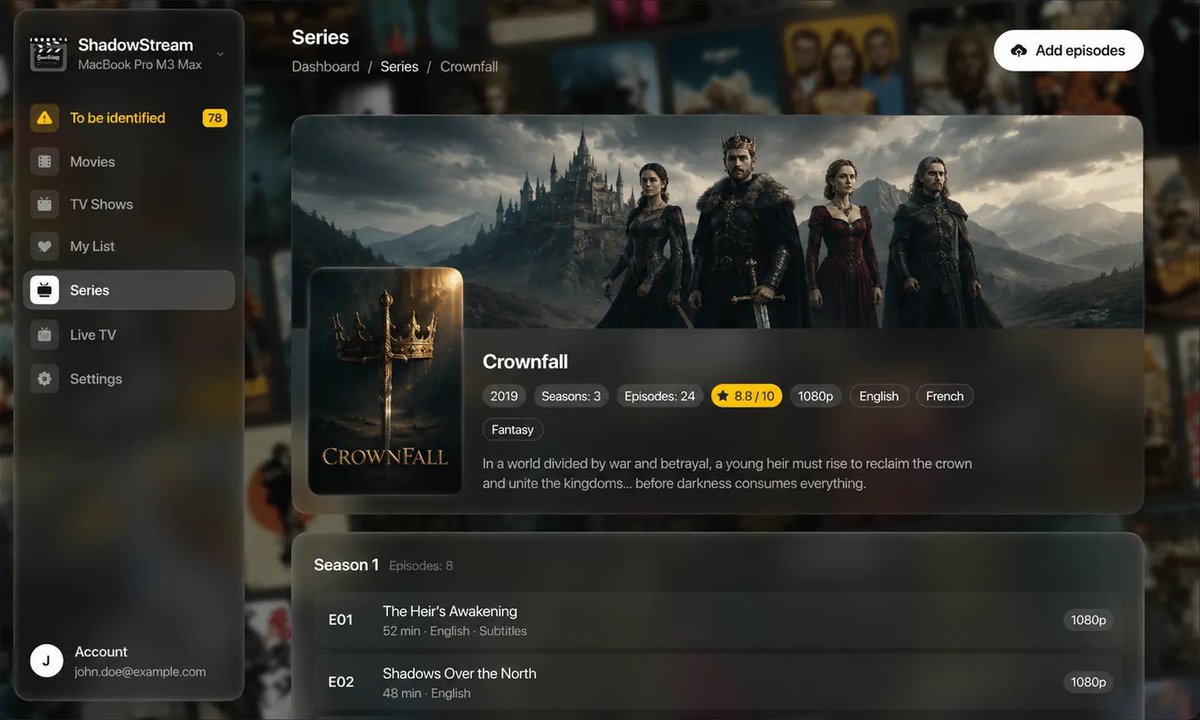
The app now finds the SeeClap Server running at your place all by itself: no address to type, no password, nothing to set up. Your films, shows and home videos show up on every screen, with their versions, audio tracks and subtitles — and none of it leaves your network.
📱 iPhone · iPad 📺 Apple TV 🤖 Android · Android TV
Also in this release:
▸ App theme — light, dark or match your device — applied right from launch
▸ An episode carousel and a "Previous episode" button in the player
▸ Player and picture framing now chosen right in the playback menu
▸ Two-finger pinch to reframe the picture, from the whole image to full screen — on films as on live TV
▸ User rating on movie and series pages, and first air dates for series
▸ Live TV settings that open in a single tap
▸ Faster-loading seasons on Apple TV
▸ Bug fixes and performance improvements
⬇️ App Store: https://t.co/OAigWnNdl1
⬇️ Google Play: https://t.co/ncMg6msxE9
#SeeClap #IPTV #AppleTV #tvOS #iOS #Android #AndroidTV #Streaming #MediaServer #SelfHosted
🚀 SeeClap v2.4.0 is here — on iOS, tvOS and Android!
What's new: 📅 Movie & series pages now show their add and update dates, with an add date on every episode 🏷️ Series available in multiple versions now tag each episode with its language and quality (VF, VOSTFR, 4K…) 💬 Automatic restore of the external subtitle you had selected 🎬 Updated playback engine for broader format compatibility (iOS & tvOS) ⚡ Bug fixes and performance improvements across the board
Update now and enjoy! 🙌
#SeeClap #IPTV #AppUpdate #iOS #tvOS #AppleTV #Android #StreamingApp #M3U #Xtream #LiveTV #VOD