You are probably wondering what do we even do? Let me explain with this video ▶
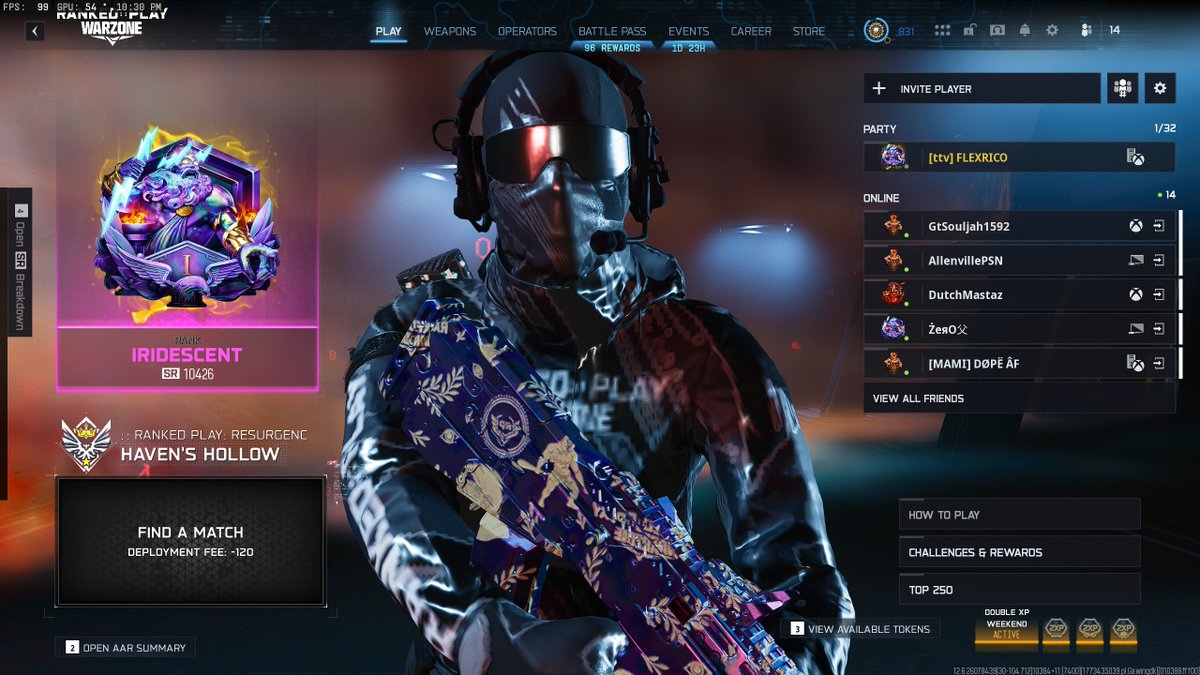
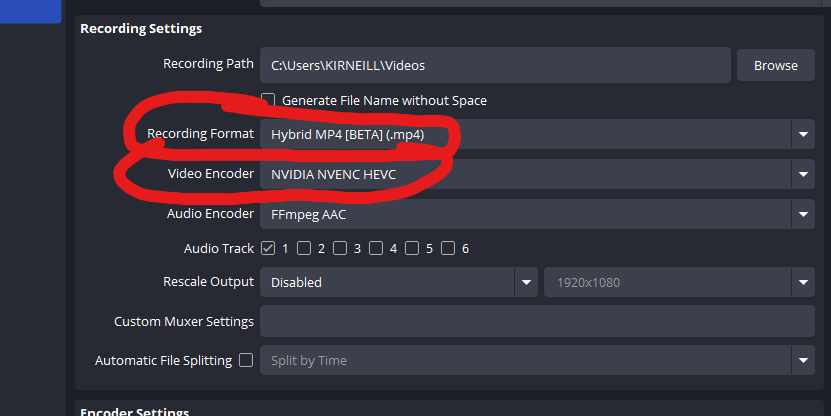
Boost your FPS✅
Enhance your Audio✅
Build your @TunedPC ✅
Optimize your Gaming and Content Creation experience at https://t.co/4QVISKTJxo
You have fun, let us take care of the rest🚀
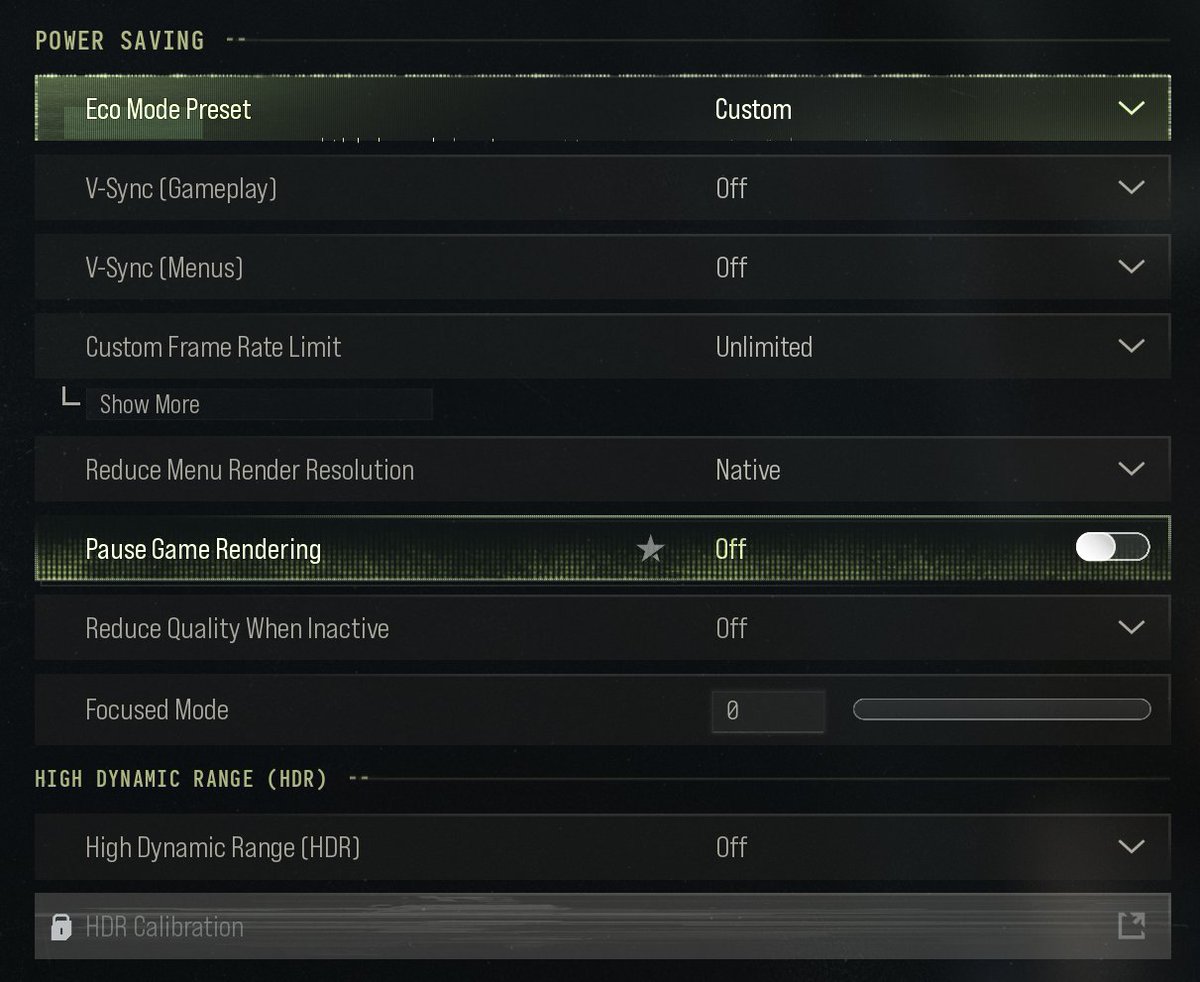
🚨 MW4 BETA MAX FPS CONFIG INSTALL GUIDE🚨
1️⃣ Open MW4 at least once, then fully close it.
2️⃣ Open File Explorer and go to:
C:\Users\[YourUsername]\AppData\Local\Activision\Call of Duty\playersBeta
Can't see AppData?
View → Show → Hidden items
3️⃣ Delete these if they exist:
https://t.co/ywAFywoGmu.cod26
https://t.co/DnqjKBgbdU.cod26
4️⃣ Download my config:
https://t.co/jO0EXew4mU
5️⃣ Paste https://t.co/DnqjKBgbdU.cod26 into the playersBeta folder.
6️⃣ Launch MW4. If prompted to reset/replace the config, click No.
If you want the best FPS for COD MW4 Beta, I released a new update to the @TUNEDPC app.
1. Click Call of Duty Beta
2. Turn on Windows Optimization
3. Click Optimize
4. You're done. Enjoy the FPS
You can get the app at https://t.co/OG7XLSHNFK
How to increase your FPS on your Gaming PC in less than 2 minutes
This works for any FPS games
(COD, Fortnite, Valorant, CSGO, Arc Raiders, etc.)
If there is a game missing let me know and we will add it!
This is the only place where a PC gamer can Overclock their CPU, GPU, Memory, Controller, optimize your games, and optimize windows for MAX FPS in under 3 clicks.
Oh, and it works 99% of the time.
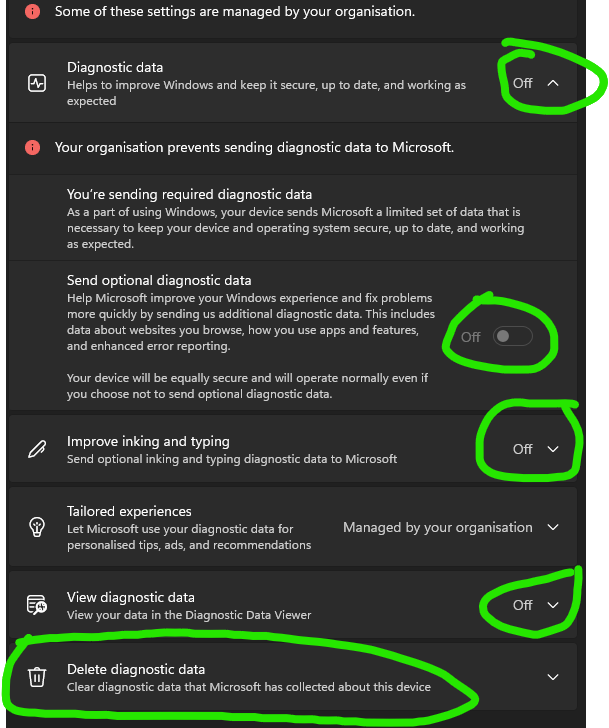
Even after you disable User Experience and Telemetry, Windows 11 still collects your data through a different system
Diagnostic Data tracks your app usage, device activity, and typing patterns which takes up CPU cycles while you game.
Disable it by doing this:
- Go to settings -> Privacy & Security -> Diagnostics & feedback
- Set Diagnostic data to OFF
- Turn off "Send Optional Diagnostic Data"
- Turn OFF "Improve inking and typing"
- Turn OFF "Tailored experiences"
- Click Delete Diagnostic data
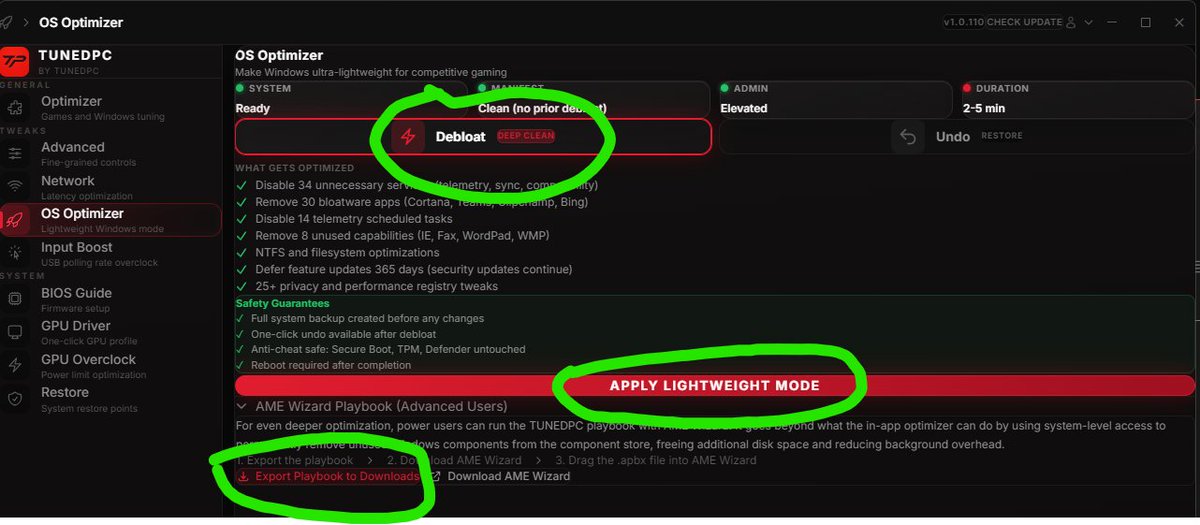
How to get a Custom Windows OS in less than 3 clicks
for MAX FPS in ANY game.
1. Get TUNEDPC app
2. Click OS Optimizer -> Debloat -> Apply Lightweight Mode
3. If you are an expert, Export our playbook -> Run it through AME Beta
There is 0 risk in doing this.
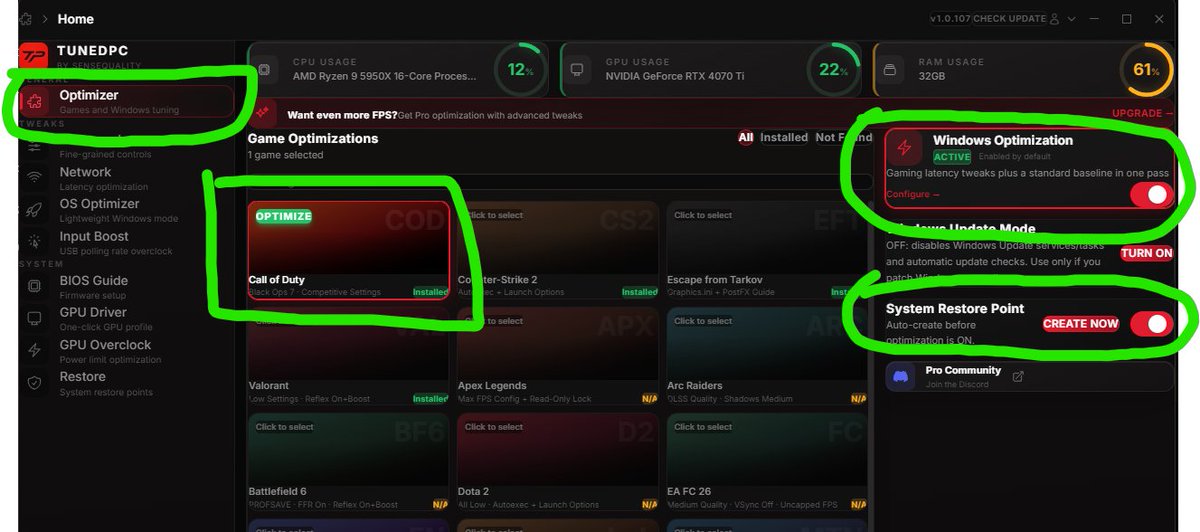
How to get MAX FPS in COD Black Ops 7, Warzone, and Blackout in less than 30 seconds:
1. Download TUNEDPC app
2. Turn on Call of Duty, Windows Optimization, and System Restore Point
3. Press optimize
Done, it's literally that easy.
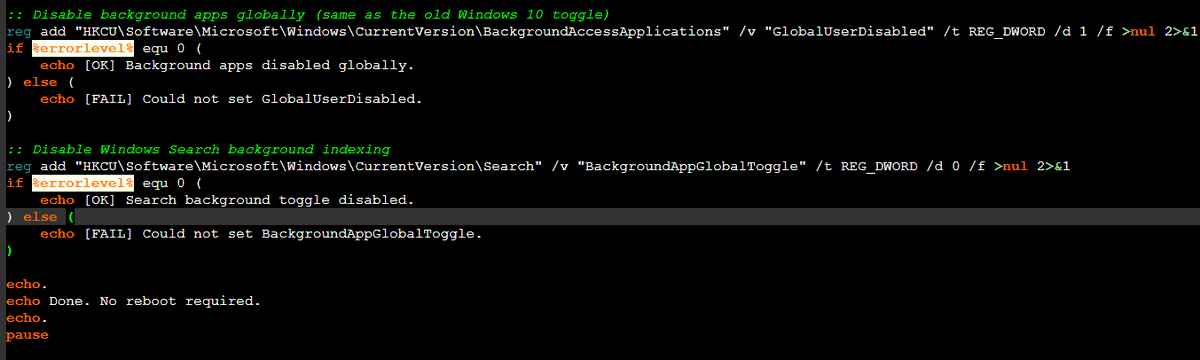
I made a script for you guys to automatically disable background apps in Windows 11 since it doesn't have a option lol
This will instantly save you A LOT of FPS.
Will post it below.
1. copy and paste it into notepad
2. Save as background.bat
3. Run it as a administrator
AMD GPU Users!
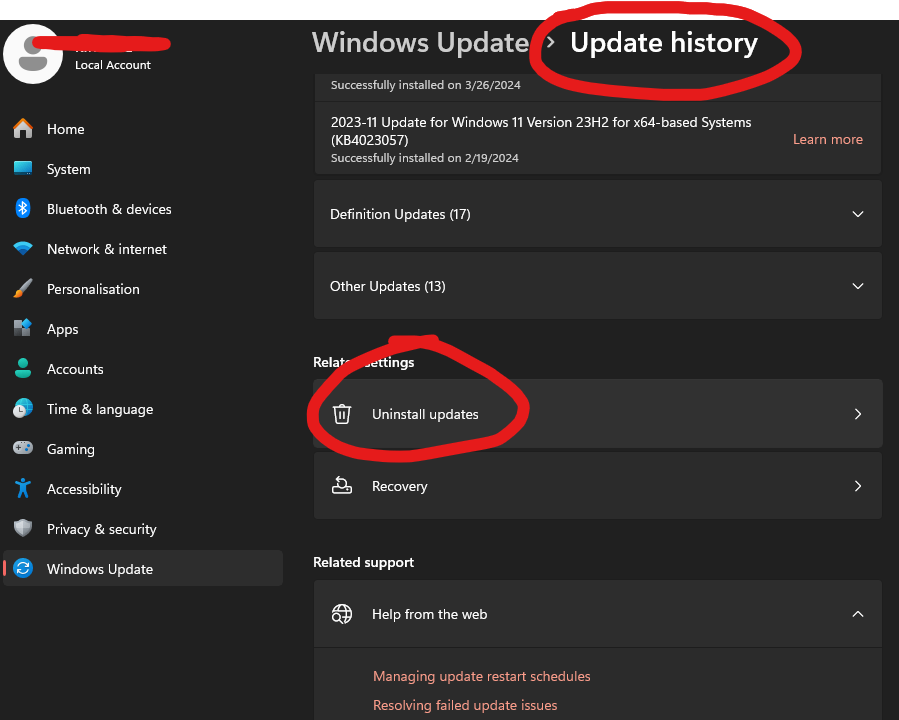
If you updated to Windows Version 25H2 and your FPS dropped, then roll back to 24H2!
Multiple people on microsoft Q&A are reporting 60-80 FPS drops in game!
FIX:
🔹Settings → Windows Update → Update History → Uninstall the 25H2 feature update
🔹Or: Roll back within 10 days at Settings → Recovery → Go Back
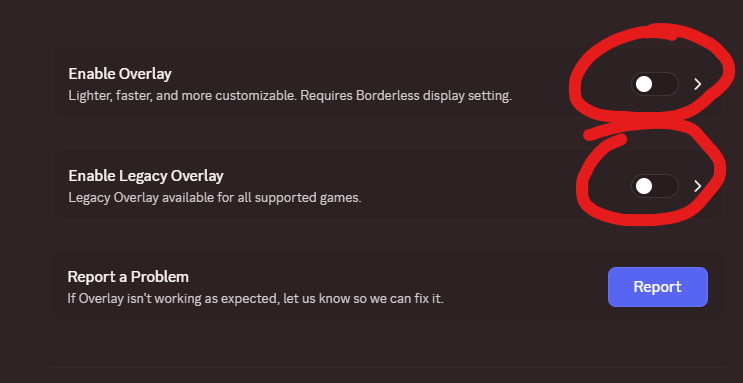
If you use Discord, please, I beg you to disable the Discord Overlay if you game.
It takes away performance from your games and causes issues like input delay, stuttering, etc.
Go to Settings -> Game Overlay -> Disable Overlay and Legacy Overlay
You will not regret it
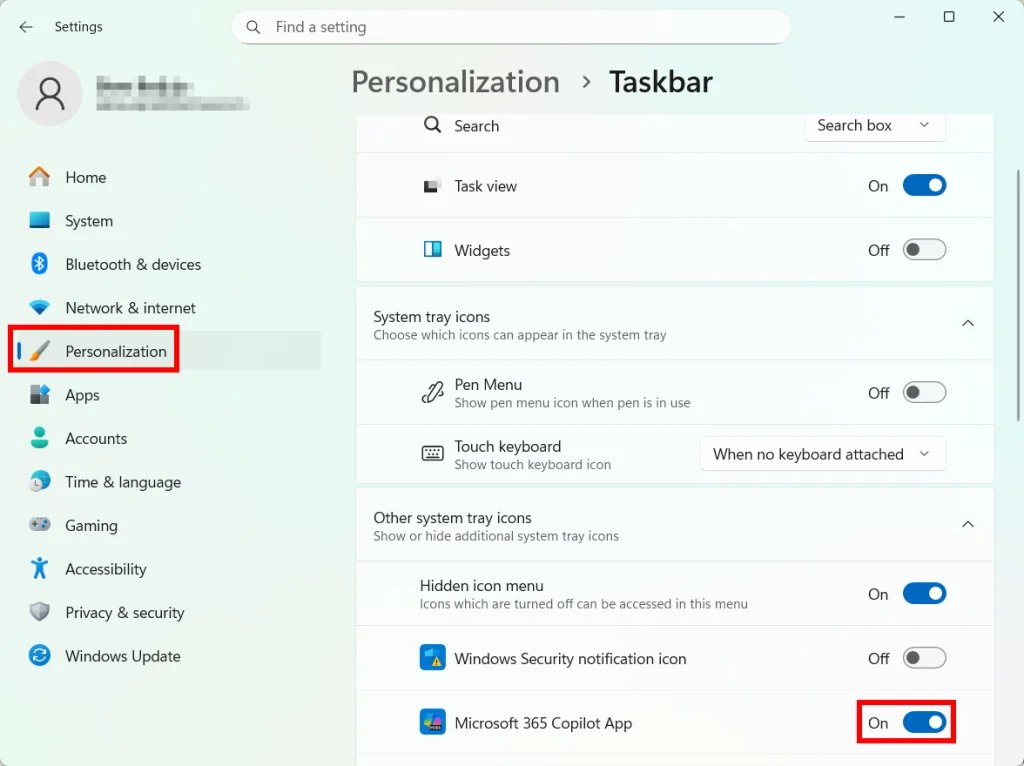
Windows 11 Copilot can use memory in the background while you game taking away FPS. If you never use it, turn it off and free up system resources.
Settings → Personalization → Taskbar → Copilot → OFF
Or permanently: Group Policy Editor → User Configuration → Administrative Templates → Windows Components → Windows Copilot → "Turn off Windows Copilot" → Enabled
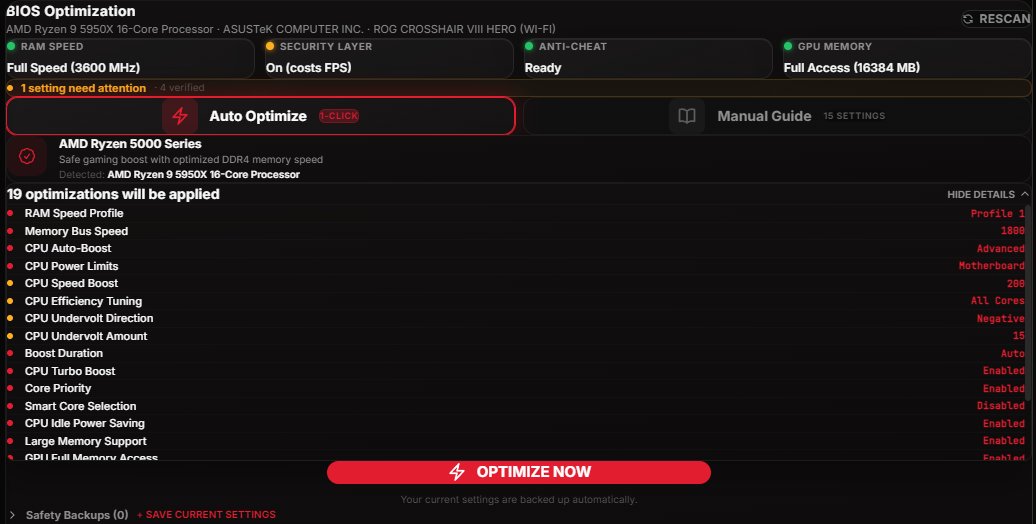
Overclocking used to mean 2 hours in your BIOS watching YouTube tutorials and praying you don't brick your PC.
Now it's 1 click.
Just added the BIOS Optimizer to @TunedPC which auto-overclocks your CPU and RAM for max FPS.
No guides. No risk. Just frames.
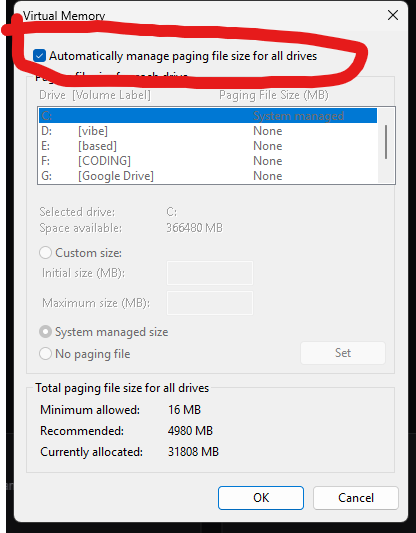
If you constantly crash in games, please make sure to check this:
🔹Open View advanced system settings.
🔹Go to the Advanced tab.
🔹Under Performance, click Settings.
🔹Open the Advanced tab again.
🔹Under Virtual memory, click Change.
🔹Make sure Automatically manage paging file size for all drives is enabled.
🔹Restart








![KIRNEILL's tweet photo. 🚨 MW4 BETA MAX FPS CONFIG INSTALL GUIDE🚨
1️⃣ Open MW4 at least once, then fully close it.
2️⃣ Open File Explorer and go to:
C:\Users\[YourUsername]\AppData\Local\Activision\Call of Duty\playersBeta
Can't see AppData?
View → Show → Hidden items
3️⃣ Delete these if they exist:
https://t.co/ywAFywoGmu.cod26
https://t.co/DnqjKBgbdU.cod26
4️⃣ Download my config:
https://t.co/jO0EXew4mU
5️⃣ Paste https://t.co/DnqjKBgbdU.cod26 into the playersBeta folder.
6️⃣ Launch MW4. If prompted to reset/replace the config, click No.](https://pbs.twimg.com/media/HQ0vcd5WkAACl9K.png)