How to use Claude in 25 different ways:
(takes 60 seconds to read, saves you 60 hours)
1. Bookmark this image. You'll need it tomorrow.
2. Full guide + prompts at: https://t.co/psB7XxAv8w.
3. Don't pay anything. It's free in the email.
---
1. ASK → Chat
☑ Quick questions. Quick answers.
☑ Don't use Cowork for "write a good email?"
2. THINK → Opus 4.8
☑ The smartest model. Always switch to it.
☑ For deep work, complex writing & thinking.
3. SPEED → Sonnet 4.6
☑ Faster, cheaper, still excellent.
☑ Use it for grammar, summaries, short answers.
4. REASON → Extended Thinking
☑ Toggle it on for hard problems.
☑ Turn it off for simple ones (saves tokens).
5. BUILD → Cowork
☑ Where serious work happens. .docx, .xlsx, .pptx.
☑ Point it at a folder. It works like an employee.
6. SHIP → Claude Code
☑ For developers (and curious non-devs).
☑ Build websites and apps from your terminal.
7. MODEL → Claude in Excel
☑ Install the add-in from the Excel store.
☑ Real formulas, real models, no copy-paste.
8. SLIDES → Gamma connector
☑ One prompt. Full presentation. With research.
☑ Connect Gamma inside Claude.
9. MOCKUP → Claude Design
☑ Go to claude .ai/design. Build websites in 1 hour.
☑ Upload a DESIGN .md. Export to Canva, PDF.
10. BROWSE → Claude in Chrome
☑ A browsing agent. Reads any page for you.
☑ Acts inside the browser, not just talks about it.
11. CLICK → Computer Use
☑ Settings > Turn it on.
☑ Claude clicks, types, browses on your Mac.
12. REMOTE → Dispatch
☑ Connect your phone. Text a task.
☑ It works on your computer while you're away.
13. SEARCH → Web Search
☑ Click the '+'. turn it on.
☑ It reads the live web before answering.
14. INVESTIGATE → Research
☑ For deep multi-source reports.
☑ 13 minutes. 50+ sources. One markdown file.
15. TRIGGER → Skills
☑ "Use the skill-creator to build a skill for [task]."
☑ Type /skill. It fires automatically.
16. STACK → Plugins
☑ Cowork > Customize > Browse Plugins.
☑ Bundles of skills for marketing, legal, sales.
17. PERSIST → Projects
☑ One Project per recurring deliverable.
☑ Upload one gold-standard example.
18. AUTOMATE → Scheduled Tasks
☑ Every Monday at 7am, Claude runs your report.
☑ Set it up once. No manual work.
19. CONNECT → Connectors
☑ Gmail, Drive, Slack, Notion, Granola, Calendar.
☑ 50+ apps. Claude reads, writes & acts inside.
20. RENDER → Artifacts
☑ Side pane where Claude opens charts, docs.
☑ Interactive. Editable. Shareable.
21. VOICE → Custom Styles
☑ Set "Concise" or build your own.
☑ Saves you from re-explaining your voice.
22. SHARE → Team Projects
☑ Same Project. Whole team inside.
☑ Skills, files, instructions. Shared once.
23. GUARD → Global Instructions
☑ Settings > Cowork > Global Instructions.
☑ Tell Claude what to always do.
24. ORGANIZE → Obsidian Vault
☑ Free app. Opens your Cowork folder neatly.
☑ Edit files like Google Docs.
25. BRIEF → about-me file.
☑ One md. file. Under 2,000 words.
☑ Your style, your rules, your voice.
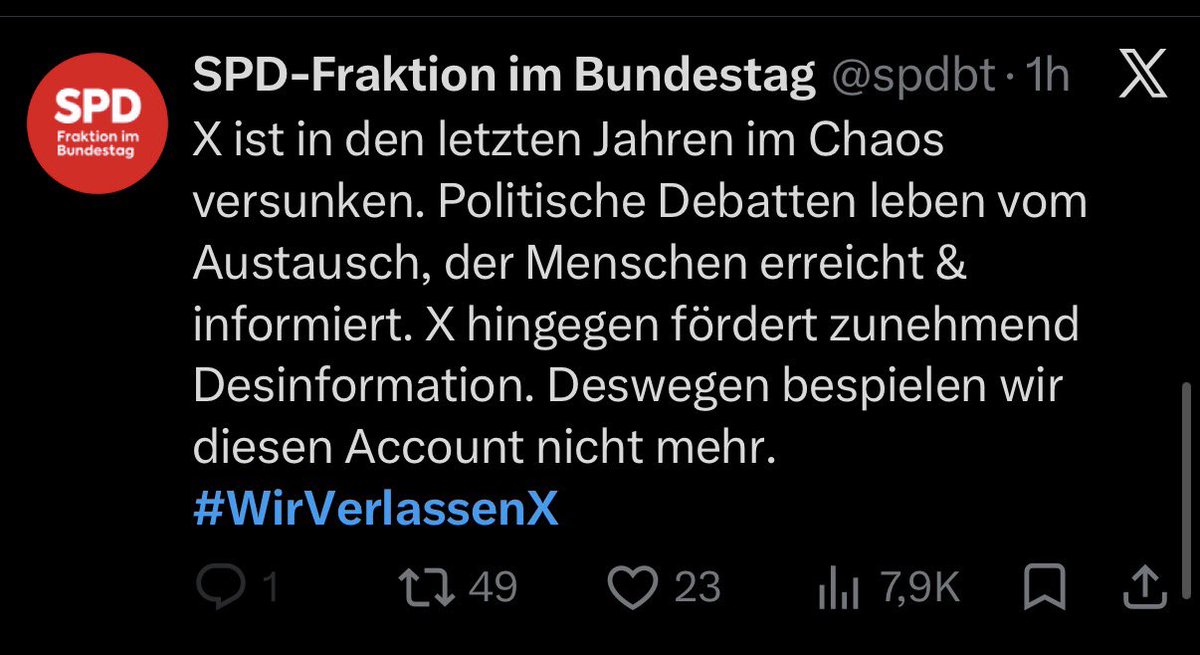
@bursche_lauf X ist in dieser irren Zeit - bei aller ber. Kritik - die wichtigste Informationsquelle überhaupt.
Aaaaaber: Wer sich hier informiert, kann praktisch nicht mehr CDUSPDGRÜNE wählen - kein Wunder also, dass SPD, Grüne & Linke uns hier nicht weiter "bespielen" wollen... Smiley!
@anna8048@KnoblochJens@Teamfreiheit25 Kleiner Denkfehler. Umgehen lässt sich nahezu alles. Oft relativ leicht. Aber der Mehrheit ist das zu umständlich, manchen auch zu schwer. Ziel erreicht.
@SorbischerPrinz@SHomburg@benungeskriptet Seh ich exakt genauso. Nur wenn dessen Genöle guten Leuten zusätzliche Reichweite gibt, die der ÖRR kategorisch versagt, ist die Mission doch erfüllt.
@SHomburg@bundeskanzler Manchmal wundere ich mich, dass Unübersehbares so selten zur Sprache kommt. Das ist nicht mehr Merkel, das hat eine ganz eigene Dimension.




![rubenhassid's tweet photo. How to use Claude in 25 different ways:
(takes 60 seconds to read, saves you 60 hours)
1. Bookmark this image. You'll need it tomorrow.
2. Full guide + prompts at: https://t.co/psB7XxAv8w.
3. Don't pay anything. It's free in the email.
---
1. ASK → Chat
☑ Quick questions. Quick answers.
☑ Don't use Cowork for "write a good email?"
2. THINK → Opus 4.8
☑ The smartest model. Always switch to it.
☑ For deep work, complex writing & thinking.
3. SPEED → Sonnet 4.6
☑ Faster, cheaper, still excellent.
☑ Use it for grammar, summaries, short answers.
4. REASON → Extended Thinking
☑ Toggle it on for hard problems.
☑ Turn it off for simple ones (saves tokens).
5. BUILD → Cowork
☑ Where serious work happens. .docx, .xlsx, .pptx.
☑ Point it at a folder. It works like an employee.
6. SHIP → Claude Code
☑ For developers (and curious non-devs).
☑ Build websites and apps from your terminal.
7. MODEL → Claude in Excel
☑ Install the add-in from the Excel store.
☑ Real formulas, real models, no copy-paste.
8. SLIDES → Gamma connector
☑ One prompt. Full presentation. With research.
☑ Connect Gamma inside Claude.
9. MOCKUP → Claude Design
☑ Go to claude .ai/design. Build websites in 1 hour.
☑ Upload a DESIGN .md. Export to Canva, PDF.
10. BROWSE → Claude in Chrome
☑ A browsing agent. Reads any page for you.
☑ Acts inside the browser, not just talks about it.
11. CLICK → Computer Use
☑ Settings > Turn it on.
☑ Claude clicks, types, browses on your Mac.
12. REMOTE → Dispatch
☑ Connect your phone. Text a task.
☑ It works on your computer while you're away.
13. SEARCH → Web Search
☑ Click the '+'. turn it on.
☑ It reads the live web before answering.
14. INVESTIGATE → Research
☑ For deep multi-source reports.
☑ 13 minutes. 50+ sources. One markdown file.
15. TRIGGER → Skills
☑ "Use the skill-creator to build a skill for [task]."
☑ Type /skill. It fires automatically.
16. STACK → Plugins
☑ Cowork > Customize > Browse Plugins.
☑ Bundles of skills for marketing, legal, sales.
17. PERSIST → Projects
☑ One Project per recurring deliverable.
☑ Upload one gold-standard example.
18. AUTOMATE → Scheduled Tasks
☑ Every Monday at 7am, Claude runs your report.
☑ Set it up once. No manual work.
19. CONNECT → Connectors
☑ Gmail, Drive, Slack, Notion, Granola, Calendar.
☑ 50+ apps. Claude reads, writes & acts inside.
20. RENDER → Artifacts
☑ Side pane where Claude opens charts, docs.
☑ Interactive. Editable. Shareable.
21. VOICE → Custom Styles
☑ Set "Concise" or build your own.
☑ Saves you from re-explaining your voice.
22. SHARE → Team Projects
☑ Same Project. Whole team inside.
☑ Skills, files, instructions. Shared once.
23. GUARD → Global Instructions
☑ Settings > Cowork > Global Instructions.
☑ Tell Claude what to always do.
24. ORGANIZE → Obsidian Vault
☑ Free app. Opens your Cowork folder neatly.
☑ Edit files like Google Docs.
25. BRIEF → about-me file.
☑ One md. file. Under 2,000 words.
☑ Your style, your rules, your voice.](https://pbs.twimg.com/media/HKB93Q0bEAAebav.jpg)


