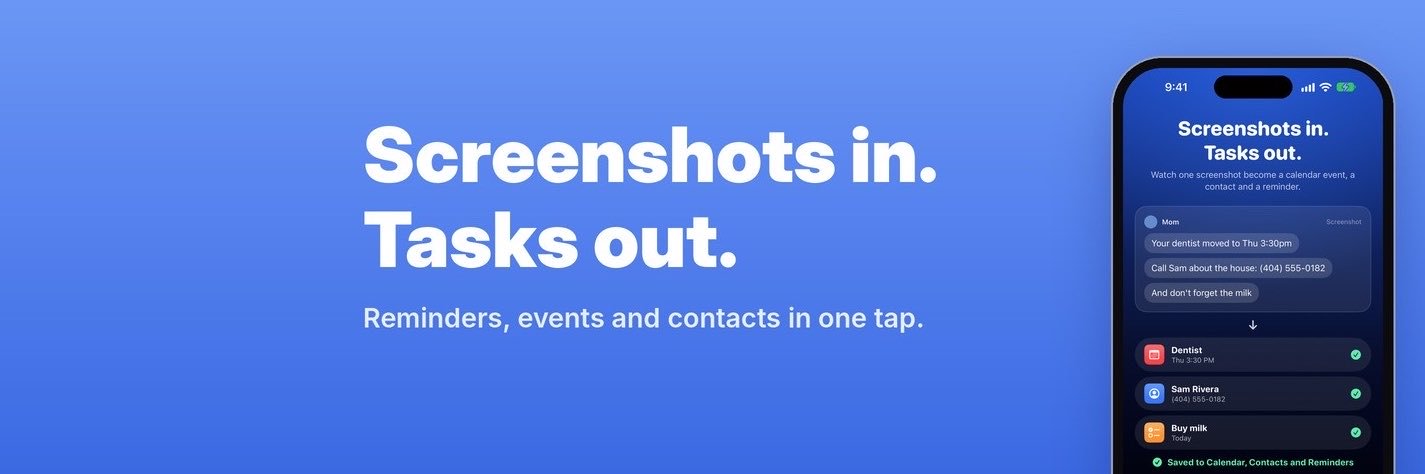
I had 30 screenshots of school texts, bills and appointments that I never did anything with. So I'm building an iPhone app that turns a screenshot into a reminder or calendar event in one tap. Building in public.
A bill screenshot is the most expensive one to forget.
Not because the money vanishes. Because the due date does, and then the late fee becomes the reminder you were supposed to set.
Which bill keeps slipping past you every month?
School forms aren't hard. They arrive in an email mid-week, get screenshotted, and are due Monday.
The problem is they have no home. The email gets buried and the screenshot never turns into a date on the calendar.
Where do yours live?
Clearing the screenshot pile feels great for about a week.
Then it fills back up. The pile was never the problem. The problem is the new text that arrives while you're already in the middle of something.
A pile gets cleared once. Texts arrive every day.
The shared family calendar is not empty because nobody cares.
It's empty because the party Saturday at 2 arrived in a group chat, the form came in a school email, and neither one ever got typed in.
Capture is the part everyone skips.
The reason a capture habit dies isn't laziness. It's a decision.
Save it or not. Open the app or not. One more step before anything is written down.
Remove the decision and the habit survives. You take the screenshot, it gets read.
A date in a text is the quiet one. Nobody reminds you about it twice.
Milk gets remembered because someone asks again. The party Saturday at 2 doesn't. It arrives once and then scrolls away.
Dates are the ones worth writing down the moment you read them.
The camera roll full of screenshots is its own kind of guilt.
The event flyer. The address. The confirmation email you saved instead of read.
Clearing them ten at a time turns a Saturday afternoon into ten minutes.
The bill email was on screen for thirty seconds.
Now it's a screenshot under the school flyer and the group chat about dinner. A due date you can't see anymore.
Save it as a reminder named after the company, with the amount and the date. Paid on time instead of a late fee.
A new to-do app doesn't fix a to-do list that never gets written.
Switching apps is the fun part. The other part is the text that says grab milk on the way home, and whether it lands on your phone before you forget it.
That second part is the whole job.
The shared family calendar is never the problem. It's empty.
The school email, the spouse text, the group chat planning dinner at Grandma's: none of it goes in, because getting it in means retyping it on a phone.
Capture is the step everyone skips.
Starting gtd usually means picking an app first. That's the wrong first step.
Your list already exists. It's in Reminders, and it's empty because retyping a text into it takes longer than forgetting it.
Fix the capture, not the setup.
A missed call isn't a notification. It's money walking out the door.
Three calls go to voicemail while you're in a meeting. By the time you're out, it's a blur of numbers.
A call-back reminder per caller turns that wall of noise into decisions.
@ittybitty_brie2 the bill is never the problem, it's the second read. get the due date somewhere you look at daily the moment the bill shows up and the late fee stops happening
Dictating a dentist appointment to a voice assistant is a guess. It hears the name wrong, the time wrong, and you find out at the front desk.
The details were already on the screen. Skip the middleman: capture what you're looking at, keep the exact words.
The date is in a text from school. If saving it means opening another app and retyping it, it doesn't happen.
The capture has to start from the screen you're already on. Share sheet, one tap, done. That's the difference between a habit and an app you abandon.
A school email with a field trip date and a permission slip deadline isn't a to-do until it lands somewhere you'll see again.
You read it on your phone, think later, and later never comes.
Put the date in your calendar before you close that app.
Forgot to pay is rarely forgetfulness. It's a due date you saw once, in a text or a photo of a paper bill, and never turned into a reminder. The date was there. The reminder never got made. Put the date and amount in reminders the same moment you read it.
Most people who move their to-do list to Apple Reminders quit in week one. Not because the app is wrong. Adding things is too slow, so nothing gets added, and the list stays empty. The capture step is the whole game. Make it one tap and the list starts telling the truth.
Plans come in texts, emails and WhatsApp. Typing them into Reminders is the worst part. Now I just screenshot it and Shotodo does the rest. Free for 7 days on iPhone: https://t.co/57EZs7iusJ