SideDisplay for Windows v1.6.0
Biggest change: no internet? No problem. A new "Hotspot with loopback" mode lets you broadcast a hotspot from your PC without any internet connection. Connect your Tesla or any device with a WebRTC-supported browser and use it as a wireless extended monitor.
Plus a new in-app setup tutorial for first-time users.
https://t.co/nPt74LdMzc
Not sure exactly how this was done, but SideDisplay offers the same functionality. Use your Tesla screen as a wireless extended monitor for your MacBook or Windows laptop.
https://t.co/MKYeKk7Dcq
@Petey_Money Awesome setup! Thanks for sharing this, and thanks for your patience throughout the whole troubleshooting process. Enjoy your mobile workspace! If you ever run into any issues, feel free to reach out anytime.
SideDisplay for Windows v1.5.0 is out.
This update makes full use of hardware encoders (Intel QSV, NVIDIA NVENC, AMD AMF) to reduce latency, with improved connection stability across the board.
https://t.co/MKYeKk7Dcq
@cryptoslayer3@AlexFinn@elonmusk You don't have to wait. SideDisplay already does this. It turns the Tesla touchscreen into a real wireless extended monitor for your laptop through the Tesla browser. No cables, no dongles, no mirroring.
Free trial available.
https://t.co/MKYeKk7Dcq
Thanks for taking an interest in the product! Fair point on the subscription. SideDisplay is $10.99/year, which works out to less than $1 a month. The reason I went with a subscription: every Tesla software update, macOS release, and Windows update can affect compatibility, so the app needs ongoing development to keep working. A one-time fee wouldn't sustain that. There's also a free trial with 60 minutes per week, no credit card needed, which should be enough for users who don't use it heavily. I'll do my best to make the subscription worth it through continuous updates and new features built on top of the core functionality.
"Work from anywhere" sounds great. But where do you actually work?
Most of us end up at a coffee shop. I wrote about why that happens, and how I built a real mobile workspace inside my Tesla.
https://t.co/Bl5wIj21z2
@Tesla@elonmusk
@Petey_Money I'm really sorry for the inconvenience. I've pushed another update (1.4.2) with a fix for the part I suspected was causing the issue. Could you update to the latest version and let me know whether the problem still occurs?
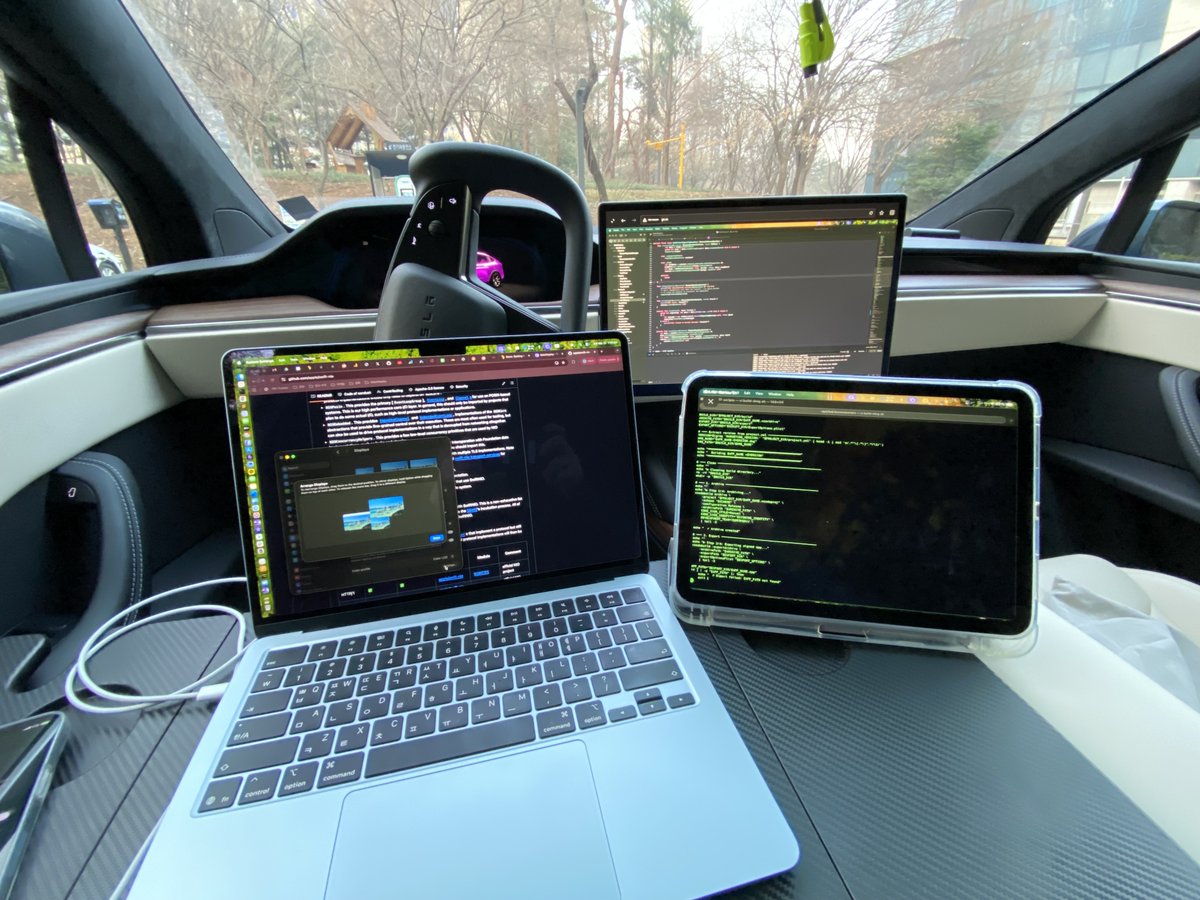
My office today: a park, a parking lot, and three screens.
Tesla's Mobile Office Profile on. MacBook and iPad on the folding table, with the Tesla screen and iPad both running as wireless extended displays.
The iPad? Not Sidecar. Also SideDisplay.
No cables. All three screens connected through SideDisplay.
Building the next feature of SideDisplay… on SideDisplay.
@Petey_Money I found an edge case in how the app detects the Mobile Hotspot interface. I've just released version 1.4.1 with a fix, so please update to the latest version and let me know if the same issue still occurs.
Thanks for the reply. Could you run a quick diagnostic so I can take a closer look?
1. Open SideDisplay
2. Check "Enable Diagnostics"
3. Click Start
4. Wait 1–2 minutes
5. Click Stop
6. Click Send Report
Once the report comes through, I'll review it and get back to you with what I find.
@Petey_Money Thanks for sharing the screenshot. Based on the current state of the app, it looks like Windows Mobile Hotspot may not be set up correctly on your side. Could you also share a screenshot of Settings > Network & internet > Mobile hotspot on Windows?
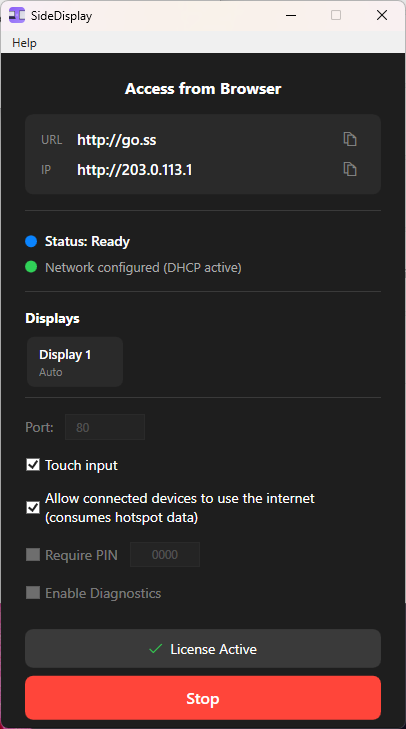
To help me understand what's happening on your end, could you send a screenshot of the SideDisplay app right after you click the Start button? If Mobile Hotspot is enabled on Windows, after you click Start in the app you should see both https://t.co/QXJDLTxWB0 and http://203.0.113.1 shown under "Access from Browser."
Duet Display, Sidecar, Luna Display, Spacedesk, Deskreen — I tried them all to turn my Tesla screen into a second monitor.
None of them worked. Here's why.
https://t.co/c2FVtWmT36
@Tesla@elonmusk
@aaronburnett@BackwoodsEnginr That's an awesome setup. I don't have Starlink, but I work from my Tesla with iPhone USB tethering and use the Tesla center display as a wireless extended monitor for my MacBook. A real mobile office right from the car.
I've never used Starlink, does it have an Ethernet port?